I also heard driver sweeper isn't that so great for windows 7. Maybe that might have also contributed to my dilemma.
More than likely, yes. Wouldn't be the first (and I know for a fact the last) time I have seen it do that to someone by removing more than it should, and leaves you hoping System Restore can get things back to normal, or as you found out a clean install of Windows.
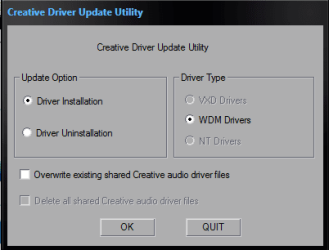
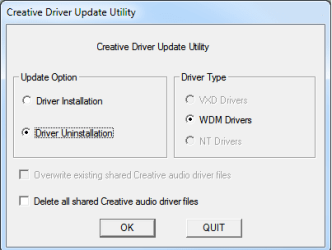
If at any time you have to uninstall the Creative drivers again, use Creative's own uninstaller that is included in the driver file you download from them (it is also likely somewhere on the driver disk as well). To find it use something like 7zip or Winrar to extract the downloaded driver file and you will find it in the,
Drivers\support
folder. The file name is ctzapxx.exe and looks like this when run,
View attachment 170803