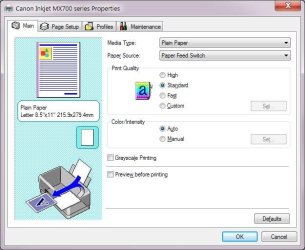
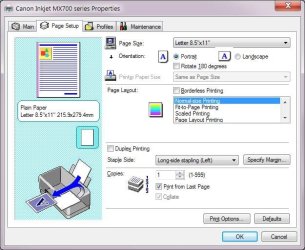
I think if you set your print preferences how you want them, then click "Defaults" it should make those settings "take". Of course until you want to switch again. This is how the settings work for my HP printer at least. It is not a Windows setting.
Actually, I think that by simply setting the "printing preferences" in the objects shown on "Devices and Printers", that these become the defaults for that printer object. I don't see any "defaults" button, at least not on my HP 2605dn printer (for the three PCL5, PCL6 and PS600 drivers which correspond to three separate printer objects going to the same single physical printer), although if present that might just restore all HP-factory default settings rather than use my customized settings.
This is how to set the "default" printing preferences (including portrait vs. landscape, long/short edge binding to influence reverse side page rotation when printing on a duplex printer, etc.) which will then be in effect for all application programs "by default" anytime you print to that particular printer object selected from a "printers" dropdown list.
You can then override it for a given specific program application or printing situation instance by using that application's particular method of say "file -> printer setup", or maybe a setup button on the "file -> print" dialog, etc. Some applications may actually have their own "private setup" which is retained, outside of the Windows "default", so that you don't need to go into any setup dialog for each printing situation... unless, of course, you want to or need to for a special situation.
I do believe that the suggestion above (by "giblets") to make a second printer copy of the first which uses the same printer driver but is conceptually a second printer and therefore capable of having its own separate "printing preferences", is a very clever one. Call one "landscape" in its name prefix/suffix and the other "portrait". Very clever, very intuitive to use, and should work fine.