I have tried every conceivable way to get Explorer to let me view my empty drives under Computer. They show when there's a disk in them. They show in the reading pane, they just won't show up as empty drives in the Nav pane. I have tried deleting the upper and lower filters in the registry. Un checking the "Hide empty drives" in Folder options, adding a (1) to the registry settting "Hide drives with no Media". That setting seems to change itself back to (0) all the time. I am totally at a loss getting the empty drives to show themselves in the Nav pane.
My Computer
At a glance
Windows 7 home premium x64Core i5-430M8gbMobility Radeo 5650
Bit confused with what you are trying to say. DVD rom or hard drives?
Hard drives: Have the drives been formatted? Control Panel/Admin Tools/Computer Management/Storage/Disc Management. You should see them in there. Right click/format.
My Computer
At a glance
Windows 7 Pro x64 -- PCLinuxOS KDE4 FullMonty...i7-875k @ Turbo - 7,6,5,5 - 3.6ghzCorsair CMD8GX3M4A1600C8 8gbAsus EAH5850 DirectCU/2DIS/1GD5
Computer Manufacturer/Model Number
Custom
OS
Windows 7 Pro x64 -- PCLinuxOS KDE4 FullMonty 2011
CPU
i7-875k @ Turbo - 7,6,5,5 - 3.6ghz
Motherboard
Asus P7P55D-E Deluxe
Memory
Corsair CMD8GX3M4A1600C8 8gb
Graphics Card(s)
Asus EAH5850 DirectCU/2DIS/1GD5
Sound Card
On Board
Monitor(s) Displays
Samsung SyncMaster T220 - Panasonic VT30a 50"
Screen Resolution
1680x1050 -
Hard Drives
Corsair Force 3 SSD 120GB x 2 ::
WD VelociRaptor 150GB WD1500HLFS x 2
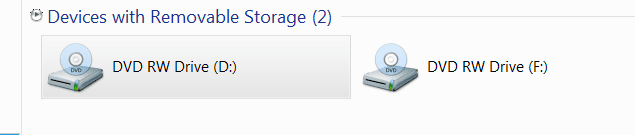
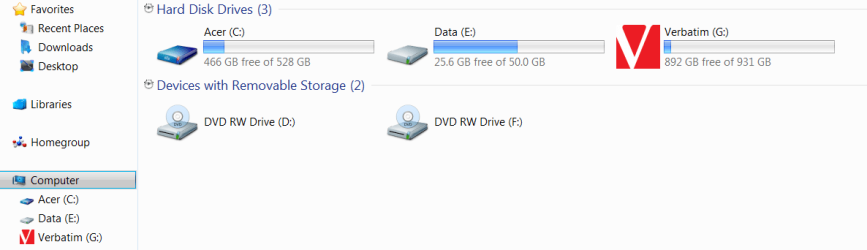
They are cd/dvd rom drives. One is the built in burner the other one is an external burner that I use for copying. The drives both show in the reading pane. They just won't show in the Navigation pane when they are empty. They show when they have a disk in them under Computer in the Nav pane, but the minute I remove the disk the letter goes with it like it doesn't exist.Do you see that both burners don't show up under computer when they are empty.
Attachments
Capture.PNG
5 KB
· Views: 26
Capture1.PNG
15.6 KB
· Views: 16
My Computer
At a glance
Windows 7 home premium x64Core i5-430M8gbMobility Radeo 5650
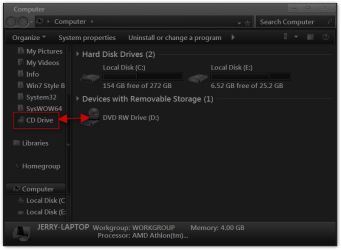
Thanx guys. Not really what I had in mind, but good to know that it does work like that. I tried and they both went over and labeled as cd drives. Thanks to both of you.
My Computer
At a glance
Windows 7 home premium x64Core i5-430M8gbMobility Radeo 5650
That was one of the first things I did was to uncheck that box. Needless to say it didn't work and I 'm totally baffled as to why it doesn't. There was even a registry setting that I modified called something like "No Media Empty Drive" and it didn't work either. Very strange. It's like Windows is just ignoring these commands.
My Computer
At a glance
Windows 7 home premium x64Core i5-430M8gbMobility Radeo 5650
Google is my friend.. I was having the same exact problem tonight on a fresh install of W7 HP. I found your question asked several times right here in this forum and a few such as you and I had even done ALL the fixes and tweaks listed.. to no avail.



 There was even a registry setting that I modified called something like "No Media Empty Drive" and it didn't work either. Very strange. It's like Windows is just ignoring these commands.
 I was having the same exact problem tonight on a fresh install of W7 HP. I found your question asked several times right here in this forum and a few such as you and I had even done ALL the fixes and tweaks listed.. to no avail.