if i tend to "try and see if it works" it is still important for me to keep a back up of my personal stuff right?
Yes, you should keep backups of all personal data at all times--you can't assume your imaging or cloning will work.
Since you have an external drive of 70 GB, I would probably lean toward imaging rather than cloning. Imaging is more commonly done on these forums and there are more applications that will do it. You might have to buy a cloning application, but you shouldn't have to spend anything on an imaging application.
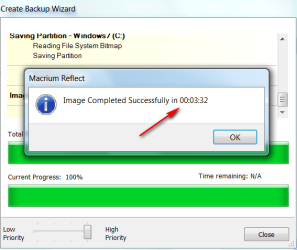
Windows 7 includes an imaging application. It works, but isn't very intuitive and is a bit fussy. I'd recommend you use Macrium Reflect Free Edition, a free download. The free version will image. If you wanted to clone, I think you would have to buy the paid version of Macrium.
Member WHS has a good tutorial on this site on how to use Macrium Reflect Free to make and restore an image. He may jump into this thread.
Looking at your Disk Management, I think I would just make an image of C and your system reserved partitions. Probably separately. An image file of each. WHS's tutorial may have more ideas on that---he may recommend that you include System Reserved and C in the same image, rather than in separate images? I'm not sure. I do use Macrium, but I don't use a System Reserved partition and therefore don't have to consider that question.
Back up the files in the other partitions in the standard manner--drag and drop without an image. And then just drag them back to the desired location after the new drive is up and running. You should also be able to just reconnect your old hard drive and drag personal files to the new drive if you choose to do it that way, rather than back them up to an external.
The size of your saved image file that you put on the external will be roughly half of the size of the occupied space on C---so you should have plenty of room.
After you restore the saved image file to the new drive, you should be able to resize the new C partition as needed. It probably won't be the size you prefer by default, but that's no problem.
After you have C up and running on the new drive, you can then use Disk Management to make new D, E, F, or whatever you want in your chosen sizes.
I wouldn't absolutely rule out cloning. Others may have ideas on it.
Bottom line: know what you will do if the imaging or cloning fails--you would have to reinstall Windows and all applications. Be sure all personal data is backed up independently.
Here is WHS's tutorial. Speak up about anything you don't understand:
http://www.sevenforums.com/tutorials/73828-imaging-free-macrium.html


 , thanks for the reply. let me tell you, i have never watched a video, read a tutorial or an article on cloning/imaging ever. im completely new to this, so please bear with me