YoukaiChoGonou
New member
- Local time
- 1:37 PM
- Messages
- 3


I just earlier today ran a full scan and nothing came back :huh:
I just earlier today ran a full scan and nothing came back :huh:
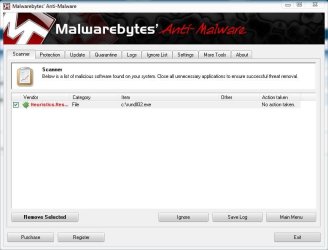
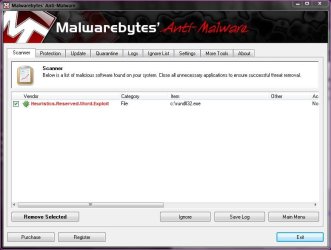
That's a little worrying. It doesn't pick up the installer as infected just the rundll32 in the C directory. Also this morning MSE flagged it as unknown and wanted me to send it off for analysis.
That's good enough re-assurance for me Derek.
Thankyou

That's good enough re-assurance for me Derek.
Thankyou
You're welcome, maybe Goofwear will explain further. I've never had any problems because of it though.
That's good enough re-assurance for me Derek.
Thankyou
You're welcome, maybe Goofwear will explain further. I've never had any problems because of it though.
Yes would be nice. Also I kept the installer in a folder on another drive and it doesn't pick that up even though that file is inside. Only seems to matter when its sat in the main directory.
I took the rundll32.exe and the shimgvw.dll form windows xp 32 bit and windows xp 64 bit and Hex edited the name windows 7 gif viewer into it and made a registry key to have it open gifs with the files from xp , so the malwarebytes is probably thinking its an infected file because its modified from the original file from windows. Hope that helps
I took the rundll32.exe and the shimgvw.dll form windows xp 32 bit and windows xp 64 bit and Hex edited the name windows 7 gif viewer into it and made a registry key to have it open gifs with the files from xp , so the malwarebytes is probably thinking its an infected file because its modified from the original file from windows. Hope that helps
Somehow, attachments fail. Please upload to imgur or something and send URLs.
when I open this file with windows 7 gif viewer:

I got a message:

Please help!!
Somehow, attachments fail. Please upload to imgur or something and send URLs.
What did it say. Did a box pop up with a red circle and give a run error. ..
OR did it say this program could not be verified from a reliable source are you sure you want to run this.
OR did you nit right click the run32.sol in the c drive and Change compatibility to XP sp 3 if your on a 32 bit OS. And if your on a 64 bit OS then Change to vista compatibility. Hope that helps in the mean time till you re upload the screen shots