Dad2David
New member
- Local time
- 7:57 AM
- Messages
- 11
Hi All,
I have Win 7 Home Premium (64-Bit) both on my Intel Core i5 desktop and my AMD A6 HTPC, the problem is this:
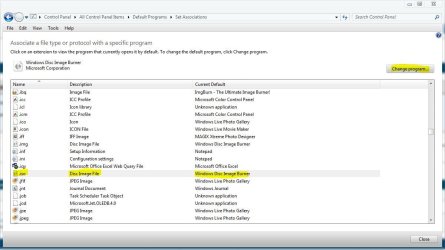
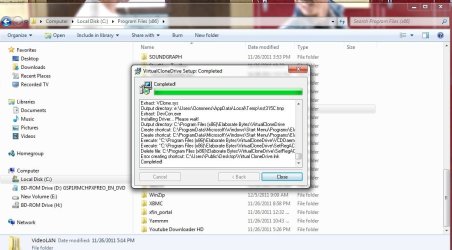
I can play my iso image files fine in WMC on my desktop using Slysoft Virtual Clone Drive and Mikinhos Mount Image to automatically mount the images! (I downloaded the x64 file on Mikinhos, is that the right file)!
When I did the same on my HTPC it did work fine for the first time, but every time I restart it the image does not mount and the file does not play, it does not give me an error, but when I click on play in My Movies, WMC just asks me whether I want to burn a CD or DVD and when I click close on that or just wait, it does not play the movie the blue activity indicator circle (instead of the hourglass) just disappears and I am back to the My Movies screen!
In WMC Movies (not using My Movies, here) it gives me an error asking me to check the path specified, looks like WMC is not recognizing the virtual drive created by the software!
How do you play your image files? What mounting software do you use? I tried uninstalling both the applications and re installing but same thing, it does play when I do it, but after rebooting the same issue again, have no idea how to fix it.
I tried DVD fab virtual drive & daemon lite instead of Virtual clone, and WMC keeps telling that it could not find an appropriate software to mount the image for both, why is this?
Any help is appreciated? Most of movies are in ISO image files, so I would love for them to auto mount and play in WMC! I know this works (on my desktop) but don't know why it wouldn't on the HTPC!
Thanks in advance! I'll post some screen shots to this post as soon as I get home today, might make it more clear!
I have Win 7 Home Premium (64-Bit) both on my Intel Core i5 desktop and my AMD A6 HTPC, the problem is this:
I can play my iso image files fine in WMC on my desktop using Slysoft Virtual Clone Drive and Mikinhos Mount Image to automatically mount the images! (I downloaded the x64 file on Mikinhos, is that the right file)!
When I did the same on my HTPC it did work fine for the first time, but every time I restart it the image does not mount and the file does not play, it does not give me an error, but when I click on play in My Movies, WMC just asks me whether I want to burn a CD or DVD and when I click close on that or just wait, it does not play the movie the blue activity indicator circle (instead of the hourglass) just disappears and I am back to the My Movies screen!
In WMC Movies (not using My Movies, here) it gives me an error asking me to check the path specified, looks like WMC is not recognizing the virtual drive created by the software!
How do you play your image files? What mounting software do you use? I tried uninstalling both the applications and re installing but same thing, it does play when I do it, but after rebooting the same issue again, have no idea how to fix it.
I tried DVD fab virtual drive & daemon lite instead of Virtual clone, and WMC keeps telling that it could not find an appropriate software to mount the image for both, why is this?
Any help is appreciated? Most of movies are in ISO image files, so I would love for them to auto mount and play in WMC! I know this works (on my desktop) but don't know why it wouldn't on the HTPC!
Thanks in advance! I'll post some screen shots to this post as soon as I get home today, might make it more clear!
My Computer
At a glance
Win 7 Home Premium 64 BitIntel Core i5-2500 K16 GB Corsair VengeanceXFX Radeon HD 6870 (900 MHz)
- Computer Manufacturer/Model Number
- Self Built Desktop for Gaming & Work
- OS
- Win 7 Home Premium 64 Bit
- CPU
- Intel Core i5-2500 K
- Motherboard
- Asus P8Z68 V
- Memory
- 16 GB Corsair Vengeance
- Graphics Card(s)
- XFX Radeon HD 6870 (900 MHz)
- Sound Card
- On Board
- Monitor(s) Displays
- Haans-G 28" LCD Monitor
- Screen Resolution
- 1920 x 1080
- Hard Drives
- Crucial M4 - 64GB (SSD Caching / Intel SRT)
Samsung Spinpoint F3 7200 RPM - 1 TB
- PSU
- Seasonic X Series 650W 80 Plus Gold ATX
- Case
- NZXT Phantom Black
- Cooling
- CM Hyper 212 Plus
- Keyboard
- Logitech K 800 - Wireless & Illuminated
- Mouse
- Logitech Performance MX
- Internet Speed
- Comcast Cable - 28 Mbps DL
- Other Info
- Go Groove 2.1 Sound Blaster Speakers
Logitech C910 HD Webcam