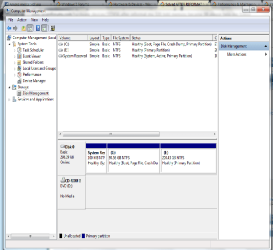
problem
thank you sir for the message but sir this problem pops out if i change the path
"An error is occured.Check the system Event Log for more information on the error. Close the disk management console, then restart disk management or restart the computer"
See where it says change drive letter and paths. With the ~200GB partition selected give it a drive letter D. Then the partition will show up in Windows explorer.
thank you sir for the message but sir this problem pops out if i change the path
"An error is occured.Check the system Event Log for more information on the error. Close the disk management console, then restart disk management or restart the computer"
My Computer
At a glance
windows 10 64bitRyzen 3 2200g8.00 GBVega 8 integrated graphics
- OS
- windows 10 64bit
- CPU
- Ryzen 3 2200g
- Motherboard
- msi a320m pro-vh plus
- Memory
- 8.00 GB
- Graphics Card(s)
- Vega 8 integrated graphics