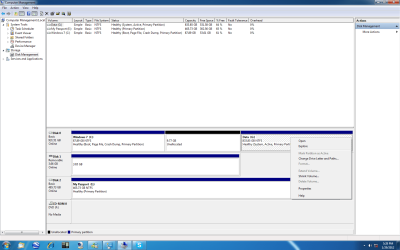
Bottom line: you must move your boot manager files over to C using the recommended approach identified above. This will mark C as now the "active" partition, and G will be marked "inactive". Then you can do anything you want with G.
Thank you for your explanation, I do appreacted it. I will real it over a couple of time to make sure I get it. Thanks again.[/QUOTE]
Note that the first snippet above looks right, but the second sentence looks wrong. That's because your quote of my post was done incorrectly.
"Quoted text" is bounded by a pair of delimiters. The leading delimiter is [ q u o t e ] and the trailing delimiter is [ / q u o t e ] (without the imbedded blanks of course, which I've put here just so I could post it in-stream.
Any text bounded by this pair of starting/ending delimiters will be marked as quoted text and displayed in a box, indented, etc. I'm sure your quotes of my post were intended to appear this way, but did not. And the reason looks like you failed to retain the LEADING DELIMITER. You ended the quoted text correctly with [ / q u o t e ] but you accidentally (or unwittingly) deleted the leading delimiter which is placed their automatically if you push the "QUOTE" button to begin your reply.
That's the easiest way to quote text and then insert your own reply. Start by pushing the QUOTE button and edit the result, being sure to have each subset of quoted text you want to reply to individually bounded by the above described leading and trailing delimiters. And if you do this multiple times, injecting your own reply to each subset of quoted text, just be sure you have each quoted text snippet properly bounded by the pair of delimiters. Then it will all look like you want.
You can verify that it all looks right by using the "Preview Post" button at the bottom of the composition area instead of "Submit Reply". If the preview looks good you can then submit it. If it has problems you can still correct it before posting. And even after posting you can correct it by pushing the EDIT button (which will always appear on your own posts).