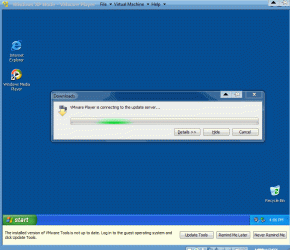
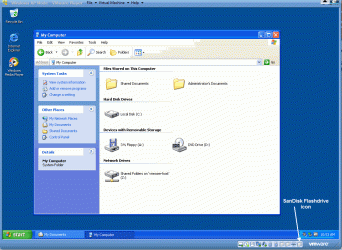
One important thing I forgot to mention and that is whichever virtual machine you use you'll need to go into the BIOS and enable hardware virtualization under the Power settings otherwise your virtual PC won't work.
Thank you for the information concerning the BIOS and virtual PC. However, several months ago I downloaded this software without making any changes to the BIOS. This is the first time that I have heard about it. However, all is well so I will leave it as it.
I believe MS Virtual PC and XP Mode originally worked only with Hardware Virtualization enabled but it has been updated to work without it. I use XP Mode and my CPU doesn't have any Hardware Virtualization. I guess it would work better with Hardware Virtualization.
If you wanted to run a 64bit OS in a Virtual PC then Hardware Virtualization is required. Don't bother trying this with MS Virtual PC as it will not run a 64bit OS, VMWare Workstation and VMWare Player do.
My Computer
At a glance
Windows 7 Ultimate x64Intel Pentium Dual Core E5200 2.5GHz (3.77GHz...Corsair 4GB DDR2 (4x1GB CM2X1024-6400C4)Palit GeForce GTS 250 (1024MB)
- Computer Manufacturer/Model Number
- Self built
- OS
- Windows 7 Ultimate x64
- CPU
- Intel Pentium Dual Core E5200 2.5GHz (3.77GHz OC)
- Motherboard
- Asus P5Q-E
- Memory
- Corsair 4GB DDR2 (4x1GB CM2X1024-6400C4)
- Graphics Card(s)
- Palit GeForce GTS 250 (1024MB)
- Sound Card
- On Board (ADI AD2000B 8ch HD)
- Monitor(s) Displays
- Samsung 32in LCD TV
- Screen Resolution
- 1360x768
- Hard Drives
- 2 x 1TB Samsung 103SJ (Raid0)
2 x External 500GB Samsung 502IJ (NexStar 3 HD Enclosures)
- PSU
- 550W Antec Neo HE 550
- Case
- Antec P180
- Cooling
- Xigmatex Red Scorpion CPU Cooler. 3x120mm Fans
- Keyboard
- Logitech MX5000 Laser (Combo)
- Mouse
- Logitech MX5000 Laser (Combo)
- Internet Speed
- ADSL2+ (avg 10 Mbps Down, 0.80 Mbps up)
- Other Info
- Gigabyte GN-WP01GS 54g Wireless Lan Card