Hi all
This has taken a lot of research, effort and trial and error, but here it is.
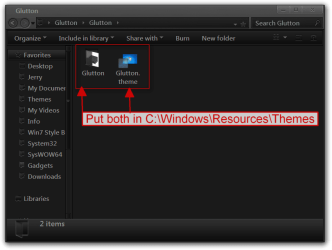
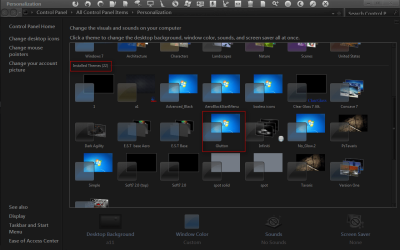
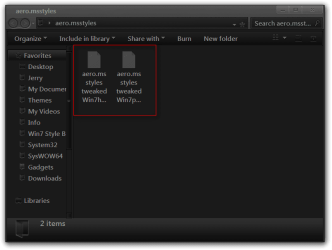
This aero.msstyles file (attached) retains all the transparency and style of original aero, except it is more obvious which window / taskbar button is active.
I like the aero theme, but I was always checking twice to see which window is active. The contrast between active and inactive windows and taskbar buttons was just too small.
To solve this I applied the following:
The changes are minimal, but make all the difference to your intuitions when you glance at your windows.
The attached files are just for the 64bit editions of Windows 7. I don't know if they are different for 32 bit or for vista, but if someone wants to send me an original file to patch, that's fine.
Hope this helps someone!

This has taken a lot of research, effort and trial and error, but here it is.
This aero.msstyles file (attached) retains all the transparency and style of original aero, except it is more obvious which window / taskbar button is active.
I like the aero theme, but I was always checking twice to see which window is active. The contrast between active and inactive windows and taskbar buttons was just too small.
To solve this I applied the following:
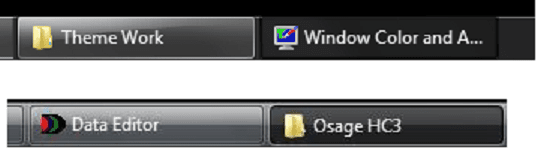
- Active taskbar button appears indented like in classic themes and slightly darker (blue tint).
- Active window is slightly darker (blue tint) and has a red notch on the top-left, similar to the red close button on the top-right.
- On the window preview pane (when you hover your mouse over a taskbar button) the active window in the group appears indented, and slightly darker (blue tint).
The changes are minimal, but make all the difference to your intuitions when you glance at your windows.
The attached files are just for the 64bit editions of Windows 7. I don't know if they are different for 32 bit or for vista, but if someone wants to send me an original file to patch, that's fine.
Hope this helps someone!

Attachments
My Computer
At a glance
Windows 7 64bit
- OS
- Windows 7 64bit



 .
.