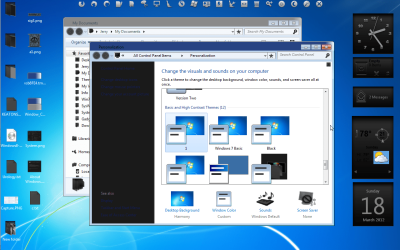
Show icon outlines while moving them on the Desktop

leuce

New member
Member
Local time
1:35 PM
Messages
63
Location
Netherlands
G'day everyone

How can I get Windows 7 to show the selected icons' outlines while I move them from one position to another on the Desktop?

In Windows XP, if you select one or more icons and then move them across the Desktop using drag and drop, the outlines of the icons are visible, so that you can see where all those icons will end up when you release the mouse button. Under Windows 7, I only see the mouse pointer (consisting of an arrow and a tiny grey rectangle) while I'm moving the icons. This means that if I move multiple icons at the same time, I don't know exactly where those icons will end up when I release the mouse button.

Setting "Show window contents while dragging" does not solve this problem. I'm using the Classic theme.

Thanks
Samuel
 

My Computer My Computer

At a glance

Windows 7 Home Premium 64 bitAMD A6 36204 x 4 GBAMD Radeon HD 6530D
Computer type
PC/Desktop
Computer Manufacturer/Model Number
Acer Aspire X3470
OS
Windows 7 Home Premium 64 bit
CPU
AMD A6 3620
Memory
4 x 4 GB
Graphics Card(s)
AMD Radeon HD 6530D
Sound Card
AMD, Realtek
Monitor(s) Displays
iiyama ProLite B2209HDS full HD in portrait mode
Screen Resolution
1920x1080 or 1080x1920
Hard Drives
SSD 250 GB
WD Green 2 TB 5400 rpm
Antivirus
Avast
Browser
Opera (Blink)
Dear leuce,
The Desktop is a folder actually! It auto-refreshes itself whenever any changes are made in it. To resolve your prob., either just press F5 or refresh by clicking in the context menu which drops down when you right click on an empty space on the Desktop.

As a matter of fact, you should be able to see the Icon moving when you drag and drop on any windows 7 Desktop! That's why the above suggestion.

regards,
sree
 

My Computer My Computer

At a glance

MS Windows 7 Home Premium 64-bit SP1IntelCore [email protected]; Sandy Bridge 32nm Tech.4096Mb RAM; Single ChannelDDR3@665MHz; DRAM F...AMD Radeon HD 6630M; GPU:Whistler;BIOS Core&m...
Computer Manufacturer/Model Number
Sony Vaio C series VPCCB35FN laptop
OS
MS Windows 7 Home Premium 64-bit SP1
CPU
IntelCore [email protected]; Sandy Bridge 32nm Tech.
Motherboard
Sony Vaio Version:C609NJYJ
Memory
4096Mb RAM; Single ChannelDDR3@665MHz; DRAM Freq:662MHz
Graphics Card(s)
AMD Radeon HD 6630M; GPU:Whistler;BIOS Core&mem Clock:123.36
Sound Card
REALTEK High Definition Audio Device; INTEL Display Card
Monitor(s) Displays
Generic PnP Intel HD;Resolution:1920*1040 Pixels; BPP:32bits
Screen Resolution
Current Resolution:1920*1080 Pixels; Monitor Frequency:60Hz
Hard Drives
Internal HD:TOSHIBA MK5061GSY; Real Size:488 GB;NTFS; 3 Partitions; SATA; HEADS:16

External HDD: WD Elements 1023 PORTABLE; Estimated Size: 1TB; NTFS; 3 Partitions
Cooling
Lateral Exhaust with a Cooling Pad Placed Beneath.
Keyboard
Logitech Bluetooth+ Generic Integrated K-B
Mouse
Logitech Bluetooth
Internet Speed
2MBPS
Other Info
1)Trend Micro Titanium Maximum Security Suite Version:3
2)SAS-PRO

3)MBAM--PRO


4)WATERFOX+IE9 +WOT+LINKEXTEND+ DRWEBCUREIT LINK CHECKER

5)SPYWAREBLASTER

6) WINPATROL PLUS

7) SANDBOXIE and
8) A BIT OF COMMON SENSE.
To resolve your prob., either just press F5 or refresh by clicking in the context menu which drops down when you right click on an empty space on the Desktop. ... You should be able to see the Icon moving when you drag and drop on any windows 7 Desktop!

Sorry, but pressing F5 before dragging the icons or pressing F5 while dragging them does not produce the required result (...of showing outlines of the icons being moved, or a "ghost image" thereof, as Brink calls it).
 
Last edited:

My Computer My Computer

At a glance

Windows 7 Home Premium 64 bitAMD A6 36204 x 4 GBAMD Radeon HD 6530D
Computer type
PC/Desktop
Computer Manufacturer/Model Number
Acer Aspire X3470
OS
Windows 7 Home Premium 64 bit
CPU
AMD A6 3620
Memory
4 x 4 GB
Graphics Card(s)
AMD Radeon HD 6530D
Sound Card
AMD, Realtek
Monitor(s) Displays
iiyama ProLite B2209HDS full HD in portrait mode
Screen Resolution
1920x1080 or 1080x1920
Hard Drives
SSD 250 GB
WD Green 2 TB 5400 rpm
Antivirus
Avast
Browser
Opera (Blink)

My Computer My Computer

At a glance

Win 7 Pro x64 / Win 10 ProIntel(R) Core(TM) i7-3630QM CPU @ 2.40GHz12 GB(1) Intel(R) HD Graphics 4000 (2) NVIDIA GeFo...
Computer type
Laptop
Computer Manufacturer/Model Number
Sager NP9170
OS
Win 7 Pro x64 / Win 10 Pro
CPU
Intel(R) Core(TM) i7-3630QM CPU @ 2.40GHz
Motherboard
CLEVO P170EM
Memory
12 GB
Graphics Card(s)
(1) Intel(R) HD Graphics 4000 (2) NVIDIA GeForce GTX 675M
Sound Card
(1) Realtek High Definition Audio (2) Intel(R) Display Aud
Monitor(s) Displays
17.3
Screen Resolution
1920x1080
Hard Drives
(1) Samsung 860 EVO 500GB(OS) (1) Samsung 860 EVO 500GB(Data)
Keyboard
Backlite
Antivirus
MSE, Malwarebytes Pro
Browser
Firefox
Other Info
DESKTOP: Custom-built.
OS: Win 10 Pro x64.
CASE: Rosewill R5.
CPU: Intel I5 4670K CPU @ 3.40GHz.
CPU COOLER: Cool Master Hyper 212 EVO.
MOTHERBOARD: Asus Z87-A.
MEMORY: Kingston HyperX 2x4 GB.
GPU: Nvidia Geforce 650 TI.
PSU: Corsair TX750.
DRIVES: (1) Samsung 840 120 GB SSD (2) Western Digital blue 500 GB 7200 RPM.
I changed the active and inactive colors, it can be done with Basic too. If this would help I can do one for you, let me know.

Thanks Jerry, but I would not want you to waste your time making a theme just for this one issue. If such a theme were to be made it would basically have to be a Basic theme that looks just like Classic :-).

I tried to change the window bar colours myself, in Basic, but the changes I make are not applied. I also tried to use non-transparent Aero with dark grey, which makes the inactive windows a lighter grey, but after some work on it I realised that the difference between light grey and dark grey isn't enough either -- it has to be a different colour. The blue and grey from the Classic theme works best, IMO. The grey works well because the entire window border is grey. A colour combination like red and blue would be confusing to me as well, I think. But thanks for the offer.
 

My Computer My Computer

At a glance

Windows 7 Home Premium 64 bitAMD A6 36204 x 4 GBAMD Radeon HD 6530D
Computer type
PC/Desktop
Computer Manufacturer/Model Number
Acer Aspire X3470
OS
Windows 7 Home Premium 64 bit
CPU
AMD A6 3620
Memory
4 x 4 GB
Graphics Card(s)
AMD Radeon HD 6530D
Sound Card
AMD, Realtek
Monitor(s) Displays
iiyama ProLite B2209HDS full HD in portrait mode
Screen Resolution
1920x1080 or 1080x1920
Hard Drives
SSD 250 GB
WD Green 2 TB 5400 rpm
Antivirus
Avast
Browser
Opera (Blink)
I can change the basic frame to look like classic here is a screenshot of just the top frame but the sides and bottom can be changed to match.
If you would like I can do it for you.
Jerry
Screenshot - 3_18_2012 , 2_24_07 PM.png
 

My Computer My Computer

At a glance

Win 7 Pro x64 / Win 10 ProIntel(R) Core(TM) i7-3630QM CPU @ 2.40GHz12 GB(1) Intel(R) HD Graphics 4000 (2) NVIDIA GeFo...
Computer type
Laptop
Computer Manufacturer/Model Number
Sager NP9170
OS
Win 7 Pro x64 / Win 10 Pro
CPU
Intel(R) Core(TM) i7-3630QM CPU @ 2.40GHz
Motherboard
CLEVO P170EM
Memory
12 GB
Graphics Card(s)
(1) Intel(R) HD Graphics 4000 (2) NVIDIA GeForce GTX 675M
Sound Card
(1) Realtek High Definition Audio (2) Intel(R) Display Aud
Monitor(s) Displays
17.3
Screen Resolution
1920x1080
Hard Drives
(1) Samsung 860 EVO 500GB(OS) (1) Samsung 860 EVO 500GB(Data)
Keyboard
Backlite
Antivirus
MSE, Malwarebytes Pro
Browser
Firefox
Other Info
DESKTOP: Custom-built.
OS: Win 10 Pro x64.
CASE: Rosewill R5.
CPU: Intel I5 4670K CPU @ 3.40GHz.
CPU COOLER: Cool Master Hyper 212 EVO.
MOTHERBOARD: Asus Z87-A.
MEMORY: Kingston HyperX 2x4 GB.
GPU: Nvidia Geforce 650 TI.
PSU: Corsair TX750.
DRIVES: (1) Samsung 840 120 GB SSD (2) Western Digital blue 500 GB 7200 RPM.
i switched to basic as a test and you are correct ,you cannot see the icon when dragging,
i couldn't see a way round it , short of putting your icons on a dock keeping the desktop free
 

My Computer My Computer

At a glance

Microsoft Windows 7 Home Premium 64-bit 7600IIx4 amd athelon 635 processor2x2gbati radeon HD 5450
Computer Manufacturer/Model Number
Hewlett packard/p6512uk
OS
Microsoft Windows 7 Home Premium 64-bit 7600
CPU
IIx4 amd athelon 635 processor
Motherboard
FOXCONN 2AA9
Memory
2x2gb
Graphics Card(s)
ati radeon HD 5450
Sound Card
(1) Realtek High Definition Audio (2) AMD High Definition
Monitor(s) Displays
samsung lcd tv 32"
Screen Resolution
1360x 768
Hard Drives
(1) WDC WD10 01FAES-60Z2A0 SATA Disk Device (2) Maxtor OneTouch USB Device (3) ST310003 33AS USB Device (4) WD My Book 1111 USB Device
PSU
?
Cooling
air!
Keyboard
wireless hp
Mouse
wireless Hp,optical
Internet Speed
1.10mb/s
Antivirus
MSE
Browser
Firefox
So, did you ever get a solution to your problem? No one else here (or in the rest of the internet) is even close to undertanding it but this is exactly the problem I'm having with my new Windows 7 machine. It's extremely frustrating all the changes that seem to have gone on that are quite the PITA.

Thanks.
 

My Computer My Computer

At a glance

Win7
OS
Win7
So, did you ever get a solution to your problem?

Nope. You just have to learn to get into the habit of selecting the upper-most icon of the group of selected icons, so that you know roughly where the upper-most icon will be dropped to. And learn to move only one row or one column or one block of icons at a time, instead of all at once like you could in Windows XP.
 

My Computer My Computer

At a glance

Windows 7 Home Premium 64 bitAMD A6 36204 x 4 GBAMD Radeon HD 6530D
Computer type
PC/Desktop
Computer Manufacturer/Model Number
Acer Aspire X3470
OS
Windows 7 Home Premium 64 bit
CPU
AMD A6 3620
Memory
4 x 4 GB
Graphics Card(s)
AMD Radeon HD 6530D
Sound Card
AMD, Realtek
Monitor(s) Displays
iiyama ProLite B2209HDS full HD in portrait mode
Screen Resolution
1920x1080 or 1080x1920
Hard Drives
SSD 250 GB
WD Green 2 TB 5400 rpm
Antivirus
Avast
Browser
Opera (Blink)
ive been using stardock fences for years.
maybe worth trying , then you can see how the dragging works using it.
plus you have the bonus of being able to see your wallpaper without any icons in the way

check the trial out here

Fences - Your tool for a clean desktop
 

My Computer My Computer

At a glance

Microsoft Windows 7 Home Premium 64-bit 7600IIx4 amd athelon 635 processor2x2gbati radeon HD 5450
Computer Manufacturer/Model Number
Hewlett packard/p6512uk
OS
Microsoft Windows 7 Home Premium 64-bit 7600
CPU
IIx4 amd athelon 635 processor
Motherboard
FOXCONN 2AA9
Memory
2x2gb
Graphics Card(s)
ati radeon HD 5450
Sound Card
(1) Realtek High Definition Audio (2) AMD High Definition
Monitor(s) Displays
samsung lcd tv 32"
Screen Resolution
1360x 768
Hard Drives
(1) WDC WD10 01FAES-60Z2A0 SATA Disk Device (2) Maxtor OneTouch USB Device (3) ST310003 33AS USB Device (4) WD My Book 1111 USB Device
PSU
?
Cooling
air!
Keyboard
wireless hp
Mouse
wireless Hp,optical
Internet Speed
1.10mb/s
Antivirus
MSE
Browser
Firefox
Back
Top