
Solved What Can I Get Rid of in Startup?

RealGem

New member
Member
VIP
Local time
5:18 PM
Messages
269
Location
UK
Hi,

My PC is running slow, and I think it is all the stuff that is running on Startup.

But I don't know what I need and what I don't. Some I know I don't want them in Startup.

But how do I permanently stop them from running from Startup? (in baby steps please! Last time I tried to do it, I still had to do extra stuff on Startup which was worse than manually exiting the programs every time).

From this pic, what would you say I definitely need (such as a browser plugin or needed for the Windows system)?

I can open anything else manually when needed. Windows Explorer is needed for example.

206za4o.png


And how do I stop the rest please?

thanks a lot
 

My Computer My Computer

At a glance

Windows 7 Home Premium 64 bitIntel® Core™ i5 650 Dual Core 2x 3.2Ghz 4MB C...Samsung 4GB (2x2GB) DDR3 1333MHznvidia GT430 1GB Graphics Card
Computer type
PC/Desktop
Computer Manufacturer/Model Number
iBuild™ custom PC
OS
Windows 7 Home Premium 64 bit
CPU
Intel® Core™ i5 650 Dual Core 2x 3.2Ghz 4MB Cache
Motherboard
ASUS P7H55-M 6x Rear USB 2.0 2x Front
Memory
Samsung 4GB (2x2GB) DDR3 1333MHz
Graphics Card(s)
nvidia GT430 1GB Graphics Card
Sound Card
Built-in audio
Monitor(s) Displays
Videoseven CMC 17" AD
Screen Resolution
1280 x 1024
Hard Drives
250GB 7200RPM SATA II
Hitachi 1TB Serial ATA II 32MB cache
PSU
Corsair 500Watt PSU
Case
Gigabyte GZ-X2 Black ATX MIDI Tower Case
Cooling
Standard CPU Cooling Fan
Keyboard
Packard Bell 9205
Mouse
Microsoft IntelliMouse Optical
Internet Speed
Supposed to be 100mbps (Average: 54mbps!)
Other Info
Also Windows 7 64 Bit on my Acer i3 Laptop
Hello RealGem :)

Type msconfig in the search box of the start menu, and click on the resulting link. You will get teh system configuration window. Click on the startup tab. You can disable all the entries listed there (but you should keep the antivirus there, IMO).

Uncheck all, apply, ok, and restart your computer.
 

My Computer My Computer

At a glance

Microsoft Windows 10 Pro Insider Preview 64-bitIntel(R) Core(TM) i3-4130 CPU @ 3.40GHzCorsair Vengence 4GB x2 (8.00GB Dual-Channel ...2047MB GeForce GTS 450 (ZOTAC International)
Computer type
PC/Desktop
Computer Manufacturer/Model Number
Self Assembled
OS
Microsoft Windows 10 Pro Insider Preview 64-bit
CPU
Intel(R) Core(TM) i3-4130 CPU @ 3.40GHz
Motherboard
Gigabyte Technology Co., Ltd. B85M-D3H
Memory
Corsair Vengence 4GB x2 (8.00GB Dual-Channel DDR3 @ 798MHz)
Graphics Card(s)
2047MB GeForce GTS 450 (ZOTAC International)
Sound Card
Onboard (Realtek High Definition Audio)
Monitor(s) Displays
LG Flatron E2040T
Screen Resolution
1600x900
Hard Drives
Western Digital 1 TB
Seagate 500 GB
PSU
Corsair VS550
Case
Cooler Master K380
Cooling
Cooler Master Seidon 120V Plus
Keyboard
Logitech MK260r
Mouse
Logitech MK260r
Internet Speed
PMPL Broadband
Antivirus
Windows Defender + MBAM
Browser
Firefox
Other Info
Dell Studio 15" Laptop
How much of that stuff is actually running at startup?

Try this:

Reboot.

Don't manually start any applications.

Go back to that processes tab.

Check "show processes from all users".

Post a pic of the result.


Also: go to msconfig and look at the startup tab.

Post a pic of that, showing the checked items. You may have 30 items checked there. I have about 5 checked. Windows will start and run with none checked.
 

My Computer My Computer

At a glance

Windows 7 Home Premium SP1, 64-bitIntel Skylake i5-6600K, not overclocked8 GB HyperX DDR4-2666 (2 x 4 GB)none; graphics are integrated on CPU
Computer type
PC/Desktop
Computer Manufacturer/Model Number
Ignatz Special; 4 speed manual gearbox; factory air conditioning; one of one
OS
Windows 7 Home Premium SP1, 64-bit
CPU
Intel Skylake i5-6600K, not overclocked
Motherboard
AsRock Z170M Extreme 4, micro ATX
Memory
8 GB HyperX DDR4-2666 (2 x 4 GB)
Graphics Card(s)
none; graphics are integrated on CPU
Sound Card
onboard: Realtek ALC1150; external: USB Behringer UF0-202
Monitor(s) Displays
Dell S2340M 23 inch IPS
Screen Resolution
1600 x 900
Hard Drives
System: Crucial MX100 series SSD, 128 GB;
Data: Samsung Spinpoint 103SJ, 1 TB;
Backup: WD Caviar Green WD30EZRX-00D8PB0, 3 TB
PSU
Rosewill SilentNight 500 watt fanless, semi-modular
Case
Antec Solo II
Cooling
Noctua NH-U12S; Noctua F12 intake, Noctua S12A exhaust
Keyboard
Microsoft 200 6JH-00001 USB
Mouse
Dell or Microsoft optical wired; USB
Antivirus
Microsoft Security Essentials and Malwarebytes Premium
Browser
Pale Moon
Other Info
All fans PWM; speeds at idle: CPU circa 500 rpm; intake circa 600 rpm; exhaust circa 600 rpm; CPU temps 27 idle and 47 C load in a warm room (27 C/81 F) when running Intel Extreme Tuning Utility stress test.
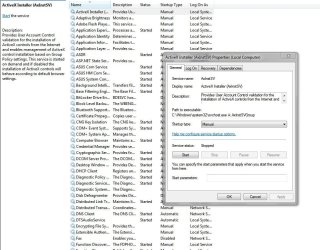
Type services.msc in the run line on the start menu.
Look at the list of services, notice you can stop or start any, also configure them to either run automatically, disabled or manually the latter being a good option for most, then they start as you say when a program requires them.

Double click any of the listed services to bring up the configuration panel.

services.JPG

Does this help ?
 

My Computer My Computer

At a glance

Windows 7 home premium x64AMD FX-4100 AM3+ 3.6GHz 12MB Black EditionCrsair vengeance 12Gb DDR3 1600MHz CL9Asus GTX 560 1GB
Computer Manufacturer/Model Number
DIY
OS
Windows 7 home premium x64
CPU
AMD FX-4100 AM3+ 3.6GHz 12MB Black Edition
Motherboard
Asus M5A97 Pro
Memory
Crsair vengeance 12Gb DDR3 1600MHz CL9
Graphics Card(s)
Asus GTX 560 1GB
Sound Card
Realtek onboard
Monitor(s) Displays
Hanns G 1680x1050 native
Hard Drives
OCZ 128Gb Petrol ssd
2x500 Gb Samsung
PSU
OCZ StealthXstream II 500W
Internet Speed
8Mb or better
Thanks a lot guys, very helpful

Hello RealGem

Type msconfig in the search box of the start menu, and click on the resulting link. You will get teh system configuration window. Click on the startup tab. You can disable all the entries listed there (but you should keep the antivirus there, IMO).

Uncheck all, apply, ok, and restart your computer.

Thanks I will try that.


How much of that stuff is actually running at startup?

Try this:

Reboot.

Don't manually start any applications.

Go back to that processes tab.

Check "show processes from all users".

Post a pic of the result.


Also: go to msconfig and look at the startup tab.

Post a pic of that, showing the checked items. You may have 30 items checked there. I have about 5 checked. Windows will start and run with none checked.

Sorry, the only things not running on Start-up out of the first list are Firefox, Excel and Windows Explorer, thanks.


Type services.msc in the run line on the start menu.
Look at the list of services, notice you can stop or start any, also configure them to either run automatically, disabled or manually the latter being a good option for most, then they start as you say when a program requires them.

Double click any of the listed services to bring up the configuration panel.

View attachment 212268

Does this help ?

Hi Cyclic

UPDATE:
Thanks - There are TONS of stuff in there! And I'm not sure what everything is. I planned to do a google search for the stuff I don't know, but I noticed that there were notes to the left decribing what they were.

Sadly I was not much wiser, as they all said stuff like

"If this service is disabled, any services that explicity depend on it will fail to start."

Well yes, but I don't know which services depend on them. Windows makes it sound like I need all of them.

For example do I need DHCP? It mentions IP addreses and DNS. I thought those were only for website servers. I just have a humble computer - it is not a server!

thanks
 
Last edited:

My Computer My Computer

At a glance

Windows 7 Home Premium 64 bitIntel® Core™ i5 650 Dual Core 2x 3.2Ghz 4MB C...Samsung 4GB (2x2GB) DDR3 1333MHznvidia GT430 1GB Graphics Card
Computer type
PC/Desktop
Computer Manufacturer/Model Number
iBuild™ custom PC
OS
Windows 7 Home Premium 64 bit
CPU
Intel® Core™ i5 650 Dual Core 2x 3.2Ghz 4MB Cache
Motherboard
ASUS P7H55-M 6x Rear USB 2.0 2x Front
Memory
Samsung 4GB (2x2GB) DDR3 1333MHz
Graphics Card(s)
nvidia GT430 1GB Graphics Card
Sound Card
Built-in audio
Monitor(s) Displays
Videoseven CMC 17" AD
Screen Resolution
1280 x 1024
Hard Drives
250GB 7200RPM SATA II
Hitachi 1TB Serial ATA II 32MB cache
PSU
Corsair 500Watt PSU
Case
Gigabyte GZ-X2 Black ATX MIDI Tower Case
Cooling
Standard CPU Cooling Fan
Keyboard
Packard Bell 9205
Mouse
Microsoft IntelliMouse Optical
Internet Speed
Supposed to be 100mbps (Average: 54mbps!)
Other Info
Also Windows 7 64 Bit on my Acer i3 Laptop
I could not stop any running because I did not know how important they are. I have done an online search for a lot of them and am still no wiser, as I don't understand the descriptions. They should put them in laymens terms such as:

"If you stop this service, the colorful animated widget that you use for (whatever), will be static (or whatever!)"

The descriptions all seem to be for IT techie people.

For example; do I need Samsung Keis to be running ALL THE TIME? (It's my mobile phone software and I hardly use it, as I have another phone I use more).

I have an icon on my desktop for it, so surely I can click on it when I need it? But as an experiment, I attempted to stop it running temporarily inside Task Manager and I was told that it might:

"result in an unstable system"

Is this just a standard warning for all of them, or do I really need it?

thanks
 

My Computer My Computer

At a glance

Windows 7 Home Premium 64 bitIntel® Core™ i5 650 Dual Core 2x 3.2Ghz 4MB C...Samsung 4GB (2x2GB) DDR3 1333MHznvidia GT430 1GB Graphics Card
Computer type
PC/Desktop
Computer Manufacturer/Model Number
iBuild™ custom PC
OS
Windows 7 Home Premium 64 bit
CPU
Intel® Core™ i5 650 Dual Core 2x 3.2Ghz 4MB Cache
Motherboard
ASUS P7H55-M 6x Rear USB 2.0 2x Front
Memory
Samsung 4GB (2x2GB) DDR3 1333MHz
Graphics Card(s)
nvidia GT430 1GB Graphics Card
Sound Card
Built-in audio
Monitor(s) Displays
Videoseven CMC 17" AD
Screen Resolution
1280 x 1024
Hard Drives
250GB 7200RPM SATA II
Hitachi 1TB Serial ATA II 32MB cache
PSU
Corsair 500Watt PSU
Case
Gigabyte GZ-X2 Black ATX MIDI Tower Case
Cooling
Standard CPU Cooling Fan
Keyboard
Packard Bell 9205
Mouse
Microsoft IntelliMouse Optical
Internet Speed
Supposed to be 100mbps (Average: 54mbps!)
Other Info
Also Windows 7 64 Bit on my Acer i3 Laptop
General advice is to not fiddle with Microsoft services.

Concentrate on msconfig.

You could look at the services tab of msconfig and choose "hide all Microsoft services" and see what is left.

You can then disable the non-Microsoft services one at a time or half at a time and see if any of your required functionality goes away. If it does, then go back to that location and re-enable the service.

And uncheck everything but anti-virus in msconfig startup tab. If you lose functionality, you can go back there and recheck as needed. Most of the stuff there doesn't need to run at startup. Some people have 20 or 30 unnecessary things checked there.
 

My Computer My Computer

At a glance

Windows 7 Home Premium SP1, 64-bitIntel Skylake i5-6600K, not overclocked8 GB HyperX DDR4-2666 (2 x 4 GB)none; graphics are integrated on CPU
Computer type
PC/Desktop
Computer Manufacturer/Model Number
Ignatz Special; 4 speed manual gearbox; factory air conditioning; one of one
OS
Windows 7 Home Premium SP1, 64-bit
CPU
Intel Skylake i5-6600K, not overclocked
Motherboard
AsRock Z170M Extreme 4, micro ATX
Memory
8 GB HyperX DDR4-2666 (2 x 4 GB)
Graphics Card(s)
none; graphics are integrated on CPU
Sound Card
onboard: Realtek ALC1150; external: USB Behringer UF0-202
Monitor(s) Displays
Dell S2340M 23 inch IPS
Screen Resolution
1600 x 900
Hard Drives
System: Crucial MX100 series SSD, 128 GB;
Data: Samsung Spinpoint 103SJ, 1 TB;
Backup: WD Caviar Green WD30EZRX-00D8PB0, 3 TB
PSU
Rosewill SilentNight 500 watt fanless, semi-modular
Case
Antec Solo II
Cooling
Noctua NH-U12S; Noctua F12 intake, Noctua S12A exhaust
Keyboard
Microsoft 200 6JH-00001 USB
Mouse
Dell or Microsoft optical wired; USB
Antivirus
Microsoft Security Essentials and Malwarebytes Premium
Browser
Pale Moon
Other Info
All fans PWM; speeds at idle: CPU circa 500 rpm; intake circa 600 rpm; exhaust circa 600 rpm; CPU temps 27 idle and 47 C load in a warm room (27 C/81 F) when running Intel Extreme Tuning Utility stress test.
General advice is to not fiddle with Microsoft services.

Concentrate on msconfig.

You could look at the services tab of msconfig and choose "hide all Microsoft services" and see what is left.

You can then disable the non-Microsoft services one at a time or half at a time and see if any of your required functionality goes away. If it does, then go back to that location and re-enable the service.

And uncheck everything but anti-virus in msconfig startup tab. If you lose functionality, you can go back there and recheck as needed. Most of the stuff there doesn't need to run at startup. Some people have 20 or 30 unnecessary things checked there.

OK thanks a lot, I think I'll take lots of screenshots so I know what was checked and what was not!
 

My Computer My Computer

At a glance

Windows 7 Home Premium 64 bitIntel® Core™ i5 650 Dual Core 2x 3.2Ghz 4MB C...Samsung 4GB (2x2GB) DDR3 1333MHznvidia GT430 1GB Graphics Card
Computer type
PC/Desktop
Computer Manufacturer/Model Number
iBuild™ custom PC
OS
Windows 7 Home Premium 64 bit
CPU
Intel® Core™ i5 650 Dual Core 2x 3.2Ghz 4MB Cache
Motherboard
ASUS P7H55-M 6x Rear USB 2.0 2x Front
Memory
Samsung 4GB (2x2GB) DDR3 1333MHz
Graphics Card(s)
nvidia GT430 1GB Graphics Card
Sound Card
Built-in audio
Monitor(s) Displays
Videoseven CMC 17" AD
Screen Resolution
1280 x 1024
Hard Drives
250GB 7200RPM SATA II
Hitachi 1TB Serial ATA II 32MB cache
PSU
Corsair 500Watt PSU
Case
Gigabyte GZ-X2 Black ATX MIDI Tower Case
Cooling
Standard CPU Cooling Fan
Keyboard
Packard Bell 9205
Mouse
Microsoft IntelliMouse Optical
Internet Speed
Supposed to be 100mbps (Average: 54mbps!)
Other Info
Also Windows 7 64 Bit on my Acer i3 Laptop
OK ignatzatsonic, I did what you said and there were only ten programs left pictured:

r1wt95.png


So as there weren't many I stopped them all.

As you can see from the pic the appearance of my PC has changed, (I'm guessing because I stopped the graphics card?) but I don't understand why Samsung Keis and Jing (screen capture video software) are not on that list, and are included in Microsoft Services. I definitely want to switch those off.

Does this mean I should not?

Also I cannot find Jing or OneNote anywhere in the list.

And I stopped Lightscribe, yet it is still running in the system tray, and I can't find another Lightscribe file.

Any ideas please?

thanks
 

My Computer My Computer

At a glance

Windows 7 Home Premium 64 bitIntel® Core™ i5 650 Dual Core 2x 3.2Ghz 4MB C...Samsung 4GB (2x2GB) DDR3 1333MHznvidia GT430 1GB Graphics Card
Computer type
PC/Desktop
Computer Manufacturer/Model Number
iBuild™ custom PC
OS
Windows 7 Home Premium 64 bit
CPU
Intel® Core™ i5 650 Dual Core 2x 3.2Ghz 4MB Cache
Motherboard
ASUS P7H55-M 6x Rear USB 2.0 2x Front
Memory
Samsung 4GB (2x2GB) DDR3 1333MHz
Graphics Card(s)
nvidia GT430 1GB Graphics Card
Sound Card
Built-in audio
Monitor(s) Displays
Videoseven CMC 17" AD
Screen Resolution
1280 x 1024
Hard Drives
250GB 7200RPM SATA II
Hitachi 1TB Serial ATA II 32MB cache
PSU
Corsair 500Watt PSU
Case
Gigabyte GZ-X2 Black ATX MIDI Tower Case
Cooling
Standard CPU Cooling Fan
Keyboard
Packard Bell 9205
Mouse
Microsoft IntelliMouse Optical
Internet Speed
Supposed to be 100mbps (Average: 54mbps!)
Other Info
Also Windows 7 64 Bit on my Acer i3 Laptop
I'd guess you may be right about the Nvidia service affecting appearance.

I have no idea why Samsung Keis and Jing are not on that list, but if they do appear under MS services, try disabling them there. Obviously, they are not part of Windows. See what happens.

I have no idea about Lightscribe or OneNote. Are they uninstallable, whatever they are?

Did you check the startup tab in msconfig?
 

My Computer My Computer

At a glance

Windows 7 Home Premium SP1, 64-bitIntel Skylake i5-6600K, not overclocked8 GB HyperX DDR4-2666 (2 x 4 GB)none; graphics are integrated on CPU
Computer type
PC/Desktop
Computer Manufacturer/Model Number
Ignatz Special; 4 speed manual gearbox; factory air conditioning; one of one
OS
Windows 7 Home Premium SP1, 64-bit
CPU
Intel Skylake i5-6600K, not overclocked
Motherboard
AsRock Z170M Extreme 4, micro ATX
Memory
8 GB HyperX DDR4-2666 (2 x 4 GB)
Graphics Card(s)
none; graphics are integrated on CPU
Sound Card
onboard: Realtek ALC1150; external: USB Behringer UF0-202
Monitor(s) Displays
Dell S2340M 23 inch IPS
Screen Resolution
1600 x 900
Hard Drives
System: Crucial MX100 series SSD, 128 GB;
Data: Samsung Spinpoint 103SJ, 1 TB;
Backup: WD Caviar Green WD30EZRX-00D8PB0, 3 TB
PSU
Rosewill SilentNight 500 watt fanless, semi-modular
Case
Antec Solo II
Cooling
Noctua NH-U12S; Noctua F12 intake, Noctua S12A exhaust
Keyboard
Microsoft 200 6JH-00001 USB
Mouse
Dell or Microsoft optical wired; USB
Antivirus
Microsoft Security Essentials and Malwarebytes Premium
Browser
Pale Moon
Other Info
All fans PWM; speeds at idle: CPU circa 500 rpm; intake circa 600 rpm; exhaust circa 600 rpm; CPU temps 27 idle and 47 C load in a warm room (27 C/81 F) when running Intel Extreme Tuning Utility stress test.
Isn't OneNote some kind of Office program? Should be no problem removing it if you don't use it. LightScribe sounds like some optical disc writing software (see LightScribe - Wikipedia, the free encyclopedia ), you can even see part of the description and that it belongs to HP in the screenshot posted above.
 

My Computer My Computer

At a glance

Win7 Pro x64Koa i5-2550K8 GBSapphire ATI 6870 1GB GDDR5
Computer Manufacturer/Model Number
Self-built rig
OS
Win7 Pro x64
CPU
Koa i5-2550K
Memory
8 GB
Graphics Card(s)
Sapphire ATI 6870 1GB GDDR5
Sound Card
RealTek HD Audio / ATI HDMI Audio
Monitor(s) Displays
Samsung HDTV Monitor T23A350
Screen Resolution
1920 x 1080
Hard Drives
- SSD (C:)
- HDD (D:)
- BD-ROM (E:)
Keyboard
Logitech G110
Internet Speed
Unifi home (5mbps)
Hi,

My PC is running slow, and I think it is all the stuff that is running on Startup.

But I don't know what I need and what I don't. Some I know I don't want them in Startup.

But how do I permanently stop them from running from Startup? (in baby steps please! Last time I tried to do it, I still had to do extra stuff on Startup which was worse than manually exiting the programs every time).

From this pic, what would you say I definitely need (such as a browser plugin or needed for the Windows system)?

I can open anything else manually when needed. Windows Explorer is needed for example.

206za4o.png


And how do I stop the rest please?

thanks a lot

There is a nice little free utility that is great for showing what is running at startup and provides a very simple way to disable unnecessary items.

The program is "WinPatrol" from BillP Studios. You can download from this site;

http://www.winpatrol.com/download.html

If you decide to purchase the product, it will give you additional information that can be very useful.

Good luck,

HTH
 

My Computer My Computer

At a glance

Windows 7 Professional x64Intel i5 quad processor16 GBRadeon HD 5770
Computer type
PC/Desktop
Computer Manufacturer/Model Number
Custom Built
OS
Windows 7 Professional x64
CPU
Intel i5 quad processor
Motherboard
DP67BG
Memory
16 GB
Graphics Card(s)
Radeon HD 5770
Sound Card
Realtek High Definition Audio
Monitor(s) Displays
Samsung SyncMaster
Screen Resolution
1920X1080
Hard Drives
WD 2TB (SATA Internal)
WD 1TB (USB External)
PSU
Corsair GS800
Case
Tower (Generic)
Cooling
3 Internal Fans
Keyboard
MS Wireless
Mouse
MS Optical Wired
Internet Speed
54 mbps
Antivirus
Emsisoft
Browser
IE-Version 9, Palemoon-Version 24.2.0
With the Microsoft mouse, unless there are special combinations or macros through its program, Intellipoint is unnecessary.

Ipoint and dpupdchk will go with the uninstall.

AnyDVD should be an on-demand so anydvdtray and advddischlp64 can appear when needed and not sooner.

Same thing for LightScribe.
------------------------------
My laptop uses Nvidia and runs aero without any nvidia processes running. Your PC's changed appearance may be due to something else.
----------------------------------
You may not share my philosophy on automatic updates. I turned them off. Adobe, Mozilla/Firefox, skype, Intellipoint, Oracle/Sun java updaters wouldn't run on my system.
-----------------------------------
One of the processes "opens" a hidden DOS-style console window for it to function properly. If you find it and not need that process, you will lose conhost as well.
--------------------------------
As for the pesky Kies, Nokia, Jing, and LightScribe, short of uninstalling, you may have to dig deeper via the peskies' control panels.
 

My Computer My Computer

At a glance

Windows 7 Home Premium x64
OS
Windows 7 Home Premium x64
I'd guess you may be right about the Nvidia service affecting appearance.

I have no idea why Samsung Keis and Jing are not on that list, but if they do appear under MS services, try disabling them there. Obviously, they are not part of Windows. See what happens.

I have no idea about Lightscribe or OneNote. Are they uninstallable, whatever they are?

Did you check the startup tab in msconfig?

Hi, sorry, I thought I was in the Startup tab, but someone above said to look in the Services tab, and I got confused thinking they were the same thing.

So you're right - a lot of what I want to get rid of IS in the Startup tab. I've deleted them and will restart.

Isn't OneNote some kind of Office program? Should be no problem removing it if you don't use it. LightScribe sounds like some optical disc writing software (see LightScribe - Wikipedia, the free encyclopedia ), you can even see part of the description and that it belongs to HP in the screenshot posted above.

Thanks


There is a nice little free utility that is great for showing what is running at startup and provides a very simple way to disable unnecessary items.

The program is "WinPatrol" from BillP Studios. You can download from this site;

BillP Studios Download Page

If you decide to purchase the product, it will give you additional information that can be very useful.

Good luck,

HTH

Thanks, it looks good. I will come back to that.


With the Microsoft mouse, unless there are special combinations or macros through its program, Intellipoint is unnecessary.

Ipoint and dpupdchk will go with the uninstall.

AnyDVD should be an on-demand so anydvdtray and advddischlp64 can appear when needed and not sooner.

Same thing for LightScribe.
------------------------------
My laptop uses Nvidia and runs aero without any nvidia processes running. Your PC's changed appearance may be due to something else.
----------------------------------
You may not share my philosophy on automatic updates. I turned them off. Adobe, Mozilla/Firefox, skype, Intellipoint, Oracle/Sun java updaters wouldn't run on my system.
-----------------------------------
One of the processes "opens" a hidden DOS-style console window for it to function properly. If you find it and not need that process, you will lose conhost as well.
--------------------------------
As for the pesky Kies, Nokia, Jing, and LightScribe, short of uninstalling, you may have to dig deeper via the peskies' control panels.

Hi, thanks for this.

Those apps were in the Startup after all sorry - I was in Services in MSconfig.

I don't know what I stopped to affect the PC's appearnace, but it's not that worrying, and it has sped up a little bit. And it's only one of ten apps, (that I have a screenshot of) if I do need it again.
 

My Computer My Computer

At a glance

Windows 7 Home Premium 64 bitIntel® Core™ i5 650 Dual Core 2x 3.2Ghz 4MB C...Samsung 4GB (2x2GB) DDR3 1333MHznvidia GT430 1GB Graphics Card
Computer type
PC/Desktop
Computer Manufacturer/Model Number
iBuild™ custom PC
OS
Windows 7 Home Premium 64 bit
CPU
Intel® Core™ i5 650 Dual Core 2x 3.2Ghz 4MB Cache
Motherboard
ASUS P7H55-M 6x Rear USB 2.0 2x Front
Memory
Samsung 4GB (2x2GB) DDR3 1333MHz
Graphics Card(s)
nvidia GT430 1GB Graphics Card
Sound Card
Built-in audio
Monitor(s) Displays
Videoseven CMC 17" AD
Screen Resolution
1280 x 1024
Hard Drives
250GB 7200RPM SATA II
Hitachi 1TB Serial ATA II 32MB cache
PSU
Corsair 500Watt PSU
Case
Gigabyte GZ-X2 Black ATX MIDI Tower Case
Cooling
Standard CPU Cooling Fan
Keyboard
Packard Bell 9205
Mouse
Microsoft IntelliMouse Optical
Internet Speed
Supposed to be 100mbps (Average: 54mbps!)
Other Info
Also Windows 7 64 Bit on my Acer i3 Laptop
Hi Realgem,

I think the lightscribe service can be set to manual start in services. Or uninstalled if you don't intend on burning art onto your discs?

The onenote quick starter can be deleted from you Startup folder in Start Menu -> Programs. Unless the location has changed in newer version. I still use Office 2007.
 

My Computer My Computer

At a glance

Win 7 Ultimate, Win 8.1 Pro, Linux Mint 19 Ci...Intel i5 4690KCorsair Vengeance LP 32GB DDR3MSI GTX 1060 GAMING X 6GB
Computer type
PC/Desktop
Computer Manufacturer/Model Number
Custom Build
OS
Win 7 Ultimate, Win 8.1 Pro, Linux Mint 19 Cinnamon (All 64-Bit)
CPU
Intel i5 4690K
Motherboard
Gigabyte Z97X-UD3H
Memory
Corsair Vengeance LP 32GB DDR3
Graphics Card(s)
MSI GTX 1060 GAMING X 6GB
Sound Card
Onboard
Hard Drives
Samsung 850 EVO 250GB SSD (x2)
Samsung 860 EVO 1TB SSD (x2)
Crucial MX300 525GB SSD
WD Blue 2TB 5400rpm Intellipark Disabled (x2)
PSU
Corsair HX750i
Case
Phanteks Enthoo Pro
Cooling
CM Hyper 212 EVO on CPU, Noctua Redux NF-P14S 1500rpm (x6)
Keyboard
Corsair K70 RGB LUX
Mouse
Corsair Sabre RGB
Antivirus
Avast Free, MalwareBytes, SAS & CryptoPrevent
Browser
Chrome
Other Info
StarTech PEXESAT322I 2 Port PCI-E SATA Card
ASUS PCE-AC56 Dual-band AC1300 Wireless Card
Akasa FC.Six Manual Fan Controller
And a Partridge in a Pear Tree!
Thanks, both are gone now. I just have the 3 items I need in the system tray. Sorry I forgot how to put SOLVED in the title.

Just seen the button at the top thanks.
 

My Computer My Computer

At a glance

Windows 7 Home Premium 64 bitIntel® Core™ i5 650 Dual Core 2x 3.2Ghz 4MB C...Samsung 4GB (2x2GB) DDR3 1333MHznvidia GT430 1GB Graphics Card
Computer type
PC/Desktop
Computer Manufacturer/Model Number
iBuild™ custom PC
OS
Windows 7 Home Premium 64 bit
CPU
Intel® Core™ i5 650 Dual Core 2x 3.2Ghz 4MB Cache
Motherboard
ASUS P7H55-M 6x Rear USB 2.0 2x Front
Memory
Samsung 4GB (2x2GB) DDR3 1333MHz
Graphics Card(s)
nvidia GT430 1GB Graphics Card
Sound Card
Built-in audio
Monitor(s) Displays
Videoseven CMC 17" AD
Screen Resolution
1280 x 1024
Hard Drives
250GB 7200RPM SATA II
Hitachi 1TB Serial ATA II 32MB cache
PSU
Corsair 500Watt PSU
Case
Gigabyte GZ-X2 Black ATX MIDI Tower Case
Cooling
Standard CPU Cooling Fan
Keyboard
Packard Bell 9205
Mouse
Microsoft IntelliMouse Optical
Internet Speed
Supposed to be 100mbps (Average: 54mbps!)
Other Info
Also Windows 7 64 Bit on my Acer i3 Laptop
Glad you got it sorted. :thumbsup:

I hate how a lot of these programs feel the need to start as soon as you start Windows. Most of them work fine started manually. All it does is cripple pc's (especially older ones).
 

My Computer My Computer

At a glance

Win 7 Ultimate, Win 8.1 Pro, Linux Mint 19 Ci...Intel i5 4690KCorsair Vengeance LP 32GB DDR3MSI GTX 1060 GAMING X 6GB
Computer type
PC/Desktop
Computer Manufacturer/Model Number
Custom Build
OS
Win 7 Ultimate, Win 8.1 Pro, Linux Mint 19 Cinnamon (All 64-Bit)
CPU
Intel i5 4690K
Motherboard
Gigabyte Z97X-UD3H
Memory
Corsair Vengeance LP 32GB DDR3
Graphics Card(s)
MSI GTX 1060 GAMING X 6GB
Sound Card
Onboard
Hard Drives
Samsung 850 EVO 250GB SSD (x2)
Samsung 860 EVO 1TB SSD (x2)
Crucial MX300 525GB SSD
WD Blue 2TB 5400rpm Intellipark Disabled (x2)
PSU
Corsair HX750i
Case
Phanteks Enthoo Pro
Cooling
CM Hyper 212 EVO on CPU, Noctua Redux NF-P14S 1500rpm (x6)
Keyboard
Corsair K70 RGB LUX
Mouse
Corsair Sabre RGB
Antivirus
Avast Free, MalwareBytes, SAS & CryptoPrevent
Browser
Chrome
Other Info
StarTech PEXESAT322I 2 Port PCI-E SATA Card
ASUS PCE-AC56 Dual-band AC1300 Wireless Card
Akasa FC.Six Manual Fan Controller
And a Partridge in a Pear Tree!
Win7 is not XP. You don't need any freeloaders in the Startup or Services (after hiding all MS services) tabs in msconfig except your AV and stickies/gadgets if you use them.

Anything else should be something that you absolutely need running at Startup because that's when you want to use it. For example i keep the new Skydrive in mine so that everything I have in its folder remains sync'd to Skydrive storage and my other devices.

No graphics bloatware needs to start up unless you are overclocking which you shouldn't unless you bought hardware to support it. I would uninstall any graphics bloatware or at least turn it off in both places.

There is more here on how to Clean Up Factory Bloatware
 
Back
Top