Hi there,
I've got a problem and was hoping to find some advice here.
I have a Dell T5400 that has Vista x32 running and I wanted to upgrade to Win7 x64 to make use of increased RAM.
First I tried to do a clean install of Win7 from DVD. This did not work as I got the missing cd/dvd driver error when trying to get through the installation.
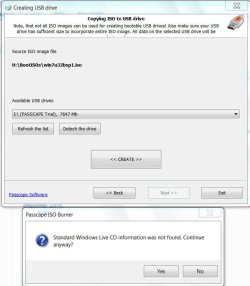
So I've tried to make a bootable USB but whenever I get to the step when I run the bootsect.exe it says access denied.
I was pretty sure the DVD is working so I installed Win7 from within the Vista OS onto a separate HDD. No problems whatsoever.
I can now decide to use either Vista or Win7 when I boot up. Both work.
However Win7 is now on F: and Vista still on C:
I removed the Vista HDD to see if I can get just Win7 working but it comes up with the message that Bootmgr is missing so cant access Win7 alone.
I tried using the DVD to repair the install. It does recognize the Win7 but it didnt fix the bootmgr problem.
I couldn't find any drivers for Win7 for the T5400 on the dell website either, only Vista.
So now I'm not sure where to best go from here.
I have 3 HDDs in the computer and I only really want/need one OS.
Ideally I wanted to use the 160gb WD Raptor for the OS/Apps and then use the 2 1TB Hitachi in Raid 1.
The Win7 installation is on the newly formatted WD Raptor whereas Vista is on one of the 2 Hitachi in a big partition. So thats not overly convenient for me.
What would be the best way for me to get either a new clean install in the above mentioned format or to fix up the existing working Win7? Any advice is appreciated
I've got a problem and was hoping to find some advice here.
I have a Dell T5400 that has Vista x32 running and I wanted to upgrade to Win7 x64 to make use of increased RAM.
First I tried to do a clean install of Win7 from DVD. This did not work as I got the missing cd/dvd driver error when trying to get through the installation.
So I've tried to make a bootable USB but whenever I get to the step when I run the bootsect.exe it says access denied.
I was pretty sure the DVD is working so I installed Win7 from within the Vista OS onto a separate HDD. No problems whatsoever.
I can now decide to use either Vista or Win7 when I boot up. Both work.
However Win7 is now on F: and Vista still on C:
I removed the Vista HDD to see if I can get just Win7 working but it comes up with the message that Bootmgr is missing so cant access Win7 alone.
I tried using the DVD to repair the install. It does recognize the Win7 but it didnt fix the bootmgr problem.
I couldn't find any drivers for Win7 for the T5400 on the dell website either, only Vista.
So now I'm not sure where to best go from here.
I have 3 HDDs in the computer and I only really want/need one OS.
Ideally I wanted to use the 160gb WD Raptor for the OS/Apps and then use the 2 1TB Hitachi in Raid 1.
The Win7 installation is on the newly formatted WD Raptor whereas Vista is on one of the 2 Hitachi in a big partition. So thats not overly convenient for me.
What would be the best way for me to get either a new clean install in the above mentioned format or to fix up the existing working Win7? Any advice is appreciated
My Computer
At a glance
MS Windows 7 Ultimate 64-bit SP12x Intel Xeon E5440 @ 2.83GHz Harpertown 45nm...8.00 GB FB-DDR2 @ 332MHz (5-5-5-15)1024MB GeForce GTX 550 Ti (Palit)
- Computer Manufacturer/Model Number
- Dell T5400 Desktop
- OS
- MS Windows 7 Ultimate 64-bit SP1
- CPU
- 2x Intel Xeon E5440 @ 2.83GHz Harpertown 45nm Technology
- Motherboard
- Dell Inc. 0RW203 (CPU)
- Memory
- 8.00 GB FB-DDR2 @ 332MHz (5-5-5-15)
- Graphics Card(s)
- 1024MB GeForce GTX 550 Ti (Palit)
- Sound Card
- Onboard
- Monitor(s) Displays
- DELL U2312HM
- Screen Resolution
- 1920x1080@60Hz
- Hard Drives
- 156GB Western Digital WDC WD1600ADFS-75SLR2 ATA Device (SATA) 35 °C
977GB Hitachi Hitachi HDS721010KLA330 ATA Device (SATA) 27 °C
977GB Hitachi Hitachi HDS721010KLA330 ATA Device (SATA)
Optiarc DVD+-RW AD-7200S ATA Device
- PSU
- Dell 875W
- Case
- Dell T5400
- Keyboard
- Dell USB Standard Keyboard
- Mouse
- Logitech MX500
- Internet Speed
- ADSL2
- Other Info
- TP-LINK 300Mbps Wireless N Adapter