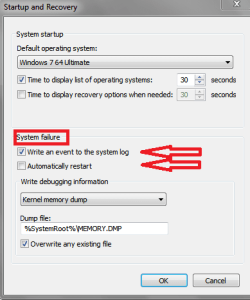
If these events happen mostly while gaming, here is what I suggest.
Here are things you want to do, to eliminate what ISN'T a problem. It is important to understand that you are not running "benchmark" tests. Your goal is to run
stress tests. That is a proper way to qualify hardware.
Prerequisite to running stress tests. Download and install Speedfan. Use that to monitor system temperatures. If any temp goes over 70c, stop testing and resolve your cooling issues. Note, there will be people who disagree and give a higher maximum temp allowance. That's fine, however I will not allow my components to go over 70c and I suggest you do likewise. (actually my threshold is lower even but 70c will suffice)
First memtest86, run that for at least one full pass.
Second, Prime95. Run that for at least an hour (prefer 90 minutes or more) or until your system crashes. Whichever comes first. If it crashes, resolve your hardware issue.
Third, Furmark. This is another stress test like Prime95. The whole point of running stress tests is to find where potential problems are. So you will want to run this until you are satisfied that your GPU doesn't have a fundamental issue. That doesn't mean to run it for five minutes and quit, you want to stress the video card beyond a shadow of a doubt that it is rock stable.
Those are pretty much basic tests to qualify your hardware. If you pass all of those then you can start to look at higher level functions. Also, if you crash on the Prime95 test, the likelihood is that you have a power issue. Sometimes simply bumping up the core voltage .1 in the CMOS setup will fix that.
SpeedFan - Access temperature sensor in your computer
Memtest86+ - Advanced Memory Diagnostic Tool
Prime95
FurMark: VGA Stress Test, Graphics Card and GPU Stability Test
Good luck