- Local time
- 3:07 AM
- Messages
- 210
Hi...just installed Waterfox...or so I thought...I pinned the icon to my task bar...but when I click on that icon the older style Firefox icon appears as can be seen in this pic:

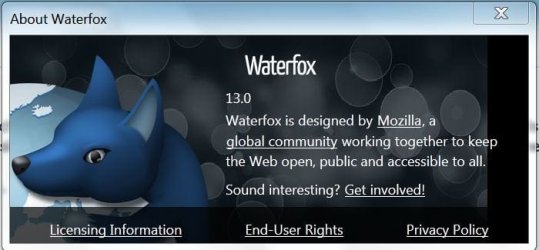
So...in the Help section of the browser it says I am running Firefox 13.0.1
Shouldn't it say Waterfox??
Is this normal? Or have I installed it wrong? Should I have uninstalled Firefox first?
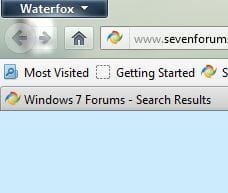
Why are the icons different? (The blue icon is the Waterfox pinned icon...the orange icon is the regular Firefox icon. When I click the blue icon to launch Waterfox...the orange Firefox icon is the one that appears next to msn.)
thanks
So...in the Help section of the browser it says I am running Firefox 13.0.1
Shouldn't it say Waterfox??
Is this normal? Or have I installed it wrong? Should I have uninstalled Firefox first?
Why are the icons different? (The blue icon is the Waterfox pinned icon...the orange icon is the regular Firefox icon. When I click the blue icon to launch Waterfox...the orange Firefox icon is the one that appears next to msn.)
thanks
My Computer
- OS
- Windows 7 Home Premium 64bit
- CPU
- i7 930 2.8g
- Motherboard
- x58A-Ud3R rev2.0 FB
- Memory
- Corsair xms3 CMX6GX3M3C 1600 C7 2gx3
- Graphics Card(s)
- HIS ATI pcie HD5670
- Sound Card
- Presonus Firebox
- Monitor(s) Displays
- Flatron W2343T x2
- Hard Drives
- 1x500g Seagate Sata2 7200
2x1TB Seagate Sata2 7200
- PSU
- Cooler Master 700W Silent Pro
- Case
- Antec
- Cooling
- Zalman CPU Cooler CNPS10x-Quiet


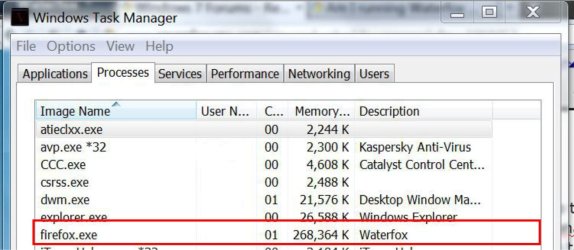
 In my machine if I open Firefox it opens waterfox
  As I set it as the default browser.