Hey Guys.
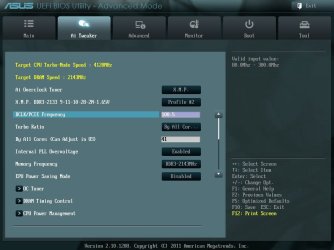
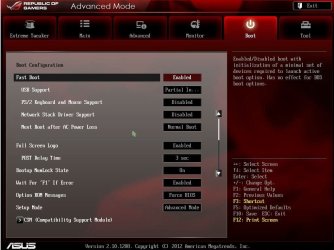
Essenbe is a lucky dog that has a motherboard with UEFI BIOS that the manufacturer included the beautiful GUI BIOS Settings.
My daughter's Asus laptop, and a few others I have seen, with a UEFI bios, has BIOS Settings that look just like legacy BIOS settings. No pretty screens, no mouse, just black and blue and white.
So there is no special key to get what Essenbe has, and it is definitely not Windows. That is what he gets when he turns on his computer. We get that old stuff. It's like I said: up to the manufacturer.
If anyone reading this has a LAPTOP with a GUI BIOS, one you can use a mouse in, please let us know. I have not seen one....yet. Just on desktop boards.
Well, I'm not a 'lucky dog', I paid dearly for it.
My Computers
-
At a glance
Windows 11 ProRyzen 9 5900X32GB G Skill DDR4-3600EVGA RTX 3080 FTW 3 Ultra- Computer type
- PC/Desktop
- Computer Manufacturer/Model Number
- ALWAYS UNDER CONSTRUCTION
- OS
- Windows 11 Pro
- CPU
- Ryzen 9 5900X
- Motherboard
- Asus X570 Crosshair Viii Hero
- Memory
- 32GB G Skill DDR4-3600
- Graphics Card(s)
- EVGA RTX 3080 FTW 3 Ultra
- Sound Card
- On Board/Sennheiser PC37X Headset
- Monitor(s) Displays
- 3 X Asus 27"
- Screen Resolution
- 2560x1440
- Hard Drives
- 2 X 1 TB NVME drives
- PSU
- EVGA 850
- Case
- Phanteks Eclipse P400A
- Cooling
- EVGA 280 AIO
- Keyboard
- Logitech G510s/ Logitech G13
- Mouse
- Logitech G502
- Internet Speed
- 24/1
- Antivirus
- ESET/MBAM Pro/SAS Pro
- Browser
- Chrome/ Firefox/ Edge
-
At a glance
Windows 11 ProIntel Ultra 9 288V32 GB LPDDR5X 8533- Computer type
- Laptop
- System Manufacturer/Model Number
- Dell 16 Plus
- OS
- Windows 11 Pro
- CPU
- Intel Ultra 9 288V
- Memory
- 32 GB LPDDR5X 8533
- Monitor(s) Displays
- 16" Mini-LED HDR600 Touch 90 Hz
- Screen Resolution
- 2560X1600
- Hard Drives
- 1 TB NVME

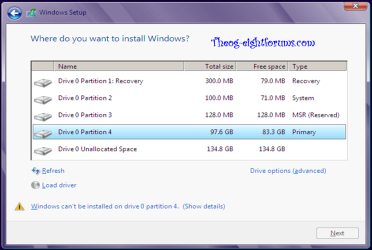



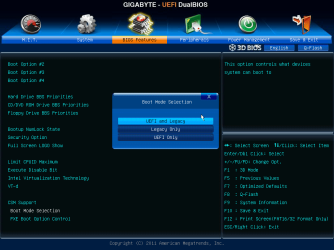


 :
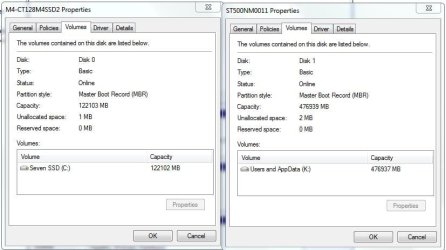
: EXCELLENT indeed Bob, as I suspected my drives are MBR with UEFI being my only BIOS as is essenbe's board.