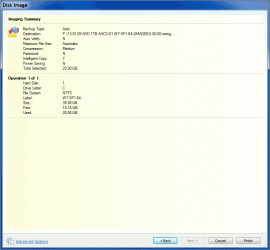
Do we take the "copy" comment literally? If so then this could be causing strange behaviour. Have you actually imaged to one of your internal sata drives and restored?That's why I decided to copy the mrimg to my internal SATA drive, hoping the recovery time will be faster but it ended up taking almost 3hrs.
I have a very similar system configuration to you and your imaging time to a USB2 to a 5400 RPM ext HDD seems reasonable. Remember that you can find a significant difference in time depending on how full your ext HDD is. If it is quite full you will writing to the inner tracks and it will definitely be slower.
For interest, I imaged 50 GB (source) yesterday to a USB3 on a 75% full HDD and it took 12 minutes.
My Computer
At a glance
Windows 7x64 Home Premium SP1Intel i7 2600kG.Skill Ripjaws (DDR3-1600) 2x4GBNvidia GeForce GTS 450; Intel HD Graphics 300...
- Computer type
- PC/Desktop
- Computer Manufacturer/Model Number
- Own build
- OS
- Windows 7x64 Home Premium SP1
- CPU
- Intel i7 2600k
- Motherboard
- ASUS P8Z68 Deluxe
- Memory
- G.Skill Ripjaws (DDR3-1600) 2x4GB
- Graphics Card(s)
- Nvidia GeForce GTS 450; Intel HD Graphics 3000(GT2+)
- Monitor(s) Displays
- Dell Ultrasharp IPS panel U2311H, Samsung SyncMaster P2350
- Screen Resolution
- 1920x1080
- Hard Drives
- Samsung 850 Pro SSD 256GB, Samsung SSD 840 120GB, Seagates 1TB Barracuda ST31000528AS x2
- PSU
- Seasonic M12II 520W
- Case
- Lian Li Lancool PC-K60
- Cooling
- Case: 1x120mm, 3x140mm CPU: Hyper 212+
- Keyboard
- Logitech MK520 (wireless)
- Mouse
- Logitech MK520
- Internet Speed
- 6-7 Mbps
- Antivirus
- Norton Security Premium, Malwarebytes on 2 (MSE on 3rd PC)
- Browser
- FireFox
- Other Info
- Audio: Logitech Z523 2.1

 first before restoring (as to emulate a brand new drive) and report back the results.