- Local time
- 9:53 PM
- Messages
- 144
If your dns server is setup correctly. You should be able to use
nslookup FQDN
FQDN= fully qualified domain name.
Find your fqdn with
echo %COMPUTERNAME%.%USERDNSDOMAIN%
example from work:
C:\Documents and Settings\CParman>echo %COMPUTERNAME%.%USERDNSDOMAIN%
CPARMAN-8DFCMF1.CORP
update:
%USERDNSDOMAIN% only works on a domain
So you can get it with the ipconfig /all output.
Code:C:\Documents and Settings\CParman>ipconfig /all Windows IP Configuration Host Name . . . . . . . . . . . . : cparman-8dfcmf1 Primary Dns Suffix . . . . . . . : CORP

Very much appreciated Kari and Parman.
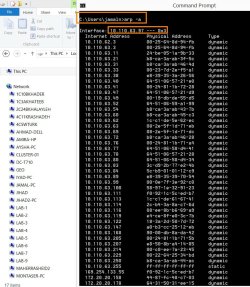
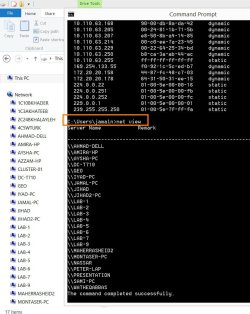
Once, I saw an IT personnel using a command to show all the connected machines with a particular machine (the command is joined with identifying its IP address). I couldn’t remember the command he used.
All the best
Jamal
My Computer
At a glance
Windows 7 Ultimate x64
- OS
- Windows 7 Ultimate x64