Solved How to change the public folder options

Melissa

New member
Power User
Local time
1:16 PM
Messages
394
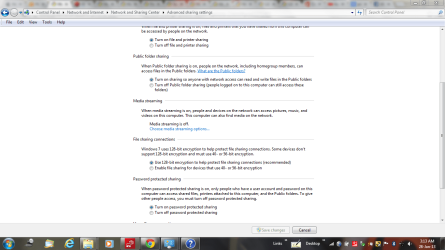
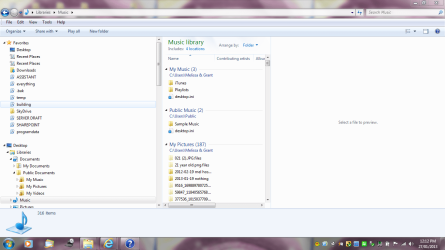
I have just looked in my computer and noticed that somehow that I have acquired Public Folders and pictures.

I have three computers and noticed that I have access to them.

Whilst I do not mind that they have access to my computer - when I have a picture that I wish to have saved to my computer - I just wish the default just to be to my location.

I also do not wish to loose any pictures.

It says that it has three locations - I do not even know which computer it is on and how to navigate to it, so I just wish to decide myself where to put it.

Can anyone please assist?
 

Attachments
  • public.PNG
    public.PNG
    74.6 KB · Views: 32
  • public1.PNG
    public1.PNG
    81.3 KB · Views: 24

My Computer My Computer

Computer type
Laptop
Computer Manufacturer/Model Number
Sony VAIO / E Series VPCEB46FG
OS
Windows 7 Home Premium 64bit
CPU
Windows 7 Service Pack 1 x86 NTFS
Motherboard
AMD E-350 Processor
Memory
4 GB
Hard Drives
500GB
Other Info
1.6GHz
Hello Melissa,

The "My...." folders with shortcut arrows on them are not real folders, but only junction points for backwards compatibility for older programs that point to you real "My..." user folders. I would recommend to set you hidden files to no longer show so that you do not mistakenly use or do something to them.
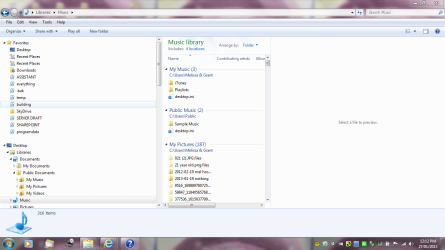
In your screenshots above, you are only viewing files from the "Music" library on only your computer. Each default library includes your "My..." user folder and "Public" folder for it. For example, the "Music" library will have your "C:\Users\(user-name)\My Music" and "C:\Users\Public\Public Music" folders by default. If you like, read the tutorials below for more on this to help.
Hope this helps, :)
Shawn
 

My Computer My Computer

Computer type
PC/Desktop
Computer Manufacturer/Model Number
Self built custom
OS
64-bit Windows 11 Pro for Workstations
CPU
Intel i7-8700K OC'd to 5 GHz
Motherboard
ASUS ROG Maximus XI Formula Z390
Memory
64 GB (4x16GB) G.SKILL TridentZ RGB DDR4 3600 MHz
Graphics Card(s)
ASUS ROG-STRIX-GTX1080TI-O11G-GAMING
Sound Card
Integrated
Monitor(s) Displays
2 x Samsung Odyssey G7 27"
Screen Resolution
2560x1440
Hard Drives
1TB Samsung 990 PRO M.2,
4TB Samsung 990 PRO PRO M.2,
TerraMaster F8 SSD Plus NAS
PSU
Seasonic Prime Titanium 850W
Case
Thermaltake Core P3
Cooling
Corsair Hydro H115i
Keyboard
Logitech wireless K800
Mouse
Logitech MX Master 4
Internet Speed
2 Gb/s Download and 100 Mb/s Upload
Antivirus
Malwarebyte Anti-Malware Premium
Browser
Google Chrome
Other Info
Logitech Z625 speaker system,
Logitech BRIO 4K Pro webcam,
HP Color LaserJet Pro MFP M477fdn,
APC SMART-UPS RT 1000 XL - SURT1000XLI,
Galaxy S23 Plus phone
Sharing options on computer - music - documents etc

Dear Shawn,

I have followed what you said.

From what I understand from your reply is that my folders C:\Users\(user-name)\My Music and C:\Users\Public\Public Music are the same and it should not be changed.

I will keep them the same.

I am now on the other computer and tried to look at what you sent regarding libraries and I do not wish to make a mistake - just in case I make an error.

I have included screen shots from the other computer and just wish to have the location - Public Folders gone and that there is no sharing
 

Attachments

My Computer My Computer

Computer type
Laptop
Computer Manufacturer/Model Number
Sony VAIO / E Series VPCEB46FG
OS
Windows 7 Home Premium 64bit
CPU
Windows 7 Service Pack 1 x86 NTFS
Motherboard
AMD E-350 Processor
Memory
4 GB
Hard Drives
500GB
Other Info
1.6GHz
Those folders are not the same. They are two different folders that have been included in the library to be able to view both of them in the library while they are actually still at their locations.

A library is just a collection point to view any folders you included in one place instead of having to go to each folder.
 

My Computer My Computer

Computer type
PC/Desktop
Computer Manufacturer/Model Number
Self built custom
OS
64-bit Windows 11 Pro for Workstations
CPU
Intel i7-8700K OC'd to 5 GHz
Motherboard
ASUS ROG Maximus XI Formula Z390
Memory
64 GB (4x16GB) G.SKILL TridentZ RGB DDR4 3600 MHz
Graphics Card(s)
ASUS ROG-STRIX-GTX1080TI-O11G-GAMING
Sound Card
Integrated
Monitor(s) Displays
2 x Samsung Odyssey G7 27"
Screen Resolution
2560x1440
Hard Drives
1TB Samsung 990 PRO M.2,
4TB Samsung 990 PRO PRO M.2,
TerraMaster F8 SSD Plus NAS
PSU
Seasonic Prime Titanium 850W
Case
Thermaltake Core P3
Cooling
Corsair Hydro H115i
Keyboard
Logitech wireless K800
Mouse
Logitech MX Master 4
Internet Speed
2 Gb/s Download and 100 Mb/s Upload
Antivirus
Malwarebyte Anti-Malware Premium
Browser
Google Chrome
Other Info
Logitech Z625 speaker system,
Logitech BRIO 4K Pro webcam,
HP Color LaserJet Pro MFP M477fdn,
APC SMART-UPS RT 1000 XL - SURT1000XLI,
Galaxy S23 Plus phone
I am so very confused - am I still on a system that has shared public folders with a collection of my own folders?

I know that it may be very obvious to computer savvy people - but having a shared folder is sometimes not so great.

I just dont know how to get the default option back and I am afraid of loosing data
 

My Computer My Computer

Computer type
Laptop
Computer Manufacturer/Model Number
Sony VAIO / E Series VPCEB46FG
OS
Windows 7 Home Premium 64bit
CPU
Windows 7 Service Pack 1 x86 NTFS
Motherboard
AMD E-350 Processor
Memory
4 GB
Hard Drives
500GB
Other Info
1.6GHz
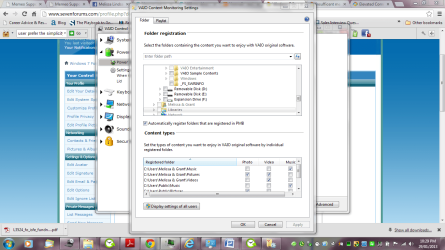
Hi Melissa. Very urgent. In the screenshot above you show your Windows licence. PLEASE urgently delete either the whole screen shot or at least blank out the licence details as anyone can use that licence key to install Windows 7 on any computer Illegal so it caould cause you a lot of trouble!!


Back to the topic. Sorry to but in here but it looks to me as if you are the only person who users the computers? That being so I shouldn't worry too much about not sharing a folder. Are you under the impression that the term "Public Folder" means that the public can view it?
 

My Computer My Computer

Computer type
PC/Desktop
OS
Microsoft Windows 7 Home Premium 64-bit 7601 Multiprocessor Free Service Pack 1
CPU
Intel(R) Core(TM) i7-3770 CPU @ 3.40GHz
Motherboard
ASUSTeK COMPUTER INC. P8H77-M
Memory
8.00 GB
Graphics Card(s)
Intel(R) HD Graphics 4000
Sound Card
On Board
Monitor(s) Displays
Dell 24"
Screen Resolution
1920 x 1080
Hard Drives
(1) INTEL SSDSC2CT180A3 ATA Device (2) ST500DM002-1BD142 ATA Device (3) WDC WD3200AAKS-75L9A0 ATA Device (4) Generic- Compact Flash USB Device (5) Generic- MS/MS-Pro USB Device (6) Generic- SD/MMC USB Device (7) Generic- SM/xD-Picture USB
PSU
500w Corsair
Case
Cooler Master
Cooling
3 Fans
Keyboard
Logitech MK300
Mouse
Logitech WOM
Internet Speed
75Mb
Antivirus
Norton 360
Browser
Firefox, Opera, IE
Changing the settings for public folder

Dear Mictchell,

Thank you for alerting me to the fact of my screen shot. Not too sure how I got that in the shot.

Am I suppose to have that box ticked or unticked for sharing.

I guess I think - public means everyone in my house and other visable computers or network.

I get very confused.
 

My Computer My Computer

Computer type
Laptop
Computer Manufacturer/Model Number
Sony VAIO / E Series VPCEB46FG
OS
Windows 7 Home Premium 64bit
CPU
Windows 7 Service Pack 1 x86 NTFS
Motherboard
AMD E-350 Processor
Memory
4 GB
Hard Drives
500GB
Other Info
1.6GHz
Public Folders Confusion

I am unsure if I am the only user.

Could someone please clarify if I am the only user...

I am on a WorkGroup it seems and not a HomeGroup.

If you require further details please let me know
 

Attachments

  • public1.PNG
    public1.PNG
    81.3 KB · Views: 9
  • public.PNG
    public.PNG
    74.6 KB · Views: 9

My Computer My Computer

Computer type
Laptop
Computer Manufacturer/Model Number
Sony VAIO / E Series VPCEB46FG
OS
Windows 7 Home Premium 64bit
CPU
Windows 7 Service Pack 1 x86 NTFS
Motherboard
AMD E-350 Processor
Memory
4 GB
Hard Drives
500GB
Other Info
1.6GHz
I am unsure if I am the only user.

Could someone please clarify if I am the only user...

I am on a WorkGroup it seems and not a HomeGroup.

If you require further details please let me know
Then who is the Network administrator ie who set it up?
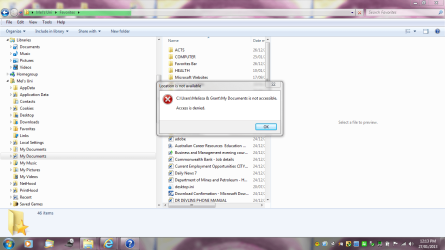
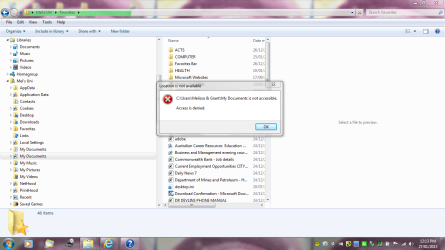
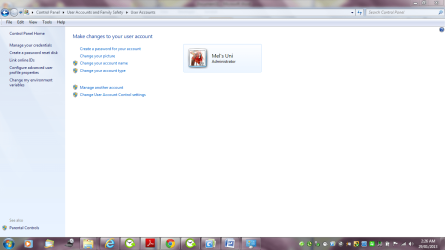
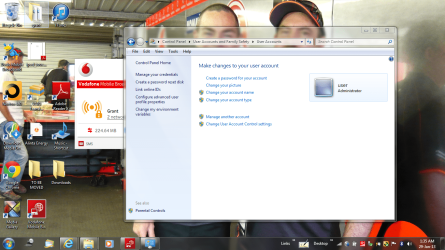
From your earlier posts when you speak of other people in the house you are clearly not the only user as "Grant" seems to use the same account as yourself!. Have you "Administrative rights" or are you a standard "User". Look under Control panel then User Accounts to see what it says against your name.
 

My Computer My Computer

Computer type
PC/Desktop
OS
Microsoft Windows 7 Home Premium 64-bit 7601 Multiprocessor Free Service Pack 1
CPU
Intel(R) Core(TM) i7-3770 CPU @ 3.40GHz
Motherboard
ASUSTeK COMPUTER INC. P8H77-M
Memory
8.00 GB
Graphics Card(s)
Intel(R) HD Graphics 4000
Sound Card
On Board
Monitor(s) Displays
Dell 24"
Screen Resolution
1920 x 1080
Hard Drives
(1) INTEL SSDSC2CT180A3 ATA Device (2) ST500DM002-1BD142 ATA Device (3) WDC WD3200AAKS-75L9A0 ATA Device (4) Generic- Compact Flash USB Device (5) Generic- MS/MS-Pro USB Device (6) Generic- SD/MMC USB Device (7) Generic- SM/xD-Picture USB
PSU
500w Corsair
Case
Cooler Master
Cooling
3 Fans
Keyboard
Logitech MK300
Mouse
Logitech WOM
Internet Speed
75Mb
Antivirus
Norton 360
Browser
Firefox, Opera, IE
Hello,

I am terribly sorry that I am not that great at conveying messages over this medium.

I do not wish to change user account settings as I hear that they are difficult to fix and change.

I am on both computers -

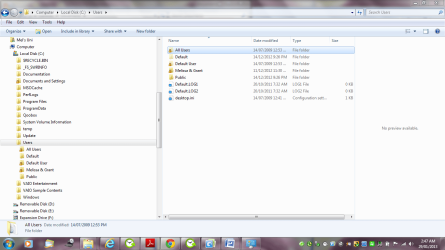
I had a look before on my computer and I had a default and Melissa&Grant as in the screen shot

Then the other computer - just the user.

By loosing the default one - which contained slightly less volume of data in it does it look alright for both computers not to be sharing.
 

Attachments

  • user 1.PNG
    user 1.PNG
    58.2 KB · Views: 9
  • user.PNG
    user.PNG
    122.9 KB · Views: 11

My Computer My Computer

Computer type
Laptop
Computer Manufacturer/Model Number
Sony VAIO / E Series VPCEB46FG
OS
Windows 7 Home Premium 64bit
CPU
Windows 7 Service Pack 1 x86 NTFS
Motherboard
AMD E-350 Processor
Memory
4 GB
Hard Drives
500GB
Other Info
1.6GHz
Without you answering the questions it is impossible to properly help you. Please answer "Then who is the Network administrator ie who set it up?"
 

My Computer My Computer

Computer type
PC/Desktop
OS
Microsoft Windows 7 Home Premium 64-bit 7601 Multiprocessor Free Service Pack 1
CPU
Intel(R) Core(TM) i7-3770 CPU @ 3.40GHz
Motherboard
ASUSTeK COMPUTER INC. P8H77-M
Memory
8.00 GB
Graphics Card(s)
Intel(R) HD Graphics 4000
Sound Card
On Board
Monitor(s) Displays
Dell 24"
Screen Resolution
1920 x 1080
Hard Drives
(1) INTEL SSDSC2CT180A3 ATA Device (2) ST500DM002-1BD142 ATA Device (3) WDC WD3200AAKS-75L9A0 ATA Device (4) Generic- Compact Flash USB Device (5) Generic- MS/MS-Pro USB Device (6) Generic- SD/MMC USB Device (7) Generic- SM/xD-Picture USB
PSU
500w Corsair
Case
Cooler Master
Cooling
3 Fans
Keyboard
Logitech MK300
Mouse
Logitech WOM
Internet Speed
75Mb
Antivirus
Norton 360
Browser
Firefox, Opera, IE
Being the person that I think that I may have set it up on the User machine - which is the Windows 64 bit.

The other old one - Windows Vista HP 64 bit- I just set up to gain Internet access.

I am beginning to remember that Itunes - yes - my IPhone has played up too - I am having a great time asked for a default for the pictures etc and I said yes to My Music being stored with a My Music icon now on the computer - which is known as User.


I hope that makes sense.

I have made quite a mess.

I also don't know why before I had two User Profiles - with one default and one with my name.

I hope I haven't done anything that can not be changed.
 

Attachments

  • user 2.PNG
    user 2.PNG
    59.5 KB · Views: 8

My Computer My Computer

Computer type
Laptop
Computer Manufacturer/Model Number
Sony VAIO / E Series VPCEB46FG
OS
Windows 7 Home Premium 64bit
CPU
Windows 7 Service Pack 1 x86 NTFS
Motherboard
AMD E-350 Processor
Memory
4 GB
Hard Drives
500GB
Other Info
1.6GHz
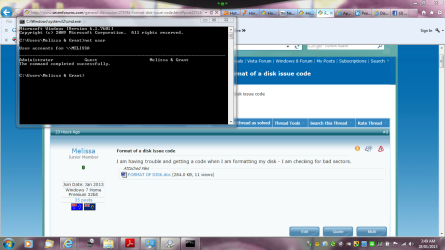
I have done some googling whilst waiting for you lovely people to see what I wrote - I went into cmd and typed net user on each computer to get the administrator

does this assist you with my enquiry
 

Attachments

  • admin user viao.PNG
    admin user viao.PNG
    84.2 KB · Views: 9
  • mel and g admin.PNG
    mel and g admin.PNG
    92.9 KB · Views: 11

My Computer My Computer

Computer type
Laptop
Computer Manufacturer/Model Number
Sony VAIO / E Series VPCEB46FG
OS
Windows 7 Home Premium 64bit
CPU
Windows 7 Service Pack 1 x86 NTFS
Motherboard
AMD E-350 Processor
Memory
4 GB
Hard Drives
500GB
Other Info
1.6GHz
Hi Melissa
Like you I am beginning to get confused. we seem to have lost track of what your actual problem is!
So lets get things clear before we go any further.
First off you had in the screenshot that was deleted the window showing the Remote Access application. Close this down. DO NOT open it again until you have read the guide to using it. You cannot accidently allow anyone access to your PC via the Remote Access feature. It takes an imput from you. The golden rule is NEVER give access to anyone you don't know personally and that you wouldn't allow access to your home to use your PC. Nobody on this Forum will ask you to allow them access to your PC.
So lets start at the beginnning again, I have left gaps in this post for you to provide the answers. Just hit the Quote button and put your curser in the gaps and type the answers. That way we get all the questions answered. If you know how you could highlight your answer and make the text of your answer a different colour!
First explain in simple terms your problem. If it means just stopping others seeing a particular folder say so.


You said earlier that you have three computers all networked but now you just mention two machines, one with Windows 7 and one with Vista. How many have you got?


How many people have access to these computers?


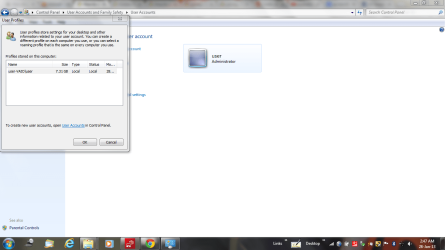
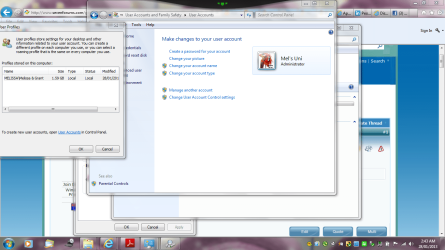
Post a screenshot of the Control Panel/User Accounts and Family Safety and User Accounts showing all the Users for all the machines.


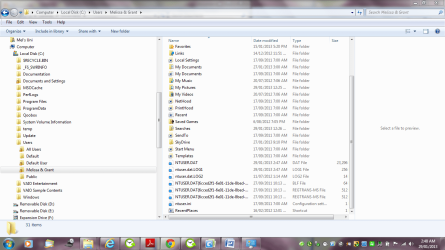
I am confused that you have a folder named Melissa & Grant. Have you both got access to this account and if so do you both use the same Password?


You don't seem too sure whether you set up the Network or not. Could anyone else have done it?


You said earlier "The other old one – Windows Vista HP 64 bit- I just set up to gain Internet access."
Can you explain this, have you not got internet access on the Windows 7 machine?


As you say you are a bit confused I am surprised and not a little concerned that you are dabbling with CMD. Your screenshots served no real purpose just confirmimg what you already knew from Windows Explorer that you have a folder named Melissa & Grant. Without being rude it would appear to me that you are a little naive when it comes to basic Compuetr Skills and Understanding! That being so I would urge you not to dabble of experiment with any system parts of the PC especially the CMD module and the Registry. Untold damage can be done very easily.
If any of the above is not perfectly clear please don't guess at the interpretation, post back with the query and we will do our best to help you.
Finally I can't see that you have any great problem that can't be easily solved but it will mean you not holding back with any details that are asked for. Every question properly answered will speed a satisfactory conclusion1
 
Last edited:

My Computer My Computer

Computer type
PC/Desktop
OS
Microsoft Windows 7 Home Premium 64-bit 7601 Multiprocessor Free Service Pack 1
CPU
Intel(R) Core(TM) i7-3770 CPU @ 3.40GHz
Motherboard
ASUSTeK COMPUTER INC. P8H77-M
Memory
8.00 GB
Graphics Card(s)
Intel(R) HD Graphics 4000
Sound Card
On Board
Monitor(s) Displays
Dell 24"
Screen Resolution
1920 x 1080
Hard Drives
(1) INTEL SSDSC2CT180A3 ATA Device (2) ST500DM002-1BD142 ATA Device (3) WDC WD3200AAKS-75L9A0 ATA Device (4) Generic- Compact Flash USB Device (5) Generic- MS/MS-Pro USB Device (6) Generic- SD/MMC USB Device (7) Generic- SM/xD-Picture USB
PSU
500w Corsair
Case
Cooler Master
Cooling
3 Fans
Keyboard
Logitech MK300
Mouse
Logitech WOM
Internet Speed
75Mb
Antivirus
Norton 360
Browser
Firefox, Opera, IE
How to change the public folder options - and sorry

First explain in simple terms your problem. If it means just stopping others seeing a particular folder say so. So do I disable the Remote Access Folder on all computers?

You said earlier that you have three computers all networked but now you just mention two machines, one with Windows 7 and one with Vista. How many have you got?

I have three computers – I would have to say that – the one with Vista is just not that active.
One – Windows Vista 64 HP Compaq (Sir Grant)
Two – Windows 7 64 Home Premium User Viao
Three – Myself – Windows 7 32 bit Home Premium

How many people have access to these computers?

Two – Myself and Grant

Post a screenshot of the Control Panel/User Accounts and Family Safety/User Accounts showing all the Users for all the machines.


I have done the Control Panel/User Accounts – I can not locate the Family Safety/User Accounts in the Control Panel.

The Windows Vista has a password – the others do not.

I am confused that you have a folder named Melissa & Grant. Have you both got access to this account and if so do you both use the same Password?

I think that may be a folder that is set up on my computer – I thought it was Mel Uni. It has been to Sony for a BSOD so that may have been when the change was made
I have noted that it is not available on Grant – User Viao computer

You don't seem too sure whether you set up the Network or not. Could anyone else have done it?

Grant is not that computer minded. I set up the internet etc – so it would be all my doing. I have a password which looks like it is created by Windows when I was having issues with the WiFi and my Windows Mobile Phone

You said earlier "The other old one – Windows Vista HP 64 bit- I just set up to gain Internet access."
Can you explain this, have you not got internet access on the Windows 7 machine?


Both the Windows 7 machines have internet access via WiFi and SSID passwords. The other machine does not have access as I disconnected it.
I just wish no folders to be shared - I will keep it simple stupid

I have spent three hours trying to format a external hard drive and got frustrated and I am very ill. I am so sorry
 

Attachments

  • Doc1.doc
    Doc1.doc
    712.5 KB · Views: 2
  • melissa and grant 1.PNG
    melissa and grant 1.PNG
    79.2 KB · Views: 4
  • melissa and grant.PNG
    melissa and grant.PNG
    71.5 KB · Views: 5
  • Mels Uni control.PNG
    Mels Uni control.PNG
    69.3 KB · Views: 3
  • user control panel - screen shot.PNG
    user control panel - screen shot.PNG
    298.8 KB · Views: 7
  • user viao - full shot.PNG
    user viao - full shot.PNG
    71.4 KB · Views: 4

My Computer My Computer

Computer type
Laptop
Computer Manufacturer/Model Number
Sony VAIO / E Series VPCEB46FG
OS
Windows 7 Home Premium 64bit
CPU
Windows 7 Service Pack 1 x86 NTFS
Motherboard
AMD E-350 Processor
Memory
4 GB
Hard Drives
500GB
Other Info
1.6GHz
Hi Melisssa
Its a bit late here in the UK so I will answer fully tomorrow. Meantime, you need do nothing to the remote Access folders just leave them alone. They will do no harm indeed you will probably do more harm trying to disable them! Forget them! As far as your Formatting the external Hard drive. I'm guessing you have the USB lead plugged in to the front of your PC. If that is so plug it in to the back panel of your PC. If it is already in the back then swop it to another port at the back. If you have a printer or scanner connected then use their USB. I think this will stop the "You need to format this drive" message. Try it and report back here. Tomorrow I will come up with my plan to reduce the stress that you are creating for yourself. This will not help you get over your present poor health. There's nothing worse than stress if you are already poorly. I see nothing basically wrong with your PC, just relax, try to calm down and all will be well. More tomorrow. Off to my bed shortly.
 

My Computer My Computer

Computer type
PC/Desktop
OS
Microsoft Windows 7 Home Premium 64-bit 7601 Multiprocessor Free Service Pack 1
CPU
Intel(R) Core(TM) i7-3770 CPU @ 3.40GHz
Motherboard
ASUSTeK COMPUTER INC. P8H77-M
Memory
8.00 GB
Graphics Card(s)
Intel(R) HD Graphics 4000
Sound Card
On Board
Monitor(s) Displays
Dell 24"
Screen Resolution
1920 x 1080
Hard Drives
(1) INTEL SSDSC2CT180A3 ATA Device (2) ST500DM002-1BD142 ATA Device (3) WDC WD3200AAKS-75L9A0 ATA Device (4) Generic- Compact Flash USB Device (5) Generic- MS/MS-Pro USB Device (6) Generic- SD/MMC USB Device (7) Generic- SM/xD-Picture USB
PSU
500w Corsair
Case
Cooler Master
Cooling
3 Fans
Keyboard
Logitech MK300
Mouse
Logitech WOM
Internet Speed
75Mb
Antivirus
Norton 360
Browser
Firefox, Opera, IE
Hi Melissa
I have just spent a fair bit of time reading through all your present threads. I really would suggest that you solve one problem before you emabark on the next. You are bound to get confused, it also confuses those trying to help you.
So far as the probem of "Changing the Public Folder Options" is concerned, why do you want to change them? Leave them alone. If you don't save any files in the Public Folders then there is nothing for anyone to see even if people had access to your PC's which you say they don't. You did mention, "Other people in the house and anyone on the internet" No one can see what is on your PC without you allow them to do so. All of us on this Forum are "on the internet" many with very high speed connections but none of us can see what is on your PC.Have a look in your Public Folder "Music" Pictures" etc and see if you have accidently saved any files to those locationss. If you have just transfer the files to your folders named Melissa & Grant/My Pictures etc and then there will be nothing for anyone to see anyway.
Lastly give your login name a password and then you can guarantee that no one but you and Grant can get access to any part of your PC.
Just a final word on Shared Folder and files, it kmakes absolutely no difference at all whether you share files and folders between the two PC's you have connected. You can only share them with yourself so where's the problem?
I think you can close this thread now and mark it as resolved.

EDIT: I have just noticed from one of your Word documents that was attached to a post that you have saved some photos to the Public Folder for instance your Facebook photos. Transfer these to your Pictures as advised above.
 
Last edited:

My Computer My Computer

Computer type
PC/Desktop
OS
Microsoft Windows 7 Home Premium 64-bit 7601 Multiprocessor Free Service Pack 1
CPU
Intel(R) Core(TM) i7-3770 CPU @ 3.40GHz
Motherboard
ASUSTeK COMPUTER INC. P8H77-M
Memory
8.00 GB
Graphics Card(s)
Intel(R) HD Graphics 4000
Sound Card
On Board
Monitor(s) Displays
Dell 24"
Screen Resolution
1920 x 1080
Hard Drives
(1) INTEL SSDSC2CT180A3 ATA Device (2) ST500DM002-1BD142 ATA Device (3) WDC WD3200AAKS-75L9A0 ATA Device (4) Generic- Compact Flash USB Device (5) Generic- MS/MS-Pro USB Device (6) Generic- SD/MMC USB Device (7) Generic- SM/xD-Picture USB
PSU
500w Corsair
Case
Cooler Master
Cooling
3 Fans
Keyboard
Logitech MK300
Mouse
Logitech WOM
Internet Speed
75Mb
Antivirus
Norton 360
Browser
Firefox, Opera, IE
Hello and Thank you for looking at the folders and my posts - I do appreciate the effort that you have taken in looking at my issue.

I know that I have to include a lot of details in future for the forum so you assist others. I gather that you will never want to come across me again.

The desktop one - do you mean to transfer the folders to the My pictures and not Public pictures just to clarify - just in case they are lost in between any of the three computers.

I will say that I appreciate the forum and the assistance in my other matters. I am sorry that I do not understand some of the small things - like where the location and how it affects sharing.

Thank you again.

I will post one last item as I happened across one difficult issue with my documents in Windows Previewer
 

My Computer My Computer

Computer type
Laptop
Computer Manufacturer/Model Number
Sony VAIO / E Series VPCEB46FG
OS
Windows 7 Home Premium 64bit
CPU
Windows 7 Service Pack 1 x86 NTFS
Motherboard
AMD E-350 Processor
Memory
4 GB
Hard Drives
500GB
Other Info
1.6GHz
I gather that you will never want to come across me again.
I'm sorry that you interpreted my post in that way, it was certainly not intended. i am happy to help where I can. It's just that when i or anyone else who is trying to help it is important to carefully answer any questions so that we can be in a better position to assist!

The desktop one - do you mean to transfer the folders to the My pictures and not Public pictures just to clarify - just in case they are lost in between any of the three computers.
Just boot up the PC that contains the Facebook folders and others, make sure the other two PC's are shut down and then just drag and drop the Folders from the C:/Users/Public/Public Pictures to C:/Users/Melissa & Grant/My Pictures folder. The folders cannot get into the other PC's unless you physically put them there.

I will say that I appreciat
e the forum and the assistance in my other matters. I am sorry that I do not understand some of the small things - like where the location and how it affects sharing.
Please forgive me for asking but is English not your first language?

Thank you again.

I will post one last item as I happened across one difficult issue with my documents in Windows Previewer
Is this the PDF software?

Thought this the easiest way of replying!
 

My Computer My Computer

Computer type
PC/Desktop
OS
Microsoft Windows 7 Home Premium 64-bit 7601 Multiprocessor Free Service Pack 1
CPU
Intel(R) Core(TM) i7-3770 CPU @ 3.40GHz
Motherboard
ASUSTeK COMPUTER INC. P8H77-M
Memory
8.00 GB
Graphics Card(s)
Intel(R) HD Graphics 4000
Sound Card
On Board
Monitor(s) Displays
Dell 24"
Screen Resolution
1920 x 1080
Hard Drives
(1) INTEL SSDSC2CT180A3 ATA Device (2) ST500DM002-1BD142 ATA Device (3) WDC WD3200AAKS-75L9A0 ATA Device (4) Generic- Compact Flash USB Device (5) Generic- MS/MS-Pro USB Device (6) Generic- SD/MMC USB Device (7) Generic- SM/xD-Picture USB
PSU
500w Corsair
Case
Cooler Master
Cooling
3 Fans
Keyboard
Logitech MK300
Mouse
Logitech WOM
Internet Speed
75Mb
Antivirus
Norton 360
Browser
Firefox, Opera, IE
I gather that you will never want to come across me again.
I'm sorry that you interpreted my post in that way, it was certainly not intended. i am happy to help where I can. It's just that when i or anyone else who is trying to help it is important to carefully answer any questions so that we can be in a better position to assist!
I found that your assistance has been fantastic - I am just very silly

The desktop one - do you mean to transfer the folders to the My pictures and not Public pictures just to clarify - just in case they are lost in between any of the three computers.
Just boot up the PC that contains the Facebook folders and others, make sure the other two PC's are shut down and then just drag and drop the Folders from the C:/Users/Public/Public Pictures to C:/Users/Melissa & Grant/My Pictures folder. The folders cannot get into the other PC's unless you physically put them there.

I will transfer the files across just before I travel away from the depths of my computer screen


I will say that I appreciat
e the forum and the assistance in my other matters. I am sorry that I do not understand some of the small things - like where the location and how it affects sharing.
Please forgive me for asking but is English not your first language?

I appreciate your assistance - and my language problems is the brain tumour

Thank you again.

I will post one last item as I happened across one difficult issue with my documents in Windows Previewer
Is this the PDF software?


No that is an old problem - now my Word documents will not show colour

Thought this the easiest way of replying!

See the attachment - makes sense - The other computer on Windows 7 - is a Sony VAIO
 

Attachments

  • vaio transfer - pic.PNG
    vaio transfer - pic.PNG
    111.5 KB · Views: 5

My Computer My Computer

Computer type
Laptop
Computer Manufacturer/Model Number
Sony VAIO / E Series VPCEB46FG
OS
Windows 7 Home Premium 64bit
CPU
Windows 7 Service Pack 1 x86 NTFS
Motherboard
AMD E-350 Processor
Memory
4 GB
Hard Drives
500GB
Other Info
1.6GHz
Back
Top