Hi,
I have a HP EliteBook 8470p laptop (14", core i5-3320M [email protected] GHz, 4Gb of RAM, 64-bit system) with Windows 7 Enterprise Sevice Pack 1.
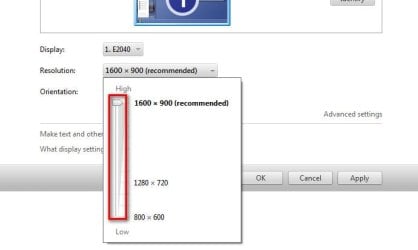
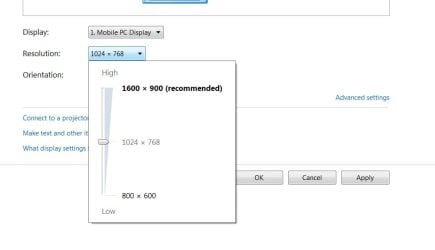
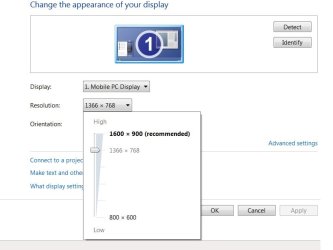
I can only select three resolutions.
1600x900 (too small for me)
1024x760 (too big for me)
800x600
In advance options > List all Modes, I cannot select nothing between 1024x760 and 1600x900
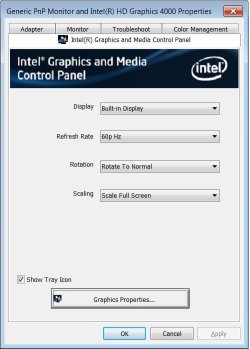
I have tried to update the driver, but windows says I have the most updated one --> Driver is Intel(R) HD Graphics 4000.
My monitor driver is "Generic PnP Monitor" and Windows says I have the most updated driver.
And my Display is named "Mobile PC Display".
With windows vista, I was able to select resolutions between 1024x760 and 1600x900.
I have tried to look the solution by editing monitor.inf from C:\Windows\inf\ folder, but I am not sure how to edit.
Could you please help me?
Thanks!
Regards,
Javier
I have a HP EliteBook 8470p laptop (14", core i5-3320M [email protected] GHz, 4Gb of RAM, 64-bit system) with Windows 7 Enterprise Sevice Pack 1.
I can only select three resolutions.
1600x900 (too small for me)
1024x760 (too big for me)
800x600
In advance options > List all Modes, I cannot select nothing between 1024x760 and 1600x900
I have tried to update the driver, but windows says I have the most updated one --> Driver is Intel(R) HD Graphics 4000.
My monitor driver is "Generic PnP Monitor" and Windows says I have the most updated driver.
And my Display is named "Mobile PC Display".
With windows vista, I was able to select resolutions between 1024x760 and 1600x900.
I have tried to look the solution by editing monitor.inf from C:\Windows\inf\ folder, but I am not sure how to edit.
Could you please help me?
Thanks!
Regards,
Javier
Last edited:
My Computer
At a glance
Windows 7 Enterprise 64-bitcore i5-3320M4 Gb RAM
- Computer type
- Laptop
- Computer Manufacturer/Model Number
- HP EliteBook 8470p
- OS
- Windows 7 Enterprise 64-bit
- CPU
- core i5-3320M
- Memory
- 4 Gb RAM
- Monitor(s) Displays
- Intel(R) HD Graphics 4000 (14'')
- Screen Resolution
- 1600x900