I got the breakout cables installed, tested, and everything seems to be working alright. Whoo Hoo!

The job was a bit of a bugger but nowhere near the nightmare I was expecting.
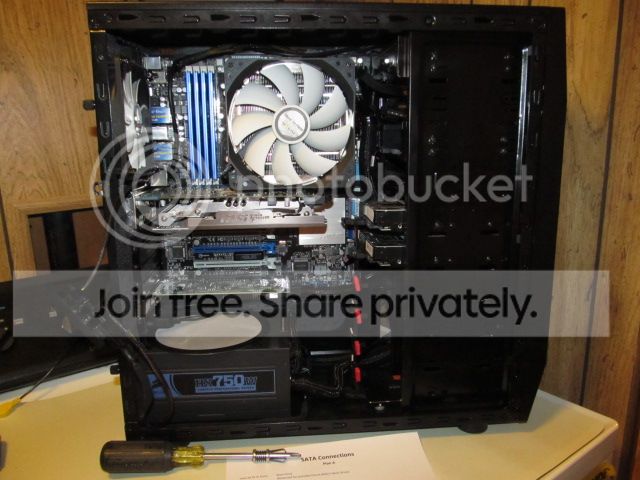
Ok, here are the obligatory photos:
Notice the sheet of paper saying SATA connections? Being the anal coward I am, I actually made a list of all the SATA ports on the MOBO and LSI card with where each one went. Since I didn't know if the LSI card would let me hotswap HDDs (it did, whoo hoo!), I also had a Plan B worked out. In case the LSI card didn't work out, I also had Plans C & D in place (I'm later going to erase Plans B-D since I don't need them anymore). That list made routing the breakout cables a bit less maddening and will make future troubleshooting (hopefully not needed) a lot easier. Since it's a bit hard to see the newly sleeved cables in this shot, here's a couple more.

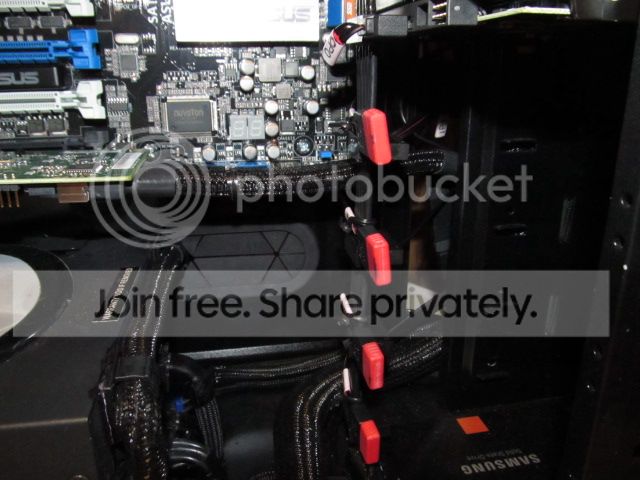
The little red thingies are dust caps for the ends of the unused SATA connectors (I got them from a couple SATA cables I used in this case: I also have dust caps on the unused SATA power connectors). Even though the drives aren't installed yet (and won't be until I need them; I won't even buy them until then to assure maximum warranty life), I routed the SATA data cable ends on the breakout cables and tied each one by its associated SATA power connector so I would have a place to park them for the time being and so I won't have to deal with finding and routing them when I do install the HDDs.
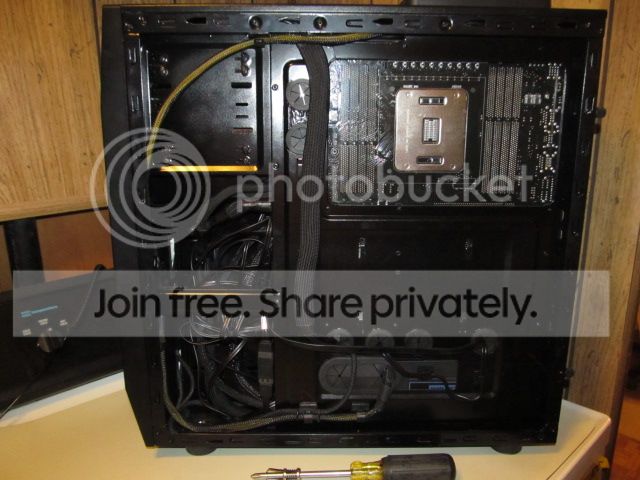
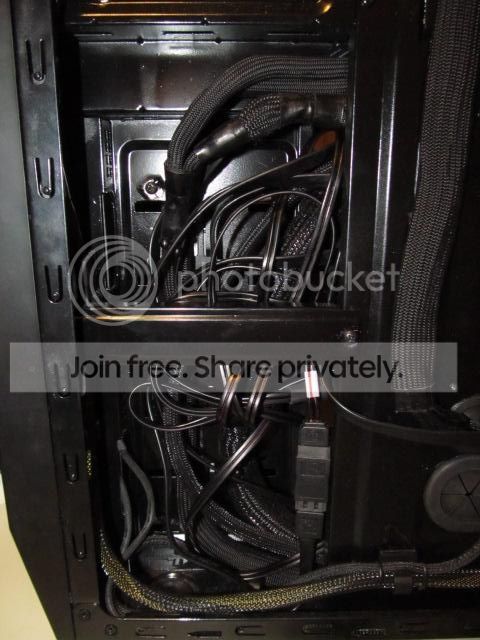
And here are a couple of shots of the backside, the second one featuring the mini-abyss. I was calling it a rat's nest until I got a knock on my door the other day. It turned out to be a rat attorney (I swear, everyone has lawyers now!) demanding I stop calling it a rat's nest since no self-respecting rat would ever live in a mess like that. Sigh!
That weird connector on the bottom right is for joining two SATA data cables. The front e-SATA port on the 3.5" swap bay has a cable coming off it. I had an extra SATA cable on the LSI breakout cables so I figured I would connect the front e-SATA to it and find out if would actually work. I haven't tested it yet since all I have that uses e-SATA is the 3.5" HDD dock I got to use until I had a working 3.5" swap bay on the computer.





 ) :
) :