Hi everyone,
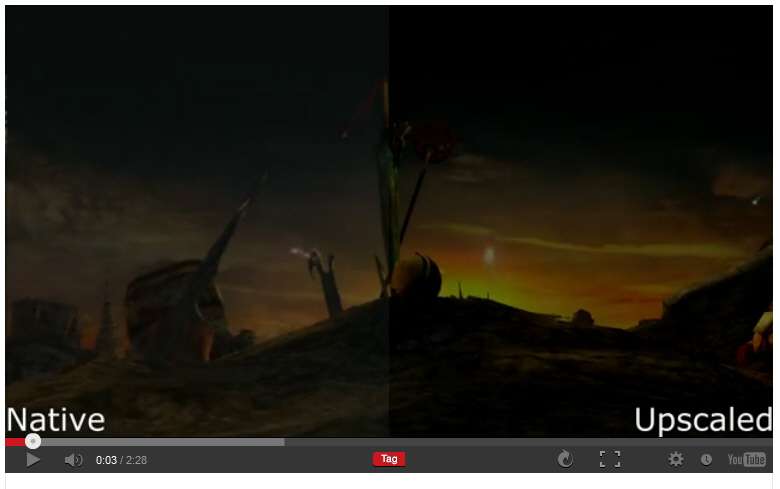
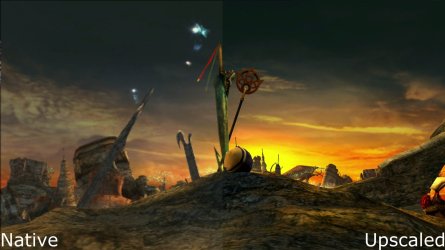
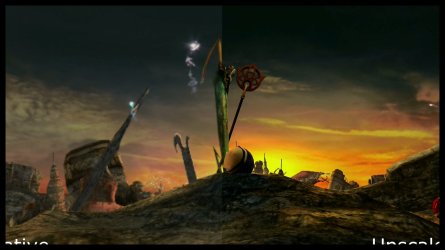
I'm having an issue when trying to watch videos. For some reason, videos I try to watch both on YouTube and in Windows Media Player (or Windows Media Center) are being cropped around the edges. I can get around the WMP issue by using VLC, because that will display the full video, but I can't find a workaround for online videos. At first I thought it may be a codec issue, but even updating them or installing new ones hasn't helped.
I've attached 3 screenshots from the same video: one from VLC showing how it's supposed to look, one from WMP, and one from YouTube.
I'd appreciate any insight anyone can offer on this.
Thanks!
I'm having an issue when trying to watch videos. For some reason, videos I try to watch both on YouTube and in Windows Media Player (or Windows Media Center) are being cropped around the edges. I can get around the WMP issue by using VLC, because that will display the full video, but I can't find a workaround for online videos. At first I thought it may be a codec issue, but even updating them or installing new ones hasn't helped.
I've attached 3 screenshots from the same video: one from VLC showing how it's supposed to look, one from WMP, and one from YouTube.
I'd appreciate any insight anyone can offer on this.
Thanks!
Attachments

My Computer
At a glance
Windows 7 Home Premium 64-bitIntel Core i7 2600KHIS IceQ Radeon HD7950
- Computer type
- PC/Desktop
- Computer Manufacturer/Model Number
- Custom
- OS
- Windows 7 Home Premium 64-bit
- CPU
- Intel Core i7 2600K
- Motherboard
- ASUS Sabertooth Z77
- Graphics Card(s)
- HIS IceQ Radeon HD7950