
Migrating a 32Gb partition to a bigger one using Norton Ghost

iGeriya

New member
Member
Local time
9:16 PM
Messages
29
Location
Western Europe ! Moving around ...
Hey people.

I'm a bit of a complete noob about all this.
I already asked a bit of help before about SSD replacement, but here's my latest issue.
I wanted to completely replace my Laptop's internal SSD of 32Gb with a bigger one of 120Gb. The problem is that when I copy the SSD to the new one, if by then recreates the same 32Gb partition ... Considering I upgraded to a 120Gb to allow more space, simply copying the partition doesn't work for me.

So how, using Norton Ghost 15, can I migrate all the datas from the 32Gig to a whole new partition of at least 100Gb of those 120gb (111.7Gb to be exact). I tried looking around the software once I enter the Copy Your Hard Drive category, but no luck.
Today was the first day I ever used Norton Ghost and I'm really not used to such kind of operation (migrating/copying a hard drive).

Also, now that I already copied the 32gig part a first time, I need to have it safely erased/removed from the 120Gb SSD ... Will the "R-Click > Format" option do the trick, or do I need some more specific cleaning process ?

Thank you in advance
 

My Computer My Computer

At a glance

Windows 7 Ultimate 64bit - LaptopIntel Core i7-3630QM @ 2.40GHz | Intel HD Gra...8Gb RAM DDR3 1333 MhzIntel HD Graphics 4000 | Nvidia GeForce GT-65...
Computer type
PC/Desktop
Computer Manufacturer/Model Number
[Laptop] MEDION Akoya P6815 (Temporary ...)
OS
Windows 7 Ultimate 64bit - Laptop
CPU
Intel Core i7-3630QM @ 2.40GHz | Intel HD Graphics 4000
Motherboard
Mobile Intel HM77 Express Chipset
Memory
8Gb RAM DDR3 1333 Mhz
Graphics Card(s)
Intel HD Graphics 4000 | Nvidia GeForce GT-650M 2Gb GDDR3
Monitor(s) Displays
Factory Laptop Screen @ 15,6" 16:9 Full HD Non-Glare LED
Screen Resolution
1920*1080px
Hard Drives
Samsung 32Gb Internal SSD
Samsung 840 Series 120Gb SSD
Seagate Expansion 1Tb External 5400Tr
Cooling
Cooling Master NotePal U3 [Cooling Pad for Laptop]
Antivirus
Avast! |
Browser
Mozilla FireFox 22.0 | Google Chrome
Try with AOMEI partition master. It has a disk migration wizard that will move the partition to the new SSD and then expand it to full drive size.
Make sure you tick the option under the "advanced" you see in the panel in the wizars, to let it know it is working on a SSD.
 

My Computer My Computer

At a glance

Win 7 Pro 64-bit 7601AMD Phenom 9650 QuadCore, revision DR-B35 GB yes I run 2x 2GB and 1x 1GB, different b...NVIDIA GeForce 9800 GT 512 Mb, unknown manufa...
Computer type
PC/Desktop
Computer Manufacturer/Model Number
custom built
OS
Win 7 Pro 64-bit 7601
CPU
AMD Phenom 9650 QuadCore, revision DR-B3
Motherboard
ASUS M4A78
Memory
5 GB yes I run 2x 2GB and 1x 1GB, different brand, spank me.
Graphics Card(s)
NVIDIA GeForce 9800 GT 512 Mb, unknown manufacturer.
Sound Card
Crappy Realtek Integrated Audio
Monitor(s) Displays
Fujitsu Siemens P19-3P
Screen Resolution
1280 x 1024 x 32 bits @ 60 Hz Oh yeah, 4:3 rocks!
Hard Drives
(1) MAXTOR S TM3320613AS SATA Disk Device (2) STM35004 18AS SATA Disk Device (3) TOSHIBA USB 2.5"-HDD
PSU
whatever, around 450w
Case
Scavenged from old company PC, 10+ years old
Cooling
CPU fan, GPU fan, case fan, nothing fancy
Keyboard
Microsoft, PS/2, white.
Mouse
Optical, logitec.
Internet Speed
effective max speeds: 70-ish kB/s down 30-ish kB/s up
Antivirus
Avira, free edition.
Browser
Firefox with FXChrome to make it look like Google Chrome :P
Other Info
Was discarded by previous owner due to "horrible performance".
Was running Win Xp from a IDE drive. Yeah. Was a pain.
SATA II drive and Win7 and it zips away! Yay!
Great ! Thank you for the fast reply !
I'll try with this soft then.

I'll update the post if I encounter any other obstacle.
 

My Computer My Computer

At a glance

Windows 7 Ultimate 64bit - LaptopIntel Core i7-3630QM @ 2.40GHz | Intel HD Gra...8Gb RAM DDR3 1333 MhzIntel HD Graphics 4000 | Nvidia GeForce GT-65...
Computer type
PC/Desktop
Computer Manufacturer/Model Number
[Laptop] MEDION Akoya P6815 (Temporary ...)
OS
Windows 7 Ultimate 64bit - Laptop
CPU
Intel Core i7-3630QM @ 2.40GHz | Intel HD Graphics 4000
Motherboard
Mobile Intel HM77 Express Chipset
Memory
8Gb RAM DDR3 1333 Mhz
Graphics Card(s)
Intel HD Graphics 4000 | Nvidia GeForce GT-650M 2Gb GDDR3
Monitor(s) Displays
Factory Laptop Screen @ 15,6" 16:9 Full HD Non-Glare LED
Screen Resolution
1920*1080px
Hard Drives
Samsung 32Gb Internal SSD
Samsung 840 Series 120Gb SSD
Seagate Expansion 1Tb External 5400Tr
Cooling
Cooling Master NotePal U3 [Cooling Pad for Laptop]
Antivirus
Avast! |
Browser
Mozilla FireFox 22.0 | Google Chrome
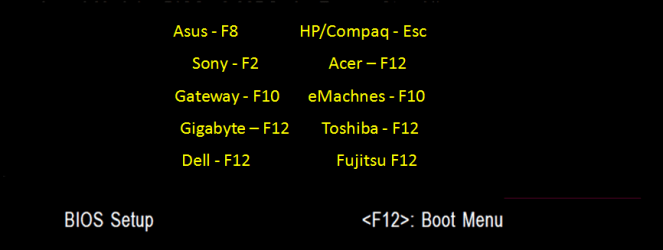
All right. So right now my problem is to safely erase what has been written on the SSD yesterday (the clone partition). Problem is I can't boot any of my USB drives right now. Don't know why, I have a pretty unusual BIOS from the German brand MEDION, and after setting drive priorities to the right USB drive many times. after trying many different USB keys, I give up since it only boots up on Win7 all the time.

How to ... ? Or does the formatting option of Windows Explorer can be enough ?
 

My Computer My Computer

At a glance

Windows 7 Ultimate 64bit - LaptopIntel Core i7-3630QM @ 2.40GHz | Intel HD Gra...8Gb RAM DDR3 1333 MhzIntel HD Graphics 4000 | Nvidia GeForce GT-65...
Computer type
PC/Desktop
Computer Manufacturer/Model Number
[Laptop] MEDION Akoya P6815 (Temporary ...)
OS
Windows 7 Ultimate 64bit - Laptop
CPU
Intel Core i7-3630QM @ 2.40GHz | Intel HD Graphics 4000
Motherboard
Mobile Intel HM77 Express Chipset
Memory
8Gb RAM DDR3 1333 Mhz
Graphics Card(s)
Intel HD Graphics 4000 | Nvidia GeForce GT-650M 2Gb GDDR3
Monitor(s) Displays
Factory Laptop Screen @ 15,6" 16:9 Full HD Non-Glare LED
Screen Resolution
1920*1080px
Hard Drives
Samsung 32Gb Internal SSD
Samsung 840 Series 120Gb SSD
Seagate Expansion 1Tb External 5400Tr
Cooling
Cooling Master NotePal U3 [Cooling Pad for Laptop]
Antivirus
Avast! |
Browser
Mozilla FireFox 22.0 | Google Chrome

My Computer My Computer

At a glance

Vista, Windows7, Mint Mate, Zorin, Windows 8from 1.6GHz Duo to i7
Computer Manufacturer/Model Number
HP, Dell, Gateway, Toshiba - 4 laptops and 2 desktops
OS
Vista, Windows7, Mint Mate, Zorin, Windows 8
CPU
from 1.6GHz Duo to i7
Monitor(s) Displays
2x HP w2207
Hard Drives
5x HDD, 7x SSD, 12x Externals
Keyboard
with trackball - no mices
Mouse
Trackball mice
Internet Speed
DSL 6000
As I just said, I can't boot up on any USB drive. So yes, this is the what I tried, and can't complete.
No secure erase possible. gotta try and call the customer service of Medion, maybe they can help me out with their weird BIOS.
 

My Computer My Computer

At a glance

Windows 7 Ultimate 64bit - LaptopIntel Core i7-3630QM @ 2.40GHz | Intel HD Gra...8Gb RAM DDR3 1333 MhzIntel HD Graphics 4000 | Nvidia GeForce GT-65...
Computer type
PC/Desktop
Computer Manufacturer/Model Number
[Laptop] MEDION Akoya P6815 (Temporary ...)
OS
Windows 7 Ultimate 64bit - Laptop
CPU
Intel Core i7-3630QM @ 2.40GHz | Intel HD Graphics 4000
Motherboard
Mobile Intel HM77 Express Chipset
Memory
8Gb RAM DDR3 1333 Mhz
Graphics Card(s)
Intel HD Graphics 4000 | Nvidia GeForce GT-650M 2Gb GDDR3
Monitor(s) Displays
Factory Laptop Screen @ 15,6" 16:9 Full HD Non-Glare LED
Screen Resolution
1920*1080px
Hard Drives
Samsung 32Gb Internal SSD
Samsung 840 Series 120Gb SSD
Seagate Expansion 1Tb External 5400Tr
Cooling
Cooling Master NotePal U3 [Cooling Pad for Laptop]
Antivirus
Avast! |
Browser
Mozilla FireFox 22.0 | Google Chrome
If USB does not wotk, use a live CD.
 

My Computer My Computer

At a glance

Vista, Windows7, Mint Mate, Zorin, Windows 8from 1.6GHz Duo to i7
Computer Manufacturer/Model Number
HP, Dell, Gateway, Toshiba - 4 laptops and 2 desktops
OS
Vista, Windows7, Mint Mate, Zorin, Windows 8
CPU
from 1.6GHz Duo to i7
Monitor(s) Displays
2x HP w2207
Hard Drives
5x HDD, 7x SSD, 12x Externals
Keyboard
with trackball - no mices
Mouse
Trackball mice
Internet Speed
DSL 6000
I know I'm just saying it for the third time, but the BIOS, does not simply let me boot on any external disk. I'm not a complete noob, I know what's a BIOS and how to basically work with it. But the one I have truely is one piece of sh**. My only hope last time I wanted to install win7 was a really good tech friend of my brother. But he's not available these days. that's why I'm looking for other, quicker methods than a Secure Erase.

Or, maybe if I detail my BIOS someone can make me a quick walkthrough ? Kind of a lot asking I know, but simply asking him to boot up on my USB, and setting USB boot preferences to the right USB just doesn't work. So I know I'm missing something, but I don't know what. Quite sobre BIOS.
 

My Computer My Computer

At a glance

Windows 7 Ultimate 64bit - LaptopIntel Core i7-3630QM @ 2.40GHz | Intel HD Gra...8Gb RAM DDR3 1333 MhzIntel HD Graphics 4000 | Nvidia GeForce GT-65...
Computer type
PC/Desktop
Computer Manufacturer/Model Number
[Laptop] MEDION Akoya P6815 (Temporary ...)
OS
Windows 7 Ultimate 64bit - Laptop
CPU
Intel Core i7-3630QM @ 2.40GHz | Intel HD Graphics 4000
Motherboard
Mobile Intel HM77 Express Chipset
Memory
8Gb RAM DDR3 1333 Mhz
Graphics Card(s)
Intel HD Graphics 4000 | Nvidia GeForce GT-650M 2Gb GDDR3
Monitor(s) Displays
Factory Laptop Screen @ 15,6" 16:9 Full HD Non-Glare LED
Screen Resolution
1920*1080px
Hard Drives
Samsung 32Gb Internal SSD
Samsung 840 Series 120Gb SSD
Seagate Expansion 1Tb External 5400Tr
Cooling
Cooling Master NotePal U3 [Cooling Pad for Laptop]
Antivirus
Avast! |
Browser
Mozilla FireFox 22.0 | Google Chrome
Boot the CD/DVD/USB from the One Time Boot Menu.

GA BIOS-12.PNG
 

My Computer My Computer

At a glance

ME/XP/Vista/Win7
OS
ME/XP/Vista/Win7
Will try this ! Thank you gentlemen !
 

My Computer My Computer

At a glance

Windows 7 Ultimate 64bit - LaptopIntel Core i7-3630QM @ 2.40GHz | Intel HD Gra...8Gb RAM DDR3 1333 MhzIntel HD Graphics 4000 | Nvidia GeForce GT-65...
Computer type
PC/Desktop
Computer Manufacturer/Model Number
[Laptop] MEDION Akoya P6815 (Temporary ...)
OS
Windows 7 Ultimate 64bit - Laptop
CPU
Intel Core i7-3630QM @ 2.40GHz | Intel HD Graphics 4000
Motherboard
Mobile Intel HM77 Express Chipset
Memory
8Gb RAM DDR3 1333 Mhz
Graphics Card(s)
Intel HD Graphics 4000 | Nvidia GeForce GT-650M 2Gb GDDR3
Monitor(s) Displays
Factory Laptop Screen @ 15,6" 16:9 Full HD Non-Glare LED
Screen Resolution
1920*1080px
Hard Drives
Samsung 32Gb Internal SSD
Samsung 840 Series 120Gb SSD
Seagate Expansion 1Tb External 5400Tr
Cooling
Cooling Master NotePal U3 [Cooling Pad for Laptop]
Antivirus
Avast! |
Browser
Mozilla FireFox 22.0 | Google Chrome
All right. So. Having a Laptop PC from the cheap brand MEDION, I figured out by trying that the One Time Boot Menu must be F10 as it simply shows up a middle pannel with all the bootable devices plugged-in.
For this part I'm a complete noob again since I've never ran that before, although I think there might be something not going right as my USB does never boot up even after I select it following this procedure.
It leads me to a "bios blue"pannel with the preset DEFAULT option to bootup. Then there's a countdown underneath saying "Automatic Boot in 10s". But when the countdown hits 0, it starts all over again to 10 ... so the automatic boot never occurs.
I took some shots with my phone to show you guys. In case I'm not in the One Time Boot Menu :


PS : And here's the BOOT tab "screen" shot of my BIOS. Maybe it'll help.


I believe I'm learning from this whole manipulation lol, but so far I still need to bother you guys for more and more help in order to go further in this migration operation I'm trying to perform
 

My Computer My Computer

At a glance

Windows 7 Ultimate 64bit - LaptopIntel Core i7-3630QM @ 2.40GHz | Intel HD Gra...8Gb RAM DDR3 1333 MhzIntel HD Graphics 4000 | Nvidia GeForce GT-65...
Computer type
PC/Desktop
Computer Manufacturer/Model Number
[Laptop] MEDION Akoya P6815 (Temporary ...)
OS
Windows 7 Ultimate 64bit - Laptop
CPU
Intel Core i7-3630QM @ 2.40GHz | Intel HD Graphics 4000
Motherboard
Mobile Intel HM77 Express Chipset
Memory
8Gb RAM DDR3 1333 Mhz
Graphics Card(s)
Intel HD Graphics 4000 | Nvidia GeForce GT-650M 2Gb GDDR3
Monitor(s) Displays
Factory Laptop Screen @ 15,6" 16:9 Full HD Non-Glare LED
Screen Resolution
1920*1080px
Hard Drives
Samsung 32Gb Internal SSD
Samsung 840 Series 120Gb SSD
Seagate Expansion 1Tb External 5400Tr
Cooling
Cooling Master NotePal U3 [Cooling Pad for Laptop]
Antivirus
Avast! |
Browser
Mozilla FireFox 22.0 | Google Chrome
Don't worry, the entire point of the board is to help people troubleshoot stuff and learn how to use their PC correctly.

First pic is the boot panel of the USB drive, "Unetbootin" on top of it does hint to the program to make bootable usb drives of the same name. This is a unetbootin usb drive containing an Ubuntu linux distro.
So, it boots the USB fine, but the drive does not have anything installed on it, just the bootloader and that screen.
"Default" would be to boot the stuff it has inside the usb drive.

Since Unetbootin isn't usually known to misfire this way, and not being able to boot from a parted magic bootable iso is another hint (in general ANY known bios can and does boot from bootable CD since the days 1.44 mb floppies ruled the Earth, and if it does not work then it's you that are doing something wrong, no offence intended, just like being a bit dramatic sometimes :D), I think you might have downloaded a corrupt iso.

Did you do an md5 hash check? this program saves the hassle of going from command line, but you need to look on the site you downloaded the iso from for a genuine file md5 checksum to compare yours to. Md5 is basically number-crunching the file's contents down to a string following an algorithm. If the file is different (usually due to corrupted download), the string is different. And your file has to be redownloaded.
There are others checksum algorithms like SHA1, and it's just a matter of googling to find the corresponding tool.

Also, another thing worth noting is that AOMEI partition assistant can do it too if you can connect both drives at the same time select the drive and click on "wipe", let it run 1 time (more times were for the HDDs). Might reboot to do that as windows 7 is likely actively fighting against altering system files even if not of the current booted system.
 

My Computer My Computer

At a glance

Win 7 Pro 64-bit 7601AMD Phenom 9650 QuadCore, revision DR-B35 GB yes I run 2x 2GB and 1x 1GB, different b...NVIDIA GeForce 9800 GT 512 Mb, unknown manufa...
Computer type
PC/Desktop
Computer Manufacturer/Model Number
custom built
OS
Win 7 Pro 64-bit 7601
CPU
AMD Phenom 9650 QuadCore, revision DR-B3
Motherboard
ASUS M4A78
Memory
5 GB yes I run 2x 2GB and 1x 1GB, different brand, spank me.
Graphics Card(s)
NVIDIA GeForce 9800 GT 512 Mb, unknown manufacturer.
Sound Card
Crappy Realtek Integrated Audio
Monitor(s) Displays
Fujitsu Siemens P19-3P
Screen Resolution
1280 x 1024 x 32 bits @ 60 Hz Oh yeah, 4:3 rocks!
Hard Drives
(1) MAXTOR S TM3320613AS SATA Disk Device (2) STM35004 18AS SATA Disk Device (3) TOSHIBA USB 2.5"-HDD
PSU
whatever, around 450w
Case
Scavenged from old company PC, 10+ years old
Cooling
CPU fan, GPU fan, case fan, nothing fancy
Keyboard
Microsoft, PS/2, white.
Mouse
Optical, logitec.
Internet Speed
effective max speeds: 70-ish kB/s down 30-ish kB/s up
Antivirus
Avira, free edition.
Browser
Firefox with FXChrome to make it look like Google Chrome :P
Other Info
Was discarded by previous owner due to "horrible performance".
Was running Win Xp from a IDE drive. Yeah. Was a pain.
SATA II drive and Win7 and it zips away! Yay!

My Computer My Computer

At a glance

Desk1 7 Home Prem / Desk2 10 Pro / Main lap A...Desk1 i5 3750K / Laptop i7 GTX 860M / Desk2 i...Desk1 8GB (1866) / Desk2 16GB (1333) / Laptop...Desk 1& 2NVidia GTX 650 & Laptops on board Intel
Computer type
PC/Desktop
Computer Manufacturer/Model Number
Own build (new) Desk1 / Asus ROG Win 7 / Desk2 1st build
OS
Desk1 7 Home Prem / Desk2 10 Pro / Main lap Asus ROG 10 Pro 2 laptop Toshiba 7 Pro Asus P2520 7 & 10
CPU
Desk1 i5 3750K / Laptop i7 GTX 860M / Desk2 i5 2500
Motherboard
Desk1 Asus P877-V / Desk2 Gigabyte H67 UD3H / Laptop ?
Memory
Desk1 8GB (1866) / Desk2 16GB (1333) / Laptop 8Gb DDR3
Graphics Card(s)
Desk 1& 2NVidia GTX 650 & Laptops on board Intel
Sound Card
Desk 1 & 2 -XONAR DG Realtek High Def audio Laptop
Monitor(s) Displays
Desk 1 Benq HD 2450 / Desk2 Philips 24" / Laptop 17.5"
Screen Resolution
1920x1080 D1 & D2 & Laptop 1
Hard Drives
Desk1 Samsung 120GB 830 SSD
Asus ROG 256GB 850 Pro SSD
Desk2 Samsung 840 256 SSD
Toshiba 120GB EVO
PSU
Desk 1 Corsair HX 1050/ Laptop ? / Desk 2 Corsair HX 650
Case
Desk 1 Cooler HAF XM ? Toshiba laptop / Desk2 Coolermaster
Cooling
Fans on all Desk1 -2 Desk2 - all Coolermasters 5 Laptop ?
Keyboard
Desk 1 MS Sidewinder X6 Desk 2 MS Sidewinder X 4
Mouse
Desk 1&2 - Gigabyte MS 900 gamer - laptop - Logitec wireless
Internet Speed
ADSL2+
Other Info
One other Desktop (tester) and spare Toshba laptop both with SSD's
Running Kaspersky 2016 ISS on all machines config'd identically
Logitec audio stereo systems on each machine (x3)
Canon MG5250MFC
Router/modem TP-Link running WPA2SK

My Computer My Computer

At a glance

Vista, Windows7, Mint Mate, Zorin, Windows 8from 1.6GHz Duo to i7
Computer Manufacturer/Model Number
HP, Dell, Gateway, Toshiba - 4 laptops and 2 desktops
OS
Vista, Windows7, Mint Mate, Zorin, Windows 8
CPU
from 1.6GHz Duo to i7
Monitor(s) Displays
2x HP w2207
Hard Drives
5x HDD, 7x SSD, 12x Externals
Keyboard
with trackball - no mices
Mouse
Trackball mice
Internet Speed
DSL 6000
Don't worry, the entire point of the board is to help people troubleshoot stuff and learn how to use their PC correctly.

First pic is the boot panel of the USB drive, "Unetbootin" on top of it does hint to the program to make bootable usb drives of the same name. This is a unetbootin usb drive containing an Ubuntu linux distro.
So, it boots the USB fine, but the drive does not have anything installed on it, just the bootloader and that screen.
"Default" would be to boot the stuff it has inside the usb drive.

Since Unetbootin isn't usually known to misfire this way, and not being able to boot from a parted magic bootable iso is another hint (in general ANY known bios can and does boot from bootable CD since the days 1.44 mb floppies ruled the Earth, and if it does not work then it's you that are doing something wrong, no offence intended, just like being a bit dramatic sometimes :D), I think you might have downloaded a corrupt iso.

Did you do an md5 hash check? this program saves the hassle of going from command line, but you need to look on the site you downloaded the iso from for a genuine file md5 checksum to compare yours to. Md5 is basically number-crunching the file's contents down to a string following an algorithm. If the file is different (usually due to corrupted download), the string is different. And your file has to be redownloaded.
There are others checksum algorithms like SHA1, and it's just a matter of googling to find the corresponding tool.

Also, another thing worth noting is that AOMEI partition assistant can do it too if you can connect both drives at the same time select the drive and click on "wipe", let it run 1 time (more times were for the HDDs). Might reboot to do that as windows 7 is likely actively fighting against altering system files even if not of the current booted system.

It must be the reason why my system doesn't boot up on the USB in first place.
Thank you a lot for the detailed paragraph ! I was getting bugged by volatile answers !

Also, I've read about a "clean all" DOS command, even though they say it is recommended to perform such only two or three times at max on a SSD.
Not like I'm going for the easy-risky way but I'd like to hear some more information about consequences of such an operation if I ever have to pick alternative solutions for less important drives.

EDIT : All right, so, MIGRATION COMPLETE ! But was a failure ... after the PreOs Mode migration of my SSDs with AOMEI, I set my BIOS to boot on it then (as an external SSD for now since I can't fit any bigger SSD than a 32GB in the backbone). But after the Windows start loading screen, just when it's about to boot on the Account window, I get a Blue screen and some text on it that is impossible to read since it just flashes and then the Laptop reboots from start. Non Stop looping.
So, what did I do wrong this time ? The AOMEI migration interface of the software is pretty easy to follow, like 5 small steps, it's very simplified so i don't think I did anything wrong here, must be somewhere else, but where dammit !
 
Last edited:

My Computer My Computer

At a glance

Windows 7 Ultimate 64bit - LaptopIntel Core i7-3630QM @ 2.40GHz | Intel HD Gra...8Gb RAM DDR3 1333 MhzIntel HD Graphics 4000 | Nvidia GeForce GT-65...
Computer type
PC/Desktop
Computer Manufacturer/Model Number
[Laptop] MEDION Akoya P6815 (Temporary ...)
OS
Windows 7 Ultimate 64bit - Laptop
CPU
Intel Core i7-3630QM @ 2.40GHz | Intel HD Graphics 4000
Motherboard
Mobile Intel HM77 Express Chipset
Memory
8Gb RAM DDR3 1333 Mhz
Graphics Card(s)
Intel HD Graphics 4000 | Nvidia GeForce GT-650M 2Gb GDDR3
Monitor(s) Displays
Factory Laptop Screen @ 15,6" 16:9 Full HD Non-Glare LED
Screen Resolution
1920*1080px
Hard Drives
Samsung 32Gb Internal SSD
Samsung 840 Series 120Gb SSD
Seagate Expansion 1Tb External 5400Tr
Cooling
Cooling Master NotePal U3 [Cooling Pad for Laptop]
Antivirus
Avast! |
Browser
Mozilla FireFox 22.0 | Google Chrome
heh, at least there is someone listening to my ramblings. :p
Also, I've read about a "clean all" DOS command, even though they say it is recommended to perform such only two or three times at max on a SSD.
This is a legend. Does have some truth behind it though.
SSDs have a limited read-write ability. That is, each chip they contain can be written only X amounts of times, then it will fail and the SSD will degrade (= lose capacity as dead cells are deactivated and avoided by the drive controller).
The entire point behind SSDs having badass controllers (processing power comparable to low-end smartphones) is managing the data input/output to optimize the use of all the cells of the drive, so that they all age together.

Wiping a disk, regardless of how you do it (AOMEI partition assistant, the stuff you do with the partition tool in the linux live-cd linked above, the "clean all" command) is over-writing ALL of its memory with "0", the "empty space" in binary code.

So you shorten the lifespan of ALL the memory cells by one "write".

Secure erasing is harder for HDDs, that being magnetic disks need ore time to fully (irrecoverably) erase, so you have to repeat the process (write "1", erase, rinse and repeat) various time (that's why in AOMEI partition assistant you can choose to have it wipe the drive more than once, and was one of the main selling features of the famous DBAN).
HDDs don't have a limit on write times, so you can wipe them to your heart's content. They do fail more often than SSDs tough (statistically).

Now, most modern SSDs (120+ GB ones) are rated for a very high amount of writes (there are numbers you can go and look for, but they aren't really worth checking), and from real-life tests can last a decade if you write 5 GB of data on them per day for the whole decade.

The benchamrks were done by wiping the drive continuously until it failed (for the sake of getting results in a decent timescale), then looking at how much wipes they managed to do before it failed, and this, multiplied by the capacity of the drive gave a good estimate of the amount of GB it can write before failing.

In general, most home users don't write 5 GB every day for years on their SSDs, so for home use their service life is effectively irrelevant (they will become obsolete well before they fail). So yeah you can wipe it every once in a while in special occasions, but don't go bonkers with it.

As a sidenote, this is why SSDs are not yet employed in servers. Good servers move hundreds if not thousands of GBs per day like they were peanuts, and a SSD will die pretty quickly under such stress.
 

My Computer My Computer

At a glance

Win 7 Pro 64-bit 7601AMD Phenom 9650 QuadCore, revision DR-B35 GB yes I run 2x 2GB and 1x 1GB, different b...NVIDIA GeForce 9800 GT 512 Mb, unknown manufa...
Computer type
PC/Desktop
Computer Manufacturer/Model Number
custom built
OS
Win 7 Pro 64-bit 7601
CPU
AMD Phenom 9650 QuadCore, revision DR-B3
Motherboard
ASUS M4A78
Memory
5 GB yes I run 2x 2GB and 1x 1GB, different brand, spank me.
Graphics Card(s)
NVIDIA GeForce 9800 GT 512 Mb, unknown manufacturer.
Sound Card
Crappy Realtek Integrated Audio
Monitor(s) Displays
Fujitsu Siemens P19-3P
Screen Resolution
1280 x 1024 x 32 bits @ 60 Hz Oh yeah, 4:3 rocks!
Hard Drives
(1) MAXTOR S TM3320613AS SATA Disk Device (2) STM35004 18AS SATA Disk Device (3) TOSHIBA USB 2.5"-HDD
PSU
whatever, around 450w
Case
Scavenged from old company PC, 10+ years old
Cooling
CPU fan, GPU fan, case fan, nothing fancy
Keyboard
Microsoft, PS/2, white.
Mouse
Optical, logitec.
Internet Speed
effective max speeds: 70-ish kB/s down 30-ish kB/s up
Antivirus
Avira, free edition.
Browser
Firefox with FXChrome to make it look like Google Chrome :P
Other Info
Was discarded by previous owner due to "horrible performance".
Was running Win Xp from a IDE drive. Yeah. Was a pain.
SATA II drive and Win7 and it zips away! Yay!
Now Bob this has been known for a very long time re the rewrites on SSD;s I don't know why you have to get so testy about it - it certainly doesn't become one who knows what they are on about.

Just because everyone isn't jumping around slapping you on the back and making a fuss of what you do for the forum is rather demeaning in a way. I sent you a rep and a personal thanks you a few days ago despite my intense dislike of people asking for rep as a) I will not give it out of principle and b) what is the great and burning desire to want it.

If I think someone has been particularly helpful then I will give rep as I did with you, and I found the the absence of any reply to my messages to you rather aloof. I am saying this here because a PM just does not cut the mustard with you at least in my case.
I am no expert and I do this for a hobby and a retirement pastime plus I have always been heavily interested in electronics since I was ten years old. To be honest and up front I couldn't care less if I had rep or not as a personal thank you is in my book a far better way of showing gratitude and not some way of building ones status up.
You can take this message however you like but I am one for speaking my mind and as I se it.
 

My Computer My Computer

At a glance

Desk1 7 Home Prem / Desk2 10 Pro / Main lap A...Desk1 i5 3750K / Laptop i7 GTX 860M / Desk2 i...Desk1 8GB (1866) / Desk2 16GB (1333) / Laptop...Desk 1& 2NVidia GTX 650 & Laptops on board Intel
Computer type
PC/Desktop
Computer Manufacturer/Model Number
Own build (new) Desk1 / Asus ROG Win 7 / Desk2 1st build
OS
Desk1 7 Home Prem / Desk2 10 Pro / Main lap Asus ROG 10 Pro 2 laptop Toshiba 7 Pro Asus P2520 7 & 10
CPU
Desk1 i5 3750K / Laptop i7 GTX 860M / Desk2 i5 2500
Motherboard
Desk1 Asus P877-V / Desk2 Gigabyte H67 UD3H / Laptop ?
Memory
Desk1 8GB (1866) / Desk2 16GB (1333) / Laptop 8Gb DDR3
Graphics Card(s)
Desk 1& 2NVidia GTX 650 & Laptops on board Intel
Sound Card
Desk 1 & 2 -XONAR DG Realtek High Def audio Laptop
Monitor(s) Displays
Desk 1 Benq HD 2450 / Desk2 Philips 24" / Laptop 17.5"
Screen Resolution
1920x1080 D1 & D2 & Laptop 1
Hard Drives
Desk1 Samsung 120GB 830 SSD
Asus ROG 256GB 850 Pro SSD
Desk2 Samsung 840 256 SSD
Toshiba 120GB EVO
PSU
Desk 1 Corsair HX 1050/ Laptop ? / Desk 2 Corsair HX 650
Case
Desk 1 Cooler HAF XM ? Toshiba laptop / Desk2 Coolermaster
Cooling
Fans on all Desk1 -2 Desk2 - all Coolermasters 5 Laptop ?
Keyboard
Desk 1 MS Sidewinder X6 Desk 2 MS Sidewinder X 4
Mouse
Desk 1&2 - Gigabyte MS 900 gamer - laptop - Logitec wireless
Internet Speed
ADSL2+
Other Info
One other Desktop (tester) and spare Toshba laptop both with SSD's
Running Kaspersky 2016 ISS on all machines config'd identically
Logitec audio stereo systems on each machine (x3)
Canon MG5250MFC
Router/modem TP-Link running WPA2SK
So, what did I do wrong this time ? The AOMEI migration interface of the software is pretty easy to follow, like 5 small steps, it's very simplified so i don't think I did anything wrong here, must be somewhere else, but where dammit !
You can try tapping F8 when the white bios text disappears to go in safe mode (select it from the list of boot options that should appear) and then follow this tutorial to fix system files that somehow got corrupted. Might have to run it up to three times. (does not fix non-system files that may be corrupted)

If it does not work or you want to make sure that you did transfer all your stuff correctly, run a full disk check (both boxes checked) of the 32 GB drive and of the 120GB one (if possible) and then start again. This makes sure that both drives don't have file system errors (or are failing), that can cause a failed cloning.

---------------

Now Bob this has been known for a very long time re the rewrites on SSD;s I don't know why you have to get so testy about it - it certainly doesn't become one who knows what they are on about.
The OP asked for more info about why is bad to do so too much wipes. Also seems to be interested in understanding what he is doing other than just being bossed around by techs.

If I think someone has been particularly helpful then I will give rep as I did with you, and I found the the absence of any reply to my messages to you rather aloof.
I'm sorry for that. I never reply to such messages as I don't know what to say... I'm afraid I might sound false and that would be worse. What should I say?

I am saying this here because a PM just does not cut the mustard with you at least in my case.
Well, a PM would have been the best for these things. This thread isn't here to discuss of my errors, that's disrespectful for the OP.
 

My Computer My Computer

At a glance

Win 7 Pro 64-bit 7601AMD Phenom 9650 QuadCore, revision DR-B35 GB yes I run 2x 2GB and 1x 1GB, different b...NVIDIA GeForce 9800 GT 512 Mb, unknown manufa...
Computer type
PC/Desktop
Computer Manufacturer/Model Number
custom built
OS
Win 7 Pro 64-bit 7601
CPU
AMD Phenom 9650 QuadCore, revision DR-B3
Motherboard
ASUS M4A78
Memory
5 GB yes I run 2x 2GB and 1x 1GB, different brand, spank me.
Graphics Card(s)
NVIDIA GeForce 9800 GT 512 Mb, unknown manufacturer.
Sound Card
Crappy Realtek Integrated Audio
Monitor(s) Displays
Fujitsu Siemens P19-3P
Screen Resolution
1280 x 1024 x 32 bits @ 60 Hz Oh yeah, 4:3 rocks!
Hard Drives
(1) MAXTOR S TM3320613AS SATA Disk Device (2) STM35004 18AS SATA Disk Device (3) TOSHIBA USB 2.5"-HDD
PSU
whatever, around 450w
Case
Scavenged from old company PC, 10+ years old
Cooling
CPU fan, GPU fan, case fan, nothing fancy
Keyboard
Microsoft, PS/2, white.
Mouse
Optical, logitec.
Internet Speed
effective max speeds: 70-ish kB/s down 30-ish kB/s up
Antivirus
Avira, free edition.
Browser
Firefox with FXChrome to make it look like Google Chrome :P
Other Info
Was discarded by previous owner due to "horrible performance".
Was running Win Xp from a IDE drive. Yeah. Was a pain.
SATA II drive and Win7 and it zips away! Yay!
So, what did I do wrong this time ? The AOMEI migration interface of the software is pretty easy to follow, like 5 small steps, it's very simplified so i don't think I did anything wrong here, must be somewhere else, but where dammit !
You can try tapping F8 when the white bios text disappears to go in safe mode (select it from the list of boot options that should appear) and then follow this tutorial to fix system files that somehow got corrupted. Might have to run it up to three times. (does not fix non-system files that may be corrupted)

If it does not work or you want to make sure that you did transfer all your stuff correctly, run a full disk check (both boxes checked) of the 32 GB drive and of the 120GB one (if possible) and then start again. This makes sure that both drives don't have file system errors (or are failing), that can cause a failed cloning.

---------------

Now Bob this has been known for a very long time re the rewrites on SSD;s I don't know why you have to get so testy about it - it certainly doesn't become one who knows what they are on about.
The OP asked for more info about why is bad to do so too much wipes. Also seems to be interested in understanding what he is doing other than just being bossed around by techs.

If I think someone has been particularly helpful then I will give rep as I did with you, and I found the the absence of any reply to my messages to you rather aloof.
I'm sorry for that. I never reply to such messages as I don't know what to say... I'm afraid I might sound false and that would be worse. What should I say?

I am saying this here because a PM just does not cut the mustard with you at least in my case.
Well, a PM would have been the best for these things. This thread isn't here to discuss of my errors, that's disrespectful for the OP.
I have to agree and I am apologising to the OP most profusely for airing my views as I did it was not out of disrespect for you my friend more that I had no other avenue..
 

My Computer My Computer

At a glance

Desk1 7 Home Prem / Desk2 10 Pro / Main lap A...Desk1 i5 3750K / Laptop i7 GTX 860M / Desk2 i...Desk1 8GB (1866) / Desk2 16GB (1333) / Laptop...Desk 1& 2NVidia GTX 650 & Laptops on board Intel
Computer type
PC/Desktop
Computer Manufacturer/Model Number
Own build (new) Desk1 / Asus ROG Win 7 / Desk2 1st build
OS
Desk1 7 Home Prem / Desk2 10 Pro / Main lap Asus ROG 10 Pro 2 laptop Toshiba 7 Pro Asus P2520 7 & 10
CPU
Desk1 i5 3750K / Laptop i7 GTX 860M / Desk2 i5 2500
Motherboard
Desk1 Asus P877-V / Desk2 Gigabyte H67 UD3H / Laptop ?
Memory
Desk1 8GB (1866) / Desk2 16GB (1333) / Laptop 8Gb DDR3
Graphics Card(s)
Desk 1& 2NVidia GTX 650 & Laptops on board Intel
Sound Card
Desk 1 & 2 -XONAR DG Realtek High Def audio Laptop
Monitor(s) Displays
Desk 1 Benq HD 2450 / Desk2 Philips 24" / Laptop 17.5"
Screen Resolution
1920x1080 D1 & D2 & Laptop 1
Hard Drives
Desk1 Samsung 120GB 830 SSD
Asus ROG 256GB 850 Pro SSD
Desk2 Samsung 840 256 SSD
Toshiba 120GB EVO
PSU
Desk 1 Corsair HX 1050/ Laptop ? / Desk 2 Corsair HX 650
Case
Desk 1 Cooler HAF XM ? Toshiba laptop / Desk2 Coolermaster
Cooling
Fans on all Desk1 -2 Desk2 - all Coolermasters 5 Laptop ?
Keyboard
Desk 1 MS Sidewinder X6 Desk 2 MS Sidewinder X 4
Mouse
Desk 1&2 - Gigabyte MS 900 gamer - laptop - Logitec wireless
Internet Speed
ADSL2+
Other Info
One other Desktop (tester) and spare Toshba laptop both with SSD's
Running Kaspersky 2016 ISS on all machines config'd identically
Logitec audio stereo systems on each machine (x3)
Canon MG5250MFC
Router/modem TP-Link running WPA2SK
I'm an internet user since I'm 3. Don't worry guys, your negotiation had no impact on me, neither do I feel disrespected, I'm used to read, write and post through a lot more junk-like posts and people out there ! Nonetheless saying you pretty much solved it like mature adults (So, there are REAL adults on Internet now :P ?)
And it gives me the opportunity to add my gentle 2cts here by saying to Bobafett that his help within this thread is much appreciated since he carefully and precisely answers to my questions and issues. And the whole explanation about SSDs' writing process is more than welcome since I surely wasn't aware of all this and it does make a difference to know about it. So, I don't know how will other people react and how it works for other users on the board, but for me, it's more or less exactly what I want/need. So thank you again !!


EDIT 1
: Boot up on SSD failed again, same behavior as before, blue screen and reboot after loading Win7.
I will retry the whole thing again, and try a secure erase again.

EDIT 2 :

Chkdsk of the SSD B (destination drive) : Done
Boot on SSD B : Fail again (Flashing Blue screen after Windows 7 loading animation)


Then -
Secure Erase with Parted Magic : Done
Migration from SSD A(Drive to migrate) to SSD B : Done
Turn PC Off, Unplug, plug again, boot up : FAIL !

And here I remember I completely forgot to chkdsk the SSD A before migrating again !!!! Just did it now.
So I read again your detailed explanation of HDD and SSD wiping and it comes to confusion since you say that the Clean All command (for ex.) rewrites 0 everywhere while Secure Erase "
write "1", erase, rinse and repeat". But in Parted Magic, they actually tell me it's gonna write 0 everywhere ... Although I may have misread the notice in a rush of getting rid of this operation, but now I feel kind of afraid to wipe the disk out one more time. It'll be the third time in two days.

Secure erasing is harder for HDDs, that being magnetic disks need ore time to fully (irrecoverably) erase, so you have to repeat the process (write "1", erase, rinse and repeat) various time (that's why in AOMEI partition assistant you can choose to have it wipe the drive more than once, and was one of the main selling features of the famous DBAN).
PS : Last minute info : reading of CCleaner being unable to perfom wiping operations on SSD since the wiping protocol is made up for magnetic disks (HDD). I remember performing a Free Space Wipe with CCleaner on SSD A (disk to migrate) though. Must be paranoid, but could this have any effect ?
 
Last edited:

My Computer My Computer

At a glance

Windows 7 Ultimate 64bit - LaptopIntel Core i7-3630QM @ 2.40GHz | Intel HD Gra...8Gb RAM DDR3 1333 MhzIntel HD Graphics 4000 | Nvidia GeForce GT-65...
Computer type
PC/Desktop
Computer Manufacturer/Model Number
[Laptop] MEDION Akoya P6815 (Temporary ...)
OS
Windows 7 Ultimate 64bit - Laptop
CPU
Intel Core i7-3630QM @ 2.40GHz | Intel HD Graphics 4000
Motherboard
Mobile Intel HM77 Express Chipset
Memory
8Gb RAM DDR3 1333 Mhz
Graphics Card(s)
Intel HD Graphics 4000 | Nvidia GeForce GT-650M 2Gb GDDR3
Monitor(s) Displays
Factory Laptop Screen @ 15,6" 16:9 Full HD Non-Glare LED
Screen Resolution
1920*1080px
Hard Drives
Samsung 32Gb Internal SSD
Samsung 840 Series 120Gb SSD
Seagate Expansion 1Tb External 5400Tr
Cooling
Cooling Master NotePal U3 [Cooling Pad for Laptop]
Antivirus
Avast! |
Browser
Mozilla FireFox 22.0 | Google Chrome
Back
Top