This is going to take some
splain', so bare with me and I'll try to break this down to layman terms.
My interpretation's are based on this site:
https://blogs.msdn.com/Understanding Enhanced Protected Mode
And:
http://www.sevenforums.com/tutorial...10-enable-32-bit-64-bit-ie10-windows-7-a.html The source of this Information box.
Information
In
32-bit Windows 7,
Internet Explorer 10 (IE10) is still only a 32-bit browser.
In
64-bit Windows 7,
Internet Explorer 10 (IE10) has 32-bit and 64-bit together in one browser now. The IE10 browser frame process runs 64-bit, but for compatibility with plug-ins, IE10 runs
32-bit tabs
by default. If the user turns on
“Enhanced Protected Mode”, they will have 64-bit tabs by default for IE10.
This tutorial will show you how to enable using
32-bit IE10 or
64-bit IE10 in
Windows 7 by showing you how to turn on or off
Enhanced Protected Mode in IE10.
For more information about IE10 for Windows 7, see:
IE10 for Windows 7 Globally Available for Consumers and Businesses - IEBlog - Site Home - MSDN Blogs
If you received IE10 from windows updates it will automatically know what version of operating system (OS) you are running and offer the proper version, x32 or x64.
If you download IE10 on you own from here:
Download Internet Explorer 10 you have to know the version of OS you're running x32 or x64, and pick accordingly.
So GARoss, you're showing you have Windows 7 64-bit. Whether you're using EPM or not, You still have, and are using IE10 x64, because you allowed IE10 to come through windows updates.
There is confusion here between versions of IE10 x32 or x64 and how Tabs are handled under Enhanced Protection Mode (EPM).
From post #16:
Running IE10-64bit needs Enhanced Protected Mode, right?
No. It is your choice whether to run it or not.
Would selecting "Disable" make IE10 32bit for everything or just this website?
Just that website.
If you disable EPM for a particular site you're still running the version of IE10 you originally installed, x64.
You would have to disable EPM in
Tools\Internet Options\ Advanced Tab\ Security to have your x64 version run all tabs in x32 mode.
Loosely translated from
post#18 I imagine you could say Enhanced Protection Mode (EPM) is a troubleshooting feature. But, Enhanced Protection Mode (EPM) is much more than that, it is a sandbox feature used in IE10. If you reach a web site that throws up an error as in
post #16 all you need to do
IF you trust the site, is click on disable and EPM will be disabled and allow that site to open, and IE10 should remember that setting every time you re-visit that site. EPM is still in effect for all other sites.
You mentioned you run Java, but now have it uninstalled. Don't forget, if you want to run Java you need the version for not only your OS x64, but also for Internet Explorer (IE).
The Java Site will automatically pick the OS x32/x64 and browser type when you visit the site.
If you visit with IE it will install the x64 IE version. If you visit with FireFox (FF) it will be the x64 FF version, and so on depending on which browser you use when visiting, and for optimum performance you should visit with each browser you will be using to have the proper version for that browser.
Here is the Manual site:
https://www.java.com/en/download/manual.jsp You can see there are four different OS's , but if you do it automatically Java will pick for you:
https://www.java.com/en/download/index.jsp
David offers a good tip:

If you tap the F12 key in IE it will display an area when you can try different changes.
You might want to play with the settings for "Browser Mode" and "Document Mode" to see if you can find something that works for you.
I don't use IE as my primary, but I've had no issues with it, and if nothing else F12 is a fun tool to play with

If your having problems with a certain page, go ahead and tap F12 there should be within the first few lines, the reason that page won't load properly. If you run across one of them
Code:
copy that in one of your next posts and put it in one of these code boxes, its the # button to the right of the quote button
and we'll see if we can decipher it for you, usually it has to do with security certificates.
"There is a problem with this website's security certificate" when you try to visit a secured website in Internet Explorer
I went to:
The Digital Bits - Home with my IE10x64 in EPM and had no trouble, it opened right up so there may be settings in your IE10 that need looked at.
Later....



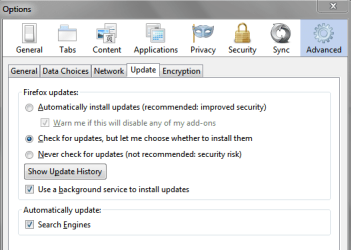
 I've tried, IE10, IE9, IE8, Safari, Opera, Chrome, FF v20, FF v23-64 bit beta & back to FF v22. I didn't like the others & will stay with IE or FF.
 Funny, I thought I had reset to defaults before but must not have. I have upped some of the security setting from "Medium" to "Medium High" with no errors. So far so good. Have uninstalled FF.
