- Local time
- 4:51 AM
- Messages
- 35
Hello everybody,
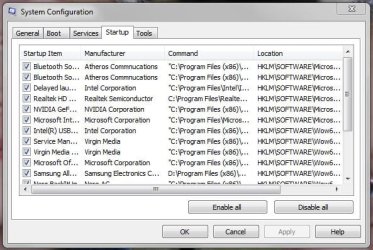
can you help me with my problem, please. How can I manage startup programs in Windows 7 in an efficient way?
I've been using CCleaner to prevent some programs to load at startup. I have even deleted some items from the startup list of CCleaner. But there are still some programs that add to the startup list again every time I run them. These programs are iTunes, microTorrent etc. As a consequence I have to delete their entries again and again from the CCleaner startup list.
Is there a better way to solve my problem? Is there a handy utility that can block forever some programs to add to the startup list?
Thanks for help,
Lord of rings
can you help me with my problem, please. How can I manage startup programs in Windows 7 in an efficient way?
I've been using CCleaner to prevent some programs to load at startup. I have even deleted some items from the startup list of CCleaner. But there are still some programs that add to the startup list again every time I run them. These programs are iTunes, microTorrent etc. As a consequence I have to delete their entries again and again from the CCleaner startup list.
Is there a better way to solve my problem? Is there a handy utility that can block forever some programs to add to the startup list?
Thanks for help,
Lord of rings
My Computer
At a glance
N/AN/AN/AN/A
- Computer Manufacturer/Model Number
- N/A
- OS
- N/A
- CPU
- N/A
- Motherboard
- N/A
- Memory
- N/A
- Graphics Card(s)
- N/A
- Sound Card
- N/A
- Monitor(s) Displays
- N/A
- Hard Drives
- N/A
- PSU
- N/A
- Case
- N/A
- Cooling
- N/A

 rb:
rb: