
Missing Bootmgr after bios update Asus p8z68-v pro on Win 7

mudslag

New member
Local time
3:33 AM
Messages
11
So I did a bios update to the latest on a Asus p8z68-v pro, after doing so I get a missing boot manager. Only way I can get back into windows is through the bios and then manually selecting a hard drive that does not have the windows install on it. Iv tried the listed fixes and still Im not getting anywhere. On reboot it goes through the basic loading screens and pauses saying "Press F1 to enter bios. Iv tried all the different bootable options and none of them work. I can only manually select to get in and again it's the wrong HD to access windows 7.

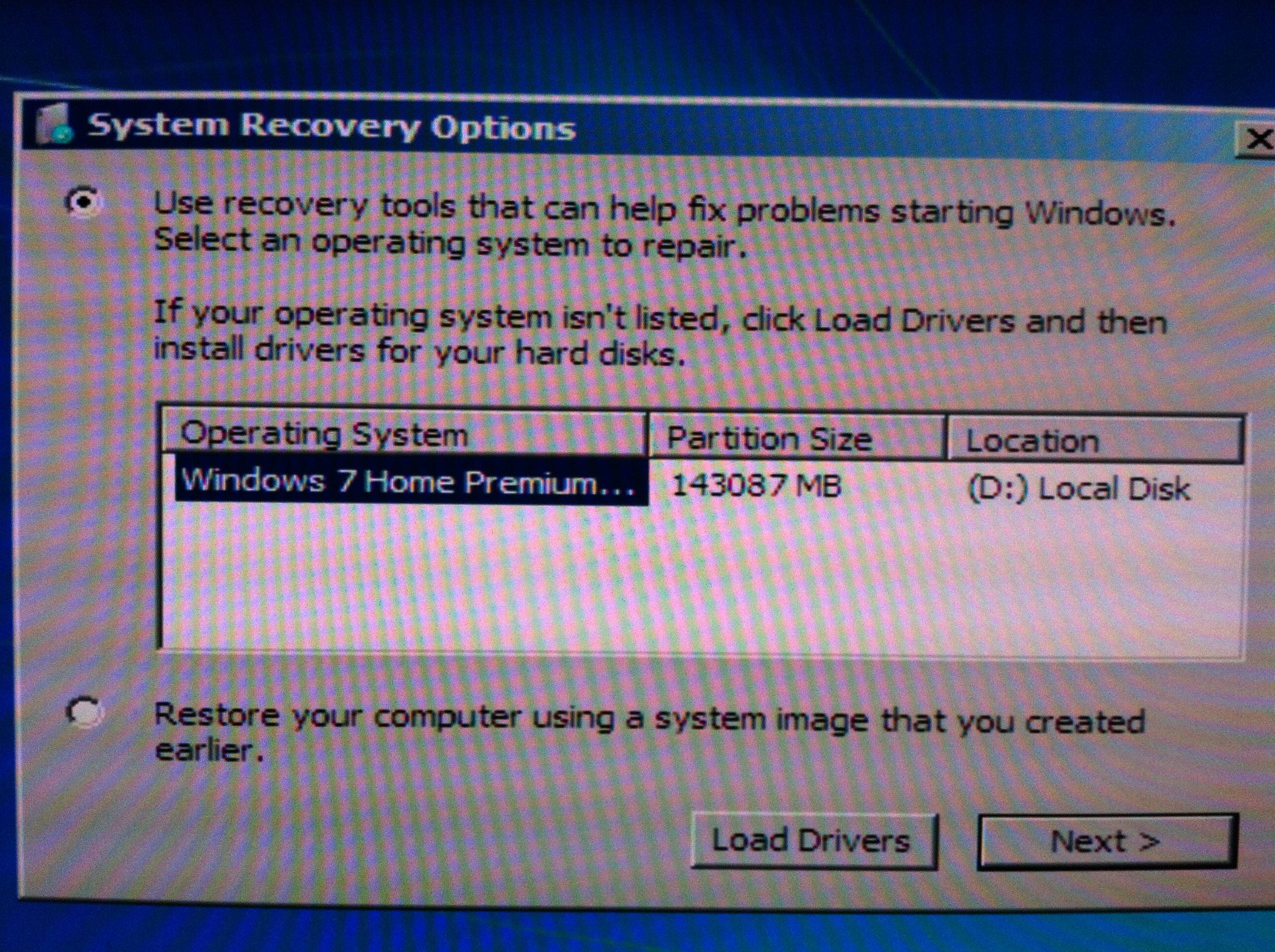
A few odd things have been happening. When I try the "Startup Repair" option using the Win 7 disk, it shows my windows on Drive D when it's really on Drive C. I also tried this fix and this fix and still nothing. Though it seemed like the second fix started to at least accept the commands when I changed the drive letter to D, just wouldn't work for C.
U5rmDQT.jpg


I7oKpG9.jpg


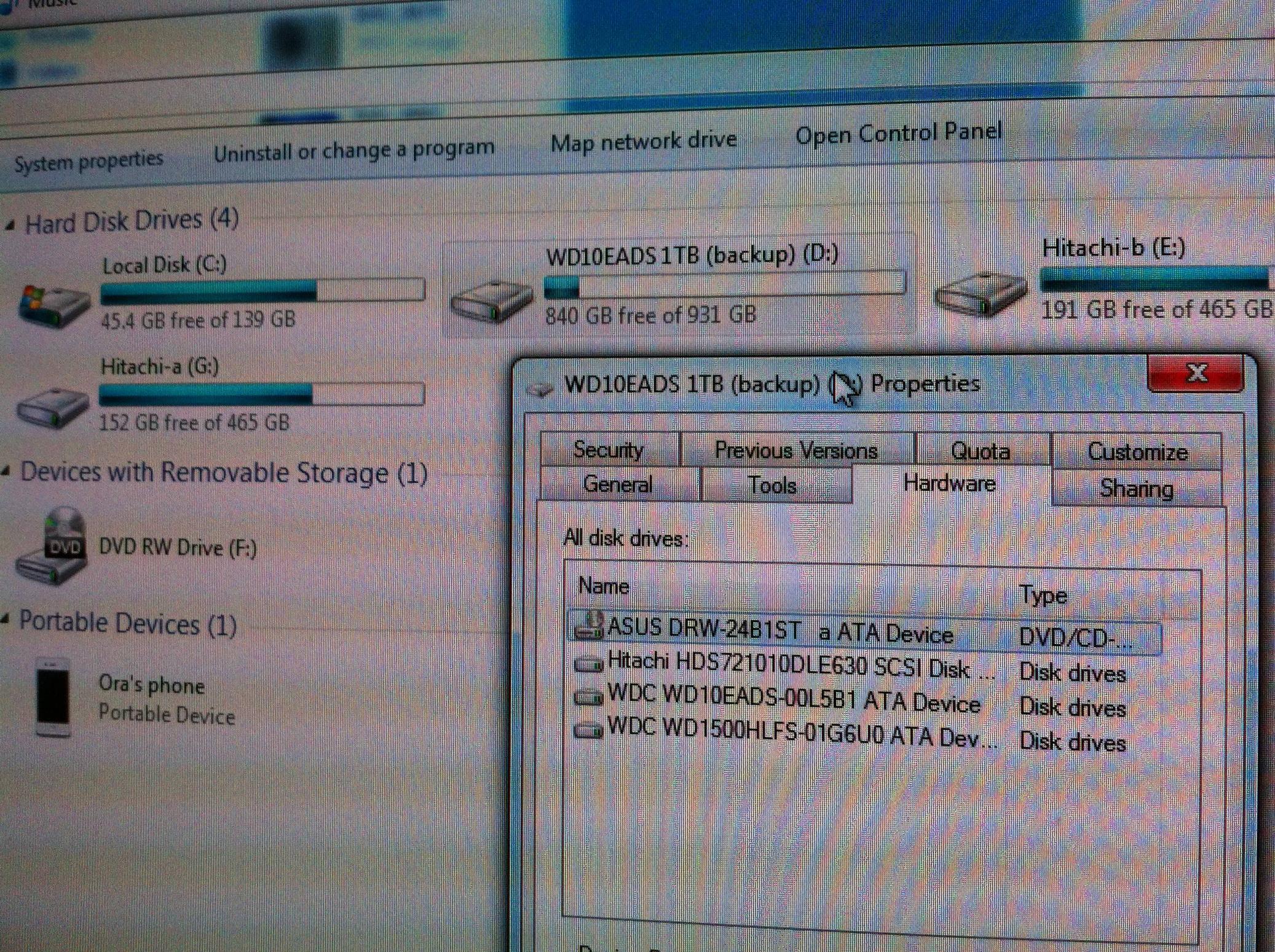
This is how my disk management window looks, not sure if Disk 0 being Drive D and Disk 1 being Drive C has anything to do with it. If it does, how would I go about changing that.

XrMGvln.png


Ill try to provide any additional info as needed. Thanks for any help.
 

My Computer My Computer

At a glance

Win 7 Home Premium x64
Computer type
PC/Desktop
OS
Win 7 Home Premium x64
Drive G has a System and Active file on it. The System should be on C and the Active needs to be removed. I will get right back to you. == There seems to be a problem with the Tutorials that tell you how to solve your problem. I will post the solution as soon as possible. Thanks,
 

My Computer My Computer

At a glance

Windows 7 Home Premium 32-Bit - Build 7600 SP1Intel Core i3-2120 3.30GhzKingston 4 GB DDR3 1333 mhzAMD Radeon HD6670
Computer type
PC/Desktop
Computer Manufacturer/Model Number
Custom Build
OS
Windows 7 Home Premium 32-Bit - Build 7600 SP1
CPU
Intel Core i3-2120 3.30Ghz
Motherboard
Asus P8Z68-V LX Intel Z68 Socket H2 ATX
Memory
Kingston 4 GB DDR3 1333 mhz
Graphics Card(s)
AMD Radeon HD6670
Sound Card
Sound Blaster Audigy SE 24-Bit
Monitor(s) Displays
Asus VE228
Screen Resolution
1440 X 900
Hard Drives
OCZ Vertex 3 120 GB Sata 3 SSD ==
Kingston SH103/S3 120 G Hyper X 120 GB SSD ==
Western Digital 500 GB Caviar Green 7200 RPM ==
PSU
Corsair CX600M == 600 Watt
Case
NZXT Apollo - Silver with Clear Side Panel
Cooling
Three 120 mm Fans
Keyboard
Microsoft Natural 4000
Mouse
Microsoft Custom Optical 3000
Internet Speed
AT&T Fiber Optic Wireless Network
Antivirus
Microsoft Security Essentials
Browser
Chrome
Other Info
120 mm Blue LED Fan -- Three Blue LED Lazer Light Sticks

My Computer My Computer

At a glance

Windows 7 Home Premium 32-Bit - Build 7600 SP1Intel Core i3-2120 3.30GhzKingston 4 GB DDR3 1333 mhzAMD Radeon HD6670
Computer type
PC/Desktop
Computer Manufacturer/Model Number
Custom Build
OS
Windows 7 Home Premium 32-Bit - Build 7600 SP1
CPU
Intel Core i3-2120 3.30Ghz
Motherboard
Asus P8Z68-V LX Intel Z68 Socket H2 ATX
Memory
Kingston 4 GB DDR3 1333 mhz
Graphics Card(s)
AMD Radeon HD6670
Sound Card
Sound Blaster Audigy SE 24-Bit
Monitor(s) Displays
Asus VE228
Screen Resolution
1440 X 900
Hard Drives
OCZ Vertex 3 120 GB Sata 3 SSD ==
Kingston SH103/S3 120 G Hyper X 120 GB SSD ==
Western Digital 500 GB Caviar Green 7200 RPM ==
PSU
Corsair CX600M == 600 Watt
Case
NZXT Apollo - Silver with Clear Side Panel
Cooling
Three 120 mm Fans
Keyboard
Microsoft Natural 4000
Mouse
Microsoft Custom Optical 3000
Internet Speed
AT&T Fiber Optic Wireless Network
Antivirus
Microsoft Security Essentials
Browser
Chrome
Other Info
120 mm Blue LED Fan -- Three Blue LED Lazer Light Sticks
Have you tried MSConfig.
I would do that before startup repair. To access MSConfig click WIN KEY + R and then type msconfig and hit enter.
Go to the boot tab and click "Windows 7 (C:\Windows")" This may or may not solve your problem.
 

My Computer My Computer

At a glance

Windows 7 Home Premium x642.0 GB DDR2 RAM
Computer type
PC/Desktop
OS
Windows 7 Home Premium x64
Memory
2.0 GB DDR2 RAM
Antivirus
AVG 2013
Browser
Google Chrome
Read this tutorial and remove the Active from Drive G. http://www.sevenforums.com/tutorials/197157-partition-mark-inactive.html

Make sure that the boot order is DVD then Drive C in the Bios


Run http://www.sevenforums.com/tutorials/681-startup-repair.html three times from your Win 7 DVD

When running the Win 7 DVD make sure that all other Drives are unplugged from the Motherboard except for your C Drive. Let us know how it goes


I tried that all and still it's not working. I got rid of the active from Drive G and then I unplugged the other 2 hard drives and went through the processes you listed as well as tried the ones I tried before again. Still getting the same issue.

JamesAS Im not sure if I should be checking any of the options in the MSConfig box.


Thanks


EDIT: Before I could boot into windows by selecting a different hard drive, now after unplugging and going through all the steps, I can no longer boot into windows at all. :(
 
Last edited:

My Computer My Computer

At a glance

Win 7 Home Premium x64
Computer type
PC/Desktop
OS
Win 7 Home Premium x64
Now that you have made C drive as the only active partition, what happens when you boot from the Win 7 DVD and run the Startup Repair?
 

My Computer My Computer

At a glance

Windows 7 Home Premium 32-Bit - Build 7600 SP1Intel Core i3-2120 3.30GhzKingston 4 GB DDR3 1333 mhzAMD Radeon HD6670
Computer type
PC/Desktop
Computer Manufacturer/Model Number
Custom Build
OS
Windows 7 Home Premium 32-Bit - Build 7600 SP1
CPU
Intel Core i3-2120 3.30Ghz
Motherboard
Asus P8Z68-V LX Intel Z68 Socket H2 ATX
Memory
Kingston 4 GB DDR3 1333 mhz
Graphics Card(s)
AMD Radeon HD6670
Sound Card
Sound Blaster Audigy SE 24-Bit
Monitor(s) Displays
Asus VE228
Screen Resolution
1440 X 900
Hard Drives
OCZ Vertex 3 120 GB Sata 3 SSD ==
Kingston SH103/S3 120 G Hyper X 120 GB SSD ==
Western Digital 500 GB Caviar Green 7200 RPM ==
PSU
Corsair CX600M == 600 Watt
Case
NZXT Apollo - Silver with Clear Side Panel
Cooling
Three 120 mm Fans
Keyboard
Microsoft Natural 4000
Mouse
Microsoft Custom Optical 3000
Internet Speed
AT&T Fiber Optic Wireless Network
Antivirus
Microsoft Security Essentials
Browser
Chrome
Other Info
120 mm Blue LED Fan -- Three Blue LED Lazer Light Sticks
You've been given the correct way to repair this.

No other HD should be plugged in except Win7 HD with C marked Active, then run Startup Repair - Run up to 3 Separate Times no matter what it reports.

When you plug back in the other G drive which was incorrectly booting Win7, it must also be set first HD to boot in BIOS setup to have it boot C.

What most likely happened is that the BIOS update reset to defaults and G was no longer set first HD to boot. But it never should have been marked Active so it could derail the SYstem boot files during a reinstall or repair anyway.
 
Now that you have made C drive as the only active partition, what happens when you boot from the Win 7 DVD and run the Startup Repair?

I get this...


K4E69aH.jpg
 

My Computer My Computer

At a glance

Win 7 Home Premium x64
Computer type
PC/Desktop
OS
Win 7 Home Premium x64
Did you run Startup Repair - Run up to 3 Separate Times no matter what it reports as I just wrote above?

Reconfirm that C is still marked Active first using option 2 from Mark Partition Active.

If it fails again then plug back in the other HD, set it first to boot in BIOS setup, if it won't start run Startup Repair.

If this fails manually copy the boot files boot, bootmgr and bootsect.bak to C from G after unhiding System files in Control Panel>Folder Options>View. Then run the Repairs again.

If these fail then your options are to plug back in G HDD, set it first HD to boot in BIOS, or construct a System Reserved boot partition on C drive to see if it will accept and boot the Win7 boot files.
 
left it off for a few hours and then tried again, this time it worked, not sure why out of the blue but not going to look this gift in the mouth. Thanks for the help.
 

My Computer My Computer

At a glance

Win 7 Home Premium x64
Computer type
PC/Desktop
OS
Win 7 Home Premium x64
Back
Top