How can I change sort order for "Search Programs and files" results?
Hi
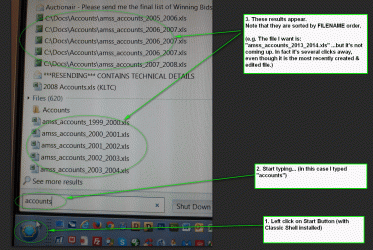
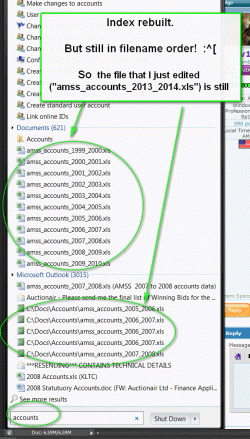
How do I get the search box "search programs and files" (i.e. the one above the Start button) to sort the results within each section by DATE, rather than by name?
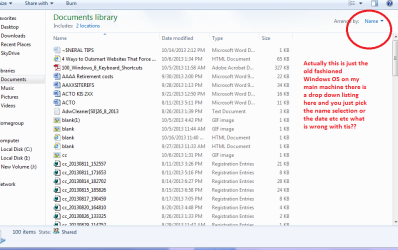
Note I do NOT mean the search top right in Windows Explorer, which fwiw, is already working nicely in date order!
Clue:
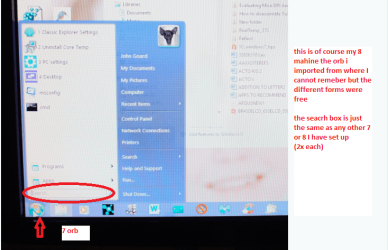
I have installed Classic Shell but I read a thread saying that it wont have touched this.
J
EDIT: I am told that the files listed are ranked partly by frequency of use. And I am now wondering is this is data which my CCleaner utility is deleting. Either way the sort order have become VERY much less useful in the last couple of weeks. Any thoughts?
Hi
How do I get the search box "search programs and files" (i.e. the one above the Start button) to sort the results within each section by DATE, rather than by name?
Note I do NOT mean the search top right in Windows Explorer, which fwiw, is already working nicely in date order!
Clue:
I have installed Classic Shell but I read a thread saying that it wont have touched this.
J
EDIT: I am told that the files listed are ranked partly by frequency of use. And I am now wondering is this is data which my CCleaner utility is deleting. Either way the sort order have become VERY much less useful in the last couple of weeks. Any thoughts?
Last edited:
My Computer
At a glance
Windows 7 x64 Professional (SP1)Intel Core i5 CPU 750 @2.67GHz8GBATI Radeon HD 5700 series
- Computer type
- PC/Desktop
- Computer Manufacturer/Model Number
- custom
- OS
- Windows 7 x64 Professional (SP1)
- CPU
- Intel Core i5 CPU 750 @2.67GHz
- Motherboard
- Intel
- Memory
- 8GB
- Graphics Card(s)
- ATI Radeon HD 5700 series
- Hard Drives
- INTEL SSD ATA 256GB