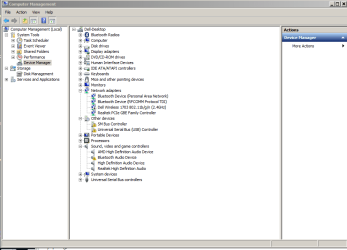
This is my first experience with trying to use a bluetooth device, a Microsoft Sculpt Comfort Mouse, on my Dell X8500 running Win 7 SP1. I thought it would be simple but, boy, was I wrong. I went to Add a Device as instructed but the system didn't detect it. After trying the several things suggested by the system I finally took a look at Devices and Printers and fount the Bluetooth USB Host Controller had a yellow exclamation point with it. I found the following message for the Bluetooth LWFLT Device and the Virtual Bluetooth Device.
"This device is not working properly because Windows cannot load the drivers required for this device. (Code 31)".
I had chased down one or two other avenues and got a message saying something like, "Windows update is not configured to download the driver."
Anyone have a way to get my Bluetooth mouse to be recognized?
Thank you very much.
Thank you.
"This device is not working properly because Windows cannot load the drivers required for this device. (Code 31)".
I had chased down one or two other avenues and got a message saying something like, "Windows update is not configured to download the driver."
Anyone have a way to get my Bluetooth mouse to be recognized?
Thank you very much.
Thank you.
My Computer
- Computer type
- PC/Desktop
- Computer Manufacturer/Model Number
- Dell XPS-8500
- OS
- Windows 7 Home Premium (Retail) Full version - With SP1
- CPU
- 3.10 Gig Intel Core i5-3350P
- Motherboard
- Dell 0NW73C A00
- Memory
- 8192 Megabytes Usable Installed Memory
- Monitor(s) Displays
- Samsung SyncMaster [Monitor] (19.1"vis, s/n HVELA10194, Octo
- Screen Resolution
- 1024 X 768
- Hard Drives
- INTEL SSDSA2CW120G3 ATA Device [Hard drive] (120.03 GB)
INTEL SSDSA2CW080G3 ATA Device [Hard drive] (80.02 GB)
- Keyboard
- HID Keyboard Device (HP)
- Mouse
- Dell (came with computer)
- Internet Speed
- cox high speed
- Other Info
- The above taken with Bel Arc Advisor