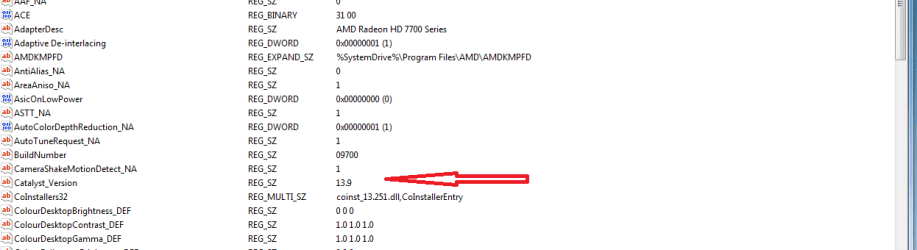
Just for some of you Users in Crossfire having issues you need to Edit ULPS Ultra Low Power State because this will ramp your 2nd GPU and BSOD crash or what ever it's a big issue for Crossfire users
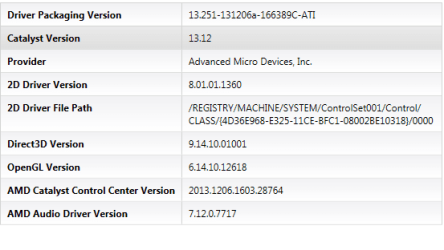
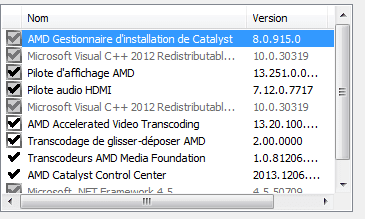
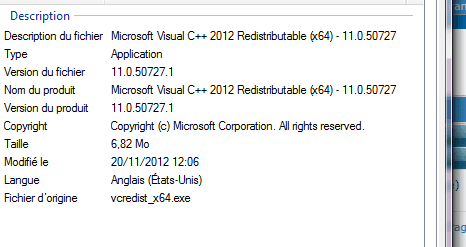
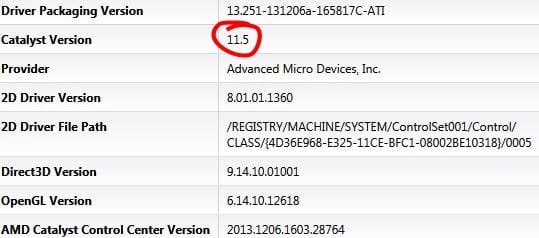
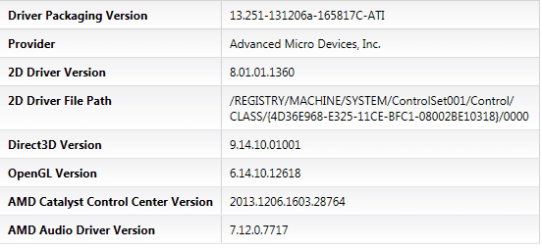
type REGEDIT right click run as Admin then go to system Control set ,I have pretty much shadowed in the reg-number and path with pics in order
Now when you go to the ULPS section you want to right click to Modify and change it to 0 that's it you will do that on both of them 0001 and 0002 if you have three cards 0003 and edit the ULPS that will get rid of the issue happy gaming
What's about the next line Reg-Z "EnableUlps_NA"?
Does this trick works with Gpu Virtualization too?
My Computer
At a glance
Windows 7 Professional SP1 - x64 [Non-UEFI Boot]Ivy Bridge Core i5 3570K (Delidded)G.Skill "Ares" DDR3 PC3-12800 - 1600MHz (16Gb)Asus Dual-RX480-O4G
- Computer type
- PC/Desktop
- Computer Manufacturer/Model Number
- Custom Build
- OS
- Windows 7 Professional SP1 - x64 [Non-UEFI Boot]
- CPU
- Ivy Bridge Core i5 3570K (Delidded)
- Motherboard
- Asus P8Z77-V LE PLUS
- Memory
- G.Skill "Ares" DDR3 PC3-12800 - 1600MHz (16Gb)
- Graphics Card(s)
- Asus Dual-RX480-O4G
- Sound Card
- Creative Sound Blaster Z w/5.1 sound system
- Monitor(s) Displays
- Asus IPS 23"
- Screen Resolution
- 16/9
- Hard Drives
- Internal:
500Go Sata 6Gb/s (x2)
500Go Sata 3Gb/s (x2)
SSD 60Go Sata 6Gb/s
- PSU
- In Win C 900W Series 80+ Platinum
- Case
- Thermaltake Chaser A71
- Cooling
- Custom Water Cooling Loop
- Keyboard
- Cooler Master QuickFire XTi
- Mouse
- Razer Imperator 2012 (4G)
- Antivirus
- MSE
- Browser
- IE 11.0.xxx Rtm
- Other Info
- "Raid0" with Intel Smart Response Technology (HDD/SSD)




 owell. the new one did provide better FPS but random frame drops get annoying.