NeilPaisnel
New member
- Local time
- 5:34 PM
- Messages
- 63
OK, this time I am going to cut this really short..no explanations as to why i am doing this. I just typed a detailed post, clicked Submit New Thread..and it said i was not logged in and I lost the lots.
I want to replace the original HDD with another
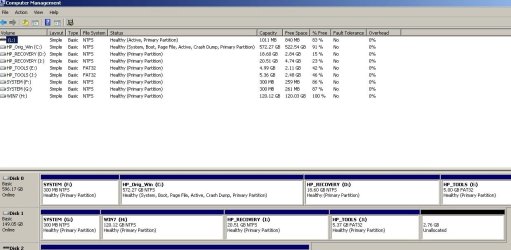
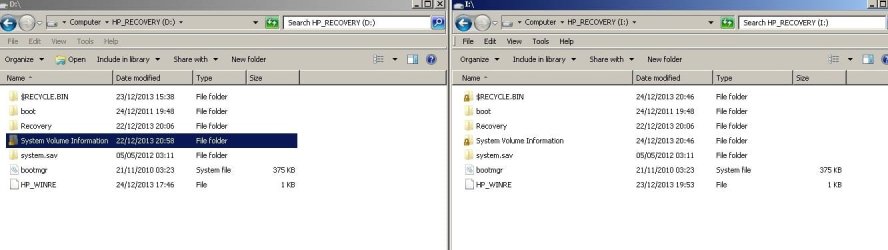
I Cloned the original HDD; Cloned the 3 partitions (System/HP Recovery, HP Tools) and created a blank Win partition for HP _Recovery to restore too.
I did this by using a Win PE Live boot USB and ImageX to create wim files, then ImageX again to Apply the wim images to the new HDD.
Cant create HP recovery CD's from within Win 7..the 4530 does not ship with the Recovery creation software.
I used these instructions' here: Need help with HP recovery partition on new hard drive - Systems
Trouble is, when I get to rebooting with new HDD and hitting F11 either F11 does to appear ..or if I can get it to appear by using either EasyBCD, it then does not boot to the recovery partition.
tried Setting the partition as active
tried various bootrec repair or rebuild options.
Tried booting from Win 7 install DVD and using repair. That does not work either.
Anyone got any clues as to what to try?
Please don't say Google..that is all I have been doing for two weeks and not come up with a solution yet.
I want to replace the original HDD with another
I Cloned the original HDD; Cloned the 3 partitions (System/HP Recovery, HP Tools) and created a blank Win partition for HP _Recovery to restore too.
I did this by using a Win PE Live boot USB and ImageX to create wim files, then ImageX again to Apply the wim images to the new HDD.
Cant create HP recovery CD's from within Win 7..the 4530 does not ship with the Recovery creation software.
I used these instructions' here: Need help with HP recovery partition on new hard drive - Systems
Trouble is, when I get to rebooting with new HDD and hitting F11 either F11 does to appear ..or if I can get it to appear by using either EasyBCD, it then does not boot to the recovery partition.
tried Setting the partition as active
tried various bootrec repair or rebuild options.
Tried booting from Win 7 install DVD and using repair. That does not work either.
Anyone got any clues as to what to try?
Please don't say Google..that is all I have been doing for two weeks and not come up with a solution yet.
My Computer
At a glance
Many: XP, 7, Home & Pro, Slax, FreeNAS, OS-X ...core i58Gb
- Computer type
- Laptop
- Computer Manufacturer/Model Number
- HP 4530's Toshiba Sat Pro MacPro, MacBook Pro
- OS
- Many: XP, 7, Home & Pro, Slax, FreeNAS, OS-X 10.9 10.6.8
- CPU
- core i5
- Memory
- 8Gb
- Hard Drives
- Crucial SSD
Various