Need help upgrading my rig

Ekayrouz

New member
Local time
4:46 PM
Messages
37
Hey there everyone,
I am new to these forums so forgive me if I have made any mistakes
I have a gaming pc that has been up and running for 2 years now. I built this rig myself with a little help from a friend.
Now I have a Asus GTX 560 ti Graphics card, which I am thinking of upgrading. I have an i5 2500k 3.30 Ghz CPU, 8 GB of internal RAM
and an Asus motherboard. I am considering to upgrade my Graphics Card to an Asus GTX 760. However that left me wondering will that bottleneck
my CPU then? As I cannot afford to upgrade my CPU also.

If you guys could give me some suggestions on which Graphics Card to upgrade to that will be great.
 

My Computer

Computer type
PC/Desktop
Computer Manufacturer/Model Number
Custom built computer
OS
Windows 7 64 bit
Hey there everyone,
I am new to these forums so forgive me if I have made any mistakes
I have a gaming pc that has been up and running for 2 years now. I built this rig myself with a little help from a friend.
Now I have a Asus GTX 560 ti Graphics card, which I am thinking of upgrading. I have an i5 2500k 3.30 Ghz CPU, 8 GB of internal RAM
and an Asus motherboard. I am considering to upgrade my Graphics Card to an Asus GTX 760. However that left me wondering will that bottleneck
my CPU then? As I cannot afford to upgrade my CPU also.

If you guys could give me some suggestions on which Graphics Card to upgrade to that will be great.

You have a good rig now and I don't think a better Graphics card is going to bottleneck an i5. If you really want to speed up your PC, get a SSD. They probably won't help that much for games, but for general work, nothing speeds up your PC like an SSD. Check them out.
 

My Computer

Computer type
PC/Desktop
Computer Manufacturer/Model Number
Custom Build
OS
Windows 7 Home Premium 32-Bit - Build 7600 SP1
CPU
Intel Core i3-2120 3.30Ghz
Motherboard
Asus P8Z68-V LX Intel Z68 Socket H2 ATX
Memory
Kingston 4 GB DDR3 1333 mhz
Graphics Card(s)
AMD Radeon HD6670
Sound Card
Sound Blaster Audigy SE 24-Bit
Monitor(s) Displays
Asus VE228
Screen Resolution
1440 X 900
Hard Drives
OCZ Vertex 3 120 GB Sata 3 SSD ==
Kingston SH103/S3 120 G Hyper X 120 GB SSD ==
Western Digital 500 GB Caviar Green 7200 RPM ==
PSU
Corsair CX600M == 600 Watt
Case
NZXT Apollo - Silver with Clear Side Panel
Cooling
Three 120 mm Fans
Keyboard
Microsoft Natural 4000
Mouse
Microsoft Custom Optical 3000
Internet Speed
AT&T Fiber Optic Wireless Network
Antivirus
Microsoft Security Essentials
Browser
Chrome
Other Info
120 mm Blue LED Fan -- Three Blue LED Lazer Light Sticks
As previously mentioned don't worry about an upgraded GPU bottle-necking your i5. Do you know the speed of your ram? I second the SSD for a dramatic speed change but it's only about booting in and out of windows and all programs loaded to it.

You could also consider a cheaper way out and that's to SLi another 560 ti?
 

My Computer

Computer type
PC/Desktop
Computer Manufacturer/Model Number
A blend of brains, brawn and dumb luck.
OS
Windows 7 Ultimate 64
CPU
i7 3770k OC'd 4.6 @ 1.17v, also FX 8120 & i5 miniITX
Motherboard
MSI P67A-GD80 b3
Memory
32 gb G.Skill Sniper DDR3 10-12-12-31 @ 2133
Graphics Card(s)
XFX Radeon 7870 2GB DDR5
Sound Card
Sound Blaster Z Series Card
Monitor(s) Displays
(2) LG LED 23" 1920 x 1080 2ms Monitors via mini d-port
Screen Resolution
1680 X 1050 p
Hard Drives
Samsung 256 gb 830 SSD sata III
(1) 1 tb WD Black
(2) 1 tb Hitachi deskmates/sata II
(2) 1 tb WD green/sata II
(2) 3 tb Seagate Barracuda
(1) 120 gb OCZ Vertex SS
(1) Drobo 5N w/5 Seagate 3tb
PSU
EVGA modular 1000G2 80% gold rating & APC 1200 RS
Case
CoolerMaster Storm Styker
Cooling
7 case fans 140mm & 120mm, NZXT Kraken X60
Keyboard
(2) Logitech Illuminated Keyboards (1) usb (1) wireless
Mouse
Logitech G700 & T-BC21 - nano nx for the laptop
Internet Speed
Basic 120mbps down
Antivirus
Trend Micro Titanium Max Security & Malwarebytes Premium
Browser
Chrome and IE 10
Other Info
5 Noctua case fans + 3 Noctua in p/p on NZXT cooler
Integrated hot swap drive bays for 2.5" Drives
(2) Lite-on dvd/cd/Blu Ray optical 22X
Integrated fan controller and led on/off
HP Officejet Pro 8630 all-n-one
Hot-swappable 3.5" hard drive bay
Netgear Nighthawk router
Asus USB 3 & sata 6 PCIe card
Vantec IDE to sata adptr./Ultra sata adptr
Lenovo L420 i5 lappy with m sata
Drobo 5N advanced NAS
The GTX 760 would be a small increase in speed over your 560 TI, and being 2 generations newer, it would run cooler and consume less power. Your I5 has plenty of headroom and the 760 GTX will not hamper it at all.
I would, like the previous suggestions, go with an SSD. You get an instant speed increase in everyday activities, although it will not help your gaming FPS.
 

My Computer

Computer type
PC/Desktop
Computer Manufacturer/Model Number
custom built
OS
Windows 7 Home Premium 64-bit
CPU
AMD FX-4300
Motherboard
ASUS M5A97 R2.0
Memory
8 GB Kinsgston DDR3 1600
Graphics Card(s)
GeForce GTX-550 TI
Sound Card
ASUS Zonar D1
Monitor(s) Displays
22" Dell LCD
Hard Drives
WD 500 GB SATA 6.0 Black
PSU
Corsair CX500M
Case
Corsair Carbide 300
Keyboard
Logitech
Mouse
Logitech G5
Antivirus
AVG
Browser
Firefox
I think the best bang for the buck is to add a second Asus GTX 560 ti in SLI. What PSU do you have? If it's 650-700 watts you should be GTG. A used 560 is around $100 USD, you may have enough for a 120-240gb SSD. Your cpu and memory are fine, no bottleneck.
 

My Computer

Computer type
PC/Desktop
Computer Manufacturer/Model Number
Custom, Dell and Lenono LT's
OS
Win8/8.1,Win7-U64, Vista U64, uncounted Linux distor's
CPU
AMD and Intell, 9590, 8350, i5 3570k
Motherboard
CFVFZ, GA990FXA, Z77e-itx
Memory
Corsair G Skill
Graphics Card(s)
Crossfired Sapphire HD 7950 Vapor-X, ASUS R9 280X TOP
Sound Card
Realtek ALC889
Monitor(s) Displays
ViewSonic VX2770SMH 27" / ViewSonic VX2433 LCD 24"
Screen Resolution
1080i HD
Hard Drives
Samsung SSD 840 Pro
OCZ Agility 3's
OCZ Vector's
WD's Blue, red, green, Velociraptors
Seagate USB3 & Hybrid's
ASUS Blu-Ray
ASUS DVD
PSU
Corsair AX1200i, Seasonice 850 Gold
Case
Cooler Master HAF 922 & HAF 932, Lian Li Train case.
Cooling
Air, Glacer 240L expanded, custom EK loop with duel D5's
Keyboard
Microsoft SideWinder X4 USB Keyboard / Logitech 250 PS2
Mouse
Logitech G500 / MS wireless 5000
Internet Speed
Best of 5ms / 75+ dn / 12+ up More or less.
Antivirus
MS esentials-MalwareBytes
Browser
Firefox Chromebook
Hey there everyone,
I am new to these forums so forgive me if I have made any mistakes
I have a gaming pc that has been up and running for 2 years now. I built this rig myself with a little help from a friend.
Now I have a Asus GTX 560 ti Graphics card, which I am thinking of upgrading. I have an i5 2500k 3.30 Ghz CPU, 8 GB of internal RAM
and an Asus motherboard. I am considering to upgrade my Graphics Card to an Asus GTX 760. However that left me wondering will that bottleneck
my CPU then? As I cannot afford to upgrade my CPU also.

If you guys could give me some suggestions on which Graphics Card to upgrade to that will be great.

You have a good rig now and I don't think a better Graphics card is going to bottleneck an i5. If you really want to speed up your PC, get a SSD. They probably won't help that much for games, but for general work, nothing speeds up your PC like an SSD. Check them out.

Thanks for the quick reply! My pc is generally slow on booting up, so installing an ssd will help that? Will I also need to reinstall windows 7 if I install an 120 GB SSD in my computer?
 

My Computer

Computer type
PC/Desktop
Computer Manufacturer/Model Number
Custom built computer
OS
Windows 7 64 bit
YES and yes, but with the new found speed that you'll clean install it will make it worth the upgrade. You'll revel in the speed that it will boot and close but opening photoshop for the first time will sell you alone on the upgrade and you'll never look back !
 

My Computer

Computer type
PC/Desktop
Computer Manufacturer/Model Number
A blend of brains, brawn and dumb luck.
OS
Windows 7 Ultimate 64
CPU
i7 3770k OC'd 4.6 @ 1.17v, also FX 8120 & i5 miniITX
Motherboard
MSI P67A-GD80 b3
Memory
32 gb G.Skill Sniper DDR3 10-12-12-31 @ 2133
Graphics Card(s)
XFX Radeon 7870 2GB DDR5
Sound Card
Sound Blaster Z Series Card
Monitor(s) Displays
(2) LG LED 23" 1920 x 1080 2ms Monitors via mini d-port
Screen Resolution
1680 X 1050 p
Hard Drives
Samsung 256 gb 830 SSD sata III
(1) 1 tb WD Black
(2) 1 tb Hitachi deskmates/sata II
(2) 1 tb WD green/sata II
(2) 3 tb Seagate Barracuda
(1) 120 gb OCZ Vertex SS
(1) Drobo 5N w/5 Seagate 3tb
PSU
EVGA modular 1000G2 80% gold rating & APC 1200 RS
Case
CoolerMaster Storm Styker
Cooling
7 case fans 140mm & 120mm, NZXT Kraken X60
Keyboard
(2) Logitech Illuminated Keyboards (1) usb (1) wireless
Mouse
Logitech G700 & T-BC21 - nano nx for the laptop
Internet Speed
Basic 120mbps down
Antivirus
Trend Micro Titanium Max Security & Malwarebytes Premium
Browser
Chrome and IE 10
Other Info
5 Noctua case fans + 3 Noctua in p/p on NZXT cooler
Integrated hot swap drive bays for 2.5" Drives
(2) Lite-on dvd/cd/Blu Ray optical 22X
Integrated fan controller and led on/off
HP Officejet Pro 8630 all-n-one
Hot-swappable 3.5" hard drive bay
Netgear Nighthawk router
Asus USB 3 & sata 6 PCIe card
Vantec IDE to sata adptr./Ultra sata adptr
Lenovo L420 i5 lappy with m sata
Drobo 5N advanced NAS
As previously mentioned don't worry about an upgraded GPU bottle-necking your i5. Do you know the speed of your ram? I second the SSD for a dramatic speed change but it's only about booting in and out of windows and all programs loaded to it.

You could also consider a cheaper way out and that's to SLi another 560 ti?
What I find most annoying about the 560 ti (factory overclocked) is that it's a really noisy card, and that's what makes me want to change it most. It runs on a fairly cool temp but is REALLY loud. Maybe a 780 will cure that problem? I also have no idea what speed my ram is. I forgot the name but I know that it's corsair.

Thanks for the reply
 

My Computer

Computer type
PC/Desktop
Computer Manufacturer/Model Number
Custom built computer
OS
Windows 7 64 bit
YES and yes, but with the new found speed that you'll clean install it will make it worth the upgrade. You'll revel in the speed that it will boot and close but opening photoshop for the first time will sell you alone on the upgrade and you'll never look back !
That's a bummer. I recently reinstalled windows 7 so I have to actually do it again now :/
Also, I know this is a bit off topic but when I reinstalled windows 7, when I boot up my pc I actually find 2 windows 7. Is the other one the old windows I had? I don't dare to click on it in fear I will loose all my data.
 

My Computer

Computer type
PC/Desktop
Computer Manufacturer/Model Number
Custom built computer
OS
Windows 7 64 bit
Well likely it's 1333 or 1600, that being said you can make things snappier with higher speed ram but you will want to re-visit the mobo spec's for it's limit. Unfortunately ddr3 has not been going down in cost it's been going up but watching for a sale will help. I just scored 2x8gb of 2400Mhz. from Team and it was cheap and I have to say it's top flight stuff.
 

My Computer

Computer type
PC/Desktop
Computer Manufacturer/Model Number
A blend of brains, brawn and dumb luck.
OS
Windows 7 Ultimate 64
CPU
i7 3770k OC'd 4.6 @ 1.17v, also FX 8120 & i5 miniITX
Motherboard
MSI P67A-GD80 b3
Memory
32 gb G.Skill Sniper DDR3 10-12-12-31 @ 2133
Graphics Card(s)
XFX Radeon 7870 2GB DDR5
Sound Card
Sound Blaster Z Series Card
Monitor(s) Displays
(2) LG LED 23" 1920 x 1080 2ms Monitors via mini d-port
Screen Resolution
1680 X 1050 p
Hard Drives
Samsung 256 gb 830 SSD sata III
(1) 1 tb WD Black
(2) 1 tb Hitachi deskmates/sata II
(2) 1 tb WD green/sata II
(2) 3 tb Seagate Barracuda
(1) 120 gb OCZ Vertex SS
(1) Drobo 5N w/5 Seagate 3tb
PSU
EVGA modular 1000G2 80% gold rating & APC 1200 RS
Case
CoolerMaster Storm Styker
Cooling
7 case fans 140mm & 120mm, NZXT Kraken X60
Keyboard
(2) Logitech Illuminated Keyboards (1) usb (1) wireless
Mouse
Logitech G700 & T-BC21 - nano nx for the laptop
Internet Speed
Basic 120mbps down
Antivirus
Trend Micro Titanium Max Security & Malwarebytes Premium
Browser
Chrome and IE 10
Other Info
5 Noctua case fans + 3 Noctua in p/p on NZXT cooler
Integrated hot swap drive bays for 2.5" Drives
(2) Lite-on dvd/cd/Blu Ray optical 22X
Integrated fan controller and led on/off
HP Officejet Pro 8630 all-n-one
Hot-swappable 3.5" hard drive bay
Netgear Nighthawk router
Asus USB 3 & sata 6 PCIe card
Vantec IDE to sata adptr./Ultra sata adptr
Lenovo L420 i5 lappy with m sata
Drobo 5N advanced NAS
I think the best bang for the buck is to add a second Asus GTX 560 ti in SLI. What PSU do you have? If it's 650-700 watts you should be GTG. A used 560 is around $100 USD, you may have enough for a 120-240gb SSD. Your cpu and memory are fine, no bottleneck.
The PSU that I have is 650 WATTS. As I said in another post though, the Asus GTX 560 ti is a really loud card. Of course it's factory overclocked.
 

My Computer

Computer type
PC/Desktop
Computer Manufacturer/Model Number
Custom built computer
OS
Windows 7 64 bit
The GTX 760 would be a small increase in speed over your 560 TI, and being 2 generations newer, it would run cooler and consume less power. Your I5 has plenty of headroom and the 760 GTX will not hamper it at all.
I would, like the previous suggestions, go with an SSD. You get an instant speed increase in everyday activities, although it will not help your gaming FPS.
What about an ASUS 770?
 

My Computer

Computer type
PC/Desktop
Computer Manufacturer/Model Number
Custom built computer
OS
Windows 7 64 bit
Asus 770 needs 300 watts alone, you'd be smart to do the math with the free PSU calculator and then bump it up 15-20%. You may want to consider a new PSU in the 850 range?
 
Last edited:

My Computer

Computer type
PC/Desktop
Computer Manufacturer/Model Number
A blend of brains, brawn and dumb luck.
OS
Windows 7 Ultimate 64
CPU
i7 3770k OC'd 4.6 @ 1.17v, also FX 8120 & i5 miniITX
Motherboard
MSI P67A-GD80 b3
Memory
32 gb G.Skill Sniper DDR3 10-12-12-31 @ 2133
Graphics Card(s)
XFX Radeon 7870 2GB DDR5
Sound Card
Sound Blaster Z Series Card
Monitor(s) Displays
(2) LG LED 23" 1920 x 1080 2ms Monitors via mini d-port
Screen Resolution
1680 X 1050 p
Hard Drives
Samsung 256 gb 830 SSD sata III
(1) 1 tb WD Black
(2) 1 tb Hitachi deskmates/sata II
(2) 1 tb WD green/sata II
(2) 3 tb Seagate Barracuda
(1) 120 gb OCZ Vertex SS
(1) Drobo 5N w/5 Seagate 3tb
PSU
EVGA modular 1000G2 80% gold rating & APC 1200 RS
Case
CoolerMaster Storm Styker
Cooling
7 case fans 140mm & 120mm, NZXT Kraken X60
Keyboard
(2) Logitech Illuminated Keyboards (1) usb (1) wireless
Mouse
Logitech G700 & T-BC21 - nano nx for the laptop
Internet Speed
Basic 120mbps down
Antivirus
Trend Micro Titanium Max Security & Malwarebytes Premium
Browser
Chrome and IE 10
Other Info
5 Noctua case fans + 3 Noctua in p/p on NZXT cooler
Integrated hot swap drive bays for 2.5" Drives
(2) Lite-on dvd/cd/Blu Ray optical 22X
Integrated fan controller and led on/off
HP Officejet Pro 8630 all-n-one
Hot-swappable 3.5" hard drive bay
Netgear Nighthawk router
Asus USB 3 & sata 6 PCIe card
Vantec IDE to sata adptr./Ultra sata adptr
Lenovo L420 i5 lappy with m sata
Drobo 5N advanced NAS
For sure you want to back up all important data then completely wipe this hdd drive then I would clean install W7 to a ssd and all the software and games then use the spinner for data.
 

My Computer

Computer type
PC/Desktop
Computer Manufacturer/Model Number
A blend of brains, brawn and dumb luck.
OS
Windows 7 Ultimate 64
CPU
i7 3770k OC'd 4.6 @ 1.17v, also FX 8120 & i5 miniITX
Motherboard
MSI P67A-GD80 b3
Memory
32 gb G.Skill Sniper DDR3 10-12-12-31 @ 2133
Graphics Card(s)
XFX Radeon 7870 2GB DDR5
Sound Card
Sound Blaster Z Series Card
Monitor(s) Displays
(2) LG LED 23" 1920 x 1080 2ms Monitors via mini d-port
Screen Resolution
1680 X 1050 p
Hard Drives
Samsung 256 gb 830 SSD sata III
(1) 1 tb WD Black
(2) 1 tb Hitachi deskmates/sata II
(2) 1 tb WD green/sata II
(2) 3 tb Seagate Barracuda
(1) 120 gb OCZ Vertex SS
(1) Drobo 5N w/5 Seagate 3tb
PSU
EVGA modular 1000G2 80% gold rating & APC 1200 RS
Case
CoolerMaster Storm Styker
Cooling
7 case fans 140mm & 120mm, NZXT Kraken X60
Keyboard
(2) Logitech Illuminated Keyboards (1) usb (1) wireless
Mouse
Logitech G700 & T-BC21 - nano nx for the laptop
Internet Speed
Basic 120mbps down
Antivirus
Trend Micro Titanium Max Security & Malwarebytes Premium
Browser
Chrome and IE 10
Other Info
5 Noctua case fans + 3 Noctua in p/p on NZXT cooler
Integrated hot swap drive bays for 2.5" Drives
(2) Lite-on dvd/cd/Blu Ray optical 22X
Integrated fan controller and led on/off
HP Officejet Pro 8630 all-n-one
Hot-swappable 3.5" hard drive bay
Netgear Nighthawk router
Asus USB 3 & sata 6 PCIe card
Vantec IDE to sata adptr./Ultra sata adptr
Lenovo L420 i5 lappy with m sata
Drobo 5N advanced NAS
Thanks for the quick reply! My pc is generally slow on booting up, so installing an ssd will help that? Will I also need to reinstall windows 7 if I install an 120 GB SSD in my computer?

If your current C: partition is under 120 GB, you can just transfer the data from the HDD to the SSD. It is a very fast process. There are two ways to do it. One that calls for a lot of different commands and one that calls for you to spend $20 and things are done for you. Check this out. http://www.sevenforums.com/tutorials/149969-ssd-install-transfer-operating-system.html
== Just to give you an idea of how fast a SSD is, your PC boots in about 25 seconds and a program opens in one second. It's fast.
 

My Computer

Computer type
PC/Desktop
Computer Manufacturer/Model Number
Custom Build
OS
Windows 7 Home Premium 32-Bit - Build 7600 SP1
CPU
Intel Core i3-2120 3.30Ghz
Motherboard
Asus P8Z68-V LX Intel Z68 Socket H2 ATX
Memory
Kingston 4 GB DDR3 1333 mhz
Graphics Card(s)
AMD Radeon HD6670
Sound Card
Sound Blaster Audigy SE 24-Bit
Monitor(s) Displays
Asus VE228
Screen Resolution
1440 X 900
Hard Drives
OCZ Vertex 3 120 GB Sata 3 SSD ==
Kingston SH103/S3 120 G Hyper X 120 GB SSD ==
Western Digital 500 GB Caviar Green 7200 RPM ==
PSU
Corsair CX600M == 600 Watt
Case
NZXT Apollo - Silver with Clear Side Panel
Cooling
Three 120 mm Fans
Keyboard
Microsoft Natural 4000
Mouse
Microsoft Custom Optical 3000
Internet Speed
AT&T Fiber Optic Wireless Network
Antivirus
Microsoft Security Essentials
Browser
Chrome
Other Info
120 mm Blue LED Fan -- Three Blue LED Lazer Light Sticks
Thanks for the quick reply! My pc is generally slow on booting up, so installing an ssd will help that? Will I also need to reinstall windows 7 if I install an 120 GB SSD in my computer?

If your current C: partition is under 120 GB, you can just transfer the data from the HDD to the SSD. It is a very fast process. There are two ways to do it. One that calls for a lot of different commands and one that calls for you to spend $20 and things are done for you. Check this out. http://www.sevenforums.com/tutorials/149969-ssd-install-transfer-operating-system.html
== Just to give you an idea of how fast a SSD is, your PC boots in about 25 seconds and a program opens in one second. It's fast.
Thanks for the reply, but when I boot up my computer there are 2 windows 7 tabs I can select in the start up menu. Do you know what's that all about?
 

My Computer

Computer type
PC/Desktop
Computer Manufacturer/Model Number
Custom built computer
OS
Windows 7 64 bit
For sure you want to back up all important data then completely wipe this hdd drive then I would clean install W7 to a ssd and all the software and games then use the spinner for data.
Which SSD do you recommend?
 

My Computer

Computer type
PC/Desktop
Computer Manufacturer/Model Number
Custom built computer
OS
Windows 7 64 bit
Asus 770 needs 300 watts alone, you'd be smart to do the math with the free SPU calculator and then bump it up 15-20%. You may want to consider a new PSU in the 850 range?
I'm talking about removing my current graphics card and replacing it with the 770.
 

My Computer

Computer type
PC/Desktop
Computer Manufacturer/Model Number
Custom built computer
OS
Windows 7 64 bit
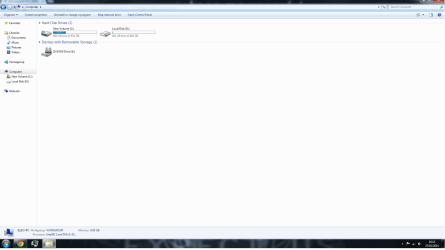
This is how my current hard drive look like.
 

Attachments

  • screenshot.png
    screenshot.png
    49.2 KB · Views: 5

My Computer

Computer type
PC/Desktop
Computer Manufacturer/Model Number
Custom built computer
OS
Windows 7 64 bit
For sure you want to back up all important data then completely wipe this hdd drive then I would clean install W7 to a ssd and all the software and games then use the spinner for data.
Which SSD do you recommend?

I would say look to Samsung, Intel, Crucial, Corsair, Kingston. 128gb will give lots of room for growth and updates. Place all software and the best big file games on it, all else can go to spinner ! You just won't believe what you've been missing.....it's a crazy upgrade.
 

My Computer

Computer type
PC/Desktop
Computer Manufacturer/Model Number
A blend of brains, brawn and dumb luck.
OS
Windows 7 Ultimate 64
CPU
i7 3770k OC'd 4.6 @ 1.17v, also FX 8120 & i5 miniITX
Motherboard
MSI P67A-GD80 b3
Memory
32 gb G.Skill Sniper DDR3 10-12-12-31 @ 2133
Graphics Card(s)
XFX Radeon 7870 2GB DDR5
Sound Card
Sound Blaster Z Series Card
Monitor(s) Displays
(2) LG LED 23" 1920 x 1080 2ms Monitors via mini d-port
Screen Resolution
1680 X 1050 p
Hard Drives
Samsung 256 gb 830 SSD sata III
(1) 1 tb WD Black
(2) 1 tb Hitachi deskmates/sata II
(2) 1 tb WD green/sata II
(2) 3 tb Seagate Barracuda
(1) 120 gb OCZ Vertex SS
(1) Drobo 5N w/5 Seagate 3tb
PSU
EVGA modular 1000G2 80% gold rating & APC 1200 RS
Case
CoolerMaster Storm Styker
Cooling
7 case fans 140mm & 120mm, NZXT Kraken X60
Keyboard
(2) Logitech Illuminated Keyboards (1) usb (1) wireless
Mouse
Logitech G700 & T-BC21 - nano nx for the laptop
Internet Speed
Basic 120mbps down
Antivirus
Trend Micro Titanium Max Security & Malwarebytes Premium
Browser
Chrome and IE 10
Other Info
5 Noctua case fans + 3 Noctua in p/p on NZXT cooler
Integrated hot swap drive bays for 2.5" Drives
(2) Lite-on dvd/cd/Blu Ray optical 22X
Integrated fan controller and led on/off
HP Officejet Pro 8630 all-n-one
Hot-swappable 3.5" hard drive bay
Netgear Nighthawk router
Asus USB 3 & sata 6 PCIe card
Vantec IDE to sata adptr./Ultra sata adptr
Lenovo L420 i5 lappy with m sata
Drobo 5N advanced NAS
Back
Top