E-SATA PCI card issues

Thanks
It is NTFS and assigned: S........will let you know what happens on Monday. Again thanks for all the info
 

My Computer

OS
Windows 7
CPU
Intel Core2Quad 9400
Motherboard
Intel Raisen City
Memory
2 Gig DDR 800
Graphics Card(s)
GeForce 9600 GT
Sound Card
None
Monitor(s) Displays
LG 21.5" HD Wide
Hard Drives
Seagate Sata 250gig
2x Samsung 1TB
Seagate Sata 500gig External
PSU
500 Watt
Case
Custon
Cooling
None
Keyboard
Logitech
Mouse
Logitech MX-510
Internet Speed
None
You're welcome! Keep us updated on how things go for you there! :D
 

My Computers

System One System Two

  • Computer type
    PC/Desktop
    Computer Manufacturer/Model Number
    Custom builds = 2
    OS
    W7 Ultimate x64/W10 Pro x64/W11 Pro Triple Boot - Main PC W7 Remote PC Micro ATX W7 Pro x64/W11 Pro
    CPU
    AMD Phenom II X4 975 Deneb 3.6ghz - 965 2nd remote pc
    Motherboard
    Gigabyte GA-790XTA-UD4-Gigabyte GA-880GM-D2H remote pc
    Memory
    Kingston Hyper X DDR3 1600 1.5v 16gb - Hyper X Fury 8gb 2nd
    Graphics Card(s)
    MSI HD Radeon 5750 1gb - MSI HD Radeon 6450 on mini tower
    Sound Card
    Creative Labs X-Fi Xtreme Audio P - Realtek onooard 2nd case
    Monitor(s) Displays
    ASUS VW199T-P 19" HP 2082a Main-HP 2082a 20" remote pc
    Screen Resolution
    Asus 1440x900 - HP 1600x900
    Hard Drives
    WD Black 1TB HD per OS W7, W10, and pending W11 presently on 500gb OS Drive - Pending Triple 1TB HDs for Spanned Storage/backup volume
    Single 2TB external USB enclosure, single 1TB System 7 Host/Boot drive, Pending 8TB external HD for system image b
    PSU
    Corsair 750TX - primary / Corsair CX600 - second
    Case
    Antec 900-2 - SSD compatible / NZXT Vulcan mini tower
    Cooling
    Zalman CNPS9900A
    Keyboard
    AZIO L70 Backlit Letters Gaming - ONN Cordless/USB
    Mouse
    MSI DS200 Programmable, Logitech Cordless
    Internet Speed
    30mbps upgrade - primary hard wired - mini tower usb WiFi
    Antivirus
    GFI VIPRE Internet Security 2014 on W7 2016 beta on W10,
    Browser
    Cyberfox, WaterFox 64bit FF variants, FireFox x64, Pale Moon
    Other Info
    Accomdata fan cooled usb 2.0 PIDE/Sata II, III external enclosure.
    Sambient usb/eSata PATA/Sata II, III external enclosure.
  • Computer type
    PC/Desktop
    System Manufacturer/Model Number
    CUSTOM ASSEMBLY
    OS
    W7 Pro x64/W11 Pro
    CPU
    AMD Deneb 3.6ghz - 965
    Motherboard
    Gigabyte GA-880GM-D2H remote pc
    Memory
    Kingston Hyper X Fury 8gb
    Graphics Card(s)
    MSI HD Radeon 6450 DVI Output
    Sound Card
    Realtek onooard Creative or Other separate PENDING
    Monitor(s) Displays
    VIZIO 32" LCD TV Separate LCD Pending
    Screen Resolution
    1600x1080
    Hard Drives
    WD 500GB OS Host/Boot WD Green 1TB Storage/Backup
    PSU
    Corsair 600W - THERMALTAKE 600W spare case
    Case
    NZXT Vulcan mini tower
    Cooling
    Twin 120mm Top Fans - 240mm Side Cover
    Keyboard
    ONN Cordless/USB Logitech Cordless
    Mouse
    ONN USB/Cordless - Logitech Cordless
    Internet Speed
    DSL 5G
    Browser
    MS Edge, FireFox, WaterFox x64, FireFox Nightly
    Other Info
    OS Testing-Remote Access to Main TeamViewer
Which will be quicker......The card in question (working properly) or using a Sate to E-Sata connection directly from the Mobo?

Depending on the controller you are using this might work and hot swap. If you have or can find a SATA to eSATA cable and back plate, plug it in and try your external HD.

If it doesn't recognize it with your OS booted up, shut down your computer plug in the eSATA cable and power supply and re-start your computer.
Let us know if it works and which way, running OS or boot up with external plugged in and powered up.

If this works you may not need the card.

Thanks
It is NTFS and assigned: S........will let you know what happens on Monday. Again thanks for all the info

What controller are you using?
If you know how to find it, disregard the directions below .
Start orb, then 'controll panel', then 'Device Manager', then expand 'Storage controllers', under it will be your SATA Mode driver. Copy that or a screen shot. Let us know what is listed there.

Chipset driver info would be useful also.

What is your BIOS setting for 'SATA Mode'?
 

My Computer

Computer type
PC/Desktop
Computer Manufacturer/Model Number
76~2.0
OS
Windows 7 Ult x64 - SP1/ Windows 8 Pro x64
CPU
Intel Core i5-3570K 4.6GHz
Motherboard
Gigabyte GA-Z77X UD3H, f18
Memory
8GB (2X4GB) DDR3 1600 Corsair Vengeance CL8 1.5v
Graphics Card(s)
Sapphire HD 7770 Vapor-X OC 1GB DDR5
Sound Card
Onboard VIA VT2021
Monitor(s) Displays
22" LCD Dell
Screen Resolution
1680x1050
Hard Drives
Samsung 840Pro 128GB SSD,
Seagate Barracuda 500GB SATA2 7200rpm 32MB cache, Seagate Barracuda 1TB SATA2 7200rpm 32MB cache,
PSU
Corsair HX650W
Case
Cooler Master Storm Scout
Cooling
Corsair H80 2x12cm Noctua NF P12 , 2x14cm case fans
Keyboard
Logitech Wave
Mouse
CM Sentinel
Internet Speed
Dismal
Antivirus
Avast
Browser
Opera Next
Other Info
Haswell laptop: HP Envy 17t-j, i7-4700MQ, GeForce 740M 2GB DDR3, 17.3" Full HD 1920x1080, 16GB RAM, Samsung 840 Pro 128GB, 1TB Hitachi 7200 HDD,
Desktop: eSATA ports,
External eSATA Seagate 500GB SATA2 7200rpm,
External WD USB 500GB
Thanks, I will take that into consideration, but the external is actually a floater drive that goes between a group of us. So its just to copy and then its gone.

As you can see Daran's problem there isn't just with one system alone but a drive shared with a group. If each system or laptop? has an eSata port available like a backplate adapter running a cable to a port on the board the problem would be solved for moving the drive back and forth between multiple systems.

The real problem is the need for something universal with all of the systems(desktops, portables) the drive with be shared with. Some boards depending age as well as make model system or board may not even have any sata ports.

Without all of the details the situation gets a little more complex. The solution there will be to find the one common denominator. That could be usb, eSata, or possibly firewire.
 

My Computers

System One System Two

  • Computer type
    PC/Desktop
    Computer Manufacturer/Model Number
    Custom builds = 2
    OS
    W7 Ultimate x64/W10 Pro x64/W11 Pro Triple Boot - Main PC W7 Remote PC Micro ATX W7 Pro x64/W11 Pro
    CPU
    AMD Phenom II X4 975 Deneb 3.6ghz - 965 2nd remote pc
    Motherboard
    Gigabyte GA-790XTA-UD4-Gigabyte GA-880GM-D2H remote pc
    Memory
    Kingston Hyper X DDR3 1600 1.5v 16gb - Hyper X Fury 8gb 2nd
    Graphics Card(s)
    MSI HD Radeon 5750 1gb - MSI HD Radeon 6450 on mini tower
    Sound Card
    Creative Labs X-Fi Xtreme Audio P - Realtek onooard 2nd case
    Monitor(s) Displays
    ASUS VW199T-P 19" HP 2082a Main-HP 2082a 20" remote pc
    Screen Resolution
    Asus 1440x900 - HP 1600x900
    Hard Drives
    WD Black 1TB HD per OS W7, W10, and pending W11 presently on 500gb OS Drive - Pending Triple 1TB HDs for Spanned Storage/backup volume
    Single 2TB external USB enclosure, single 1TB System 7 Host/Boot drive, Pending 8TB external HD for system image b
    PSU
    Corsair 750TX - primary / Corsair CX600 - second
    Case
    Antec 900-2 - SSD compatible / NZXT Vulcan mini tower
    Cooling
    Zalman CNPS9900A
    Keyboard
    AZIO L70 Backlit Letters Gaming - ONN Cordless/USB
    Mouse
    MSI DS200 Programmable, Logitech Cordless
    Internet Speed
    30mbps upgrade - primary hard wired - mini tower usb WiFi
    Antivirus
    GFI VIPRE Internet Security 2014 on W7 2016 beta on W10,
    Browser
    Cyberfox, WaterFox 64bit FF variants, FireFox x64, Pale Moon
    Other Info
    Accomdata fan cooled usb 2.0 PIDE/Sata II, III external enclosure.
    Sambient usb/eSata PATA/Sata II, III external enclosure.
  • Computer type
    PC/Desktop
    System Manufacturer/Model Number
    CUSTOM ASSEMBLY
    OS
    W7 Pro x64/W11 Pro
    CPU
    AMD Deneb 3.6ghz - 965
    Motherboard
    Gigabyte GA-880GM-D2H remote pc
    Memory
    Kingston Hyper X Fury 8gb
    Graphics Card(s)
    MSI HD Radeon 6450 DVI Output
    Sound Card
    Realtek onooard Creative or Other separate PENDING
    Monitor(s) Displays
    VIZIO 32" LCD TV Separate LCD Pending
    Screen Resolution
    1600x1080
    Hard Drives
    WD 500GB OS Host/Boot WD Green 1TB Storage/Backup
    PSU
    Corsair 600W - THERMALTAKE 600W spare case
    Case
    NZXT Vulcan mini tower
    Cooling
    Twin 120mm Top Fans - 240mm Side Cover
    Keyboard
    ONN Cordless/USB Logitech Cordless
    Mouse
    ONN USB/Cordless - Logitech Cordless
    Internet Speed
    DSL 5G
    Browser
    MS Edge, FireFox, WaterFox x64, FireFox Nightly
    Other Info
    OS Testing-Remote Access to Main TeamViewer
Thanks, I will take that into consideration, but the external is actually a floater drive that goes between a group of us. So its just to copy and then its gone.

As you can see Daran's problem there isn't just with one system alone but a drive shared with a group. If each system or laptop? has an eSata port available like a backplate adapter running a cable to a port on the board the problem would be solved for moving the drive back and forth between multiple systems.

The real problem is the need for something universal with all of the systems(desktops, portables) the drive with be shared with. Some boards depending age as well as make model system or board may not even have any sata ports.

Without all of the details the situation gets a little more complex. The solution there will be to find the one common denominator. That could be usb, eSata, or possibly firewire.


Possibly, I didn't understand the question completely. Just trying to give a suggestion for the OP to get the eSATA external HD to be able to plug and play on his computer.:confused:

From the information given, was guessing it's a desktop. 'External' is mentioned but, not clarified, maybe he can tell us what external enclosure he is using. OP mentioned that he used it with USB and it worked fine, but when using eSATA it would not plug and play via his eSATA card, also said "so that I can use my ESATA external HDD" and "so I was forced back to USB2". :huh:

If any of the others in their group are using laptops with no eSATA connection it will be difficult to add an eSATA port. Maybe via the PCMCIA slot or similar, easiest way would be to use the USB. :(

The suggestion was aimed at desktops. They can check their specs and get the appropriate card or cable. Getting a SATA to eSATA cable and back plate should be very cheap and trying it should be easily done. After checking in the BIOS for the 'storage mode' settings and then drivers in device manager, it should be enough information to recommend which course of action will be required.

My laptop came with eSATA but would not 'safely remove hardware'. I put a SATA to eSATA cable and back plate in my desktop, it would still not plug and play. I changed the BIOS 'SATA mode' setting from IDE to RAID. This can usually be done without re-installing the OS. But, still no 'safely remove hardware', I found a program called 'HotSwap' and can now 'safely remove hardware' on both computers. There are a few more steps to get everything to work the way I wanted it. I can link sites and info later if requested. :)

Just trying to help here, please let me know if I did misinterpret the question, then I'll:zip:

Hope this helps,
Dave
 

My Computer

Computer type
PC/Desktop
Computer Manufacturer/Model Number
76~2.0
OS
Windows 7 Ult x64 - SP1/ Windows 8 Pro x64
CPU
Intel Core i5-3570K 4.6GHz
Motherboard
Gigabyte GA-Z77X UD3H, f18
Memory
8GB (2X4GB) DDR3 1600 Corsair Vengeance CL8 1.5v
Graphics Card(s)
Sapphire HD 7770 Vapor-X OC 1GB DDR5
Sound Card
Onboard VIA VT2021
Monitor(s) Displays
22" LCD Dell
Screen Resolution
1680x1050
Hard Drives
Samsung 840Pro 128GB SSD,
Seagate Barracuda 500GB SATA2 7200rpm 32MB cache, Seagate Barracuda 1TB SATA2 7200rpm 32MB cache,
PSU
Corsair HX650W
Case
Cooler Master Storm Scout
Cooling
Corsair H80 2x12cm Noctua NF P12 , 2x14cm case fans
Keyboard
Logitech Wave
Mouse
CM Sentinel
Internet Speed
Dismal
Antivirus
Avast
Browser
Opera Next
Other Info
Haswell laptop: HP Envy 17t-j, i7-4700MQ, GeForce 740M 2GB DDR3, 17.3" Full HD 1920x1080, 16GB RAM, Samsung 840 Pro 128GB, 1TB Hitachi 7200 HDD,
Desktop: eSATA ports,
External eSATA Seagate 500GB SATA2 7200rpm,
External WD USB 500GB
He may find out that what worked for you there will work on one system there where the card was. It's the multiple machines sharing the same drive however that will need the same type of connection in order to pass the one HD back and forth however.
 

My Computers

System One System Two

  • Computer type
    PC/Desktop
    Computer Manufacturer/Model Number
    Custom builds = 2
    OS
    W7 Ultimate x64/W10 Pro x64/W11 Pro Triple Boot - Main PC W7 Remote PC Micro ATX W7 Pro x64/W11 Pro
    CPU
    AMD Phenom II X4 975 Deneb 3.6ghz - 965 2nd remote pc
    Motherboard
    Gigabyte GA-790XTA-UD4-Gigabyte GA-880GM-D2H remote pc
    Memory
    Kingston Hyper X DDR3 1600 1.5v 16gb - Hyper X Fury 8gb 2nd
    Graphics Card(s)
    MSI HD Radeon 5750 1gb - MSI HD Radeon 6450 on mini tower
    Sound Card
    Creative Labs X-Fi Xtreme Audio P - Realtek onooard 2nd case
    Monitor(s) Displays
    ASUS VW199T-P 19" HP 2082a Main-HP 2082a 20" remote pc
    Screen Resolution
    Asus 1440x900 - HP 1600x900
    Hard Drives
    WD Black 1TB HD per OS W7, W10, and pending W11 presently on 500gb OS Drive - Pending Triple 1TB HDs for Spanned Storage/backup volume
    Single 2TB external USB enclosure, single 1TB System 7 Host/Boot drive, Pending 8TB external HD for system image b
    PSU
    Corsair 750TX - primary / Corsair CX600 - second
    Case
    Antec 900-2 - SSD compatible / NZXT Vulcan mini tower
    Cooling
    Zalman CNPS9900A
    Keyboard
    AZIO L70 Backlit Letters Gaming - ONN Cordless/USB
    Mouse
    MSI DS200 Programmable, Logitech Cordless
    Internet Speed
    30mbps upgrade - primary hard wired - mini tower usb WiFi
    Antivirus
    GFI VIPRE Internet Security 2014 on W7 2016 beta on W10,
    Browser
    Cyberfox, WaterFox 64bit FF variants, FireFox x64, Pale Moon
    Other Info
    Accomdata fan cooled usb 2.0 PIDE/Sata II, III external enclosure.
    Sambient usb/eSata PATA/Sata II, III external enclosure.
  • Computer type
    PC/Desktop
    System Manufacturer/Model Number
    CUSTOM ASSEMBLY
    OS
    W7 Pro x64/W11 Pro
    CPU
    AMD Deneb 3.6ghz - 965
    Motherboard
    Gigabyte GA-880GM-D2H remote pc
    Memory
    Kingston Hyper X Fury 8gb
    Graphics Card(s)
    MSI HD Radeon 6450 DVI Output
    Sound Card
    Realtek onooard Creative or Other separate PENDING
    Monitor(s) Displays
    VIZIO 32" LCD TV Separate LCD Pending
    Screen Resolution
    1600x1080
    Hard Drives
    WD 500GB OS Host/Boot WD Green 1TB Storage/Backup
    PSU
    Corsair 600W - THERMALTAKE 600W spare case
    Case
    NZXT Vulcan mini tower
    Cooling
    Twin 120mm Top Fans - 240mm Side Cover
    Keyboard
    ONN Cordless/USB Logitech Cordless
    Mouse
    ONN USB/Cordless - Logitech Cordless
    Internet Speed
    DSL 5G
    Browser
    MS Edge, FireFox, WaterFox x64, FireFox Nightly
    Other Info
    OS Testing-Remote Access to Main TeamViewer
He may find out that what worked for you there will work on one system there where the card was. It's the multiple machines sharing the same drive however that will need the same type of connection in order to pass the one HD back and forth however.


He did mention that when he couldn't get the eSATA connection to work that he went back to the USB.

An external enclosure with USB and eSATA should enable most computers to connect via one or the other.

eSATA is faster, so would be the connection of choice.
 

My Computer

Computer type
PC/Desktop
Computer Manufacturer/Model Number
76~2.0
OS
Windows 7 Ult x64 - SP1/ Windows 8 Pro x64
CPU
Intel Core i5-3570K 4.6GHz
Motherboard
Gigabyte GA-Z77X UD3H, f18
Memory
8GB (2X4GB) DDR3 1600 Corsair Vengeance CL8 1.5v
Graphics Card(s)
Sapphire HD 7770 Vapor-X OC 1GB DDR5
Sound Card
Onboard VIA VT2021
Monitor(s) Displays
22" LCD Dell
Screen Resolution
1680x1050
Hard Drives
Samsung 840Pro 128GB SSD,
Seagate Barracuda 500GB SATA2 7200rpm 32MB cache, Seagate Barracuda 1TB SATA2 7200rpm 32MB cache,
PSU
Corsair HX650W
Case
Cooler Master Storm Scout
Cooling
Corsair H80 2x12cm Noctua NF P12 , 2x14cm case fans
Keyboard
Logitech Wave
Mouse
CM Sentinel
Internet Speed
Dismal
Antivirus
Avast
Browser
Opera Next
Other Info
Haswell laptop: HP Envy 17t-j, i7-4700MQ, GeForce 740M 2GB DDR3, 17.3" Full HD 1920x1080, 16GB RAM, Samsung 840 Pro 128GB, 1TB Hitachi 7200 HDD,
Desktop: eSATA ports,
External eSATA Seagate 500GB SATA2 7200rpm,
External WD USB 500GB
The problem with sharing one single drive with several systems is that not all could have sata ports available on each board in order to toss on an eSata adapter for external use. Yet usb has been a standard on boards for quite some time.

For one single system by itself you can elect the best option like eSata for that reason. If some of those other "unspecified" systems should be laptops only seeing a pair of usb ports you run right into another dilemna right from the start. Then you are forced to use the slower usb option.

Without details for each system the drive will be shared with you can see how much more the situation becomes complicated. Only Daran can fill in those particular details as far as each other system's specifications or at least make and model info.
 

My Computers

System One System Two

  • Computer type
    PC/Desktop
    Computer Manufacturer/Model Number
    Custom builds = 2
    OS
    W7 Ultimate x64/W10 Pro x64/W11 Pro Triple Boot - Main PC W7 Remote PC Micro ATX W7 Pro x64/W11 Pro
    CPU
    AMD Phenom II X4 975 Deneb 3.6ghz - 965 2nd remote pc
    Motherboard
    Gigabyte GA-790XTA-UD4-Gigabyte GA-880GM-D2H remote pc
    Memory
    Kingston Hyper X DDR3 1600 1.5v 16gb - Hyper X Fury 8gb 2nd
    Graphics Card(s)
    MSI HD Radeon 5750 1gb - MSI HD Radeon 6450 on mini tower
    Sound Card
    Creative Labs X-Fi Xtreme Audio P - Realtek onooard 2nd case
    Monitor(s) Displays
    ASUS VW199T-P 19" HP 2082a Main-HP 2082a 20" remote pc
    Screen Resolution
    Asus 1440x900 - HP 1600x900
    Hard Drives
    WD Black 1TB HD per OS W7, W10, and pending W11 presently on 500gb OS Drive - Pending Triple 1TB HDs for Spanned Storage/backup volume
    Single 2TB external USB enclosure, single 1TB System 7 Host/Boot drive, Pending 8TB external HD for system image b
    PSU
    Corsair 750TX - primary / Corsair CX600 - second
    Case
    Antec 900-2 - SSD compatible / NZXT Vulcan mini tower
    Cooling
    Zalman CNPS9900A
    Keyboard
    AZIO L70 Backlit Letters Gaming - ONN Cordless/USB
    Mouse
    MSI DS200 Programmable, Logitech Cordless
    Internet Speed
    30mbps upgrade - primary hard wired - mini tower usb WiFi
    Antivirus
    GFI VIPRE Internet Security 2014 on W7 2016 beta on W10,
    Browser
    Cyberfox, WaterFox 64bit FF variants, FireFox x64, Pale Moon
    Other Info
    Accomdata fan cooled usb 2.0 PIDE/Sata II, III external enclosure.
    Sambient usb/eSata PATA/Sata II, III external enclosure.
  • Computer type
    PC/Desktop
    System Manufacturer/Model Number
    CUSTOM ASSEMBLY
    OS
    W7 Pro x64/W11 Pro
    CPU
    AMD Deneb 3.6ghz - 965
    Motherboard
    Gigabyte GA-880GM-D2H remote pc
    Memory
    Kingston Hyper X Fury 8gb
    Graphics Card(s)
    MSI HD Radeon 6450 DVI Output
    Sound Card
    Realtek onooard Creative or Other separate PENDING
    Monitor(s) Displays
    VIZIO 32" LCD TV Separate LCD Pending
    Screen Resolution
    1600x1080
    Hard Drives
    WD 500GB OS Host/Boot WD Green 1TB Storage/Backup
    PSU
    Corsair 600W - THERMALTAKE 600W spare case
    Case
    NZXT Vulcan mini tower
    Cooling
    Twin 120mm Top Fans - 240mm Side Cover
    Keyboard
    ONN Cordless/USB Logitech Cordless
    Mouse
    ONN USB/Cordless - Logitech Cordless
    Internet Speed
    DSL 5G
    Browser
    MS Edge, FireFox, WaterFox x64, FireFox Nightly
    Other Info
    OS Testing-Remote Access to Main TeamViewer
The problem with sharing one single drive with several systems is that not all could have sata ports available on each board in order to toss on an eSata adapter for external use. Yet usb has been a standard on boards for quite some time.

For one single system by itself you can elect the best option like eSata for that reason. If some of those other "unspecified" systems should be laptops only seeing a pair of usb ports you run right into another dilemna right from the start. Then you are forced to use the slower usb option.

Without details for each system the drive will be shared with you can see how much more the situation becomes complicated. Only Daran can fill in those particular details as far as each other system's specifications or at least make and model info.

Agreed, getting all the computers in the group to have one or two common connecters will be getting harder soon.

"Get ready, speed freaks. USB 3.0, the oft-rumored, much-discussed, rarely seen new standard heading our way has been spotted, sliced, chopped, and diced at CES 2008. Actually, we just got a chance to check the connectors and compare with the old 2.0 standard (which the reps tell us is backward compatible, of course). With speeds of 4.8 Gbit/s (600 MB/s), and a powering system which intelligently cuts the juice when you're not using a device, we have a feeling you'll want. Too bad we all have to wait till 2010... the year we make contact... with USB 3.0."
 

My Computer

Computer type
PC/Desktop
Computer Manufacturer/Model Number
76~2.0
OS
Windows 7 Ult x64 - SP1/ Windows 8 Pro x64
CPU
Intel Core i5-3570K 4.6GHz
Motherboard
Gigabyte GA-Z77X UD3H, f18
Memory
8GB (2X4GB) DDR3 1600 Corsair Vengeance CL8 1.5v
Graphics Card(s)
Sapphire HD 7770 Vapor-X OC 1GB DDR5
Sound Card
Onboard VIA VT2021
Monitor(s) Displays
22" LCD Dell
Screen Resolution
1680x1050
Hard Drives
Samsung 840Pro 128GB SSD,
Seagate Barracuda 500GB SATA2 7200rpm 32MB cache, Seagate Barracuda 1TB SATA2 7200rpm 32MB cache,
PSU
Corsair HX650W
Case
Cooler Master Storm Scout
Cooling
Corsair H80 2x12cm Noctua NF P12 , 2x14cm case fans
Keyboard
Logitech Wave
Mouse
CM Sentinel
Internet Speed
Dismal
Antivirus
Avast
Browser
Opera Next
Other Info
Haswell laptop: HP Envy 17t-j, i7-4700MQ, GeForce 740M 2GB DDR3, 17.3" Full HD 1920x1080, 16GB RAM, Samsung 840 Pro 128GB, 1TB Hitachi 7200 HDD,
Desktop: eSATA ports,
External eSATA Seagate 500GB SATA2 7200rpm,
External WD USB 500GB
Hi Guys

The update is as such: PCI card is a hassle and not working correctly. Even though it has installed the drivers and shows "working properly" it does not. Does not pick up the external and I used its extra Sata slot for my DVD writer and it shows but does not "open" if I want to explore. My PC also freezes like there is a big Memory problem. In the start up it says: "If you want to install Linux default partition raid driver, please do not use Oprom creation operation".......what that means I do not know.

I used an Sata to E-Sate converter, plugged staright onto my motherboard and it worked straight away, no problems. I have asked for a refund on the card, then I will be buying 2 IDE to Sata concerters, but I am having a problem giving it back as it is now considered "used".

Regarding the external drive, it has USB2 and E-Sata connectors. I am the only one that will know how to use E-Sate. The other guys are just Plug and Play USB 2 types. Once I get mine running properly, I will suggest it to others
 

My Computer

OS
Windows 7
CPU
Intel Core2Quad 9400
Motherboard
Intel Raisen City
Memory
2 Gig DDR 800
Graphics Card(s)
GeForce 9600 GT
Sound Card
None
Monitor(s) Displays
LG 21.5" HD Wide
Hard Drives
Seagate Sata 250gig
2x Samsung 1TB
Seagate Sata 500gig External
PSU
500 Watt
Case
Custon
Cooling
None
Keyboard
Logitech
Mouse
Logitech MX-510
Internet Speed
None
Which will be quicker......The card in question (working properly) or using a Sate to E-Sata connection directly from the Mobo?

Depending on the controller you are using this might work and hot swap. If you have or can find a SATA to eSATA cable and back plate, plug it in and try your external HD.

If it doesn't recognize it with your OS booted up, shut down your computer plug in the eSATA cable and power supply and re-start your computer.
Let us know if it works and which way, running OS or boot up with external plugged in and powered up.

If this works you may not need the card.

Thanks
It is NTFS and assigned: S........will let you know what happens on Monday. Again thanks for all the info

What controller are you using?
If you know how to find it, disregard the directions below .
Start orb, then 'controll panel', then 'Device Manager', then expand 'Storage controllers', under it will be your SATA Mode driver. Copy that or a screen shot. Let us know what is listed there.

Chipset driver info would be useful also. VIA VT6421 Raid Controller

What is your BIOS setting for 'SATA Mode'?
Unsure, Please advise as to where in the Bios I will find it.
 

My Computer

OS
Windows 7
CPU
Intel Core2Quad 9400
Motherboard
Intel Raisen City
Memory
2 Gig DDR 800
Graphics Card(s)
GeForce 9600 GT
Sound Card
None
Monitor(s) Displays
LG 21.5" HD Wide
Hard Drives
Seagate Sata 250gig
2x Samsung 1TB
Seagate Sata 500gig External
PSU
500 Watt
Case
Custon
Cooling
None
Keyboard
Logitech
Mouse
Logitech MX-510
Internet Speed
None
Which will be quicker......The card in question (working properly) or using a Sate to E-Sata connection directly from the Mobo?

Depending on the controller you are using this might work and hot swap. If you have or can find a SATA to eSATA cable and back plate, plug it in and try your external HD.

If it doesn't recognize it with your OS booted up, shut down your computer plug in the eSATA cable and power supply and re-start your computer.
Let us know if it works and which way, running OS or boot up with external plugged in and powered up.

If this works you may not need the card.

Thanks
It is NTFS and assigned: S........will let you know what happens on Monday. Again thanks for all the info

What controller are you using?
If you know how to find it, disregard the directions below .
Start orb, then 'controll panel', then 'Device Manager', then expand 'Storage controllers', under it will be your SATA Mode driver. Copy that or a screen shot. Let us know what is listed there.

Chipset driver info would be useful also. VIA VT6421 Raid Controller

What is your BIOS setting for 'SATA Mode'?
Unsure, Please advise as to where in the Bios I will find it.

Can you give a little more information on your rig?
Do you have a manual for the MOBO and/or BIOS?

Download SIW - Information for Windows it's a computer information program that will tell you pretty much everything you want to know about your computer.

Find the BIOS name and version, google it and get the manual, if you don't have it already.

BIOS are different but, mine is under the 'Advanced' tab look on the list for 'SATA Mode' or something similar. If you don't have an advanced tab, just look through it until you find 'SATA Mode', 'Storage controller' or something similar. Best to download your manual.

You've listed a RAID controller, depending on where you found that information, your possibly set to 'RAID' in your BIOS 'SATA Mode'. This should enable hot swap for the external.

Did you try this from the previous post:
"If it doesn't recognize it with your OS booted up, shut down your computer plug in the eSATA cable and power supply and re-start your computer.
Let us know if it works and which way, running OS or boot up with external plugged in and powered up."

With your computer booted up and the OS running, plug in your external, then power it up. Let me know if it's recognized by Win7.
If it is not then shut down the computer, plug in the eSATA cable and power it up, then boot up into Win7. Tell me if it is recognized by Win7.

If it is able to be recognized from a running Win7, but is not listed in the "Safely remove hardware' function, let me know. There is an easy way to remedy that.

Any questions, just ask,
 

My Computer

Computer type
PC/Desktop
Computer Manufacturer/Model Number
76~2.0
OS
Windows 7 Ult x64 - SP1/ Windows 8 Pro x64
CPU
Intel Core i5-3570K 4.6GHz
Motherboard
Gigabyte GA-Z77X UD3H, f18
Memory
8GB (2X4GB) DDR3 1600 Corsair Vengeance CL8 1.5v
Graphics Card(s)
Sapphire HD 7770 Vapor-X OC 1GB DDR5
Sound Card
Onboard VIA VT2021
Monitor(s) Displays
22" LCD Dell
Screen Resolution
1680x1050
Hard Drives
Samsung 840Pro 128GB SSD,
Seagate Barracuda 500GB SATA2 7200rpm 32MB cache, Seagate Barracuda 1TB SATA2 7200rpm 32MB cache,
PSU
Corsair HX650W
Case
Cooler Master Storm Scout
Cooling
Corsair H80 2x12cm Noctua NF P12 , 2x14cm case fans
Keyboard
Logitech Wave
Mouse
CM Sentinel
Internet Speed
Dismal
Antivirus
Avast
Browser
Opera Next
Other Info
Haswell laptop: HP Envy 17t-j, i7-4700MQ, GeForce 740M 2GB DDR3, 17.3" Full HD 1920x1080, 16GB RAM, Samsung 840 Pro 128GB, 1TB Hitachi 7200 HDD,
Desktop: eSATA ports,
External eSATA Seagate 500GB SATA2 7200rpm,
External WD USB 500GB
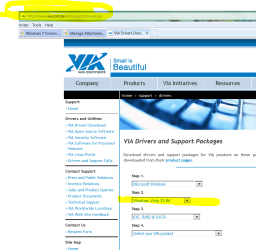
Best last chance for working driver - for the add-in controller card.

.
 

Attachments

  • Capture.PNG
    Capture.PNG
    306.3 KB · Views: 75
Hi Guys

The update is as such: PCI card is a hassle and not working correctly. Even though it has installed the drivers and shows "working properly" it does not. Does not pick up the external and I used its extra Sata slot for my DVD writer and it shows but does not "open" if I want to explore. My PC also freezes like there is a big Memory problem. In the start up it says: "If you want to install Linux default partition raid driver, please do not use Oprom creation operation".......what that means I do not know.

I used an Sata to E-Sate converter, plugged staright onto my motherboard and it worked straight away, no problems. I have asked for a refund on the card, then I will be buying 2 IDE to Sata concerters, but I am having a problem giving it back as it is now considered "used".

Regarding the external drive, it has USB2 and E-Sata connectors. I am the only one that will know how to use E-Sate. The other guys are just Plug and Play USB 2 types. Once I get mine running properly, I will suggest it to others

The problem there is the sad lack of detection being seen with the external drive while the drivers seem to have found their way on ok. Sounds like a hidden defact with the card while the main chip on it is seen by Windows as working normally. :(

Once you went right to the board you saw the immediate results with the drive then under control by the onboard controllers themselves showing the drive itself is working like it should! Good News for you! :D

Since the drive comes with both options for USB and eSata you can benefit from the faster access times through the eSata connection you set while the rest will be stuck with the slower usb bus! But at least now you can share the use of the drive. You wouldn't need to make any changes in the bios itself while Antman's link for chipset drivers is something to keep in mind there.
 

My Computers

System One System Two

  • Computer type
    PC/Desktop
    Computer Manufacturer/Model Number
    Custom builds = 2
    OS
    W7 Ultimate x64/W10 Pro x64/W11 Pro Triple Boot - Main PC W7 Remote PC Micro ATX W7 Pro x64/W11 Pro
    CPU
    AMD Phenom II X4 975 Deneb 3.6ghz - 965 2nd remote pc
    Motherboard
    Gigabyte GA-790XTA-UD4-Gigabyte GA-880GM-D2H remote pc
    Memory
    Kingston Hyper X DDR3 1600 1.5v 16gb - Hyper X Fury 8gb 2nd
    Graphics Card(s)
    MSI HD Radeon 5750 1gb - MSI HD Radeon 6450 on mini tower
    Sound Card
    Creative Labs X-Fi Xtreme Audio P - Realtek onooard 2nd case
    Monitor(s) Displays
    ASUS VW199T-P 19" HP 2082a Main-HP 2082a 20" remote pc
    Screen Resolution
    Asus 1440x900 - HP 1600x900
    Hard Drives
    WD Black 1TB HD per OS W7, W10, and pending W11 presently on 500gb OS Drive - Pending Triple 1TB HDs for Spanned Storage/backup volume
    Single 2TB external USB enclosure, single 1TB System 7 Host/Boot drive, Pending 8TB external HD for system image b
    PSU
    Corsair 750TX - primary / Corsair CX600 - second
    Case
    Antec 900-2 - SSD compatible / NZXT Vulcan mini tower
    Cooling
    Zalman CNPS9900A
    Keyboard
    AZIO L70 Backlit Letters Gaming - ONN Cordless/USB
    Mouse
    MSI DS200 Programmable, Logitech Cordless
    Internet Speed
    30mbps upgrade - primary hard wired - mini tower usb WiFi
    Antivirus
    GFI VIPRE Internet Security 2014 on W7 2016 beta on W10,
    Browser
    Cyberfox, WaterFox 64bit FF variants, FireFox x64, Pale Moon
    Other Info
    Accomdata fan cooled usb 2.0 PIDE/Sata II, III external enclosure.
    Sambient usb/eSata PATA/Sata II, III external enclosure.
  • Computer type
    PC/Desktop
    System Manufacturer/Model Number
    CUSTOM ASSEMBLY
    OS
    W7 Pro x64/W11 Pro
    CPU
    AMD Deneb 3.6ghz - 965
    Motherboard
    Gigabyte GA-880GM-D2H remote pc
    Memory
    Kingston Hyper X Fury 8gb
    Graphics Card(s)
    MSI HD Radeon 6450 DVI Output
    Sound Card
    Realtek onooard Creative or Other separate PENDING
    Monitor(s) Displays
    VIZIO 32" LCD TV Separate LCD Pending
    Screen Resolution
    1600x1080
    Hard Drives
    WD 500GB OS Host/Boot WD Green 1TB Storage/Backup
    PSU
    Corsair 600W - THERMALTAKE 600W spare case
    Case
    NZXT Vulcan mini tower
    Cooling
    Twin 120mm Top Fans - 240mm Side Cover
    Keyboard
    ONN Cordless/USB Logitech Cordless
    Mouse
    ONN USB/Cordless - Logitech Cordless
    Internet Speed
    DSL 5G
    Browser
    MS Edge, FireFox, WaterFox x64, FireFox Nightly
    Other Info
    OS Testing-Remote Access to Main TeamViewer
Hey all
I will be taking in my rig to the PC shop so that we can test what will be working better as I now have 5 Sata devices and only 4 slots. The PC shop does not have any converters that I can put directly onto the Motherboeard, only ones to change the Sata to IDE on the DVD Writer/HDD. I will be testing a Chronos PCI Sata card that will give me 2 extra slots, but I am not confident that it will work , thus I will be taking my rig in.
 

My Computer

OS
Windows 7
CPU
Intel Core2Quad 9400
Motherboard
Intel Raisen City
Memory
2 Gig DDR 800
Graphics Card(s)
GeForce 9600 GT
Sound Card
None
Monitor(s) Displays
LG 21.5" HD Wide
Hard Drives
Seagate Sata 250gig
2x Samsung 1TB
Seagate Sata 500gig External
PSU
500 Watt
Case
Custon
Cooling
None
Keyboard
Logitech
Mouse
Logitech MX-510
Internet Speed
None
Hey all
I will be taking in my rig to the PC shop so that we can test what will be working better as I now have 5 Sata devices and only 4 slots. The PC shop does not have any converters that I can put directly onto the Motherboeard, only ones to change the Sata to IDE on the DVD Writer/HDD. I will be testing a Chronos PCI Sata card that will give me 2 extra slots, but I am not confident that it will work , thus I will be taking my rig in.

Good luck, I hope it works out for you;)

Let us know the results.
 

My Computer

Computer type
PC/Desktop
Computer Manufacturer/Model Number
76~2.0
OS
Windows 7 Ult x64 - SP1/ Windows 8 Pro x64
CPU
Intel Core i5-3570K 4.6GHz
Motherboard
Gigabyte GA-Z77X UD3H, f18
Memory
8GB (2X4GB) DDR3 1600 Corsair Vengeance CL8 1.5v
Graphics Card(s)
Sapphire HD 7770 Vapor-X OC 1GB DDR5
Sound Card
Onboard VIA VT2021
Monitor(s) Displays
22" LCD Dell
Screen Resolution
1680x1050
Hard Drives
Samsung 840Pro 128GB SSD,
Seagate Barracuda 500GB SATA2 7200rpm 32MB cache, Seagate Barracuda 1TB SATA2 7200rpm 32MB cache,
PSU
Corsair HX650W
Case
Cooler Master Storm Scout
Cooling
Corsair H80 2x12cm Noctua NF P12 , 2x14cm case fans
Keyboard
Logitech Wave
Mouse
CM Sentinel
Internet Speed
Dismal
Antivirus
Avast
Browser
Opera Next
Other Info
Haswell laptop: HP Envy 17t-j, i7-4700MQ, GeForce 740M 2GB DDR3, 17.3" Full HD 1920x1080, 16GB RAM, Samsung 840 Pro 128GB, 1TB Hitachi 7200 HDD,
Desktop: eSATA ports,
External eSATA Seagate 500GB SATA2 7200rpm,
External WD USB 500GB
:rolleyes: Hi all

The results are as such, even the Chronos PCI Sata card did not pick up on the motherboard. The PC techie reckons it cause I am running W7 :confused: How he gets to that conclusion only he knows. Then he put in the adapter to change my Sata on my DVD Writer to IDE and that did also not pick up. So I asked if I can have a look...I took aout the adapter, changed the jumper to Slave, turned the IDE cable around (he had it the wrong way) and viola, it worked. So in the end, because I could only get a credit and not the cash, I bought a new 22x Lightscribe writer (ide) and my Sata to E-Sate is connceted to the motherboard directly.

Thanks for all the help.
 

My Computer

OS
Windows 7
CPU
Intel Core2Quad 9400
Motherboard
Intel Raisen City
Memory
2 Gig DDR 800
Graphics Card(s)
GeForce 9600 GT
Sound Card
None
Monitor(s) Displays
LG 21.5" HD Wide
Hard Drives
Seagate Sata 250gig
2x Samsung 1TB
Seagate Sata 500gig External
PSU
500 Watt
Case
Custon
Cooling
None
Keyboard
Logitech
Mouse
Logitech MX-510
Internet Speed
None
:rolleyes: Hi all

The results are as such, even the Chronos PCI Sata card did not pick up on the motherboard. The PC techie reckons it cause I am running W7 :confused: How he gets to that conclusion only he knows. Then he put in the adapter to change my Sata on my DVD Writer to IDE and that did also not pick up. So I asked if I can have a look...I took aout the adapter, changed the jumper to Slave, turned the IDE cable around (he had it the wrong way) and viola, it worked. So in the end, because I could only get a credit and not the cash, I bought a new 22x Lightscribe writer (ide) and my Sata to E-Sate is connceted to the motherboard directly.

Thanks for all the help.

Glad to hear you got it all sorted.

Is your external HD listed in 'Safely Remove Hardware' when plugged in the eSATA port?
 

My Computer

Computer type
PC/Desktop
Computer Manufacturer/Model Number
76~2.0
OS
Windows 7 Ult x64 - SP1/ Windows 8 Pro x64
CPU
Intel Core i5-3570K 4.6GHz
Motherboard
Gigabyte GA-Z77X UD3H, f18
Memory
8GB (2X4GB) DDR3 1600 Corsair Vengeance CL8 1.5v
Graphics Card(s)
Sapphire HD 7770 Vapor-X OC 1GB DDR5
Sound Card
Onboard VIA VT2021
Monitor(s) Displays
22" LCD Dell
Screen Resolution
1680x1050
Hard Drives
Samsung 840Pro 128GB SSD,
Seagate Barracuda 500GB SATA2 7200rpm 32MB cache, Seagate Barracuda 1TB SATA2 7200rpm 32MB cache,
PSU
Corsair HX650W
Case
Cooler Master Storm Scout
Cooling
Corsair H80 2x12cm Noctua NF P12 , 2x14cm case fans
Keyboard
Logitech Wave
Mouse
CM Sentinel
Internet Speed
Dismal
Antivirus
Avast
Browser
Opera Next
Other Info
Haswell laptop: HP Envy 17t-j, i7-4700MQ, GeForce 740M 2GB DDR3, 17.3" Full HD 1920x1080, 16GB RAM, Samsung 840 Pro 128GB, 1TB Hitachi 7200 HDD,
Desktop: eSATA ports,
External eSATA Seagate 500GB SATA2 7200rpm,
External WD USB 500GB
:rolleyes: Hi all

The results are as such, even the Chronos PCI Sata card did not pick up on the motherboard. The PC techie reckons it cause I am running W7 :confused: How he gets to that conclusion only he knows. Then he put in the adapter to change my Sata on my DVD Writer to IDE and that did also not pick up. So I asked if I can have a look...I took aout the adapter, changed the jumper to Slave, turned the IDE cable around (he had it the wrong way) and viola, it worked. So in the end, because I could only get a credit and not the cash, I bought a new 22x Lightscribe writer (ide) and my Sata to E-Sate is connceted to the motherboard directly.

Thanks for all the help.

Glad to hear you got it all sorted.

Is your external HD listed in 'Safely Remove Hardware' when plugged in the eSATA port?


Dont think so. If I remember, it falls as one of the HDD,,,(like C:)
 

My Computer

OS
Windows 7
CPU
Intel Core2Quad 9400
Motherboard
Intel Raisen City
Memory
2 Gig DDR 800
Graphics Card(s)
GeForce 9600 GT
Sound Card
None
Monitor(s) Displays
LG 21.5" HD Wide
Hard Drives
Seagate Sata 250gig
2x Samsung 1TB
Seagate Sata 500gig External
PSU
500 Watt
Case
Custon
Cooling
None
Keyboard
Logitech
Mouse
Logitech MX-510
Internet Speed
None
At least you were able to get things going there. It will be a lot easier running it from one of the board's own ports by the looks of things there not because you have 7 on!

I think you may want to frind a new shop since that guy doesn't know what he is even doing by the sounds of it. :rolleyes:
 

My Computers

System One System Two

  • Computer type
    PC/Desktop
    Computer Manufacturer/Model Number
    Custom builds = 2
    OS
    W7 Ultimate x64/W10 Pro x64/W11 Pro Triple Boot - Main PC W7 Remote PC Micro ATX W7 Pro x64/W11 Pro
    CPU
    AMD Phenom II X4 975 Deneb 3.6ghz - 965 2nd remote pc
    Motherboard
    Gigabyte GA-790XTA-UD4-Gigabyte GA-880GM-D2H remote pc
    Memory
    Kingston Hyper X DDR3 1600 1.5v 16gb - Hyper X Fury 8gb 2nd
    Graphics Card(s)
    MSI HD Radeon 5750 1gb - MSI HD Radeon 6450 on mini tower
    Sound Card
    Creative Labs X-Fi Xtreme Audio P - Realtek onooard 2nd case
    Monitor(s) Displays
    ASUS VW199T-P 19" HP 2082a Main-HP 2082a 20" remote pc
    Screen Resolution
    Asus 1440x900 - HP 1600x900
    Hard Drives
    WD Black 1TB HD per OS W7, W10, and pending W11 presently on 500gb OS Drive - Pending Triple 1TB HDs for Spanned Storage/backup volume
    Single 2TB external USB enclosure, single 1TB System 7 Host/Boot drive, Pending 8TB external HD for system image b
    PSU
    Corsair 750TX - primary / Corsair CX600 - second
    Case
    Antec 900-2 - SSD compatible / NZXT Vulcan mini tower
    Cooling
    Zalman CNPS9900A
    Keyboard
    AZIO L70 Backlit Letters Gaming - ONN Cordless/USB
    Mouse
    MSI DS200 Programmable, Logitech Cordless
    Internet Speed
    30mbps upgrade - primary hard wired - mini tower usb WiFi
    Antivirus
    GFI VIPRE Internet Security 2014 on W7 2016 beta on W10,
    Browser
    Cyberfox, WaterFox 64bit FF variants, FireFox x64, Pale Moon
    Other Info
    Accomdata fan cooled usb 2.0 PIDE/Sata II, III external enclosure.
    Sambient usb/eSata PATA/Sata II, III external enclosure.
  • Computer type
    PC/Desktop
    System Manufacturer/Model Number
    CUSTOM ASSEMBLY
    OS
    W7 Pro x64/W11 Pro
    CPU
    AMD Deneb 3.6ghz - 965
    Motherboard
    Gigabyte GA-880GM-D2H remote pc
    Memory
    Kingston Hyper X Fury 8gb
    Graphics Card(s)
    MSI HD Radeon 6450 DVI Output
    Sound Card
    Realtek onooard Creative or Other separate PENDING
    Monitor(s) Displays
    VIZIO 32" LCD TV Separate LCD Pending
    Screen Resolution
    1600x1080
    Hard Drives
    WD 500GB OS Host/Boot WD Green 1TB Storage/Backup
    PSU
    Corsair 600W - THERMALTAKE 600W spare case
    Case
    NZXT Vulcan mini tower
    Cooling
    Twin 120mm Top Fans - 240mm Side Cover
    Keyboard
    ONN Cordless/USB Logitech Cordless
    Mouse
    ONN USB/Cordless - Logitech Cordless
    Internet Speed
    DSL 5G
    Browser
    MS Edge, FireFox, WaterFox x64, FireFox Nightly
    Other Info
    OS Testing-Remote Access to Main TeamViewer
Back
Top