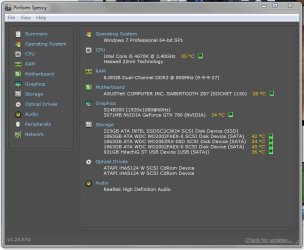
My backup rig in my daughters' room was running with two 2TB HDDs, the one with the OS on (WD Caviar Black) is split into three partitions, one dedicated to the OS. Anyway, I bought a 120GB Toshiba SSD to fit to the rig (easiest and most pleasurable clean install of Windows 7 I've ever done, lovely) and decided to remove the Caviar Black as the remaining 2TB drive was more than an ample amount of storage for them.
I thought I'd add the 2TB Caviar Black to my main rig as an extra backup drive, but I didn't have the spare SATA cables I thought I had. Not a problem as my case has a hot swappable X-Dock so I connected the drive through that with the intention of formatting it before fitting it permanently when I'd bought some cables.
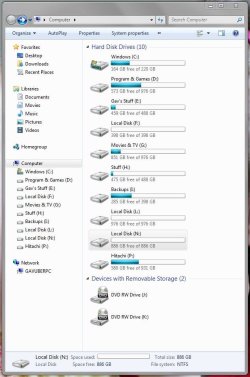
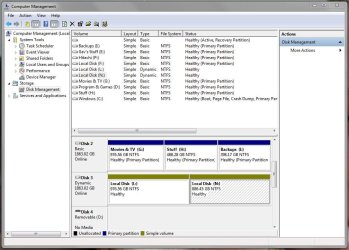
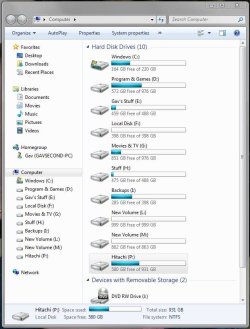
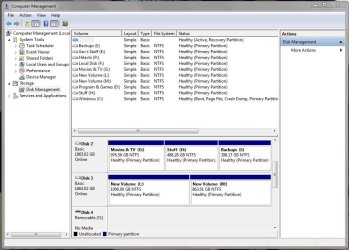
The drive never appeared in Computer or Disk Management though, I thought nothing of it as maybe there was no power to the X-Dock and left the rig for half an hour to go and do something else. When I came back I removed the drive and it was red hot so obviously there was power to it, so I let it cool down and reinserted it. Again it never appeared, but I could here the drive working and when I removed it I could feel it rumbling so it had been doing 'something'.
I did check the X-Dock connections and they're good (photo below) so that's not the issue. Before I go opening my rig up and fitting it permanently only to find it doesn't work, am I missing something blindingly obvious as to why the disk isn't showing up at all? As ever, any input is greatly appreciated.

I thought I'd add the 2TB Caviar Black to my main rig as an extra backup drive, but I didn't have the spare SATA cables I thought I had. Not a problem as my case has a hot swappable X-Dock so I connected the drive through that with the intention of formatting it before fitting it permanently when I'd bought some cables.
The drive never appeared in Computer or Disk Management though, I thought nothing of it as maybe there was no power to the X-Dock and left the rig for half an hour to go and do something else. When I came back I removed the drive and it was red hot so obviously there was power to it, so I let it cool down and reinserted it. Again it never appeared, but I could here the drive working and when I removed it I could feel it rumbling so it had been doing 'something'.
I did check the X-Dock connections and they're good (photo below) so that's not the issue. Before I go opening my rig up and fitting it permanently only to find it doesn't work, am I missing something blindingly obvious as to why the disk isn't showing up at all? As ever, any input is greatly appreciated.
My Computer
At a glance
W7 Pro x64 SP1 | W10 Pro IP x64 | W8.1 Pro x6...i7-4790k @ 4GHz (4.4GHz Boost)16GB DDR3 Kingston HyperX Fury @ 1600MHz CL 9...EVGA GTX 980 Classified
- Computer type
- PC/Desktop
- Computer Manufacturer/Model Number
- Custom Build
- OS
- W7 Pro x64 SP1 | W10 Pro IP x64 | W8.1 Pro x64 VM | Linux Mint VM
- CPU
- i7-4790k @ 4GHz (4.4GHz Boost)
- Motherboard
- ASUS Sabertooth Z87 (BIOS Rev 2004)
- Memory
- 16GB DDR3 Kingston HyperX Fury @ 1600MHz CL 9-9-9-27
- Graphics Card(s)
- EVGA GTX 980 Classified
- Sound Card
- Realtek Onboard
- Monitor(s) Displays
- Samsung S27D390
- Screen Resolution
- 1920 x 1080
- Hard Drives
- 240GB Intel 520 Series SSD |
Samsung 850 EVO 120GB SSD |
2TB WD Caviar Black |
2TB WD Caviar Black |
2TB WD Caviar Green
- PSU
- Corsair HX850-80 Gold Modular
- Case
- Cooler Master Silencio 650
- Cooling
- Corsair H80i w/2 x Corsair SP120 | 2 x 120mm Noctua NF-S12B
- Keyboard
- Microsoft Sidewinder X4
- Mouse
- Gigabyte M6900 optical
- Internet Speed
- 152mb
- Antivirus
- F-Secure
- Browser
- Firefox 38.0
- Other Info
- Backup Rig: Win 7 Pro 64-bit | AMD A10-5800k | ASUS F2A85-V Pro | 8GB Samsung DDR3 @1600MHz | 120GB Toshiba SDD | 2TB Seagate HDD | Cooler Master Silencio 550