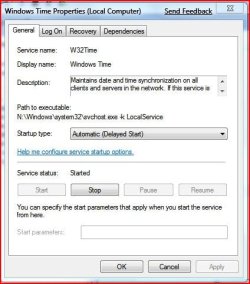
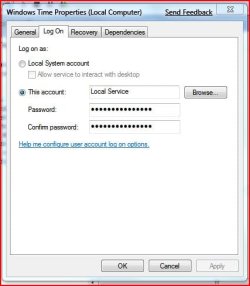
I've noticed that whenever I startup the Windows Time service in services.msc is stopped & I have to physically start it.
For the System Clock to synchronise it must always be running. Under Properties it is set to Start and is on Automatic, plus restart on 1st and 2nd failure.
Can any of you check yours to see if it's happening with your PC too please?
For the System Clock to synchronise it must always be running. Under Properties it is set to Start and is on Automatic, plus restart on 1st and 2nd failure.
Can any of you check yours to see if it's happening with your PC too please?
My Computer
- Computer type
- PC/Desktop
- Computer Manufacturer/Model Number
- Alienware® ALX X58
- OS
- Win 7 Ult SP1/Win 10 Pro (all x64)
- CPU
- Intel® Core™ i7-975 Extreme O/C to 4.02 GHz, 8MB Cache
- Motherboard
- Asus® P6T Deluxe V2 X58 LGA1366
- Memory
- 24GB Corsair Vengeance DDR3 SDRAM at 1600MHz - 6 x 4096MB
- Graphics Card(s)
- 1792 MB NVIDIA® GeForce® GTX 295 Dual Core
- Sound Card
- Onboard Soundmax® High-Definition 7.1 Performance Audio
- Monitor(s) Displays
- Samsung XL2370 LED backlit 23" W/S 2ms response time
- Screen Resolution
- 1920 X 1080
- Hard Drives
- 2 x 500gb SATA II
1 x 1TB SATA II
1 external eSATA LaCie 3TB
(Non-RAID)
- PSU
- Alienware® 1200 Watt Multi-GPU
- Case
- Alienware® P2 ALX Chassis with AlienIce™ 3.0 Video Cooling
- Cooling
- Alienware® High-Perf. Liquid Cooling + Acoustic Dampening
- Keyboard
- Microsoft® Wireless Entertainment 8000 + Logitech® G15 Wired
- Mouse
- Microsoft® Wireless Laser 8000 + Logitech® G9 Wired
- Internet Speed
- 1Gb/s
- Antivirus
- McAfee LiveSafe
- Browser
- Firefox - latest
- Other Info
- Using non-RAID on purpose as I find RAID to be too temperamental.
Now set to AHCI