Ok, you read my intent ... stop if not the only thing missing.
I agree that the Adblock error is an artifact of the missing associations. I still would like to remove it from the equation. I'm not sure how Adblock and the hosts files are related, but looking at your hosts file - the octect addresses (0.0.0.0) are not standard. Normally, the loopback address (127.0.0.0) is used. I don't know where the address 0.0.0.0 goes or how it might affect normal operations. So the two (adblock & hosts) are suspect in normal operations parlance.
The .VCF file association can be easily added by finding a .VCF file, right clicking, and selecting open with. If the always open box is present on the dialog box, click it, then select WLM as the application (you might have to look for it if WLM isn't in the offered list of applications). If no .VCF files are found - try exporting a contact to a .VCF file, then use that to associate WLM with that file type.
I'll have to get back on Win7 if you need more details on how to do that.
This statement is a bit disconcerting:
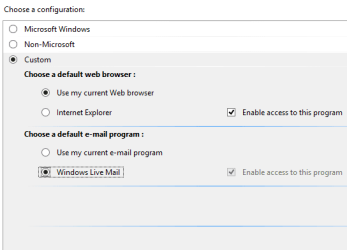
There are no WLM Protocol associations on the desktop at all, and only one on the laptop - MAILTO.
Switching gears to your laptop (which doesn't have the problem).
Are the protocols listed at all, perhaps associated with IE or another application?
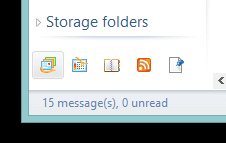
Have you ever clicked on the Feeds or Newsgroups icons in WLM? The protocol might not get set until an application first uses it.
Bill
.
I agree that the Adblock error is an artifact of the missing associations. I still would like to remove it from the equation. I'm not sure how Adblock and the hosts files are related, but looking at your hosts file - the octect addresses (0.0.0.0) are not standard. Normally, the loopback address (127.0.0.0) is used. I don't know where the address 0.0.0.0 goes or how it might affect normal operations. So the two (adblock & hosts) are suspect in normal operations parlance.
The .VCF file association can be easily added by finding a .VCF file, right clicking, and selecting open with. If the always open box is present on the dialog box, click it, then select WLM as the application (you might have to look for it if WLM isn't in the offered list of applications). If no .VCF files are found - try exporting a contact to a .VCF file, then use that to associate WLM with that file type.
I'll have to get back on Win7 if you need more details on how to do that.
This statement is a bit disconcerting:
There are no WLM Protocol associations on the desktop at all, and only one on the laptop - MAILTO.
Switching gears to your laptop (which doesn't have the problem).
Are the protocols listed at all, perhaps associated with IE or another application?
Have you ever clicked on the Feeds or Newsgroups icons in WLM? The protocol might not get set until an application first uses it.
Bill
.
My Computer
At a glance
x64 (6.3.9600) Win8.1 Pro & soon dual boot x6...AMD A6-3420M APU with Radeon(tm) HD Graphics6.00 GBAMD Radeon(TM) HD 6520G
- Computer type
- Laptop
- Computer Manufacturer/Model Number
- HP Pavilion dv6-6c10us
- OS
- x64 (6.3.9600) Win8.1 Pro & soon dual boot x64 (6.1.7601) Win7_SP1 HomePrem
- CPU
- AMD A6-3420M APU with Radeon(tm) HD Graphics
- Motherboard
- Hewlett-Packard 1805
- Memory
- 6.00 GB
- Graphics Card(s)
- AMD Radeon(TM) HD 6520G
- Sound Card
- (1) AMD High Definition Audio Device (2) IDT High Definiti
- Monitor(s) Displays
- HP W2072a 20" LCD (1600 x 900) @ 60 Hz
- Screen Resolution
- 1366 x 768 x 32 bits (4294967296 colors) @ 60 Hz
- Hard Drives
- ST640LM0 00 HM641JI SATA Disk Device
- Keyboard
- Logitech k520 wireless KB
- Mouse
- Logitech m320 wireless mouse (bundled with KB)
- Internet Speed
- 15/5 | 54 MB Wireless 'n'
- Antivirus
- Realtime: Defender or Avast | On-demand: Malwarebytes, ESET
- Browser
- IE 11 on Win8, IE 10 on win 7
- Other Info
- Media: [Gimp, Audacity, VLC] || Comm: [WEmail 2012, Skype] || Productivity: [OpenOffice,| Textpad] || Utils: [Sysinternals, cCleaner, Speccy, Defraggler]


![WLM[mail]setPgmDefs.png](https://www.sevenforums.com/data/attachments/185/185332-15f00e73b69a0294b200b15e60b5e9b9.jpg?hash=-ghoEZXzPK "WLM[mail]setPgmDefs.png")
![WLM[news]setPgmDefs.png](https://www.sevenforums.com/data/attachments/185/185335-17832492e0891e249a3fabfd5291bb51.jpg?hash=wIQa39bgEp "WLM[news]setPgmDefs.png")