Icon messes up when I ping shortcut to my Taskbar

nokturrduk84

New member
Local time
10:41 PM
Messages
8
Location
Georgia
Hi,
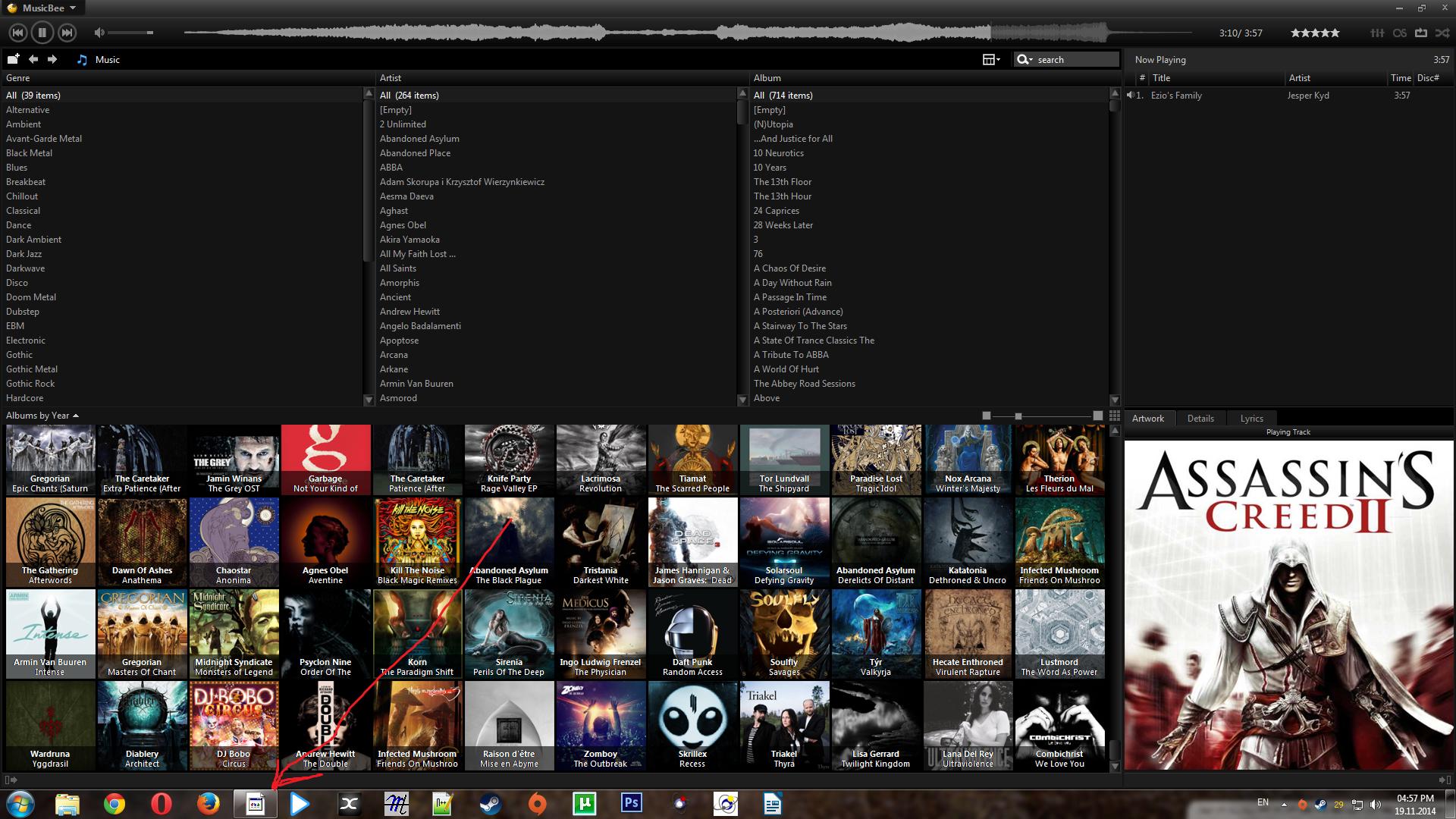
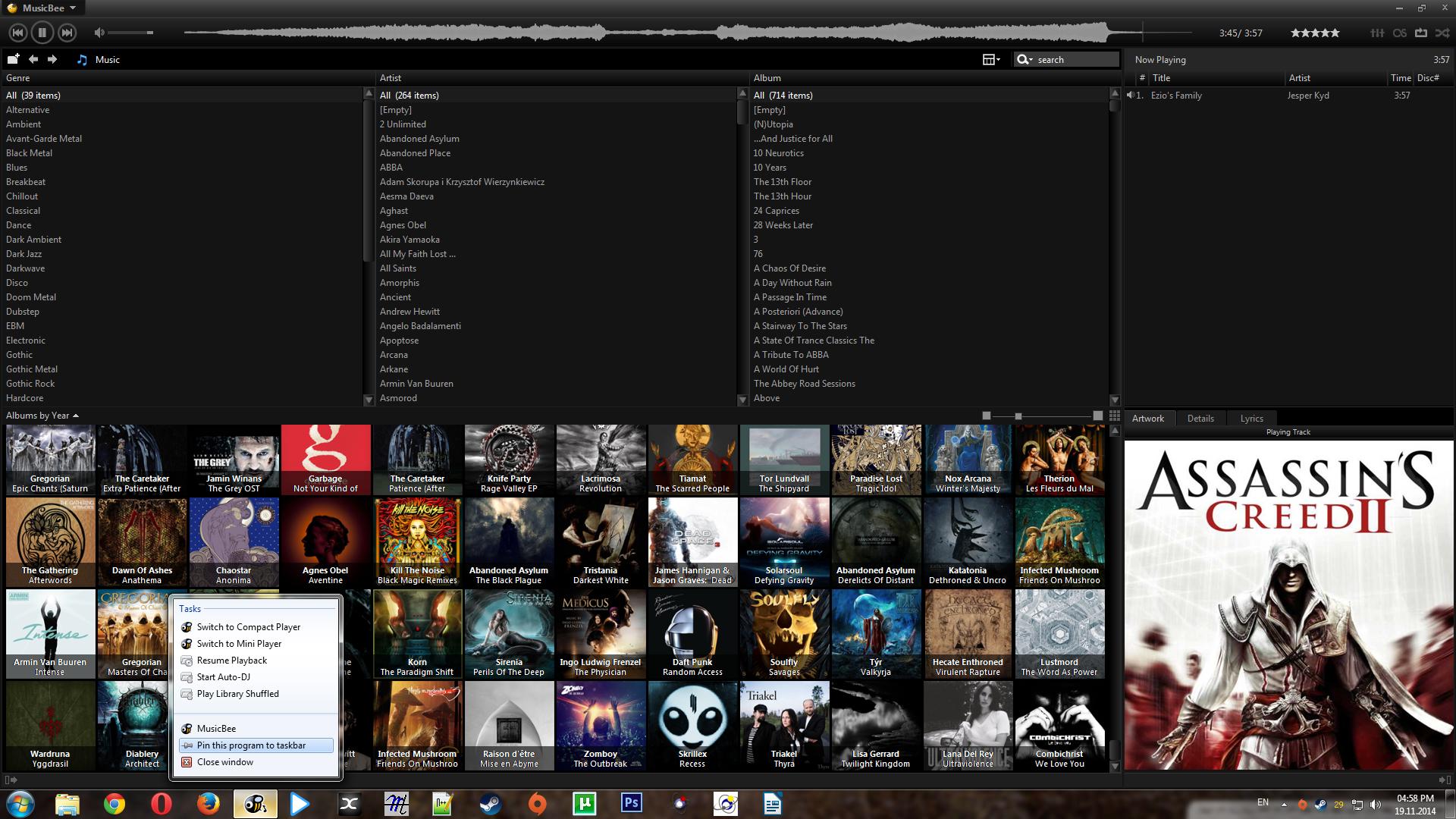
I've got this problem. Whenever I try to pin my Musicbee in taskbar icon fu**s up. If I unpin it gets normal again. Here are screenshots:

When unpinned:
7ajlA9G.jpg


When pinned:
GHi3Suf.jpg
 

My Computer My Computer

At a glance

Windows 7 64-biti7 3770k16GB G.Skill Trident XGTX 770
Computer type
PC/Desktop
OS
Windows 7 64-bit
CPU
i7 3770k
Motherboard
Z77A-G45 Gaming
Memory
16GB G.Skill Trident X
Graphics Card(s)
GTX 770
Monitor(s) Displays
Philips 248 CLH
Screen Resolution
1920x1080
Hard Drives
SSD 120GB PQI
2TB HDD
4TB HDD
PSU
XFX Pro Black Edition 1050w
Case
Cooler Master HAF 912 Plus
Cooling
Thermaltake water 2.0
Keyboard
Razer Lycosa
Mouse
A4tech Bloody v7
Internet Speed
40mb
Antivirus
Avast Free
Browser
Google Chrome
Usually what that 'generic' icon means is it can't find the location of the file the shortcut looks for. If it's an installed program/application it needs to find the .exe/Executable file that runs the program. Right-click it and choose Properties, will give the 'path' to where the .exe file is located. And it may simply that it needs the icon changed, same panel.
 

My Computer My Computer

At a glance

Windows 7 Ultimate 64-bit, Windows 8.1 64-bit...
Computer type
PC/Desktop
Computer Manufacturer/Model Number
Customs, Dell, Gateway, HP, Toshiba, Acer, ASUS
OS
Windows 7 Ultimate 64-bit, Windows 8.1 64-bit, Mac OS X 10.10, Linux Mint 17, Windows 10 Pro TP
Keyboard
Microsoft
Mouse
Microsoft
Usually what that 'generic' icon means is it can't find the location of the file the shortcut looks for. If it's an installed program/application it needs to find the .exe/Executable file that runs the program. Right-click it and choose Properties, will give the 'path' to where the .exe file is located. And it may simply that it needs the icon changed, same panel.

I know. Program is installed, path is also written properly in the properties. Changing icons or clearing icons cache didn't help.

Any other things I can try?
 

My Computer My Computer

At a glance

Windows 7 64-biti7 3770k16GB G.Skill Trident XGTX 770
Computer type
PC/Desktop
OS
Windows 7 64-bit
CPU
i7 3770k
Motherboard
Z77A-G45 Gaming
Memory
16GB G.Skill Trident X
Graphics Card(s)
GTX 770
Monitor(s) Displays
Philips 248 CLH
Screen Resolution
1920x1080
Hard Drives
SSD 120GB PQI
2TB HDD
4TB HDD
PSU
XFX Pro Black Edition 1050w
Case
Cooler Master HAF 912 Plus
Cooling
Thermaltake water 2.0
Keyboard
Razer Lycosa
Mouse
A4tech Bloody v7
Internet Speed
40mb
Antivirus
Avast Free
Browser
Google Chrome
Back
Top