Solved Renaming a sub-folder within a zipped file

markaz

New member
Power User
VIP
Local time
10:28 AM
Messages
168
Location
Peoria, AZ
I compressed a .crx file. The file structure of the compressed file is

Compressed CRX
1Sub-Folder
2Sub-Folder
>2file
>3file
3Sub-Folder
>4file

I am attempting to rename 3Sub-Folder. Using 7-Zip, When I attempt to rename it I get the Error message “Not Implemented”. When I attempt to rename it using WinRAR I get the message that “the archive is corrupt. Lastly, when I open the .zip file using Windows Explorer it displays the Compressed CRX but I am unable to display 3Sub-Folder.

Any suggestions on renaming a sub-folder within a zipped file?
 

My Computer My Computer

Computer type
PC/Desktop
Computer Manufacturer/Model Number
Custom
OS
Windows 7 Home Premium x64
CPU
AMD A6-6400K APU
Motherboard
Gigabyte F2A88XM-D3H
Memory
8.0GB DDR3-1600
Graphics Card(s)
Radeon Onboard Graphics
Sound Card
Realtek High Def
Monitor(s) Displays
Acer K242HQL
Screen Resolution
1920x1080
Hard Drives
Samsung 850 EVO SSD 250GB
PSU
Corsair 430W
Case
Silverstone PS-08
Cooling
Enermax fans (120mm-intake, 80mm-exhaust)
Keyboard
Logitech K360
Mouse
Logitech M305 Cordless Optical
Internet Speed
Download 60.19Mbps Upload 6.71Mbps
Antivirus
AVG
Browser
Iron Version 51.0.2700.0 (64-bit)
Best I've found is simply to decompress the file into an empty Folder, make the change to necessary files then recompress them, maybe with a slightly different name.
 

My Computer My Computer

Computer type
PC/Desktop
Computer Manufacturer/Model Number
Customs, Dell, Gateway, HP, Toshiba, Acer, ASUS
OS
Windows 7 Ultimate 64-bit, Windows 8.1 64-bit, Mac OS X 10.10, Linux Mint 17, Windows 10 Pro TP
Keyboard
Microsoft
Mouse
Microsoft
Most zip utilities do not directly support renaming a file in the archive. Best is to do as Berton has suggested.
Winzip I believe will do this directly. But be aware that it is a commercial program, not free.
 

My Computer My Computer

Computer type
PC/Desktop
Computer Manufacturer/Model Number
HP
OS
Windows 7 Pro 64 bit
CPU
Xeon W3520
Memory
8 GB
Graphics Card(s)
Nvidia Geforce 210
Thanks or your replies. Not sure if you're familiar with .crx files, but uncompressed it is an extension file used by Chrome, Chromium and other browser using the Chromium source code. It provides additional functionality to the browser. When uncompressed, when you click on the file the 'Windows can't open this file window opens.' It is not possible to view the contents (subfolder and files) of the file when uncompressed so changing their names when uncompressed is not possible. It is only when the file is compressed that you are ale to view its contents.
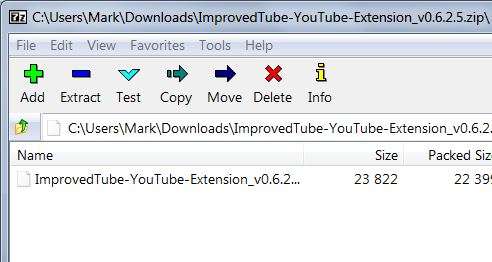
The pick below is of the Compressed extension called Improved YouTube.crx. When opened with 7-Zip it appears like this:
G2PWu4.jpg

When compressed file within 7-Zip is double-clicked (opened) its contents are displayed like this:
spiiqD.jpg

The subfolder called "_metadata" is the folder that I want to change its name by getting rid of the "_" at the beginning.

I know what you're suggesting, I just don't see how it can be done when the file is uncompressed.
 

My Computer My Computer

Computer type
PC/Desktop
Computer Manufacturer/Model Number
Custom
OS
Windows 7 Home Premium x64
CPU
AMD A6-6400K APU
Motherboard
Gigabyte F2A88XM-D3H
Memory
8.0GB DDR3-1600
Graphics Card(s)
Radeon Onboard Graphics
Sound Card
Realtek High Def
Monitor(s) Displays
Acer K242HQL
Screen Resolution
1920x1080
Hard Drives
Samsung 850 EVO SSD 250GB
PSU
Corsair 430W
Case
Silverstone PS-08
Cooling
Enermax fans (120mm-intake, 80mm-exhaust)
Keyboard
Logitech K360
Mouse
Logitech M305 Cordless Optical
Internet Speed
Download 60.19Mbps Upload 6.71Mbps
Antivirus
AVG
Browser
Iron Version 51.0.2700.0 (64-bit)
I installed WinZip and don't see how to open the CRX within Winzip to display the contents of the file. When the compressed file is double clicked the "Windows cannot open this file type" window opens asking to search the web or use another program.

And boy you weren't wrong about it being a commercial program. So much garbage associated with it.
 

My Computer My Computer

Computer type
PC/Desktop
Computer Manufacturer/Model Number
Custom
OS
Windows 7 Home Premium x64
CPU
AMD A6-6400K APU
Motherboard
Gigabyte F2A88XM-D3H
Memory
8.0GB DDR3-1600
Graphics Card(s)
Radeon Onboard Graphics
Sound Card
Realtek High Def
Monitor(s) Displays
Acer K242HQL
Screen Resolution
1920x1080
Hard Drives
Samsung 850 EVO SSD 250GB
PSU
Corsair 430W
Case
Silverstone PS-08
Cooling
Enermax fans (120mm-intake, 80mm-exhaust)
Keyboard
Logitech K360
Mouse
Logitech M305 Cordless Optical
Internet Speed
Download 60.19Mbps Upload 6.71Mbps
Antivirus
AVG
Browser
Iron Version 51.0.2700.0 (64-bit)
I take it this is a lost cause?
 

My Computer My Computer

Computer type
PC/Desktop
Computer Manufacturer/Model Number
Custom
OS
Windows 7 Home Premium x64
CPU
AMD A6-6400K APU
Motherboard
Gigabyte F2A88XM-D3H
Memory
8.0GB DDR3-1600
Graphics Card(s)
Radeon Onboard Graphics
Sound Card
Realtek High Def
Monitor(s) Displays
Acer K242HQL
Screen Resolution
1920x1080
Hard Drives
Samsung 850 EVO SSD 250GB
PSU
Corsair 430W
Case
Silverstone PS-08
Cooling
Enermax fans (120mm-intake, 80mm-exhaust)
Keyboard
Logitech K360
Mouse
Logitech M305 Cordless Optical
Internet Speed
Download 60.19Mbps Upload 6.71Mbps
Antivirus
AVG
Browser
Iron Version 51.0.2700.0 (64-bit)
I take it this is a lost cause?
Probably. Keep in mind that renaming files and/or Folders can cause failure of the program/application. I still haven't seen mention of the need/desire for the renaming.
 

My Computer My Computer

Computer type
PC/Desktop
Computer Manufacturer/Model Number
Customs, Dell, Gateway, HP, Toshiba, Acer, ASUS
OS
Windows 7 Ultimate 64-bit, Windows 8.1 64-bit, Mac OS X 10.10, Linux Mint 17, Windows 10 Pro TP
Keyboard
Microsoft
Mouse
Microsoft
I take it this is a lost cause?
Probably. Keep in mind that renaming files and/or Folders can cause failure of the program/application. I still haven't seen mention of the need/desire for the renaming.
Good question and thanks for the response. Some background that you are probably aware of. Iron is a Chromium-based browser and the one I highly prefer. Chrome is the big dog and is based upon Chromium as well. When Chromium (open source) updates the source Chrome and Iron follow suit. What's different is that over the years Chrome users have created extensions to improve functionality of the browsers for users. These extensions (.crx files) have been and are installed into Chrome from the Chrome Web Store. Until recently Iron users could access the Chrome Web Store and install the same extensions. Chrome closed that gap and made it such that only the chrome browser could access their Web Store. Not to be deterred programmers created websites that could copy the file (.crx) from the Web Store and download it to your computer, but not installed. Once downloaded the .crx could be installed into Iron.

Not only could Iron users no longer access extensions directly from Chrome, Chrome required developers of extensions to change the file structure of the .crx to make them compatible with Chrome only. The one thing that precluded (and still does) Iron users from installing .crx files was/is the newly created _metadata subfolder that Chrome requires for installation into their browser. Within it contains the "verified_contents.json". Prior to the creation of the "_metadata" subfolder the contents of the .crx file looked like this:
keK4Va.jpg


So now in answer to your question when Iron users attempt to install downloaded .crx files containing the "_metadata" they receive the following message:
bbWRZN.jpg

It was found that renaming the _metadata subfolder by getting rid of the "_" would make it such that the .json could be installed.

Could developers of Iron solve this problem by making files (subfolders) within a .crx file starting with "_" compatible with Iron? I think so!! But they haven't and there's no indication that they will in the foreseeable future. At the end of the day renaming this subfolder is a work around to make .crx files created for the Chrome browser usable by Iron users.
 

My Computer My Computer

Computer type
PC/Desktop
Computer Manufacturer/Model Number
Custom
OS
Windows 7 Home Premium x64
CPU
AMD A6-6400K APU
Motherboard
Gigabyte F2A88XM-D3H
Memory
8.0GB DDR3-1600
Graphics Card(s)
Radeon Onboard Graphics
Sound Card
Realtek High Def
Monitor(s) Displays
Acer K242HQL
Screen Resolution
1920x1080
Hard Drives
Samsung 850 EVO SSD 250GB
PSU
Corsair 430W
Case
Silverstone PS-08
Cooling
Enermax fans (120mm-intake, 80mm-exhaust)
Keyboard
Logitech K360
Mouse
Logitech M305 Cordless Optical
Internet Speed
Download 60.19Mbps Upload 6.71Mbps
Antivirus
AVG
Browser
Iron Version 51.0.2700.0 (64-bit)
I would think you could just rename your crx as. Zip extract it with winter to another directory then rename you json to not have the _ then rezip and change it back to a .Crx. Iron won't care if it's signed I believe.
 

My Computer My Computer

Computer type
PC/Desktop
Computer Manufacturer/Model Number
Custom
OS
10 Pro x64
CPU
Ryzen 9 3900X
Motherboard
Asrock x370 Tachi
Memory
64GB(4x16GB) DDR4
Graphics Card(s)
EVGA 1080ti FTW3
Sound Card
ASUS Xonar Essence STX (V4 Bursons), ODAC rev B, NFB-11, O2
Monitor(s) Displays
3xASUS PB278Q/R, Optoma HD142X
Screen Resolution
3x1440p, 1080p
Hard Drives
512GB 850 EVO(OS, Programs)
4TB (Movies)
3TB (Downloads)
3TB (Programs)
1TB HDD (Games)
2x6TB R1 (videos)
PSU
AX760
Case
Fractal Define R5
Cooling
NH-D15S
Keyboard
Massdrop Ctrl with Box Navy's
Mouse
G903, Alioth XXL Mat
Internet Speed
280/40
Antivirus
MBAM, ESET
Browser
Canary 64 Bit
Other Info
I also own a Thinkpad P50 Xeon 4K, X220T, X1C5
You kind of lost me on that one. I'm attaching a zipped .crx file that won't install in Iron. Can't upload the .crx directly because the forum says it's an invalid file. So if you can extract it and do what you're describing, please do and let me know.
 

Attachments

My Computer My Computer

Computer type
PC/Desktop
Computer Manufacturer/Model Number
Custom
OS
Windows 7 Home Premium x64
CPU
AMD A6-6400K APU
Motherboard
Gigabyte F2A88XM-D3H
Memory
8.0GB DDR3-1600
Graphics Card(s)
Radeon Onboard Graphics
Sound Card
Realtek High Def
Monitor(s) Displays
Acer K242HQL
Screen Resolution
1920x1080
Hard Drives
Samsung 850 EVO SSD 250GB
PSU
Corsair 430W
Case
Silverstone PS-08
Cooling
Enermax fans (120mm-intake, 80mm-exhaust)
Keyboard
Logitech K360
Mouse
Logitech M305 Cordless Optical
Internet Speed
Download 60.19Mbps Upload 6.71Mbps
Antivirus
AVG
Browser
Iron Version 51.0.2700.0 (64-bit)
I did it but idk if it needs to now be signed to work with a private key (the author normally does this). Chrome would throw a fit but you might get luck in iron make sure you are in developer mode for extensions.

EDIT figured it out and you have to remove the _ from metadata for this to work in chrome as well,
change your .crx to .zip extract it where you want it live. This breaks the signing but that is fine. then in iron under the extensions tab click load unpacked and find the directory you extracted it too and click on the extensions folder and let it load after renaming the metadata with no _. should load it up it wont update it self of course so that becomes a manual thing after.

This is my favorite one btw https://chrome.google.com/webstore/...outube/abjcfabbhafbcdfjoecdgepllmpfceif?hl=en
 

My Computer My Computer

Computer type
PC/Desktop
Computer Manufacturer/Model Number
Custom
OS
10 Pro x64
CPU
Ryzen 9 3900X
Motherboard
Asrock x370 Tachi
Memory
64GB(4x16GB) DDR4
Graphics Card(s)
EVGA 1080ti FTW3
Sound Card
ASUS Xonar Essence STX (V4 Bursons), ODAC rev B, NFB-11, O2
Monitor(s) Displays
3xASUS PB278Q/R, Optoma HD142X
Screen Resolution
3x1440p, 1080p
Hard Drives
512GB 850 EVO(OS, Programs)
4TB (Movies)
3TB (Downloads)
3TB (Programs)
1TB HDD (Games)
2x6TB R1 (videos)
PSU
AX760
Case
Fractal Define R5
Cooling
NH-D15S
Keyboard
Massdrop Ctrl with Box Navy's
Mouse
G903, Alioth XXL Mat
Internet Speed
280/40
Antivirus
MBAM, ESET
Browser
Canary 64 Bit
Other Info
I also own a Thinkpad P50 Xeon 4K, X220T, X1C5
rvcjew - You got it! Can't thank you enough. Had to play with it a few times but eventually put the Magic Actions unpacked folder (with the renamed metadata subfolder) in the Extensions directory and loaded it from there.

I didn't know which extension (Improved YouTube or Magic Actions) I wanted to install so I downloaded both .crx's before I posted this thread. Immediately installed Magic Actions per your suggestion. It does work great....especially the Cinema mode.

Thanks again!
 

My Computer My Computer

Computer type
PC/Desktop
Computer Manufacturer/Model Number
Custom
OS
Windows 7 Home Premium x64
CPU
AMD A6-6400K APU
Motherboard
Gigabyte F2A88XM-D3H
Memory
8.0GB DDR3-1600
Graphics Card(s)
Radeon Onboard Graphics
Sound Card
Realtek High Def
Monitor(s) Displays
Acer K242HQL
Screen Resolution
1920x1080
Hard Drives
Samsung 850 EVO SSD 250GB
PSU
Corsair 430W
Case
Silverstone PS-08
Cooling
Enermax fans (120mm-intake, 80mm-exhaust)
Keyboard
Logitech K360
Mouse
Logitech M305 Cordless Optical
Internet Speed
Download 60.19Mbps Upload 6.71Mbps
Antivirus
AVG
Browser
Iron Version 51.0.2700.0 (64-bit)
rvcjew - You got it! Can't thank you enough. Had to play with it a few times but eventually put the Magic Actions unpacked folder (with the renamed metadata subfolder) in the Extensions directory and loaded it from there.

I didn't know which extension (Improved YouTube or Magic Actions) I wanted to install so I downloaded both .crx's before I posted this thread. Immediately installed Magic Actions per your suggestion. It does work great....especially the Cinema mode.

Thanks again!

I literally can not use the non dark mode now lol.

EDIT: also you should mark this thread solved
 

My Computer My Computer

Computer type
PC/Desktop
Computer Manufacturer/Model Number
Custom
OS
10 Pro x64
CPU
Ryzen 9 3900X
Motherboard
Asrock x370 Tachi
Memory
64GB(4x16GB) DDR4
Graphics Card(s)
EVGA 1080ti FTW3
Sound Card
ASUS Xonar Essence STX (V4 Bursons), ODAC rev B, NFB-11, O2
Monitor(s) Displays
3xASUS PB278Q/R, Optoma HD142X
Screen Resolution
3x1440p, 1080p
Hard Drives
512GB 850 EVO(OS, Programs)
4TB (Movies)
3TB (Downloads)
3TB (Programs)
1TB HDD (Games)
2x6TB R1 (videos)
PSU
AX760
Case
Fractal Define R5
Cooling
NH-D15S
Keyboard
Massdrop Ctrl with Box Navy's
Mouse
G903, Alioth XXL Mat
Internet Speed
280/40
Antivirus
MBAM, ESET
Browser
Canary 64 Bit
Other Info
I also own a Thinkpad P50 Xeon 4K, X220T, X1C5
The step that I NEVER did but made all the difference was the first thing on your list.....change the extension from the .crx to a .zip. Never even occurred to me. Thanks again.
 

My Computer My Computer

Computer type
PC/Desktop
Computer Manufacturer/Model Number
Custom
OS
Windows 7 Home Premium x64
CPU
AMD A6-6400K APU
Motherboard
Gigabyte F2A88XM-D3H
Memory
8.0GB DDR3-1600
Graphics Card(s)
Radeon Onboard Graphics
Sound Card
Realtek High Def
Monitor(s) Displays
Acer K242HQL
Screen Resolution
1920x1080
Hard Drives
Samsung 850 EVO SSD 250GB
PSU
Corsair 430W
Case
Silverstone PS-08
Cooling
Enermax fans (120mm-intake, 80mm-exhaust)
Keyboard
Logitech K360
Mouse
Logitech M305 Cordless Optical
Internet Speed
Download 60.19Mbps Upload 6.71Mbps
Antivirus
AVG
Browser
Iron Version 51.0.2700.0 (64-bit)
Back
Top