
Solved Home network works, but no internet access

mdieckmeyer

New member
Member
Local time
1:10 PM
Messages
42
Hi, My PC randomly connects and disconnects to the internet. The home network is always connected.

I did the following so far.

Reboot router
Ipconfig /all (see attached text)
ipconfig /release and renew
verified TCP/IPv4 set to automatic
I set address to 8.8.8.8 and 8.8.4.4
I disabled Firewall to no avail

I have COX cable, Win7 Sp1, wireless, Router is Ubee Model #DVW326, Norton 360, Wireless adapter is Netgear model# WNDA4100
 

Attachments
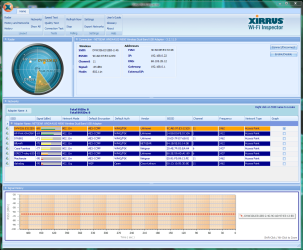
  • ipconfig.txt
    ipconfig.txt
    2.6 KB · Views: 5
  • WifiInspector.png
    WifiInspector.png
    87.7 KB · Views: 2

My Computer My Computer

At a glance

Windows 7 Pro x64 SP1Intel Cor i7 960Kingston 4GB DIMM DDR3 6 total installedAMD Radeon HD 6500 1GB
Computer type
PC/Desktop
Computer Manufacturer/Model Number
custom
OS
Windows 7 Pro x64 SP1
CPU
Intel Cor i7 960
Motherboard
Gigabyte X58A-Ud3R
Memory
Kingston 4GB DIMM DDR3 6 total installed
Graphics Card(s)
AMD Radeon HD 6500 1GB
Hard Drives
Seagate 1TB, SATA600 4 total
Antivirus
Norton 360
Browser
Chrome and Firefox
Bump
 

My Computer My Computer

At a glance

Windows 7 Pro x64 SP1Intel Cor i7 960Kingston 4GB DIMM DDR3 6 total installedAMD Radeon HD 6500 1GB
Computer type
PC/Desktop
Computer Manufacturer/Model Number
custom
OS
Windows 7 Pro x64 SP1
CPU
Intel Cor i7 960
Motherboard
Gigabyte X58A-Ud3R
Memory
Kingston 4GB DIMM DDR3 6 total installed
Graphics Card(s)
AMD Radeon HD 6500 1GB
Hard Drives
Seagate 1TB, SATA600 4 total
Antivirus
Norton 360
Browser
Chrome and Firefox
Set the following DNS server on your network adapter's IPv4 settings: 192.168.0.1 and see if it works better.

Of course, it could be the simple case of unreliable internet from your ISP. Have two computers connected and see if they both drop internet at the same time.
 

My Computer My Computer

At a glance

Windows 7 Pro
Computer type
PC/Desktop
OS
Windows 7 Pro
Hi doctore,

Thanks for your response.

I changed the DNS settings, but still no connection. Windows Network Diagnostics says "The DNS server isn't responding" and at other times it says "Windows can't communicate with the decvice or resource (primary DNS server)".

I have 4 computers connected to our ISP and I'm only having problems with the one in question. I'm on this forum via a lap top, on the same desk as the PC that's not working.
 

My Computer My Computer

At a glance

Windows 7 Pro x64 SP1Intel Cor i7 960Kingston 4GB DIMM DDR3 6 total installedAMD Radeon HD 6500 1GB
Computer type
PC/Desktop
Computer Manufacturer/Model Number
custom
OS
Windows 7 Pro x64 SP1
CPU
Intel Cor i7 960
Motherboard
Gigabyte X58A-Ud3R
Memory
Kingston 4GB DIMM DDR3 6 total installed
Graphics Card(s)
AMD Radeon HD 6500 1GB
Hard Drives
Seagate 1TB, SATA600 4 total
Antivirus
Norton 360
Browser
Chrome and Firefox
One more thing to add. Yesterday, the connection was off and on for about 2 hours until it finally stopped completely. This will happen from time to time.
 

My Computer My Computer

At a glance

Windows 7 Pro x64 SP1Intel Cor i7 960Kingston 4GB DIMM DDR3 6 total installedAMD Radeon HD 6500 1GB
Computer type
PC/Desktop
Computer Manufacturer/Model Number
custom
OS
Windows 7 Pro x64 SP1
CPU
Intel Cor i7 960
Motherboard
Gigabyte X58A-Ud3R
Memory
Kingston 4GB DIMM DDR3 6 total installed
Graphics Card(s)
AMD Radeon HD 6500 1GB
Hard Drives
Seagate 1TB, SATA600 4 total
Antivirus
Norton 360
Browser
Chrome and Firefox
Try enabling the IPv6 on the problematic computer's adapter.
Also, could you post ipconfig /all of your current laptop, the one connected to the internet?

Open your router's config page (192.168.0.1) and post a screenshot of the settings.
 

My Computer My Computer

At a glance

Windows 7 Pro
Computer type
PC/Desktop
OS
Windows 7 Pro
Attached is the ipconfig text file for the functioning lap top.

Also, I noticed when i'm in the Wireless Network Connection 4 Properties window and i select the TCP4 option, the Install button is highlighted and the Uninstall button is grey. Does this mean TCP4 isn't installed?

When I click on the install button I get a "Select Network Feature Type" with Client, Service and Protocol options available. I'm assuming I need to install one of these. If so, which one?
 

Attachments

My Computer My Computer

At a glance

Windows 7 Pro x64 SP1Intel Cor i7 960Kingston 4GB DIMM DDR3 6 total installedAMD Radeon HD 6500 1GB
Computer type
PC/Desktop
Computer Manufacturer/Model Number
custom
OS
Windows 7 Pro x64 SP1
CPU
Intel Cor i7 960
Motherboard
Gigabyte X58A-Ud3R
Memory
Kingston 4GB DIMM DDR3 6 total installed
Graphics Card(s)
AMD Radeon HD 6500 1GB
Hard Drives
Seagate 1TB, SATA600 4 total
Antivirus
Norton 360
Browser
Chrome and Firefox
Also, I noticed when i'm in the Wireless Network Connection 4 Properties window and i select the TCP4 option, the Install button is highlighted and the Uninstall button is grey. Does this mean TCP4 isn't installed?

Do you mean the TCP/IP 4? It's normal, don't worry about it. Did you enable the IPv6?

BTW, did you try using a different wireless adapter? Let's go back to basics and first see if it's not an adapter issue. Check the connection with different adapter, if you don't have one, boot into safe mode, uninstall the current Netgear driver (and other Netgear software that may have come with it), reboot and install them again.
 

My Computer My Computer

At a glance

Windows 7 Pro
Computer type
PC/Desktop
OS
Windows 7 Pro
Yes IPv6 is enaed. My wireless adapter sees my home network, but it's not going out to the Internet. Does that mean the wireless adapter may not be operating still? I'll going to safemode and do that. I'm out right now won't be back for couple hours.
 

My Computer My Computer

At a glance

Windows 7 Pro x64 SP1Intel Cor i7 960Kingston 4GB DIMM DDR3 6 total installedAMD Radeon HD 6500 1GB
Computer type
PC/Desktop
Computer Manufacturer/Model Number
custom
OS
Windows 7 Pro x64 SP1
CPU
Intel Cor i7 960
Motherboard
Gigabyte X58A-Ud3R
Memory
Kingston 4GB DIMM DDR3 6 total installed
Graphics Card(s)
AMD Radeon HD 6500 1GB
Hard Drives
Seagate 1TB, SATA600 4 total
Antivirus
Norton 360
Browser
Chrome and Firefox
It doesn't have to be the adapter, per ce, more likely the driver, but it's much faster and easier to simply switch adapters (different models/brands) than going the reinstall route to troubleshoot the problem :)

If the new adapter works fine, then we know it's an adapter/driver issue. If the new adapter is still causing problems, then it's somewhere else we have to look.
 

My Computer My Computer

At a glance

Windows 7 Pro
Computer type
PC/Desktop
OS
Windows 7 Pro
Back
Top