Solved Move the address bar below the menu bar in Windows Explorer

Well if you're like me and you've modified it (e.g. classic theme and such) then maybe. It really depends on what you want out of it. It does have a few nice features, like the ability to mount .ISO files, but if I had the choice I'd go with Windows 7.
WinCD mounts .iso files on the fly in Win7. One advantage of Win 8 is that I will be able use Classic theme with DWM enabled (so no tearing). I wonder whether there will be any other advantages.

Also I wonder if it possible to get rid of the ModernUI completely. I heard the Wi-Fi dialog is Modern UI based and also the "open with" dialog. I wonder whether it is true.
 

My Computer My Computer

At a glance

Windows 7
Computer type
PC/Desktop
OS
Windows 7
WinCD mounts .iso files on the fly in Win7. One advantage of Win 8 is that I will be able use Classic theme with DWM enabled (so no tearing). I wonder whether there will be any other advantages.

None I can think of offhand, but I could be forgetting some things. I'll let you know if I remember anything.

Also I wonder if it possible to get rid of the ModernUI completely. I heard the Wi-Fi dialog is Modern UI based and also the "open with" dialog. I wonder whether it is true.

Both those things are true, but I use alternatives. For the 'open with' dialog, I use OpenWith Enhanced, and for the network dialog I use PE Network Manager.

Getting rid of the Modern UI completely is something I'm still trying to do.
 

My Computer My Computer

At a glance

Windows 7 Professional x64Intel Core i7-4510U CPU8 GB RAMIntel(R) HD Graphics (I so wish I could upgra...
Computer type
Laptop
Computer Manufacturer/Model Number
Dell Inspiron 15 7000 Series
OS
Windows 7 Professional x64
CPU
Intel Core i7-4510U CPU
Memory
8 GB RAM
Graphics Card(s)
Intel(R) HD Graphics (I so wish I could upgrade this)
Screen Resolution
1920x1080
Keyboard
Laptop keyboard
Mouse
Microsoft Mouse
Internet Speed
Nothing to write home about
Antivirus
Malwarebytes Anti Malware
Browser
Pale Moon (Firefox fork)
Other Info
My primary laptop has Windows 10 on it, and my shared desktop (which is actually a laptop being used as a desktop) has Windows 7 Professional on it. I still use both, but I would say I use my laptop a bit more now.
Both those things are true, but I use alternatives. For the 'open with' dialog, I use OpenWith Enhanced, and for the network dialog I use PE Network Manager.
This is pity! I thing the Win7's "open with" dialog is one of its very few advantages over XP!
 

My Computer My Computer

At a glance

Windows 7
Computer type
PC/Desktop
OS
Windows 7
Very true. But OpenWith Enhanced does imitate the Windows 7 Open With dialog, so you wouldn't be missing it in Windows 8.
 

My Computer My Computer

At a glance

Windows 7 Professional x64Intel Core i7-4510U CPU8 GB RAMIntel(R) HD Graphics (I so wish I could upgra...
Computer type
Laptop
Computer Manufacturer/Model Number
Dell Inspiron 15 7000 Series
OS
Windows 7 Professional x64
CPU
Intel Core i7-4510U CPU
Memory
8 GB RAM
Graphics Card(s)
Intel(R) HD Graphics (I so wish I could upgrade this)
Screen Resolution
1920x1080
Keyboard
Laptop keyboard
Mouse
Microsoft Mouse
Internet Speed
Nothing to write home about
Antivirus
Malwarebytes Anti Malware
Browser
Pale Moon (Firefox fork)
Other Info
My primary laptop has Windows 10 on it, and my shared desktop (which is actually a laptop being used as a desktop) has Windows 7 Professional on it. I still use both, but I would say I use my laptop a bit more now.
Taskbar placement fixer (fixeds the 1-px off issue):

Code:
#NoEnv
#NoTrayIcon
 
SetControlDelay, -1
Gui +LastFound
hWnd := WinExist()
 
Sleep, 5000

;WinGet, id,, ahk_class Shell_TrayWnd

WinGetPos,,,ww,wh, % "ahk_id " id

ControlMove, ReBarWindow321,,4,,,  % "ahk_id " id

ControlGetPos, ,y,,h,ReBarWindow321,  % "ahk_id " id
ControlMove, TrayNotifyWnd1,,4,,h-4,  % "ahk_id " id

WinSet, Redraw,,  % "ahk_id " id

DllCall( "RegisterShellHookWindow", UInt,hWnd )
MsgNum := DllCall( "RegisterWindowMessage", Str,"SHELLHOOK" )
OnMessage( MsgNum, "ShellMessage" )
Return

ShellMessage(wParam,lParam) {


   If (wParam = 1 or wParam = 2) ;  HSHELL_WINDOWCREATED := 1
   {

;WinGetClass, WinClass, ahk_id %lParam%

WinGet, lParam,, ahk_class Shell_TrayWnd

WinGetPos,,,ww,wh, % "ahk_id " ahk_id %lParam%

ControlMove, ReBarWindow321,,4,,,  ahk_id %lParam%

ControlGetPos, ,y,,h,ReBarWindow321,  ahk_id %lParam%
ControlMove, TrayNotifyWnd1,,4,,h-2,  ahk_id %lParam%

WinSet, Redraw,,  ahk_id %lParam%

}

}
 
Last edited:

My Computer My Computer

At a glance

Windows 7
Computer type
PC/Desktop
OS
Windows 7
Oh, thank you so much, Anixx. That's been bugging me so much.
 

My Computer My Computer

At a glance

Windows 7 Professional x64Intel Core i7-4510U CPU8 GB RAMIntel(R) HD Graphics (I so wish I could upgra...
Computer type
Laptop
Computer Manufacturer/Model Number
Dell Inspiron 15 7000 Series
OS
Windows 7 Professional x64
CPU
Intel Core i7-4510U CPU
Memory
8 GB RAM
Graphics Card(s)
Intel(R) HD Graphics (I so wish I could upgrade this)
Screen Resolution
1920x1080
Keyboard
Laptop keyboard
Mouse
Microsoft Mouse
Internet Speed
Nothing to write home about
Antivirus
Malwarebytes Anti Malware
Browser
Pale Moon (Firefox fork)
Other Info
My primary laptop has Windows 10 on it, and my shared desktop (which is actually a laptop being used as a desktop) has Windows 7 Professional on it. I still use both, but I would say I use my laptop a bit more now.
This script removes the address bar more reliably:

Code:
#NoEnv
#NoTrayIcon
 
SetControlDelay, -1
Gui +LastFound
hWnd := WinExist()
 
DllCall( "RegisterShellHookWindow", UInt,hWnd )
MsgNum := DllCall( "RegisterWindowMessage", Str,"SHELLHOOK" )
OnMessage( MsgNum, "ShellMessage" )
Return

ShellMessage(wParam, lParam) {

   If (wParam = 1) ;  HSHELL_WINDOWCREATED := 1
   {

WinGetClass, WinClass, ahk_id %lParam%
if (WinClass = "CabinetWClass") {

SendMessage, 0x0082,,,ReBarWindow321, ahk_id %lParam%
WinGetClass, WinClass, ahk_id %lParam%

ControlGetPos, ,y1,,ha,ReBarWindow321, ahk_id %lParam%

Control, Hide,, WorkerW1, ahk_id %lParam%
Control, Hide,, ReBarWindow321, ahk_id %lParam%

SendMessage, 0x0082,,,ReBarWindow321, ahk_id %lParam%

ControlGetPos,,y2,,h1,ShellTabWindowClass1, ahk_id %lParam%
ControlMove, ShellTabWindowClass1,, y1,,(y2-y1)+h1, ahk_id %lParam%
ControlMove, ReBarWindow321,,,,0, ahk_id %lParam%
WinSet, Redraw,, ahk_id %lParam%

Sleep, 100

ControlGetPos, ,y1,,ha,ReBarWindow321, ahk_id %lParam%

Control, Hide,, WorkerW1, ahk_id %lParam%
Control, Hide,, ReBarWindow321, ahk_id %lParam%

SendMessage, 0x0082,,,ReBarWindow321, ahk_id %lParam%

ControlMove, ReBarWindow321,,,,0, ahk_id %lParam%
WinSet, Redraw,, ahk_id %lParam%

Sleep, 100

ControlGetPos, ,y1,,ha,ReBarWindow321, ahk_id %lParam%

Control, Hide,, WorkerW1, ahk_id %lParam%
Control, Hide,, ReBarWindow321, ahk_id %lParam%

SendMessage, 0x0082,,,ReBarWindow321, ahk_id %lParam%

ControlMove, ShellTabWindowClass1,, y1,,(y2-y1)+h1, ahk_id %lParam%
ControlMove, ReBarWindow321,,,,0, ahk_id %lParam%
WinSet, Redraw,, ahk_id %lParam%

;WinGetPos, , , , h, ahk_id %lParam%
;WinMove, ahk_id %lParam%,,,,,h-1
;WinMove, ahk_id %lParam%,,,,,h
}

}
  
}
 

My Computer My Computer

At a glance

Windows 7
Computer type
PC/Desktop
OS
Windows 7
This script removes the address bar more reliably:

Code:
#NoEnv
#NoTrayIcon
 
SetControlDelay, -1
Gui +LastFound
hWnd := WinExist()
 
DllCall( "RegisterShellHookWindow", UInt,hWnd )
MsgNum := DllCall( "RegisterWindowMessage", Str,"SHELLHOOK" )
OnMessage( MsgNum, "ShellMessage" )
Return

ShellMessage(wParam, lParam) {

   If (wParam = 1) ;  HSHELL_WINDOWCREATED := 1
   {

WinGetClass, WinClass, ahk_id %lParam%
if (WinClass = "CabinetWClass") {

SendMessage, 0x0082,,,ReBarWindow321, ahk_id %lParam%
WinGetClass, WinClass, ahk_id %lParam%

ControlGetPos, ,y1,,ha,ReBarWindow321, ahk_id %lParam%

Control, Hide,, WorkerW1, ahk_id %lParam%
Control, Hide,, ReBarWindow321, ahk_id %lParam%

SendMessage, 0x0082,,,ReBarWindow321, ahk_id %lParam%

ControlGetPos,,y2,,h1,ShellTabWindowClass1, ahk_id %lParam%
ControlMove, ShellTabWindowClass1,, y1,,(y2-y1)+h1, ahk_id %lParam%
ControlMove, ReBarWindow321,,,,0, ahk_id %lParam%
WinSet, Redraw,, ahk_id %lParam%

Sleep, 100

ControlGetPos, ,y1,,ha,ReBarWindow321, ahk_id %lParam%

Control, Hide,, WorkerW1, ahk_id %lParam%
Control, Hide,, ReBarWindow321, ahk_id %lParam%

SendMessage, 0x0082,,,ReBarWindow321, ahk_id %lParam%

ControlMove, ReBarWindow321,,,,0, ahk_id %lParam%
WinSet, Redraw,, ahk_id %lParam%

Sleep, 100

ControlGetPos, ,y1,,ha,ReBarWindow321, ahk_id %lParam%

Control, Hide,, WorkerW1, ahk_id %lParam%
Control, Hide,, ReBarWindow321, ahk_id %lParam%

SendMessage, 0x0082,,,ReBarWindow321, ahk_id %lParam%

ControlMove, ShellTabWindowClass1,, y1,,(y2-y1)+h1, ahk_id %lParam%
ControlMove, ReBarWindow321,,,,0, ahk_id %lParam%
WinSet, Redraw,, ahk_id %lParam%

;WinGetPos, , , , h, ahk_id %lParam%
;WinMove, ahk_id %lParam%,,,,,h-1
;WinMove, ahk_id %lParam%,,,,,h
}

}
  
}

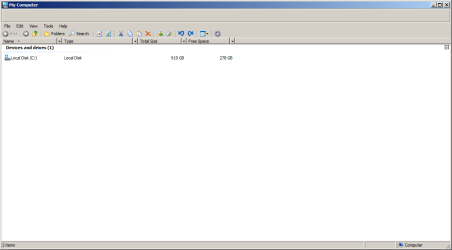
Awesome work, Anixx. This works so much better! Although, I still occasionally get a blank address bar (see attachment). The good news is this only seems to be happening now when I press Windows key + E to open Explorer windows. Before, the address bar would occasionally be visible when opening folders from a desktop shortcut or in a new Window. So this is quite a nice improvement.

Just out of curiosity, would it be possible to do the same for the ClientEdge AHK script? I honestly haven't really used that in a while, but I've been kind of wanting to use it again.

By the way, how's Windows 8 been for you?
 

Attachments

  • New-AddressBarRemover-problem.png
    New-AddressBarRemover-problem.png
    10.7 KB · Views: 4
Last edited:

My Computer My Computer

At a glance

Windows 7 Professional x64Intel Core i7-4510U CPU8 GB RAMIntel(R) HD Graphics (I so wish I could upgra...
Computer type
Laptop
Computer Manufacturer/Model Number
Dell Inspiron 15 7000 Series
OS
Windows 7 Professional x64
CPU
Intel Core i7-4510U CPU
Memory
8 GB RAM
Graphics Card(s)
Intel(R) HD Graphics (I so wish I could upgrade this)
Screen Resolution
1920x1080
Keyboard
Laptop keyboard
Mouse
Microsoft Mouse
Internet Speed
Nothing to write home about
Antivirus
Malwarebytes Anti Malware
Browser
Pale Moon (Firefox fork)
Other Info
My primary laptop has Windows 10 on it, and my shared desktop (which is actually a laptop being used as a desktop) has Windows 7 Professional on it. I still use both, but I would say I use my laptop a bit more now.
This script removes the address bar more reliably:


Awesome work, Anixx. This works so much better! Would it be possible to do the same for the ClientEdge AHK script?

ClientEdge works for me without any issues at all, in all windows where it is applicable. As I said, there are two versions, one is for "open folders in separate windows" checked, the other (more complicated) for the opposite case.

I have also updated the taskbar placement fixer, see the code above.

By the way, how's Windows 8 been for you?
It works much faster than Windows 7. I do not know why, actually, maybe because I disabled superfetch. Under Win 7 I experienced constant lags in games, no such problem in Win8. Also in Win7 it took a long time to switch from a full-screen game to the desktop using Alt+Tab, here it is fast. Under Win7 I always had to wait after exiting a game before using Classic Shell menu (it was always swapped) while here I can use the menu immediately. This may be because of disabled Superfetch though.

One additional advantage is the boot choice screen which is now displayed on the external monitor. I use a laptop in a desktop role with an external monitor and under Win7 I had to open the laptop to choose an operating system or a safe mode. Now I can do it without touching it.

I also like the default Win8 theme more than Aero (but of course less than the Classic theme).

There is a lot of disadwantages though: the system setup (autostart) settings were moved to the task manager which does not work with Classic theme, wi-fi setup also does not work.

One annoying problem is thatn occasionally in the Alt+Tab menu appear up to 3 unnamed applications, which cannot be trermanated with the task manager, only reboot helps (seems they appear after enetring sleep mode or mounting drives). But they do not consume mych resources. In all, Win 8 needs more setup.

But also I am grad that I got rid of the evil tearing...

Here is my desktop:

http://storage3.static.itmages.ru/i/15/0421/h_1429580528_1375088_19c12ed5ae.png
 

My Computer My Computer

At a glance

Windows 7
Computer type
PC/Desktop
OS
Windows 7
ClientEdge works for me without any issues at all, in all windows where it is applicable. As I said, there are two versions, one is for "open folders in separate windows" checked, the other (more complicated) for the opposite case.
Alright, I'll have to try it again.

It works much faster than Windows 7. I do not know why, actually, maybe because I disabled superfetch. Under Win 7 I experienced constant lags in games, no such problem in Win8. Also in Win7 it took a long time to switch from a full-screen game to the desktop using Alt+Tab, here it is fast. Under Win7 I always had to wait after exiting a game before using Classic Shell menu (it was always swapped) while here I can use the menu immediately. This may be because of disabled Superfetch though.

One additional advantage is the boot choice screen which is now displayed on the external monitor. I use a laptop in a desktop role with an external monitor and under Win7 I had to open the laptop to choose an operating system or a safe mode. Now I can do it without touching it.

I also like the default Win8 theme more than Aero (but of course less than the Classic theme).

There is a lot of disadwantages though: the system setup (autostart) settings were moved to the task manager which does not work with Classic theme, wi-fi setup also does not work.

One annoying problem is thatn occasionally in the Alt+Tab menu appear up to 3 unnamed applications, which cannot be trermanated with the task manager, only reboot helps (seems they appear after enetring sleep mode or mounting drives). But they do not consume mych resources. In all, Win 8 needs more setup.

But also I am grad that I got rid of the evil tearing...
Yeah, it does have some nice features. But there are some things I'm irritated with in Windows 8.1. Mainly, the OS checks certain system files for digital signatures, meaning that if you modify these files the system won't boot. This is especially annoying with shell32.dll.

The autostart settings have also been annoying for me, especially if you're using the classic Task Manager like I am. If you are, you can't even change those settings. But hey, at least the classic Task Manager works with the Classic Theme.

As for the unidentified applications in Alt+Tab, yeah I get that too. This happens to me when I'm using the Classic Theme and I wake my computer from sleep mode. Restarting Explorer.exe will remove them.
 

My Computer My Computer

At a glance

Windows 7 Professional x64Intel Core i7-4510U CPU8 GB RAMIntel(R) HD Graphics (I so wish I could upgra...
Computer type
Laptop
Computer Manufacturer/Model Number
Dell Inspiron 15 7000 Series
OS
Windows 7 Professional x64
CPU
Intel Core i7-4510U CPU
Memory
8 GB RAM
Graphics Card(s)
Intel(R) HD Graphics (I so wish I could upgrade this)
Screen Resolution
1920x1080
Keyboard
Laptop keyboard
Mouse
Microsoft Mouse
Internet Speed
Nothing to write home about
Antivirus
Malwarebytes Anti Malware
Browser
Pale Moon (Firefox fork)
Other Info
My primary laptop has Windows 10 on it, and my shared desktop (which is actually a laptop being used as a desktop) has Windows 7 Professional on it. I still use both, but I would say I use my laptop a bit more now.
This is especially annoying with shell32.dll.
What do you change in this file?

Restarting Explorer.exe will remove them.

It seems, I cannot restart the Explorer.exe: in starts in a window. Also after boot it starts only in window (need to re-login every time!)
 

My Computer My Computer

At a glance

Windows 7
Computer type
PC/Desktop
OS
Windows 7
Alright, so I remember the issues I was having with ClientEdge. This is nothing new, but I'm just going to re-post them anyways.

-Resizing effect when new folder is opened (in the same window). It will re-appear when the folder is refreshed again. I'm not sure how this can be fixed though, given how it's implemented. On XP, SysListView32 would always have a ClientEdge (at least with the classic theme) so it wouldn't need to worry about re-applying it each time a folder is opened.

-Refreshing a folder will remove the ClientEdge It will re-appear when the folder is refreshed again.

And that's really about it. I forgot how much better Explorer looks with this though.
 

My Computer My Computer

At a glance

Windows 7 Professional x64Intel Core i7-4510U CPU8 GB RAMIntel(R) HD Graphics (I so wish I could upgra...
Computer type
Laptop
Computer Manufacturer/Model Number
Dell Inspiron 15 7000 Series
OS
Windows 7 Professional x64
CPU
Intel Core i7-4510U CPU
Memory
8 GB RAM
Graphics Card(s)
Intel(R) HD Graphics (I so wish I could upgrade this)
Screen Resolution
1920x1080
Keyboard
Laptop keyboard
Mouse
Microsoft Mouse
Internet Speed
Nothing to write home about
Antivirus
Malwarebytes Anti Malware
Browser
Pale Moon (Firefox fork)
Other Info
My primary laptop has Windows 10 on it, and my shared desktop (which is actually a laptop being used as a desktop) has Windows 7 Professional on it. I still use both, but I would say I use my laptop a bit more now.
What do you change in this file?
Just an icon. I was wondering why this wouldn't work, so I did research and found that Windows 8.1 does in fact check shell32.dll for a digital signature on startup. However, I can modify shell32.dll.mui just fine, other DLL files can be modified with no problems. So far I've only had trouble with modifying shell32.dll (which will prevent the system from booting) and basebrd.dll (which will break activation). There are probably some other DLLs that aren't safe to modify anymore.

Anixx said:
Restarting Explorer.exe will remove them.
It seems, I cannot restart the Explorer.exe: in starts in a window. Also after boot it starts only in window (need to re-login every time!)[/QUOTE]
If you're using ClassicTheme.exe then that's why this happens. It's a result of it replacing Explorer.exe as the shell with itself. Alternatively, you can run userinit.exe to restart explorer. I wish it could be
 

My Computer My Computer

At a glance

Windows 7 Professional x64Intel Core i7-4510U CPU8 GB RAMIntel(R) HD Graphics (I so wish I could upgra...
Computer type
Laptop
Computer Manufacturer/Model Number
Dell Inspiron 15 7000 Series
OS
Windows 7 Professional x64
CPU
Intel Core i7-4510U CPU
Memory
8 GB RAM
Graphics Card(s)
Intel(R) HD Graphics (I so wish I could upgrade this)
Screen Resolution
1920x1080
Keyboard
Laptop keyboard
Mouse
Microsoft Mouse
Internet Speed
Nothing to write home about
Antivirus
Malwarebytes Anti Malware
Browser
Pale Moon (Firefox fork)
Other Info
My primary laptop has Windows 10 on it, and my shared desktop (which is actually a laptop being used as a desktop) has Windows 7 Professional on it. I still use both, but I would say I use my laptop a bit more now.
Alright, so I remember the issues I was having with ClientEdge. This is nothing new, but I'm just going to re-post them anyways.

-Resizing effect when new folder is opened (in the same window). It will re-appear when the folder is refreshed again. I'm not sure how this can be fixed though, given how it's implemented. On XP, SysListView32 would always have a ClientEdge (at least with the classic theme) so it wouldn't need to worry about re-applying it each time a folder is opened.

-Refreshing a folder will remove the ClientEdge It will re-appear when the folder is refreshed again.

And that's really about it. I forgot how much better Explorer looks with this though.

These issues may only appear if you use the wrong variant.
 

My Computer My Computer

At a glance

Windows 7
Computer type
PC/Desktop
OS
Windows 7
Alright, so I remember the issues I was having with ClientEdge. This is nothing new, but I'm just going to re-post them anyways.

-Resizing effect when new folder is opened (in the same window). It will re-appear when the folder is refreshed again. I'm not sure how this can be fixed though, given how it's implemented. On XP, SysListView32 would always have a ClientEdge (at least with the classic theme) so it wouldn't need to worry about re-applying it each time a folder is opened.

-Refreshing a folder will remove the ClientEdge It will re-appear when the folder is refreshed again.

And that's really about it. I forgot how much better Explorer looks with this though.

These issues may only appear if you use the wrong variant.
Really? I'll grab the other variant and try that one out.

Edit:

I'm still getting the problems. Here's variant I'm using:
#NoTrayIcon
#NoEnv
Gui +LastFound
hWnd := WinExist()
SetBatchLines -1
SetControlDelay, -1

DllCall( "RegisterShellHookWindow", UInt,hWnd )
MsgNum := DllCall( "RegisterWindowMessage", Str,"SHELLHOOK" )
OnMessage( MsgNum, "ShellMessage" )
Return

ShellMessage(wParam,lParam) {
If (wParam = 1 or wParam = 6) ; HSHELL_WINDOWCREATED := 1
{
WinGetClass, WinClass, ahk_id %lParam%

if (WinClass = "CabinetWClass") {
Sleep, 100
Control, ExStyle, ^0x200, FolderView, ahk_id %lParam%

WinSet, Redraw,, ahk_id %lParam%
WinGetPos, , , , h, ahk_id %lParam%
WinMove, ahk_id %lParam%,,,,,h-1
WinMove, ahk_id %lParam%,,,,,h
}
}
}
 

My Computer My Computer

At a glance

Windows 7 Professional x64Intel Core i7-4510U CPU8 GB RAMIntel(R) HD Graphics (I so wish I could upgra...
Computer type
Laptop
Computer Manufacturer/Model Number
Dell Inspiron 15 7000 Series
OS
Windows 7 Professional x64
CPU
Intel Core i7-4510U CPU
Memory
8 GB RAM
Graphics Card(s)
Intel(R) HD Graphics (I so wish I could upgrade this)
Screen Resolution
1920x1080
Keyboard
Laptop keyboard
Mouse
Microsoft Mouse
Internet Speed
Nothing to write home about
Antivirus
Malwarebytes Anti Malware
Browser
Pale Moon (Firefox fork)
Other Info
My primary laptop has Windows 10 on it, and my shared desktop (which is actually a laptop being used as a desktop) has Windows 7 Professional on it. I still use both, but I would say I use my laptop a bit more now.
Try to change the sleep time and/or duplicate the
Code:
Sleep, 100
Control, ExStyle, ^0x200, FolderView, ahk_id %lParam%
part several times.
 

My Computer My Computer

At a glance

Windows 7
Computer type
PC/Desktop
OS
Windows 7
Wow, setting the sleep time to 1 really makes a difference. Thanks Anixx! This still doesn't fix the folder refresh issue though. Also, the ClientEdge will disappear when folders are navigated quickly. But honestly the resizing was the biggest problem I had with this, and now that's fixed. Thanks again!

Edit:
Actually, it seems like any shell event will cause the ClientEdge to disappear.
 
Last edited:

My Computer My Computer

At a glance

Windows 7 Professional x64Intel Core i7-4510U CPU8 GB RAMIntel(R) HD Graphics (I so wish I could upgra...
Computer type
Laptop
Computer Manufacturer/Model Number
Dell Inspiron 15 7000 Series
OS
Windows 7 Professional x64
CPU
Intel Core i7-4510U CPU
Memory
8 GB RAM
Graphics Card(s)
Intel(R) HD Graphics (I so wish I could upgrade this)
Screen Resolution
1920x1080
Keyboard
Laptop keyboard
Mouse
Microsoft Mouse
Internet Speed
Nothing to write home about
Antivirus
Malwarebytes Anti Malware
Browser
Pale Moon (Firefox fork)
Other Info
My primary laptop has Windows 10 on it, and my shared desktop (which is actually a laptop being used as a desktop) has Windows 7 Professional on it. I still use both, but I would say I use my laptop a bit more now.
More reliable address bar remover:

Code:
#NoTrayIcon
#NoEnv
Gui +LastFound
hWnd := WinExist()
SetControlDelay, -1
SetBatchLines -1

DllCall( "RegisterShellHookWindow", UInt,hWnd )
MsgNum := DllCall( "RegisterWindowMessage", Str,"SHELLHOOK" )
OnMessage( MsgNum, "ShellMessage" )
Return
 
ShellMessage(wParam,lParam) {
   If (wParam = 1 ) ;  HSHELL_WINDOWCREATED := 1
   {

WinGetClass, WinClass, ahk_id %lParam%
if (WinClass = "CabinetWClass") {

ControlGetPos, ,y1,,ha,ReBarWindow321, ahk_id %lParam%

SendMessage, 0x0082,,,ReBarWindow321, ahk_id %lParam%

Control, Hide,, WorkerW1, ahk_id %lParam%
Control, Hide,, ReBarWindow321, ahk_id %lParam%

ControlGetPos,,y2,,h1,ShellTabWindowClass1, ahk_id %lParam%
ControlMove, ShellTabWindowClass1,, y1,,y2-y1+h1, ahk_id %lParam%
ControlMove, ReBarWindow321,,,,0, ahk_id %lParam%

WinSet, Redraw,, ahk_id %lParam%

Sleep, 100

SendMessage, 0x0082,,,ReBarWindow321, ahk_id %lParam%

Control, Hide,, WorkerW1, ahk_id %lParam%
Control, Hide,, ReBarWindow321, ahk_id %lParam%

ControlGetPos,,y2,,h1,ShellTabWindowClass1, ahk_id %lParam%
ControlMove, ShellTabWindowClass1,, y1,,y2-y1+h1, ahk_id %lParam%
ControlMove, ReBarWindow321,,,,0, ahk_id %lParam%

WinSet, Redraw,, ahk_id %lParam%

Sleep, 100

SendMessage, 0x0082,,,ReBarWindow321, ahk_id %lParam%

Control, Hide,, WorkerW1, ahk_id %lParam%
Control, Hide,, ReBarWindow321, ahk_id %lParam%

ControlGetPos,,y2,,h1,ShellTabWindowClass1, ahk_id %lParam%
ControlMove, ShellTabWindowClass1,, y1,,y2-y1+h1, ahk_id %lParam%
ControlMove, ReBarWindow321,,,,0, ahk_id %lParam%

WinSet, Redraw,, ahk_id %lParam%

Sleep, 100

SendMessage, 0x0082,,,ReBarWindow321, ahk_id %lParam%

Control, Hide,, WorkerW1, ahk_id %lParam%
Control, Hide,, ReBarWindow321, ahk_id %lParam%

ControlMove, ShellTabWindowClass1,, y1,,y2-y1+h1, ahk_id %lParam%
ControlMove, ReBarWindow321,,,,0, ahk_id %lParam%

WinSet, Redraw,, ahk_id %lParam%

   }
}
}

 

My Computer My Computer

At a glance

Windows 7
Computer type
PC/Desktop
OS
Windows 7
Well I tried deleting everything in the registry relating to the address bar/rebar, and now I don't have an address bar in open/save dialogs. I'm still getting it in explorer though.
Can you describe more exactly what exactly you did at this stage?
 

My Computer My Computer

At a glance

Windows 7
Computer type
PC/Desktop
OS
Windows 7
Well I tried deleting everything in the registry relating to the address bar/rebar, and now I don't have an address bar in open/save dialogs. I'm still getting it in explorer though.
Can you describe more exactly what exactly you did at this stage?
I've had the exact same results when deleting the CLSID registry settings relating to the address bar. These registry settings were discussed earlier in this thread.
 

My Computer My Computer

At a glance

Windows 7 Professional x64Intel Core i7-4510U CPU8 GB RAMIntel(R) HD Graphics (I so wish I could upgra...
Computer type
Laptop
Computer Manufacturer/Model Number
Dell Inspiron 15 7000 Series
OS
Windows 7 Professional x64
CPU
Intel Core i7-4510U CPU
Memory
8 GB RAM
Graphics Card(s)
Intel(R) HD Graphics (I so wish I could upgrade this)
Screen Resolution
1920x1080
Keyboard
Laptop keyboard
Mouse
Microsoft Mouse
Internet Speed
Nothing to write home about
Antivirus
Malwarebytes Anti Malware
Browser
Pale Moon (Firefox fork)
Other Info
My primary laptop has Windows 10 on it, and my shared desktop (which is actually a laptop being used as a desktop) has Windows 7 Professional on it. I still use both, but I would say I use my laptop a bit more now.
Back
Top