- Local time
- 2:10 AM
- Messages
- 1,049
Updated: added KB 3022345 to the list.
And highlighted updates that are only for Windows 8
And highlighted updates that are only for Windows 8
How to remove Windows 10 upgrade updates in Windows 7 and 8 - gHacks Tech NewsDo the following to check if an update is installed:
- KB 3035583 - According to Microsoft, this update enables "additional capabilities for Windows Update notifications when new updates are available".
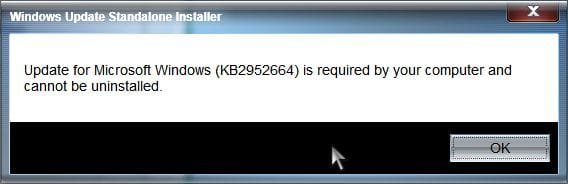
- KB 2952664 - Labeled a compatibility upgrade for upgrading Windows 7, its purpose is to "make improvements to the current operating system in order to ease the upgrade experience to the latest version of Windows".
- KB 2976978 - A compatibility update for Windows 8.1 and Windows 8 which "performs diagnostics on the Windows system [..] to determine whether compatibility issues may be encountered when the latest Windows operating system is installed.
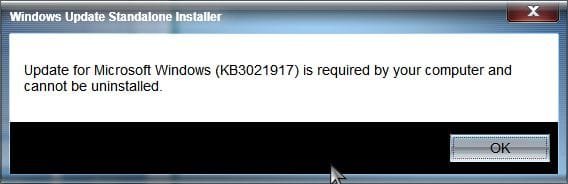
- KB 3021917 - Does the same as KB 2976978 but on Windows 7.
- KB 3044374 - This update for Windows 8.1 enables systems to upgrade from the current operating system to a later version of Windows.
- KB 2990214 - Does the same as KB 3044374 but on Windows 7.
- KB 3022345 - Update to enable the Diagnostics Tracking Service in Windows (Windows 7 SP1, Windows 8.1)
You can use the command line to remove Windows Patches as well.
- Tap on the Windows-key, type cmd and hit enter.
- Type powershell and hit enter.
- Use the command get-hotfix -id KB3035583 to find out whether the update is installed
- To speed things up, query for all updates in a single command like this:
get-hotfix -id KB3035583,KB2952664,KB2976978,KB3021917,KB3044374,KB2990214,KB3022345
- If you are still in Powershell type exit to leave.
- Use the command wusa /uninstall /kb:2952664 to uninstall a patch
Last edited by a moderator:
My Computer
At a glance
Windows 7 Pro 32Intel(R) Core(TM) i5 CPU M 540 @ 2.53GHz4,00 GB (Usable 2,98)NVIDIA NVS 5100M
- Computer type
- Laptop
- Computer Manufacturer/Model Number
- HP Elitebook 8540p
- OS
- Windows 7 Pro 32
- CPU
- Intel(R) Core(TM) i5 CPU M 540 @ 2.53GHz
- Motherboard
- Hewlett-Packard 1521
- Memory
- 4,00 GB (Usable 2,98)
- Graphics Card(s)
- NVIDIA NVS 5100M
- Sound Card
- NVIDIA High Definition Audio
- Screen Resolution
- 1600x900
- Hard Drives
- INTEL SSDSA2CW120G3
- Antivirus
- F-Secure Internet Security
- Browser
- IE, Firefox, Opera
- Other Info
- Sandboxie,
SRP (Software Restriction Policy),
EMET (Enhanced Mitigation Experience Toolkit),
WFC (Windows Firewall Control by BiniSoft),
Malwarebytes Premium