Mysteriously All my files are Missing after Windows Update

burakace

New member
Local time
1:04 AM
Messages
22
Experienced but first time experiencing this kind of a problem.

Last Actions before Problem
1- Automatic windows updates are usually turned off, I did quite a few windows updates
2- I then uninstalled google chrome including registry entries using an uninstaller software
3- I then put the laptop to sleep
4- Laptop runs on ac power (no battery), the plug was unplugged causing the laptop to restart windows
5- When the laptop came on, my desktop was empty including the desktop background, all documents, pictures, music, start menu programmes are gone..

Problem - There is now empty space in my drive and all files are gone, they are not hidden either. Have tried software like combofix incase it was malware causing the problem but no luck..

Additional Info - Running windows repair disc at boot finds the windows 8 installed rather than windows 7 and the drive letter is D: rather than C: I wanted to try the 're-install windows files and keep user data' using my laptop's recovery media but that option is inactive!?

Background Info - 1 year ago laptop was upgraded to windows 8 and then downgraded again to windows 7 using windows own upgrade application.

The question is, can it be malware, previous win 8 upgrade or sudden ac power loss which caused the problem?
 

My Computer My Computer

At a glance

Windows 7 64biti76gb
Computer type
Laptop
Computer Manufacturer/Model Number
Alienware
OS
Windows 7 64bit
CPU
i7
Memory
6gb
Hard Drives
500gb
Whenever files are deleted, they are just hidden until overwritten. You can get them back with shadow explorer.
Do not use the computer too much until they are restored. The hidden files will be overwritten when the sector is used.
Give this a try
ShadowExplorer.com - About
I do not think that it was malware.
 

My Computer My Computer

At a glance

Windows 10, Home Clean InstallIntel Core2 processsor Q8200(2.33Ghz 1333FSB)...6 gbATI Radeon 256MB HD3650
Computer type
PC/Desktop
Computer Manufacturer/Model Number
Dell XPS 420
OS
Windows 10, Home Clean Install
CPU
Intel Core2 processsor Q8200(2.33Ghz 1333FSB) Quad Core Tech
Motherboard
Dell
Memory
6 gb
Graphics Card(s)
ATI Radeon 256MB HD3650
Sound Card
Intergrated 7.1 Channel Audio
Monitor(s) Displays
Dell SP2009W 20"
Hard Drives
640 GB Serial ATA Hard drive
Cooling
Fan
Keyboard
Dell USB Keyboard
Mouse
Dell Premium Optical USB
Internet Speed
DSL 2.85
First of all, it's always best - by far - to have a backup of user data. If you can, go in with a Linux boot disk and see what's there and copy it over to an external drive.

I think what happened is all those updates wanted to set the BCD to fire the multi-stage update sequence. But when the computer was unplugged it lost its state because it was stored only in volatile memory. So now something is hosed because the updates are broken.

I would go to the Advanced Boot Options menu (F8 just as windows starts booting) and try "Last Known Good Config" and then System Restore.
 

My Computer My Computer

At a glance

Linux Lite 3.2 x64; Windows 7, 8.1Core2Duo 2.46GB ddr2nVidia
Computer type
PC/Desktop
Computer Manufacturer/Model Number
dell precision t3400 tower
OS
Linux Lite 3.2 x64; Windows 7, 8.1
CPU
Core2Duo 2.4
Memory
6GB ddr2
Graphics Card(s)
nVidia
Hard Drives
120gb SSD, 1TB HD, 2TB HD; sata II
Internet Speed
12/2
Browser
Vivaldi, Slimjet (Chromium) x64
Nothing in C:/Users ?
 

My Computer My Computer

At a glance

Windows 7 Ultimate x64 SP1AMD Phenom 2 1090T2x8GB Kingston HyperX Fury Black 1600Mhz Unga...MSI GTX 970 Gaming 4G
Computer type
PC/Desktop
Computer Manufacturer/Model Number
Custom Build
OS
Windows 7 Ultimate x64 SP1
CPU
AMD Phenom 2 1090T
Motherboard
Gigabyte GA-890FXA-UD5
Memory
2x8GB Kingston HyperX Fury Black 1600Mhz Unganged
Graphics Card(s)
MSI GTX 970 Gaming 4G
Sound Card
Realtek On-Board HD 7.1 Audio / Logitech G35
Monitor(s) Displays
3xAcer GD245HQ
Screen Resolution
1920x1080
Hard Drives
Samsung 850 Pro 512GB SSD - OS /
WD Caviar Black SATA 3 - 1 TBx2 - Dynamic RAID 0 /
WD Caviar Green SATA 2 - 640GBx2 - Dynamic RAID 0 /
WD Caviar Green SATA 2 - 640GB - Internal Backup /
Seagate Barracude SATA 3 - 3TB - External Backup/ Sync
PSU
HighPower 1000W
Case
Cooler Master HAF 932
Cooling
Noctua NH-D14
Keyboard
Logitech G19
Mouse
Logitech G500
Internet Speed
100/4 Mbit Cable (100GB quota)
Antivirus
ZoneAlarm Extreme Security / MBAM Pro / MBAE Free / SAS Free
Browser
IE 11 - Firefox - Chrome
Other Info
Logitech F710/ G27/ G940/ Z5500 // TrackIR 5 // Nvidia 3D Surround Vision
Can you boot into SafeMode and restore to a time prior to last Windows updates?
 

My Computer My Computer

At a glance

Windows 7 Ultimate
OS
Windows 7 Ultimate
Experienced but first time experiencing this kind of a problem.

Last Actions before Problem
1- Automatic windows updates are usually turned off, I did quite a few windows updates
2- I then uninstalled google chrome including registry entries using an uninstaller software
3- I then put the laptop to sleep
4- Laptop runs on ac power (no battery), the plug was unplugged causing the laptop to restart windows
5- When the laptop came on, my desktop was empty including the desktop background, all documents, pictures, music, start menu programmes are gone..

Problem - There is now empty space in my drive and all files are gone, they are not hidden either. Have tried software like combofix incase it was malware causing the problem but no luck..

Additional Info - Running windows repair disc at boot finds the windows 8 installed rather than windows 7 and the drive letter is D: rather than C: I wanted to try the 're-install windows files and keep user data' using my laptop's recovery media but that option is inactive!?

Background Info - 1 year ago laptop was upgraded to windows 8 and then downgraded again to windows 7 using windows own upgrade application.

The question is, can it be malware, previous win 8 upgrade or sudden ac power loss which caused the problem?

See in-line questions:

1- Automatic windows updates are usually turned off, I did quite a few windows updates
(Did you restart the computer after completing the updates?)
2- I then uninstalled google chrome including registry entries using an uninstaller software
(What uninstaller software?)
3- I then put the laptop to sleep
4- Laptop runs on ac power (no battery), the plug was unplugged causing the laptop to restart windows
5- When the laptop came on, my desktop was empty including the desktop background, all documents, pictures, music, start menu programmes are gone.
(Did you monitor the boot process when it was reconnected to AC power?)
 

My Computer My Computer

At a glance

Windows 7 Professional x64Intel i5 quad processor16 GBRadeon HD 5770
Computer type
PC/Desktop
Computer Manufacturer/Model Number
Custom Built
OS
Windows 7 Professional x64
CPU
Intel i5 quad processor
Motherboard
DP67BG
Memory
16 GB
Graphics Card(s)
Radeon HD 5770
Sound Card
Realtek High Definition Audio
Monitor(s) Displays
Samsung SyncMaster
Screen Resolution
1920X1080
Hard Drives
WD 2TB (SATA Internal)
WD 1TB (USB External)
PSU
Corsair GS800
Case
Tower (Generic)
Cooling
3 Internal Fans
Keyboard
MS Wireless
Mouse
MS Optical Wired
Internet Speed
54 mbps
Antivirus
Emsisoft
Browser
IE-Version 9, Palemoon-Version 24.2.0
How did you roll back Windows 8 Upgrade previously?

Browse into your files and search closely for those that are missing using Copy & Paste - in Windows Recovery Console.

If somehow rolled back to 8 as indicated then they may be in a Windows.old folder in C root.

If you can get camera snaps of your C and D root contents it may give us a clue.
 
I tried to run shadow explorer but it wont run, even the portable version from a usb will not run!? When I restarted computer and tried to run it again, this time it says files are missing, as if install files were deleted....

So I ran Z-VSSCopy instead which supposed to do the same job, however there are no shadow copies other than ones dated today....is there is a chance shadow explorer would bring up additional copies?


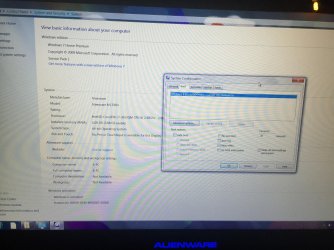
Also please see attached screenshot, it seems like windows is booting into previous win8 install, even though when it boots it is windows 7...
 

Attachments

  • IMG_6227.jpg
    IMG_6227.jpg
    679.6 KB · Views: 2

My Computer My Computer

At a glance

Windows 7 64biti76gb
Computer type
Laptop
Computer Manufacturer/Model Number
Alienware
OS
Windows 7 64bit
CPU
i7
Memory
6gb
Hard Drives
500gb
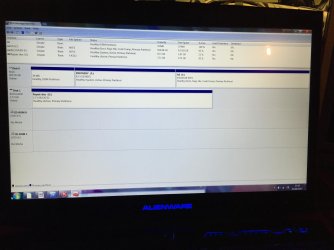
I was not able to open disk management by right clicking my computer>manage as it says the directory c:\programdata\.... does not exist so I opened it from \system32

I dont have a windows.old folder

Also as you can see my os is installed in c: but when using a windows repair disk it shows the os installed on d:
 

Attachments

  • IMG_6229.jpg
    IMG_6229.jpg
    489.3 KB · Views: 5

My Computer My Computer

At a glance

Windows 7 64biti76gb
Computer type
Laptop
Computer Manufacturer/Model Number
Alienware
OS
Windows 7 64bit
CPU
i7
Memory
6gb
Hard Drives
500gb
The drive letters may differ in WinRe.

I asked you earlier about browsing in using the Win7 Installation or Repair disk. You never replied so now i need to ask you again. I don't like to have to ask again as it means the required thoroughness is not being met. Either keep up with every single step or take it to a shop.
 
Sorry I did follow your instructions but didn't update you...

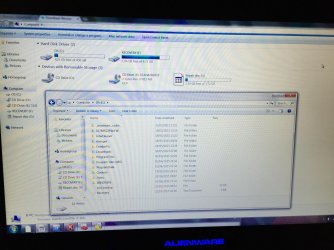
When browsing using repair disk, the files are still not there...

Have attached screenshot of c:

I dont remember 100% how I rolled back to win 7 but im pretty sure I used, windows own software..
 

Attachments

  • IMG_6230.jpg
    IMG_6230.jpg
    647.1 KB · Views: 1

My Computer My Computer

At a glance

Windows 7 64biti76gb
Computer type
Laptop
Computer Manufacturer/Model Number
Alienware
OS
Windows 7 64bit
CPU
i7
Memory
6gb
Hard Drives
500gb
Did you try Unhider? Any indication you had infection which hides files?

There's only 10gb space used above the OS so try to calculate what's using that as it might mean the files are there and hidden or dropped in the wrong folder or partition.

Try running Startup Repair to see if boot files need repair or redirecting from Win8.
 
I have ran this before > Unhide Download currently running it again now...

I have done startup repair numerous times, it seems like it does repairs but at the end says that startup repair was unable to....

I also ran combofix
 

My Computer My Computer

At a glance

Windows 7 64biti76gb
Computer type
Laptop
Computer Manufacturer/Model Number
Alienware
OS
Windows 7 64bit
CPU
i7
Memory
6gb
Hard Drives
500gb
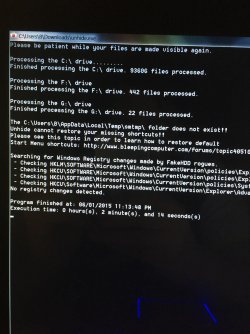
Unhide results..
 

Attachments

  • IMG_6231.jpg
    IMG_6231.jpg
    690.1 KB · Views: 0

My Computer My Computer

At a glance

Windows 7 64biti76gb
Computer type
Laptop
Computer Manufacturer/Model Number
Alienware
OS
Windows 7 64bit
CPU
i7
Memory
6gb
Hard Drives
500gb
This restores any files which are hidden and should not be that way by default. Do you see any of your missing files now?

There's only 10gb space used above the OS so try to calculate what's using that as it might mean the files are there and hidden or dropped in the wrong folder or partition.

If there is much more than that then they may have been deleted requiring to run file Recovery Software like Recuva - Features
 
Last edited:
Ok I am downloading the .iso file, I am assuming I can just mount and run or burn and run. Will update you as soon as I have done it...

I had around 400gb of files before this problem...
 

My Computer My Computer

At a glance

Windows 7 64biti76gb
Computer type
Laptop
Computer Manufacturer/Model Number
Alienware
OS
Windows 7 64bit
CPU
i7
Memory
6gb
Hard Drives
500gb
I didnt realize the .iso file was to reinstall win7, I thought it was a software to unhide my files...

So I should do a re-install of windows? wouldnt that make it harder to get my files back? I have my original win7 cd for my computer shall I use that instead?
 

My Computer My Computer

At a glance

Windows 7 64biti76gb
Computer type
Laptop
Computer Manufacturer/Model Number
Alienware
OS
Windows 7 64bit
CPU
i7
Memory
6gb
Hard Drives
500gb
Ok I understand, I guess that is the only option left. Thanks for your time.
 

My Computer My Computer

At a glance

Windows 7 64biti76gb
Computer type
Laptop
Computer Manufacturer/Model Number
Alienware
OS
Windows 7 64bit
CPU
i7
Memory
6gb
Hard Drives
500gb
Back
Top