- Local time
- 1:40 AM
- Messages
- 8,138
Since the OP cited privacy, I would say that the OP would be interested in limiting the list of items that flows into any jumplist as items are manually deleted.
Setting NTFS folder level permissions via ICACLS might be able to prevent the list of extra items in the first place. Then the jumplists would be limited to only the items shown. This is not what the OP asked for, but it might be acceptable and requires no ongoing labor.
If the OP is concerned about privacy, then the WebCache folder might be worth researching. It too tracks some files that are opened.
Where you able to test this? I still saw jumplists after deleting the contents ofOkay so there's a long discussion on the subject here:
https://social.technet.microsoft.co...mp-list-history-location?forum=w7itprogeneral
The professionals commenting there say that you cannot partially clear some items from the jump list. One option as UserNameIssues hinted at earlier is to prevent apps from creating jumplists but then there will be no application specific history at all. You might still get a recent intems list on the start menu.
I'm pretty much out of ideas now!
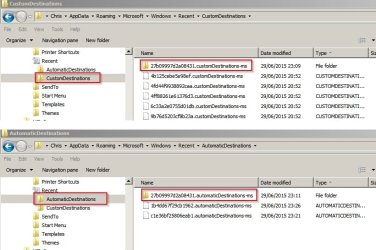
C:\Users\username\AppData\Roaming\Microsoft\Windows\Recent\AutomaticDestinations
C:\Users\username\AppData\Roaming\Microsoft\Windows\Recent\CustomDestinations
I never figured out the ICACLS syntax to make the folders read only to all accounts.
My Computer
At a glance
W7 Pro SP1 64biti78GBIntel HD Graphics
- Computer type
- Laptop
- Computer Manufacturer/Model Number
- Employer provided Dell Latitude
- OS
- W7 Pro SP1 64bit
- CPU
- i7
- Memory
- 8GB
- Graphics Card(s)
- Intel HD Graphics
- Hard Drives
- crappy SSD
- Antivirus
- Employer mandated Symantec Endpoint Protection
- Browser
- Pale Moon 64bit, IE11 64bit & Chrome 64bit