Product key in registry does not correspond with product key in BIOS

riddler

New member
Local time
5:14 PM
Messages
9
I have been reading posts on seven-/eight-/tenforums for years with pleasure and gratitude for all the solutions they provided. But my current issue is one of the strangest things I've encountered in all these years. Have been searching through a lot of posts but haven't found any similar issue (or solution for it) yet. So here it goes.

Symptom: the OEM product key in the registry of a Windows 7 Pro installation (laptop) does not correspond with the OEM product key in the laptop's BIOS.

Here's the situation in short. It concerns a laptop from a student friend of mine who asked me to upgrade her current Windows 7 Pro x64 OS to Windows 10. She couldn't tell me if the installation was the original OEM factory partition or if it (perhaps) could be a pirated version. Since I wasn't about to just upgrade to Windows 10 without checking the authenticity of the Windows 7 OS, I performed the regular checks: see if it was activated already by running the "Activate Windows" program (check), check under Control Panel -> System and Maintenance -> System tab if the OS was already activated (check) and run Microsoft's online Validation Tool (check). Everything seems fine, the OS is activated and genuine.

Still, the COA sticker was missing. My friend didn't have any physical recovery media or other stuff with a license sticker on it. So I thought I'd check the product key stored in the BIOS and compare it with the product key in the registry. If they'd correspond, all would be well.

However, things turned out differently. After retrieving the product key from the registry with several programs (Magical Jellybean Key Finder, Belarc Advisor and Windows Product Key Finder Pro), I compared it with the BIOS product key (retrieved with NeoSmart Technologies' Windows OEM Product Key Tool). Result: they did not correspond. I couldn't believe it at first and double checked it with another program that retrieves both the registry product key and the BIOS product key and lists it in one table (One Up's Recover Keys). It confirmed my initial result.

I know that it's possible to run a pirated version that is activated and appears to be genuine and pass the validation tool. And since it's a students' laptop, I can't rule this out. But it could also be possible that another genuine OEM version has been installed on the laptop (and thus activated and genuine). And that's why I want to be absolutely sure I'm doing the right thing with upgrading to Windows 10. Therefore, I'm a bit stuck in my upgrade decision process.

My questions are:

1. Should I just upgrade to Windows 10 on the current Windows 7 OS without knowing if the latter is truly genuine or not? I suppose that the Windows 10 upgrade will complete successfully since the current Windows 7 OS has passed the validation tool, but this is merely a prediction. I haven't tried upgrading a pirated Windows 7/8/8.1 OS, so I'm not sure what happens in such a situation.

2. If the first question is answered positive, will the Windows 10 upgrade use the registry product key of the Windows 7 installation (and register the laptop hardware on the MS servers and tie the new Windows 10 license to the laptop hardware config based on that registry product key)?

3. If second question is answered negative, will the Windows 10 upgrade use the BIOS product key?

4. I know that since the Windows 10 November update, it is not necessary anymore to upgrade from the Windows 7 OS first and then wipe everything for a clean full Windows 10 install. As I've read, one can immediately start with a clean full Windows 10 install and then enter the Windows 7 product key when prompted to enter a key during the install process. With this in mind, would it be sensible to immediately do a clean full Windows 10 install and enter the BIOS product key since this key is originally tied to the laptop hardware (and completely disregard the registry product key of the current Windows 7 OS)?

I realize these are a lot of questions, my apologies for this. But this situation has been boggling my mind for the past five hours. Hopefully you could help me out. Thanks in advance.
 
Last edited:

My Computer My Computer

At a glance

Windows 7 Ultimate x64
Computer type
PC/Desktop
OS
Windows 7 Ultimate x64
A windows 7 key is not stored or shown in the bios.
 

My Computer My Computer

At a glance

Windows 10 Pro x64Intel Core i7 6700KGSkill TridentZ RGB 16GB 3600 16-16-16-36EVGA GTX 980 Ti SC x2
Computer type
PC/Desktop
Computer Manufacturer/Model Number
Skylake Special #666
OS
Windows 10 Pro x64
CPU
Intel Core i7 6700K
Motherboard
Asus Sabertooth Z170 Mark 1
Memory
GSkill TridentZ RGB 16GB 3600 16-16-16-36
Graphics Card(s)
EVGA GTX 980 Ti SC x2
Sound Card
Realtek High Definition
Monitor(s) Displays
AOC G2460PG
Screen Resolution
1920 x 1080 144Hz
Hard Drives
Samsung 860 Pro 256GB, Seagate Barracuda 4TB x2
PSU
EVGA 1000 P2, EVGA White Custom Braided Cables
Case
Corsair Vengeance C70 Gunmetal Black
Cooling
Corsair H100i v2, Corsair ML120 x2, Thermal Grizzly Kryonaut
Keyboard
Logitech G910 Orion Spectrum
Mouse
Logitech G700s
Internet Speed
Verizon Fios Quantum Gateway 75/75
Antivirus
Windows Defender, Malwarebytes Free 3.8.3
Browser
Chrome
Other Info
Corsair SP120 x4, LG Blu-ray Drive, Durabrand HT-395 100 Watt Dolby Digital Amp, Corsair H2100 Wireless 7.1 Headset
@AddRAM: thnx for the quick response!

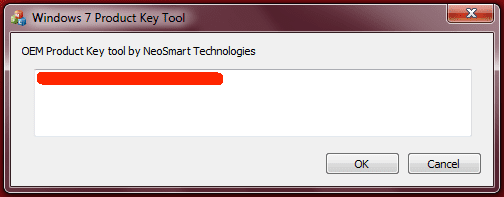
I also initially thought that only Windows 8/8.1 OEM keys are stored in the BIOS, but strangely NeoSmart Technologies' Windows OEM Product Key Tool does give a certain 'BIOS key' as a result (see attachment below).

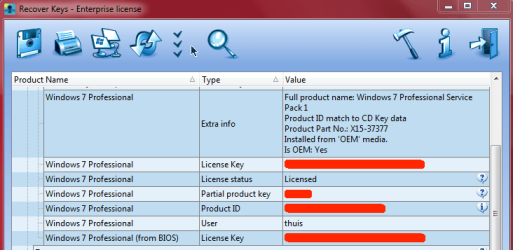
See other attachment to this post: the exact same result is also given by One Up's Recover Keys under "Windows 7 Professional (from BIOS) -> License Key". Also see that same attachment: the result under "Windows 7 Professional -> License Key" corresponds to the results given by Magical Jellybean Key Finder, Belarc Advisor and Windows Product Key Finder Pro (which all three extract from the registry).

If only one program extracts a so-called 'key from BIOS', it could easily be seen as an anomaly. But if two programs retrieve the exact same 'BIOS key' then surely that can't be a coincidence, right? Especially when the second program lists both the 'BIOS key' and the different registry key (which is confirmed by three other registry key retrievers)?

-----
 

Attachments

  • screenshot 1.png
    screenshot 1.png
    6.9 KB · Views: 54
  • screenshot 2.png
    screenshot 2.png
    20.3 KB · Views: 19

My Computer My Computer

At a glance

Windows 7 Ultimate x64
Computer type
PC/Desktop
OS
Windows 7 Ultimate x64

My Computer My Computer

At a glance

Windows 7 Professional SP1 x64 (OEM)Intel® Core™ i5 2430M/2410M ProcessorDDR3 1333 SODIMM (8GB)NVIDIA® GeForce® GT 555M (2GB)
Computer type
Laptop
Computer Manufacturer/Model Number
ASUS N45SF
OS
Windows 7 Professional SP1 x64 (OEM)
CPU
Intel® Core™ i5 2430M/2410M Processor
Motherboard
Intel® HM65 Express Chipset
Memory
DDR3 1333 SODIMM (8GB)
Graphics Card(s)
NVIDIA® GeForce® GT 555M (2GB)
Sound Card
Realtek High Definition Audio
Monitor(s) Displays
14.0" LED Backlight
Screen Resolution
16:9 HD (1366x768)
Hard Drives
640GB Seagate (internal), 1TB Toshiba Canvio Portable, 2TB x 2 WD My Book Essential (external)
Antivirus
Malwarebytes Anti-Malware Home (Premium)
Browser
Waterfox
Other Info
Optical Drive: Slimtype DVD A DS8A5SH (Super-Multi DVD);
Audio: Bang & Olufsen ICEpower®, SonicMaster
@kathy025: thnx for the tips and links :)

NoelDP's response and this article made it clear for me that a distinction should be made between the OEM:SLP key (which resides in the BIOS of the laptop) and the OEM:COA key (which can be found on the COA sticker).

I followed the bulleted list in the HowToGeek-article you mentioned:
  • Stored in software on your PC --> check; already retrieved the product key from the registry via various programs (see my previous posts in this thread);
  • Printed on a sticker --> check; already determined that the COA sticker is missing on the laptop;
  • Embedded in your PC's UEFI firmware --> check; the laptop has no UEFI and/or Windows 8/8.1 installed. The key that is embedded in the BIOS is an OEM SLP (as per NoelDP's response).
I also found this blog explaining how to retrieve the OEM:SLP key with a program called SLIC Toolkit. The blog's download link to the toolkit sadly contains a virus, so I haven't been able to try it out yet (searching for other download links brings me to shady sources). But I assume it will give the exact same result as NeoSmart's Windows OEM Product Key Tool and Recover Keys (under 'BIOS' key).

The HowToGeek-article also mentions running a VBS-script and using NirSoft's ProduKey. I've put the results in two attachments to this post.

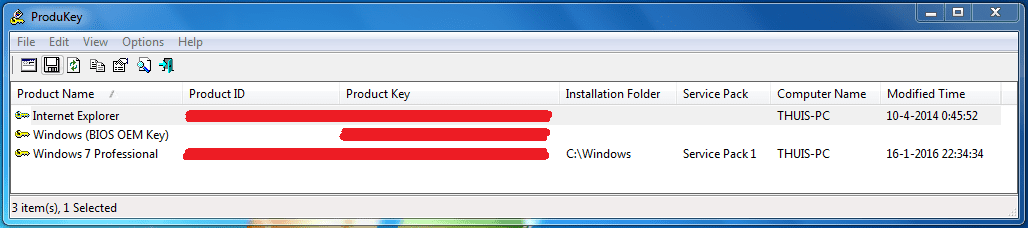
The VBS-script gives the exact same result as the other registry product key retrievers. NirSoft's ProduKey shows both the registry key and the BIOS key. The BIOS key corresponds with the results given by NeoSmart's Windows OEM Product Key Tool and Recover Keys (under 'BIOS' key).

I think that the laptop's current Windows 7 OS is a genuine and activated OS. However, as mentioned in my opening post the laptop unfortunately has no COA sticker. So I'll just write down the registry product key of the current OS and do the upgrade to Windows 10 from the current OS. Once I've finished and all is well, I'll come back to it in this thread and give you my end result.

Small follow-up question in the meantime: suppose I had received the laptop with a complete blank harddrive (i.e. everything wiped including all factory and restore partitions) and the only key that I could retrieve is the OEM SLP key from the BIOS, could I use this key to re-install Windows 7 on the laptop? (not sure how I would get OEM media to do the installation, but that would be a later concern)

-----
 

Attachments

  • screenshot 3.PNG
    screenshot 3.PNG
    5.8 KB · Views: 47
  • screenshot 4.PNG
    screenshot 4.PNG
    16.7 KB · Views: 2
Last edited:

My Computer My Computer

At a glance

Windows 7 Ultimate x64
Computer type
PC/Desktop
OS
Windows 7 Ultimate x64

My Computer My Computer

At a glance

W7 home premium 32bit/W7HP 64bit/w10 tp insid...E5300 dual core3gbNvidia Geforce 7100 Nforce 630i
Computer type
PC/Desktop
Computer Manufacturer/Model Number
medionl/Aspire 6930G/acer x55a
OS
W7 home premium 32bit/W7HP 64bit/w10 tp insider ring
CPU
E5300 dual core
Motherboard
medion MS7366
Memory
3gb
Graphics Card(s)
Nvidia Geforce 7100 Nforce 630i
Monitor(s) Displays
avixc
Internet Speed
n (isp resticted to 72)
Antivirus
mse/pands
Browser
palemoon
Other Info
Belkin Fd7050 n USB using Railink RT2870 drivers, more upto date
@torchwood (Roy): totally forgot about MXdiag. Thnx for reminding.

Code:
Diagnostic Report (1.9.0027.0):
-----------------------------------------
Windows Validation Data-->

Validation Code: 0
Cached Online Validation Code: 0x0
Windows Product Key: *****-*****-WWYF9-R9DCR-QB9CK
Windows Product Key Hash: 9qUnykN7Dhap+p4EDDmqAMCqFfM=
Windows Product ID: 00371-OEM-8992671-00007
Windows Product ID Type: 2
Windows License Type: OEM SLP
Windows OS version: 6.1.7601.2.00010100.1.0.048
ID: {D830BFEE-87E4-42F2-A7B6-D284DCB2801F}(1)
Is Admin: Yes
TestCab: 0x0
LegitcheckControl ActiveX: N/A, hr = 0x80070002
Signed By: N/A, hr = 0x80070002
Product Name: Windows 7 Professional
Architecture: 0x00000009
Build lab: 7601.win7sp1_gdr.151230-0600
TTS Error: 
Validation Diagnostic: 
Resolution Status: N/A

Vista WgaER Data-->
ThreatID(s): N/A, hr = 0x80070002
Version: N/A, hr = 0x80070002

Windows XP Notifications Data-->
Cached Result: N/A, hr = 0x80070002
File Exists: No
Version: N/A, hr = 0x80070002
WgaTray.exe Signed By: N/A, hr = 0x80070002
WgaLogon.dll Signed By: N/A, hr = 0x80070002

OGA Notifications Data-->
Cached Result: N/A, hr = 0x80070002
Version: N/A, hr = 0x80070002
OGAExec.exe Signed By: N/A, hr = 0x80070002
OGAAddin.dll Signed By: N/A, hr = 0x80070002

OGA Data-->
Office Status: 109 N/A
OGA Version: N/A, 0x80070002
Signed By: N/A, hr = 0x80070002
Office Diagnostics: 025D1FF3-364-80041010_025D1FF3-229-80041010_025D1FF3-230-1_025D1FF3-517-80040154_025D1FF3-237-80040154_025D1FF3-238-2_025D1FF3-244-80070002_025D1FF3-258-3

Browser Data-->
Proxy settings: N/A
User Agent: Mozilla/4.0 (compatible; MSIE 8.0; Win32)
Default Browser: C:\Program Files\Internet Explorer\iexplore.exe
Download signed ActiveX controls: Prompt
Download unsigned ActiveX controls: Disabled
Run ActiveX controls and plug-ins: Allowed
Initialize and script ActiveX controls not marked as safe: Disabled
Allow scripting of Internet Explorer Webbrowser control: Disabled
Active scripting: Allowed
Script ActiveX controls marked as safe for scripting: Allowed

File Scan Data-->

Other data-->
Office Details: <GenuineResults><MachineData><UGUID>{D830BFEE-87E4-42F2-A7B6-D284DCB2801F}</UGUID><Version>1.9.0027.0</Version><OS>6.1.7601.2.00010100.1.0.048</OS><Architecture>x64</Architecture><PKey>*****-*****-*****-*****-QB9CK</PKey><PID>00371-OEM-8992671-00007</PID><PIDType>2</PIDType><SID>S-1-5-21-226357066-1169219840-648947338</SID><SYSTEM><Manufacturer>FUJITSU</Manufacturer><Model>LIFEBOOK E734</Model></SYSTEM><BIOS><Manufacturer>FUJITSU // Phoenix Technologies Ltd.</Manufacturer><Version>Version 1.20</Version><SMBIOSVersion major="2" minor="7"/><Date>20150203000000.000000+000</Date></BIOS><HWID>E3D13707018400F4</HWID><UserLCID>0413</UserLCID><SystemLCID>0413</SystemLCID><TimeZone>West-Europa (standaardtijd)(GMT+01:00)</TimeZone><iJoin>0</iJoin><SBID><stat>3</stat><msppid></msppid><name></name><model></model></SBID><OEM><OEMID>FUJ   </OEMID><OEMTableID>PC      </OEMTableID></OEM><GANotification/></MachineData><Software><Office><Result>109</Result><Products/><Applications/></Office></Software></GenuineResults>  

Spsys.log Content: 0x80070002

Licensing Data-->
Versie van Software Licensing-service: 6.1.7601.17514

Naam: Windows(R) 7, Professional edition
Beschrijving: Windows Operating System - Windows(R) 7, OEM_SLP channel
Activerings-id: 50e329f7-a5fa-46b2-85fd-f224e5da7764
Toepassings-id55c92734-d682-4d71-983e-d6ec3f16059f
Uitgebreide PID: 00371-00178-926-700007-02-1033-7601.0000-0992014
Installatie-id006882139185640332194436521073072531102842538625852080
URL van processorcertificaat: http://go.microsoft.com/fwlink/?LinkID=88338
URL van computercertificaat: http://go.microsoft.com/fwlink/?LinkID=88339
URL van gebruikte licentie: http://go.microsoft.com/fwlink/?LinkID=88341
URL van productcodecertificaat: http://go.microsoft.com/fwlink/?LinkID=88340
Gedeeltelijke productcode: QB9CK
Licentiestatus: licentie
Resterend aantal nieuwe Windows-activeringen: 2
Vertrouwde tijd: 17-1-2016 15:40:02

Windows Activation Technologies-->
HrOffline: 0x00000000
HrOnline: 0x00000000
HealthStatus: 0x0000000000000000
Event Time Stamp: 1:17:2016 03:56
ActiveX: Registered, Version: 7.1.7600.16395
Admin Service: Registered, Version: 7.1.7600.16395
HealthStatus Bitmask Output:


HWID Data-->
HWID Hash Current: NAAAAAEAAQABAAEAAAABAAAABgABAAEAln24uSw6xpHaJ+zqluhgO6KvVvTsFS7h9KTI9g==

OEM Activation 1.0 Data-->
N/A

OEM Activation 2.0 Data-->
BIOS valid for OA 2.0: yes
Windows marker version: 0x20001
OEMID and OEMTableID Consistent: yes
BIOS Information: 
  ACPI Table Name	OEMID Value	OEMTableID Value
  APIC			FUJ   		PC      
  FACP			FUJ   		PC      
  HPET			FUJ   		PC      
  MCFG			FUJ   		PC      
  SSDT			FUJ   		SataAhci
  SSDT			FUJ   		SataAhci
  SSDT			FUJ   		SataAhci
  SSDT			FUJ   		SataAhci
  SSDT			FUJ   		SataAhci
  UEFI			FUJ   		PC      
  TCPA			PTL		 CRESTLN
  MSDM			FUJ   		PC      
  ASF!			FUJ   		PC      
  UEFI			FUJ   		PC      
  FPDT			FUJ   		PC      
  SLIC			FUJ   		PC      
  UEFI			FUJ   		PC      
  SSDT			FUJ   		SataAhci
 

My Computer My Computer

At a glance

Windows 7 Ultimate x64
Computer type
PC/Desktop
OS
Windows 7 Ultimate x64
the only key that I could retrieve is the OEM SLP key from the BIOS, could I use this key to re-install Windows 7 on the laptop?
This may interest you:
How can I install an SLP key?
You cannot! SLP keys will NOT install on a standard installation of Windows using standard media (OEM, Retail, Upgrade, Technet/MSDN, etc. etc.) Additionally they may be locked to a particular OEM (ex. Dell.)
The only way you will get a copy of Windows installed using an SLP key is with the original installation media from the OEM, which is usually an imaged based "installation" with all the bloatware on it - maybe except in the case of Dell, which typically will ship Dell branded standard Windows installation media with the SLP key embedded. Point being, you'll never need to know what an SLP key is, because you'll never have to enter one during an installation - if you were to be prompted for a key during install, then the SLP key isn't embedded, and guess what, it won't work anyway.

Source: https://www.foolishit.com/tech-info/slp-product-keys/
Please run MGADiag as per torchwood's instruction so we can verify if you have an OEM SLP or a COA SLP. What you need is the COA SLP for re-installation.
 

My Computer My Computer

At a glance

Windows 7 Professional SP1 x64 (OEM)Intel® Core™ i5 2430M/2410M ProcessorDDR3 1333 SODIMM (8GB)NVIDIA® GeForce® GT 555M (2GB)
Computer type
Laptop
Computer Manufacturer/Model Number
ASUS N45SF
OS
Windows 7 Professional SP1 x64 (OEM)
CPU
Intel® Core™ i5 2430M/2410M Processor
Motherboard
Intel® HM65 Express Chipset
Memory
DDR3 1333 SODIMM (8GB)
Graphics Card(s)
NVIDIA® GeForce® GT 555M (2GB)
Sound Card
Realtek High Definition Audio
Monitor(s) Displays
14.0" LED Backlight
Screen Resolution
16:9 HD (1366x768)
Hard Drives
640GB Seagate (internal), 1TB Toshiba Canvio Portable, 2TB x 2 WD My Book Essential (external)
Antivirus
Malwarebytes Anti-Malware Home (Premium)
Browser
Waterfox
Other Info
Optical Drive: Slimtype DVD A DS8A5SH (Super-Multi DVD);
Audio: Bang & Olufsen ICEpower®, SonicMaster
@kathy025: thanks again!

Your link to the FoolishIT-article pretty much explains it all. A re-install with an OEM SLP key is ruled out. It can only be done with the OEM COA key. That means if the COA sticker is missing, the only way to get the OEM COA key is via the registry of the current OS. Luckily the laptop does have the current OS installed. Hopefully the MGAdiag result will show it is genuine.

So in that hypothetical case I mentioned (laptop with clean HD, no restore partition available to restore to factory partition, only OEM SLP key retrieved from BIOS) it means that I should either call the manufacturer of the laptop and hope they can provide installation media, or I should buy a new (I assume retail) license?

I have posted the MGADiag-results just a few minutes before your last post ;)
 
Last edited:

My Computer My Computer

At a glance

Windows 7 Ultimate x64
Computer type
PC/Desktop
OS
Windows 7 Ultimate x64
With laptops sometimes the COA sticker is in the battery compartment, did you check there ?
 

My Computer My Computer

At a glance

Multi-Boot W7_Pro_x64 W8.1_Pro_x64 W10_Pro_x6...AMD Athlon II x4 6206GB GSkill DDR2 800AMD 4670 GPU + AMD 4200 IGP
Computer type
PC/Desktop
Computer Manufacturer/Model Number
home built
OS
Multi-Boot W7_Pro_x64 W8.1_Pro_x64 W10_Pro_x64 +Linux_VMs +Chromium_VM
CPU
AMD Athlon II x4 620
Motherboard
Gigabyte GA-MA785G-UD3H
Memory
6GB GSkill DDR2 800
Graphics Card(s)
AMD 4670 GPU + AMD 4200 IGP
Sound Card
on board Realtek ALC889A
Monitor(s) Displays
RCA 40" LCD TV, Insignia 32" LCD TV, HP 15" LCD monitor
Screen Resolution
1680 x 1050
Hard Drives
OCZ Vertex 3 120GB,
Samsung F3 1TB (3),
Several others - WD, Seagate, Hitachi, ...
PSU
Corsair 500 W
Case
Rosewill mid tower
Cooling
CM 90mm rifle
Keyboard
Gyration wireless, Logitech wireless, Dell USB wired
Mouse
Gyration wireless, Logitech wireless, V7 USB wired
Internet Speed
Spectrum - 100Mbps D / 10Mbps U
Antivirus
Avast, MBAM3, EMET, WinPatrol
Browser
Pale Moon, Firefox, IE
Other Info
2 multi-boot PC's
Mainly HTPC/Office/Gen purpose (no gaming).
Trendnet USB KVM.
LG DVD burner/Blue Ray Player.
Tray system for removable SATA backup drives.

Not currently OCd, under-volted.
I use Hybrid sleep, rarely re-boot or shutdown.

Hauppauge HD-PVR, Avermedia PCIe TV Tuner, Hauppauge PCI TV Tuner.
Yes, the posts seemed to have overlapped. :)

So you do have an OEM SLP, too bad.
Did you buy it 2nd-hand or brand new?
Do you think you can get the store to assist you in obtaining the CoA key (present your official receipt of purchase, identify laptop via its serial number, etc.)?
It would be nice if you could save some money from buying a new one. :)
 

My Computer My Computer

At a glance

Windows 7 Professional SP1 x64 (OEM)Intel® Core™ i5 2430M/2410M ProcessorDDR3 1333 SODIMM (8GB)NVIDIA® GeForce® GT 555M (2GB)
Computer type
Laptop
Computer Manufacturer/Model Number
ASUS N45SF
OS
Windows 7 Professional SP1 x64 (OEM)
CPU
Intel® Core™ i5 2430M/2410M Processor
Motherboard
Intel® HM65 Express Chipset
Memory
DDR3 1333 SODIMM (8GB)
Graphics Card(s)
NVIDIA® GeForce® GT 555M (2GB)
Sound Card
Realtek High Definition Audio
Monitor(s) Displays
14.0" LED Backlight
Screen Resolution
16:9 HD (1366x768)
Hard Drives
640GB Seagate (internal), 1TB Toshiba Canvio Portable, 2TB x 2 WD My Book Essential (external)
Antivirus
Malwarebytes Anti-Malware Home (Premium)
Browser
Waterfox
Other Info
Optical Drive: Slimtype DVD A DS8A5SH (Super-Multi DVD);
Audio: Bang & Olufsen ICEpower®, SonicMaster
MXdiag

Hi Riddler,
Results from that report show

ALL GOOD.

The prod code is for W7 pro.
On a Fujitsu Lifebook E724, which was shipped with that version in 2015, BIOS date confirms this
Slic table is present and correct.

Notes
if you google the partial code its widely shown on the net and therfore likely to be Fujitsu base SLP code
It has been re-armed once.

Roy;)
 

My Computer My Computer

At a glance

W7 home premium 32bit/W7HP 64bit/w10 tp insid...E5300 dual core3gbNvidia Geforce 7100 Nforce 630i
Computer type
PC/Desktop
Computer Manufacturer/Model Number
medionl/Aspire 6930G/acer x55a
OS
W7 home premium 32bit/W7HP 64bit/w10 tp insider ring
CPU
E5300 dual core
Motherboard
medion MS7366
Memory
3gb
Graphics Card(s)
Nvidia Geforce 7100 Nforce 630i
Monitor(s) Displays
avixc
Internet Speed
n (isp resticted to 72)
Antivirus
mse/pands
Browser
palemoon
Other Info
Belkin Fd7050 n USB using Railink RT2870 drivers, more upto date
hints/tips

Riddler,
Make a full back-up using Macrium/Acronis, before you do anything.

There should be a factory reset Fkey, or option from boot to restore to initial shipped state.

Roy
 

My Computer My Computer

At a glance

W7 home premium 32bit/W7HP 64bit/w10 tp insid...E5300 dual core3gbNvidia Geforce 7100 Nforce 630i
Computer type
PC/Desktop
Computer Manufacturer/Model Number
medionl/Aspire 6930G/acer x55a
OS
W7 home premium 32bit/W7HP 64bit/w10 tp insider ring
CPU
E5300 dual core
Motherboard
medion MS7366
Memory
3gb
Graphics Card(s)
Nvidia Geforce 7100 Nforce 630i
Monitor(s) Displays
avixc
Internet Speed
n (isp resticted to 72)
Antivirus
mse/pands
Browser
palemoon
Other Info
Belkin Fd7050 n USB using Railink RT2870 drivers, more upto date
DavidE: With laptops sometimes the COA sticker is in the battery compartment, did you check there?

@DavidE: yep, not only did I check the battery compartment but also (to be absolutely sure) the RAM and harddrive compartment too. No COA sticker present :(

kathy025: So you do have an OEM SLP, too bad.
Did you buy it 2nd-hand or brand new?
Do you think you can get the store to assist you in obtaining the CoA key (present your official receipt of purchase, identify laptop via its serial number, etc.)?

@kathy025: the laptop is from a friend of mine and it's highly likely that she bought it second hand from another student. I don't think she got the official receipt at the time of the (second hand) purchase. I will try and contact the manufacturer to see if I can get installation media and perhaps even a COA key (won't count on it but I can always try).

torchwood: ALL GOOD.

The prod code is for W7 pro.
On a Fujitsu Lifebook E724, which was shipped with that version in 2015, BIOS date confirms this
Slic table is present and correct.

Notes
if you google the partial code its widely shown on the net and therfore likely to be Fujitsu base SLP code
It has been re-armed once.

@torchwood: That sounds good. With googling the partial code you mean the partial product key that MXDiag shows? Because I can indeed find several sites that show the exact same key (full 25 chars.) and which explain that it is a Fujitsu SLP key. Furthermore, could you point out what line shows that it has been re-armed once (trying to figure out how to read the MXDiag results so I won't have to ask next time ;)).

Make a full back-up using Macrium/Acronis, before you do anything.

There should be a factory reset Fkey, or option from boot to restore to initial shipped state.

I actually made a full disk image with Macrium Reflect this morning, just to be sure. Always good to have a backup in case things go wrong. I also considered doing a factory reset because the restore partition is present on the harddrive, so no problem performing a restore if needed. But if the currently installed Windows 7 Pro OS is all good then a factory reset would not be needed, right?

-----

So it has been determined now that the installed Windows 7 Pro is a genuine OEM SLP installation. Can I proceed to upgrade to Windows 10 without any issues, or do I still need the key from the COA sticker at some point? Because if the latter is the case, then I would not even try to upgrade to Windows 10 as the COA sticker is not present. It would save me a lot of trial-and-error time.
 

My Computer My Computer

At a glance

Windows 7 Ultimate x64
Computer type
PC/Desktop
OS
Windows 7 Ultimate x64
Hi Riddler,

Re MXdiag,
Base no of activations is 3, showing 2 under Licence status.
It was the partial code i searched on.

RE back-up

Did you back up the whole drive or just "C", do the whole drive.

AS you do not have the COA sticker, i would tend to upgrade via Windows Update, then perform a clean install. There are complete tutorials on this in our sister W10 forum.

Roy
 

My Computer My Computer

At a glance

W7 home premium 32bit/W7HP 64bit/w10 tp insid...E5300 dual core3gbNvidia Geforce 7100 Nforce 630i
Computer type
PC/Desktop
Computer Manufacturer/Model Number
medionl/Aspire 6930G/acer x55a
OS
W7 home premium 32bit/W7HP 64bit/w10 tp insider ring
CPU
E5300 dual core
Motherboard
medion MS7366
Memory
3gb
Graphics Card(s)
Nvidia Geforce 7100 Nforce 630i
Monitor(s) Displays
avixc
Internet Speed
n (isp resticted to 72)
Antivirus
mse/pands
Browser
palemoon
Other Info
Belkin Fd7050 n USB using Railink RT2870 drivers, more upto date
Re MXdiag,
Base no of activations is 3, showing 2 under Licence status.
It was the partial code i searched on.

RE back-up

Did you back up the whole drive or just "C", do the whole drive.

AS you do not have the COA sticker, i would tend to upgrade via Windows Update, then perform a clean install. There are complete tutorials on this in our sister W10 forum.

RE no of activations --> ah ok! I see it now. I'll remember this for the next time.
RE partial code --> cool, thnx. Then I initially did the right search.
RE back-up --> in these cases I always backup the whole drive with all partitions on it (this drive contains 4 partitions of which one is the recovery partition).

I'll take your advice to heart and perform the W10 upgrade tutorial from the sister forum, followed by the W10 clean install tutorial.

Thanks to everyone for all the helpful insights and tips, I'll come back to this thread when done and post my results (and mark as solved if everything is successfully performed).
 

My Computer My Computer

At a glance

Windows 7 Ultimate x64
Computer type
PC/Desktop
OS
Windows 7 Ultimate x64

My Computer My Computer

At a glance

Multi-Boot W7_Pro_x64 W8.1_Pro_x64 W10_Pro_x6...AMD Athlon II x4 6206GB GSkill DDR2 800AMD 4670 GPU + AMD 4200 IGP
Computer type
PC/Desktop
Computer Manufacturer/Model Number
home built
OS
Multi-Boot W7_Pro_x64 W8.1_Pro_x64 W10_Pro_x64 +Linux_VMs +Chromium_VM
CPU
AMD Athlon II x4 620
Motherboard
Gigabyte GA-MA785G-UD3H
Memory
6GB GSkill DDR2 800
Graphics Card(s)
AMD 4670 GPU + AMD 4200 IGP
Sound Card
on board Realtek ALC889A
Monitor(s) Displays
RCA 40" LCD TV, Insignia 32" LCD TV, HP 15" LCD monitor
Screen Resolution
1680 x 1050
Hard Drives
OCZ Vertex 3 120GB,
Samsung F3 1TB (3),
Several others - WD, Seagate, Hitachi, ...
PSU
Corsair 500 W
Case
Rosewill mid tower
Cooling
CM 90mm rifle
Keyboard
Gyration wireless, Logitech wireless, Dell USB wired
Mouse
Gyration wireless, Logitech wireless, V7 USB wired
Internet Speed
Spectrum - 100Mbps D / 10Mbps U
Antivirus
Avast, MBAM3, EMET, WinPatrol
Browser
Pale Moon, Firefox, IE
Other Info
2 multi-boot PC's
Mainly HTPC/Office/Gen purpose (no gaming).
Trendnet USB KVM.
LG DVD burner/Blue Ray Player.
Tray system for removable SATA backup drives.

Not currently OCd, under-volted.
I use Hybrid sleep, rarely re-boot or shutdown.

Hauppauge HD-PVR, Avermedia PCIe TV Tuner, Hauppauge PCI TV Tuner.
If you want to save a lot of time to get a clean install,
did you see this Ten Forums tutorial about a clean install ?
Clean Install Windows 10 Directly without having to Upgrade First - Windows 10 Forums

Doing a clean install would mean ALL programs currently installed in Win 7 would need to be re-installed !
If you can get the gatherosstate.exe i think you should be able to install Win 10.

I've considered to do an immediate full clean install without upgrading via the tutorial you're referring to. However, I think that tutorial is only valid for retail OS and not for an OEM OS, as I suppose the GenuineTicket.xml gathered by gatherosstate.exe will not work with an OEM OS. Several users in that thread have mentioned that gatherosstate.exe did not generate the necessary GenuineTicket.xml.

As far as I have understood since the Win10 November update, a clean install the old fashioned way (that is by entering the old Win7/8/8.1 key during the installation) can only be done when the COA key is available. In my previous posts I've mentioned that the COA sticker is not present on the laptop anymore. And as the MGADiag points out, the current OS is an OEM SLP installation (with OEM SLP key). The concurring OEM SLP key cannot be entered during a clean Win 10 installation.

By doing the upgrade first (which does not require the entry of the COA key), I can then do a full clean install. This clean install does not require any key to be entered, since the activation was already done during the upgrade on the Microsoft activation servers.

At least this is what I think and why torchwood advises to upgrade first and then do a clean install.
 

My Computer My Computer

At a glance

Windows 7 Ultimate x64
Computer type
PC/Desktop
OS
Windows 7 Ultimate x64
By doing the upgrade first (which does not require the entry of the COA key), I can then do a full clean install. This clean install does not require any key to be entered, since the activation was already done during the upgrade on the Microsoft activation servers.

At least this is what I think and why torchwood advises to upgrade first and then do a clean install.
That's probably your safest route. :)
 

My Computer My Computer

At a glance

Windows 7 Professional SP1 x64 (OEM)Intel® Core™ i5 2430M/2410M ProcessorDDR3 1333 SODIMM (8GB)NVIDIA® GeForce® GT 555M (2GB)
Computer type
Laptop
Computer Manufacturer/Model Number
ASUS N45SF
OS
Windows 7 Professional SP1 x64 (OEM)
CPU
Intel® Core™ i5 2430M/2410M Processor
Motherboard
Intel® HM65 Express Chipset
Memory
DDR3 1333 SODIMM (8GB)
Graphics Card(s)
NVIDIA® GeForce® GT 555M (2GB)
Sound Card
Realtek High Definition Audio
Monitor(s) Displays
14.0" LED Backlight
Screen Resolution
16:9 HD (1366x768)
Hard Drives
640GB Seagate (internal), 1TB Toshiba Canvio Portable, 2TB x 2 WD My Book Essential (external)
Antivirus
Malwarebytes Anti-Malware Home (Premium)
Browser
Waterfox
Other Info
Optical Drive: Slimtype DVD A DS8A5SH (Super-Multi DVD);
Audio: Bang & Olufsen ICEpower®, SonicMaster
Windows 7 OEM-SLP keys are not stored in the BIOS. The SLIC table, if present, only has OEM identifier info, there is no key in that code. OEM-SLP keys are entered on install by a script in the custom branded OEM install media. OEM-SLP keys are common OEM keys. For example, every Dell with Windows 7 Home Premium will have the same Windows 7 Dell OEM key. Google the last 5 digits of an OEM_SLP key and you'll get lots of hits. You can't use the OEM-SLP key with standard install media. Well you can, it will let you install, but it will not activate. Those keys are blocked from online activation. Factory Windows 7 OEM installs do not activate online, they activate against the BIOS SLIC table. That's why there is also a COA sticker with another Product Code on it. That key will work with standard install media. You may have to do a phone activation the first time you use though. I have in the past.

If you upgrade first, you won't have to enter any key and you'll get a digital entitlement. After that you can clean install that same version of Windows 10 and just click skip when prompted for a key. If you clean install now, without upgrading first, you have to install the correct version for the key your going to use. Plus the OEM-SLP key may not work when entering manually like that. Anybody could look those keys up with Google and try using them so they are likely blocked. You'd need the key on the COA sticker.
 

My Computer My Computer

At a glance

Windows 10 Education 64 bitAMD Phenom II X4 980 Black Edition Deneb 3.7GHz8GB 4GBx2 Kingston PC10600 DDR3 1333 MemoryZotac NVIDIA Geforce GT640 2 Gig DDR3 PCIe
Computer type
PC/Desktop
Computer Manufacturer/Model Number
Home Built
OS
Windows 10 Education 64 bit
CPU
AMD Phenom II X4 980 Black Edition Deneb 3.7GHz
Motherboard
Asus M4N68T-M V2 µATX Motherboard
Memory
8GB 4GBx2 Kingston PC10600 DDR3 1333 Memory
Graphics Card(s)
Zotac NVIDIA Geforce GT640 2 Gig DDR3 PCIe
Sound Card
VIA VT1708s High Definition Audio 8-channel Onboard
Monitor(s) Displays
22" LG E2242 1080p and 2 19" I-INC AG191D
Screen Resolution
1280x1024 - 1920x1080 - 1280x1024
Hard Drives
Crucial M100 256 GB SSD and 500 GB WD Blue SATA
PSU
Thermaltake TR 620
Case
Power Up Black ATX Mid-Tower Case
Cooling
Stock heatsink and fan
Keyboard
Logitech Wireless K350 Wave
Mouse
Logitech Wireless M570 Trackman Wheel
Internet Speed
80 Mbps Down 30 Mbps Up
Antivirus
Windows Defender
Browser
Internet Explorer 11
Other Info
HP DVD1040e Lightscribe - External USB2
Back
Top