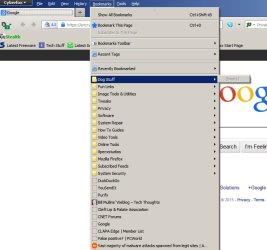
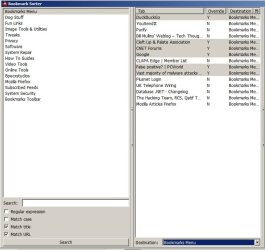
Bookmark Sorter 0.2 is an easy to use add on that helps you sort your bookmarks into folders very quickly.
Usage:
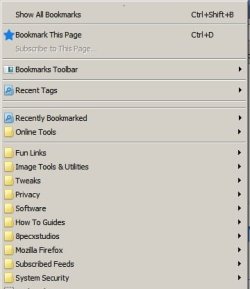
Create appropriate folders in Firefox bookmarks first:
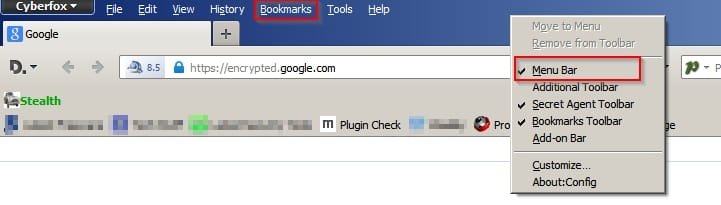
Click the Bookmark Sorter Icon in the Firefox toolbar to sort your bookmarks.
Bookmarks can be sorted by individually one at a time or by using Shift+Click to select similar blocks of bookmarks or else Ctrl+Shift to select similar bookmarks then choosing the destination folder and then finally click the "Sort" button.
You can also create your own text based rules for sorting bookmarks if you like.
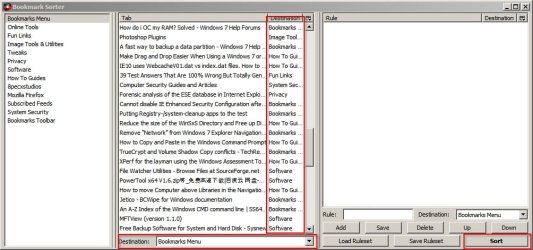
Download link for Bookmark Sorter:
https://addons.mozilla.org/en-US/firefox/addon/bookmark-sorter/?src=api
Usage:
Create appropriate folders in Firefox bookmarks first:
Click the Bookmark Sorter Icon in the Firefox toolbar to sort your bookmarks.
Bookmarks can be sorted by individually one at a time or by using Shift+Click to select similar blocks of bookmarks or else Ctrl+Shift to select similar bookmarks then choosing the destination folder and then finally click the "Sort" button.
You can also create your own text based rules for sorting bookmarks if you like.
Download link for Bookmark Sorter:
https://addons.mozilla.org/en-US/firefox/addon/bookmark-sorter/?src=api
My Computer
- Computer type
- Laptop
- Computer Manufacturer/Model Number
- ASUS
- OS
- Microsoft Windows 7 Home Premium 64-bit 7601 Multiprocessor Free Service Pack 1
- CPU
- AMD C-60 APU with Radeon(tm) HD Graphics
- Motherboard
- ASUSTeK COMPUTER INC. X501U
- Memory
- 4.00 GB
- Graphics Card(s)
- AMD Radeon HD 6290 Graphics
- Sound Card
- (1) AMD High Definition Audio Device (2) Realtek High Defi
- Screen Resolution
- 1366 x 768 x 32 bits (4294967296 colors) @ 60 Hz
- Hard Drives
- Hitachi HTS545050A7E380 SATA Disk Device
- Antivirus
- Comodo CIS & FW, SecureAplus App Whitelisting, Threatfire
- Browser
- Cyberfox 64bit, Opera 64bit, Airfox
- Other Info
- Spy-The-Spy, HitmanPro.Alert, Norton Connect Safe, MJRegWatcher, BitDefender TrafficLight, Voodoo Shield, Zemana AntiMalware