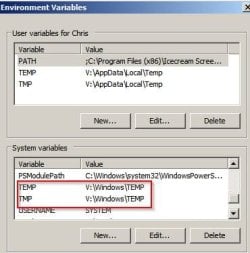
Do note that this is my view and opinion.
Frankly speaking, how each user uses the computer is different.
Hence, there are a lot of difference of opinion on about pagefile, on system SSD &or HDD &or RAM disk.
If one tend to use the computer for application that rely much resource, this is where pagefile &or RAM disk do play a part.
As for those who do not rely on such application, then it is different, as the system will seldom use pagefile.
For system managed on pagefile, upon first use, the system will create the pagefile is on one big sector, no gap.
As what i mean on this, is that the pagefile will not shrink the size.
This is different from normal files, such as application data, which may increase/shrink in size, accordingly.
Hence, the data is all over the Disk space - that is fragment.
Whereas, pagefile will always remain at 8GB as system managed.
It do not shrink and later increase in size.
In this way, it stay on that particular block sectors.
Windows 7 is said to improve on many features, which include how it manage pagefile.
Even if said that that block of sectors may damaged in the long run, it should not be any problem.
The system will take care of that.
If the pagefile is too small or move to the RAM, there would have some effect on performance.
The knock-on effect will be felt, when the application rely heavily on resource and unable to get, it may cause error.
But for user who do not do any application that required much resource, then a small pagefile on another drive is more than enough.
In the end, it is up to each user to consider on this pagefile size, convert some RAM to RAM disk, etc.

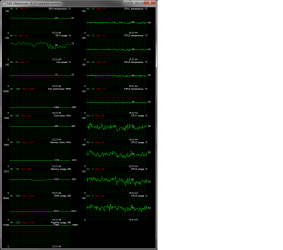
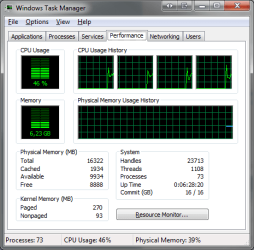
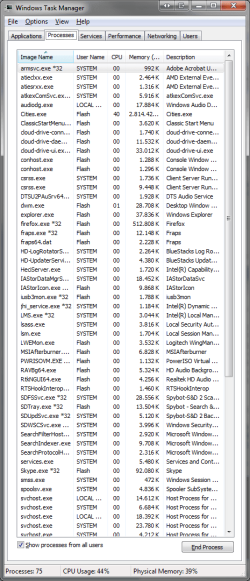

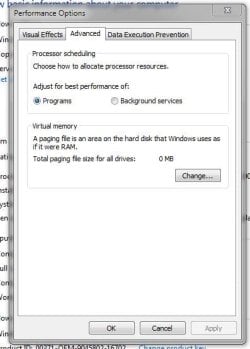

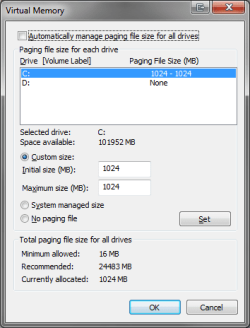
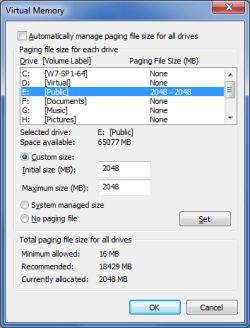


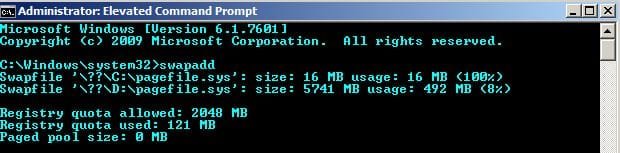
![Process Hacker [PC_Chris]+.jpg](https://www.sevenforums.com/data/attachments/211/211498-a0b214373f9a51677a278dde33d1cc4d.jpg?hash=kxXPhMfwWM "Process Hacker [PC_Chris]+.jpg")