Access is denied!

psvpilot59

New member
Local time
9:47 AM
Messages
4
Even now in the 21st century, we have hundreds of people still having problems accessing their 'OWN' files in Windows 7! I am the ONLY user of my PC and as such should be able to disable ALL restrictions to any files on it! I do not use UAC...."Why would I?" I only use the internet when I need to and only then do I activate my Anti-Virus software.

If I could run my Flight Simulators without a computer I would! I think computers are a right pain in the a,.e to be honest. Particularly when you have Big Brother Microsoft trying to control your life and telling you...."YOU DO NOT HAVE PERMISSION TO OPEN YOUR FILES!" I have tried most of the so called solutions put forward by well meaning people, but still can't edit my files! I even made myself an 'ELEVATED ADMINISTRATOR' but to no avail.

I am retired and spend most evenings in my den on my Simulators (FSX & P3D) for which I have spent thousands of pounds on hardware and software. I am an addicted aviator, I was a PPL until my heart attack in 2000 which put an abrupt halt to my flying. Hence the simulator in a spare room.

My question is simple and straight forward!

Can anyone out there please tell me how to DISABLE ALL RESTRICTIONS TO MY FILES? I edit configuration files all the time, as I am always adding or removing aircraft, scenery, airports etc. I must add however, I have the same problem in Windows 10! NEVER HAD THIS PROBLEM IN VISTA.

I really hope someone can tell me how to solve this problem!

Thankyou

Louis
 

My Computer

Computer type
PC/Desktop
Computer Manufacturer/Model Number
Custom Build
OS
Windows 7 Professional 64 bit
CPU
Intel i7 7700K
Motherboard
Gigabyte Z270 Gaming K3
Memory
32gb DDR4 3000mhz
Graphics Card(s)
Nvidia GTX 1080
Hard Drives
4 x 500gb SSD + 1 x 4tb WD HDD
Antivirus
KASPERSKY TOTAL PROTECTION
Browser
IE 11 + Mozilla Firefox
What files are you trying to edit in what folder? Ms has locked a lot of system files which will be owned by system so you can't destroy your system the idea is if you get a virus it will run on your account so it couldn't alter system files thus keep you safe
 

My Computer

Computer type
PC/Desktop
OS
win 8 32 bit
At the end of the day it is MY COMPUTER! When I (rarely) connect to the 'Net' I activate an expensive protection program. However, it is no big deal to me if my system somehow got destroyed! Both my operating systems are on their own SSD drives. Both my Flight Sims are also on their own SSD. I have everything backed up (once a week) on External drives. In the event of a system crash, I just call on a Backup or re-install from the installation disc. The files I need to edit are my Flt Sim Configuration files.

What I can't understand is: I've been using WIN 7 for the past 3 or 4 years with no such problems. I wonder if it's anything to do with the new computer I've just built?

Old PC: CPU Intel i7 3770K 4.5ghz - MOBO Gigabyte GA-Z77X-D3H (2013 TO 2017)

New PC: CPU Intel i7 7700K 4.2ghz -MOBO Gigabyte GA-Z270-GAMING K3 (2017......?)

It does seem strange that I didn't have this problem before?
 

My Computer

Computer type
PC/Desktop
Computer Manufacturer/Model Number
Custom Build
OS
Windows 7 Professional 64 bit
CPU
Intel i7 7700K
Motherboard
Gigabyte Z270 Gaming K3
Memory
32gb DDR4 3000mhz
Graphics Card(s)
Nvidia GTX 1080
Hard Drives
4 x 500gb SSD + 1 x 4tb WD HDD
Antivirus
KASPERSKY TOTAL PROTECTION
Browser
IE 11 + Mozilla Firefox
What are the security properties on the folder and file your trying to edit
 

My Computer

Computer type
PC/Desktop
OS
win 8 32 bit
My question is simple and straight forward!

Can anyone out there please tell me how to DISABLE ALL RESTRICTIONS TO MY FILES? I edit configuration files all the time, as I am always adding or removing aircraft, scenery, airports etc. I must add however, I have the same problem in Windows 10! NEVER HAD THIS PROBLEM IN VISTA.

I really hope someone can tell me how to solve this problem!
If you could provide some actual details and specifics, someone might be able to help you. Also, a picture's worth 1000 words, so a well-picked screenshot or two might convey your setup and situation quite well.

What program are you trying to run or function that are you trying to perform, which is giving you "access is denied"? Windows Explorer? Some other program?

Are you having problems when trying to open a folder? Or when trying to trying to simply open some file in a folder "for edit" (e.g. by Windows Explorer)? Or is some program trying to read the file as a normal "data" file that it works with all the time?

"Access is denied" usually comes when a file is currently open and in-use by Windows or some other running process that has it locked. Perhaps that still-running process didn't shut down correctly and is actually still unexpectedly running. Very often re-booting and then trying to get to that file again will work, since the culprit task has now not been started and is thus now no longer holding on to that file.

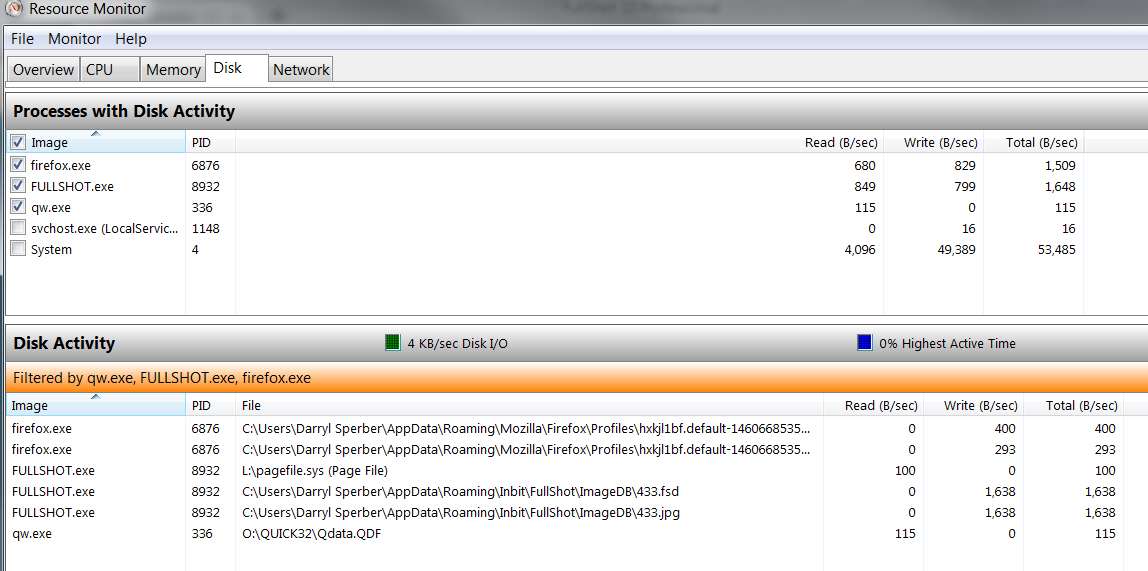
If you look at the list of running processes using Task Manager -> Resource Monitor -> DISK tab -> "processes with disk activity" (sorted into alphabetical sequence by clicking on the "image" column heading) and also open the "disk activity" category below it, you will be able to see all the running tasks which have some type of disk connection active and to what files. By checking only those tasks in the "processes with disk activity" list that you might really be interested in, the list in the "disk activity" group below is reduced and it might be easier for you to be a detective and spot the problem file you are unable to access because "access is denied".

cKDvCH.jpg


If you repeat the process after a re-boot when now you CAN get to the problem file, and you spot that some previously running task which had been accessing that file is no longer running (thus now allowing you to open the file), you will at least have found the culprit task which for some reason is failing to release its lock on that file when you think it should be done with it.

I'm just suggesting you use Task Manager -> Resource Monitor to try and gather some clues as to where the locked file is currently still being used in what looks like a non-shared way.
 

My Computer

Computer type
PC/Desktop
Computer Manufacturer/Model Number
Home-built, two systems (1) and (2)
OS
Windows 7 Pro x64 (1), Win7 Pro X64 (2)
CPU
i5-3350p 3.1Ghz/6MB-cache (1); E8400 3.0Ghz/6MB-cache (2)
Motherboard
ASUS P8Z77-V Pro (1); ASUS P5Q3 (2)
Memory
8GB PC3-12800 DDR3 (1); 4GB PC3-10600 DDR3 (2)
Graphics Card(s)
ATI HD7750 (1), (see TV cards); ATI R7 250 (2)
Sound Card
Realtek ALC892 HD Audio (1); Realtek ALC1200 HD Audio (2)
Monitor(s) Displays
Eizo HD2441W LCD, Eizo S2433W (1); Eizo 24" S2433W (2)
Screen Resolution
1920x1200, 1920x1200 (1); 1920x1200 (2)
Hard Drives
(1) 1TB SATA-II (7200RPM), 2x2TB SATA-III (7200RPM), 250GB SATA-III (10000RPM) for OS; 2x2TB external USB 3.0

(2) 320GB SATA-II (7200RPM), 750GB SATA-II (7200RPM), 150GB SATA-II (10000RPM) for OS; 2TB external USB 3.0
PSU
Nesteq ECS-6001 600W (1); Nesteq ECS-5001 500W (2)
Case
Acousti-Case 360 (1) and (2)
Cooling
Noctua NH-U12P SE2 for CPU, 2x120mm case fans (1) and (2)
Keyboard
IBM PS/2 (1) and (2)
Mouse
Logitech MX Revolution wireless (1); Microsoft wired (2)
Internet Speed
100mbps down / 10mbps up
Antivirus
Microsoft Security Essentials; Malwarebyte Anti-Malware Pro
Browser
Firefox
Other Info
Ceton InfiniTV 4-tuner cablecard-enabled TV card as well as Hauppauge HVR-2250 OTA/ATSC 2-tuner TV card in (1), running under Win7 WMC
I don't have a lot of problems with Win-7 (my everyday OS) but Win-10 is something else.

Just doing the setup on W-10 requires that I have to do some gymnastics to get full permission to do what I need to do.

First I install "Grant Admin Full Control", and then I Right click on the file that I need to modify and from the drop-down menu, I select "Grant Admin Full Control" and that makes me the 'Owner' of that file.

Even after that, I might still have to look at the 'Properties' of that file and take off the "Read Only" attribute. Finally after all that, I can, without fail, rename or even delete the file.

I shut down 'Cortana' in Win-10 by changing her Core.dll file to a .zzz file.

Having to go through all that for multiple files is a real pain in the hind quarter, but it's indeed DO'Able.
It just depends on my level of tolerance. :mad:

Just installing "Grant Admin Full Control" as soon as the initial OS setup is complete, makes my life so much more pleasant.

Good Luck and Happy Computing,
TechnoMage :cool:
 

My Computer

Computer type
PC/Desktop
Computer Manufacturer/Model Number
Various
OS
Win 7 Pro, SP1, x86, Win-11/Pro/64
CPU
AMD
Motherboard
Various
Memory
8GB Crucial
Graphics Card(s)
Various
Sound Card
OnBoard
Monitor(s) Displays
Acer 21.5"
Hard Drives
Crucial SSD, 500 GB
PSU
OEM
Case
SFF Slim Line Case
Cooling
OEM
Keyboard
eMachines
Mouse
Logitech Wireless
Internet Speed
varies
Antivirus
Windows Defender/Super Anti-Spyware
Browser
Firefox

Attachments

  • ScreenHunter_11 Oct. 26 00.19.jpg
    ScreenHunter_11 Oct. 26 00.19.jpg
    194.2 KB · Views: 11
  • ScreenHunter_12 Oct. 26 00.26.jpg
    ScreenHunter_12 Oct. 26 00.26.jpg
    120.5 KB · Views: 10

My Computer

Computer type
PC/Desktop
Computer Manufacturer/Model Number
Custom Build
OS
Windows 7 Professional 64 bit
CPU
Intel i7 7700K
Motherboard
Gigabyte Z270 Gaming K3
Memory
32gb DDR4 3000mhz
Graphics Card(s)
Nvidia GTX 1080
Hard Drives
4 x 500gb SSD + 1 x 4tb WD HDD
Antivirus
KASPERSKY TOTAL PROTECTION
Browser
IE 11 + Mozilla Firefox
First "rule" is never change access permissions to any files or Folders in the Windows Area, They are specially protected due to the vast amount of malware loose in the wild, this applies even to systems which are not connected to the internet, the protections you see are there as a default if programs do not set-up according to the guidelines for using windows. It even applies to some older designed Microsoft games and programs which were designed in the XP era which had virtually no security

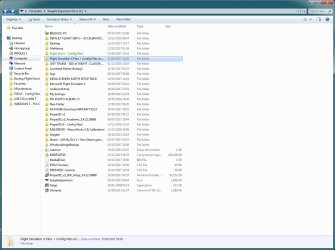
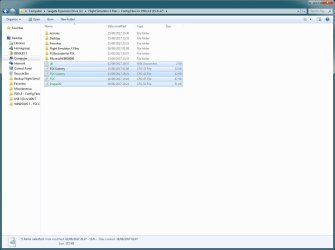
Looking at your screenshots it looks like the issue is with the file structure of an external drive L: (Data Drive), what you need to do is choose a view of your system in file explorer where you can see your various Drives at root level ...

  1. Right Click on the entry for L: drive
  2. Choose Properties
  3. Choose security Tab
  4. Click Advanced
  5. Click Edit
  6. Make sure that the "replace all child object permissions entries with inherited permissions from this object" is checked
  7. From the list select your user name and click on edit
  8. Check the "Full Control Checkbox and OK - the system will then spend a while applying changes - OK any pop-up boxes produced, and note where they occurred.

When completed you should have control of your drive If you still have issue you may have to re do the procedure starting at any points where messages were produced earlier ( these points are where there were slight errors introduced during use of the software.

This is the manual way of applying permissions that should be applied by the installer software when installing software.

there is a shortcut to achieve a similar ( but in some ways more dangerous way with some software ) and that is to
Change the owner at line 7 in the list

there are ways to add the take ownership to the right click of files and folders ) but I prefer the " correct way shown

Take Ownership Shortcut - Windows 7 Help Forums

Also in your case I've shown how to "correct" the permissions on the whole drive - If you are only interested in the actual config files you show in the screenshot you could just apply the corrections to the actual files or containing folder or even take ownership of the files using the right click option which would be a lot quicker

These type of permissions errors can often happen if you move an external drive between computers, or to a new system, as what we see as a username is not what the computer sees - User Fred on system one is not the same user Fred on system 2 to computers so when looking at the permissions lists or ownership do not worry if you see a long string of numbers starting with S as the owner or in the list as these are the names that the systms actually use
 
Last edited:

My Computers

System One System Two

  • Computer type
    PC/Desktop
    Computer Manufacturer/Model Number
    ChillBlast - Custom to my design
    OS
    Windows 11 Pro x64 [Latest Release and Release Preview]
    CPU
    Ryzen 9 5950X, 3.8 - 5.2 MHz
    Motherboard
    Asus Prime X570-Pro
    Memory
    64GB [2 x 32GB] DDR4 3200MHz
    Graphics Card(s)
    4GB NVIDIA GEFORCE GTX 1650 Ti
    Sound Card
    On-board SPDIF to 5.1 System + HDMI [5.1 system]
    Monitor(s) Displays
    32" UHD 32 Bit HDR Monitor + 43" UHD 4K 32Bit HDR TV
    Screen Resolution
    2 x 3840 x 2160 @60Hz
    Hard Drives
    1TB M2 SSD OS, 500GB Fast Access SSD, 2 x 8TB Data + Various Externals from 1TB to 4TB, 10TB NAS
    PSU
    NZXT C750 80 PLUS Gold 750W Modular PSU
    Case
    Workstation Case [Matt Black]
    Cooling
    NZXT Kraken X63 280mm CPU Cooler +2x Quiet Case fans
    Keyboard
    Logitech Wireless MX Keys & K400 + others
    Mouse
    Logitech Wireless MX Master 3S
    Internet Speed
    920 MB Down 50 MB Up
    Antivirus
    BitDefender Total Security Pro
    Browser
    Chrome (always run latest Non-Beta)
    Other Info
    Also run ...
    Laptop - Quad 8GB - Windows 10 Pro x64
    Nexus 7 Android tablet x2
    Samsung 10.2" tablet
    Blackview TAB 8 4G Android Tablet c/w Keyboard
    Wacom Intuos Pro Medium Pen Pad
    Wacom Intuos Pro Small Pen Pad
    Wacom Expresskeys Remote
    Loopdeck+ Graphics Controller
    Shuttle Pro v2 Control
  • Computer type
    Laptop
    System Manufacturer/Model Number
    Dell XPS 17 10750H
    OS
    Windows 11 Pro x64 Latest RP
    CPU
    Intel I7 10750H 5.0GHz
    Motherboard
    Dell XPS
    Memory
    32GB [2x16GB] DDR4 2933 MHz
    Graphics Card(s)
    nVidia GTX1650Ti 4 GB GDDR6
    Sound Card
    Stock [Realtek] 4 Speaker
    Monitor(s) Displays
    17" IPS UHD+ Infinity Edge Touchscreen
    Screen Resolution
    3840 x 2400
    Hard Drives
    2TB M2 NVMe, 4TB External + various 500GB & 1TB External NVMe (also have access to spinner HDD from
    PSU
    Stock
    Case
    Stock XPS Aluminium & Carbon Fibre
    Cooling
    Stock - Active Fan Control
    Keyboard
    Backlit + Various Logitech
    Mouse
    Stock Track Pad + Logitech MX Trackball
    Internet Speed
    72 MB Down 18MB Up
    Browser
    Chrome
    Other Info
    Also run ...
    Laptop - Quad 8GB - Windows 10 Pro x64
    Nexus 7 Android tablet x2
    10.2" tablet
    Sony Z3 Android Smartphone
    Wacom Intuos Pro Medium Pen Pad
    Wacom Intuos Pro Small Pen Pad
    Wacom Expresskeys Remote
    Loopdeck+ Graphics Controller
    Shuttle Pro v2 Control Pad
    10TB NAS
Hello Nigel,

I've tried everything you said over the past week and still can't get into the required files! I think you hit the nail on the head, when you mentioned moving external drives from one computer to another. That is exactly what I have just done! I moved drives from my old machine to my new one, including the external USB drive! At the end of the day, it's not the end of the world. I can manage without those files, but it would have saved me a considerable amount of time setting up my flight sim!

Thankyou for taking the time to try and help me with this, I do appreciate it.

Also: Thankyou to everyone else who tried to help.

Louis
 

My Computer

Computer type
PC/Desktop
Computer Manufacturer/Model Number
Custom Build
OS
Windows 7 Professional 64 bit
CPU
Intel i7 7700K
Motherboard
Gigabyte Z270 Gaming K3
Memory
32gb DDR4 3000mhz
Graphics Card(s)
Nvidia GTX 1080
Hard Drives
4 x 500gb SSD + 1 x 4tb WD HDD
Antivirus
KASPERSKY TOTAL PROTECTION
Browser
IE 11 + Mozilla Firefox
(I just want to comment on your experience, because Win 7 has driven me nuts more than a few time while observing the rules of the UAC. I acquired this Win 7 machine almost a year ago. It took me 8 months (not continuously, of course) to figure out how to trick the system into installing Inquisit, an optional program that I need for some tasks at work. I've given up on installing a few others, finding similar substitutes instead.)
 

My Computer

Computer type
PC/Desktop
Computer Manufacturer/Model Number
HP p6-2020t
OS
Win 7 Ult 64-bit
CPU
G620 2.6GHZ Pentium R
Memory
6 GB
Monitor(s) Displays
25" HPLV2311
Screen Resolution
1920 x 1200
Hard Drives
1 SATA, 1 exterior SATA
Case
HP
Cooling
PSU
Antivirus
Glasswire
Browser
Waterfox; Firefox; Chrome for work
Other Info
Firewall--Glasswire
Similar specs in Gateway DX4200
Verizon FIOS Wired network

1 other Win7 computer-- has SSD
Hello Nigel,

I've tried everything you said over the past week and still can't get into the required files! I think you hit the nail on the head, when you mentioned moving external drives from one computer to another. That is exactly what I have just done! I moved drives from my old machine to my new one, including the external USB drive! At the end of the day, it's not the end of the world. I can manage without those files, but it would have saved me a considerable amount of time setting up my flight sim!

Thankyou for taking the time to try and help me with this, I do appreciate it.

Also: Thankyou to everyone else who tried to help.

Louis

hello Louis, sorry not got back sooner, Life got in the way ;)

There is one last possibility to try - There is a hidden administrator in windows 7 that has rights more of a level that was provided by the administrator in XP

It needs to be unlocked before you can use it for any purpose

Built-in Administrator Account - Enable or Disable - Windows 7 Help Forums

and can be renamed to something more subtle if you wish

Built-in Administrator Account - Change Name - Windows 7 Help Forums

Now if you do the above you should see an extra user on the login screen, now you can just swap to using this new user ( and if you wish rename it to replace you current user and delete your current user), this would possibly involve some re-installation of your current setup to run the Flight Sim to get it to work

However as this would weaken the security of the system I would suggest a more complex but safer usage system - continue to use the normal user for your Day to Day Flying ;) and after setting a decent password to the (renamed?) hidden administrator, Use it for editing the config files or other blocked items, ( I am assuming that these would only need editing occasionally)

This system should allow you to run the simulator as you wish and still keep the safety needed for the modern operating System

Which ever method you decide on I would suggest you use at least the first tutorial and check that you can use it to edit your files if it does that you can then decide which way to go - if not ( unlikely but possible if there has been some damage to the protection on those files), you can simply re-hide the hidden administrator and be back to how you are now

Hopefully we can get you back to being in control of your system :)
 

My Computers

System One System Two

  • Computer type
    PC/Desktop
    Computer Manufacturer/Model Number
    ChillBlast - Custom to my design
    OS
    Windows 11 Pro x64 [Latest Release and Release Preview]
    CPU
    Ryzen 9 5950X, 3.8 - 5.2 MHz
    Motherboard
    Asus Prime X570-Pro
    Memory
    64GB [2 x 32GB] DDR4 3200MHz
    Graphics Card(s)
    4GB NVIDIA GEFORCE GTX 1650 Ti
    Sound Card
    On-board SPDIF to 5.1 System + HDMI [5.1 system]
    Monitor(s) Displays
    32" UHD 32 Bit HDR Monitor + 43" UHD 4K 32Bit HDR TV
    Screen Resolution
    2 x 3840 x 2160 @60Hz
    Hard Drives
    1TB M2 SSD OS, 500GB Fast Access SSD, 2 x 8TB Data + Various Externals from 1TB to 4TB, 10TB NAS
    PSU
    NZXT C750 80 PLUS Gold 750W Modular PSU
    Case
    Workstation Case [Matt Black]
    Cooling
    NZXT Kraken X63 280mm CPU Cooler +2x Quiet Case fans
    Keyboard
    Logitech Wireless MX Keys & K400 + others
    Mouse
    Logitech Wireless MX Master 3S
    Internet Speed
    920 MB Down 50 MB Up
    Antivirus
    BitDefender Total Security Pro
    Browser
    Chrome (always run latest Non-Beta)
    Other Info
    Also run ...
    Laptop - Quad 8GB - Windows 10 Pro x64
    Nexus 7 Android tablet x2
    Samsung 10.2" tablet
    Blackview TAB 8 4G Android Tablet c/w Keyboard
    Wacom Intuos Pro Medium Pen Pad
    Wacom Intuos Pro Small Pen Pad
    Wacom Expresskeys Remote
    Loopdeck+ Graphics Controller
    Shuttle Pro v2 Control
  • Computer type
    Laptop
    System Manufacturer/Model Number
    Dell XPS 17 10750H
    OS
    Windows 11 Pro x64 Latest RP
    CPU
    Intel I7 10750H 5.0GHz
    Motherboard
    Dell XPS
    Memory
    32GB [2x16GB] DDR4 2933 MHz
    Graphics Card(s)
    nVidia GTX1650Ti 4 GB GDDR6
    Sound Card
    Stock [Realtek] 4 Speaker
    Monitor(s) Displays
    17" IPS UHD+ Infinity Edge Touchscreen
    Screen Resolution
    3840 x 2400
    Hard Drives
    2TB M2 NVMe, 4TB External + various 500GB & 1TB External NVMe (also have access to spinner HDD from
    PSU
    Stock
    Case
    Stock XPS Aluminium & Carbon Fibre
    Cooling
    Stock - Active Fan Control
    Keyboard
    Backlit + Various Logitech
    Mouse
    Stock Track Pad + Logitech MX Trackball
    Internet Speed
    72 MB Down 18MB Up
    Browser
    Chrome
    Other Info
    Also run ...
    Laptop - Quad 8GB - Windows 10 Pro x64
    Nexus 7 Android tablet x2
    10.2" tablet
    Sony Z3 Android Smartphone
    Wacom Intuos Pro Medium Pen Pad
    Wacom Intuos Pro Small Pen Pad
    Wacom Expresskeys Remote
    Loopdeck+ Graphics Controller
    Shuttle Pro v2 Control Pad
    10TB NAS
Back
Top