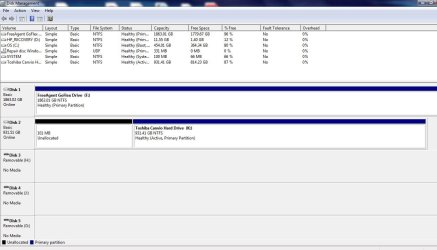
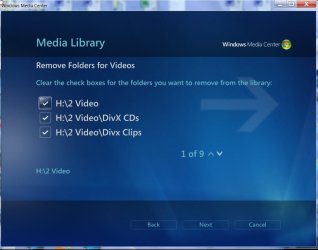
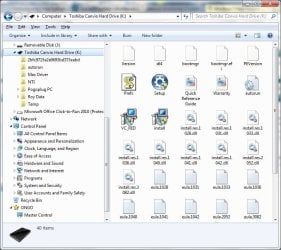
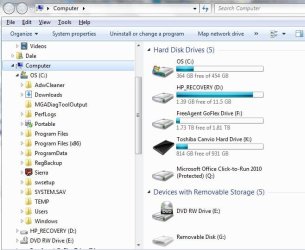
I have "my user" files (with sub-folders) just below "Libraries", but I didn't add my "Toshiba Canvio Hard Drive (K) to library's. When I'm browsing my pictures...etc. when I scroll down my folders to "T" it has my 'Toshiba' drive with full access to every file & folder on it. This is no shortcut, it just got added to my list of files/folders on C:\ - I'm afraid to do anything with it because it has many GB of audio/video files mainly. I use AOMEI to back up K:\ to my Seagate GoFlex (1.8 GB) F:\ drive.
I was in libraries and looked at all four categories 'properties' and see where I have included some folders. I was hoping to find an option to remove K: drive, with no luck. It's really doing no harm but it confuses me. Best regards,
-Roy
I was in libraries and looked at all four categories 'properties' and see where I have included some folders. I was hoping to find an option to remove K: drive, with no luck. It's really doing no harm but it confuses me. Best regards,
-Roy
My Computer
At a glance
Windows 7 SP 1 Home Premium x642.90 Ghz4 GBATI Radeon HD 4200
- Computer type
- PC/Desktop
- Computer Manufacturer/Model Number
- HP Pavillion p6550z CTO
- OS
- Windows 7 SP 1 Home Premium x64
- CPU
- 2.90 Ghz
- Motherboard
- FOXCONN
- Memory
- 4 GB
- Graphics Card(s)
- ATI Radeon HD 4200
- Hard Drives
- Western Digital
TOSHIBA External USB 3.0 USB 1TB
- Antivirus
- Avast free
- Browser
- IE 11