

- Local time
- 3:06 PM
- Messages
- 16,790
Doing so will free a Primary that I could assign to the RECOVERY partition !? yes ?
Not easily. The Recovery partition is a logical drive inside an extended partition.
You can have 3 primary and one extended. I can only see 2 mounted primary in your screenshot - the other has no drive letter and shows as 0mb
You would need to move that recovery logical drive to one end of the extended partition, before it can be converted to primary.
3rd party Partition managers can do this kind of thing, but it means moving a lot of data.
What is that top primary listed as 0mb with no drive letter?
You will have to provide a better screenshot - showing ALL partitions in bottom pane layout.
Also provide a screenshot using diskgenius or any other 3rd party partition manager.
My Computers
-
At a glance
7 X64i5 84002x8gb 3200mhz- Computer type
- PC/Desktop
- OS
- 7 X64
- CPU
- i5 8400
- Motherboard
- gigabyte b365m ds3h
- Memory
- 2x8gb 3200mhz
- Hard Drives
- various
- PSU
- pure power 11 400w cm
- Case
- Coolermaster
- Cooling
- cryorig m9i
-
At a glance
7x64g54008gb ddr4 2400- Computer type
- PC/Desktop
- OS
- 7x64
- CPU
- g5400
- Motherboard
- ga b365m ds3h
- Memory
- 8gb ddr4 2400
- PSU
- xfx pro 450w


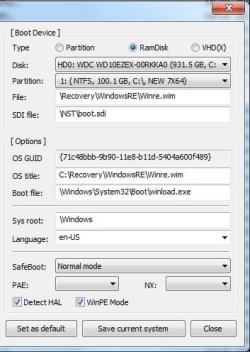
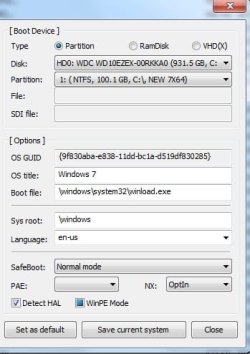
 I did thought that suggestion but pointing the partition to my RECOVERY partition and naming the entry 'Recovery' but that choice does not work. There is no bootfile info pointing anywhere into the RECOVERY partition...

