Can't boot my Windows 7 and nothing happens when i click "Repair pc"

seniorbrayan

New member
Local time
9:25 AM
Messages
9
Can't boot my Windows 7 and nothing happens when i click "Repair pc"

I have Windows 7 and Ubuntu 16.04 installed, in Ubuntu when i try to access to my local disk c: this says:
"Failed to read NTFS $ Bitmap: NTFS input / output error is either inconsistent, or there is a hardware fault, or it's a SoftRAID / FakeRAID hardware. In the first case run chkdsk / f on Windows then reboot into Windows twice"
When I try to enter to my Windows 7 makes a Blue screen.
I tried to use my usb to enter to the option "Repair computer" but nothing happens :s.

Here it's the video of what happens: Boot - YouTube
( i can't tag it with youtube tag, sorry)
What should i do? :s sorry for my bad english
 

My Computer My Computer

At a glance

Windows 7 Ultimate x64
Computer type
Laptop
Computer Manufacturer/Model Number
Dell
OS
Windows 7 Ultimate x64
Welcome to the forum. It's saying a file system fault so you need to boot win7 rescue then goto a CMD print type chkdsk c: /f see if it repairs the files then see if it boots if not then try repair
 

My Computer My Computer

At a glance

win 8 32 bit
Computer type
PC/Desktop
OS
win 8 32 bit
Do you have partition drives separated for both OS?
 

My Computer My Computer

At a glance

Windows 10 64
Computer type
Laptop
Computer Manufacturer/Model Number
Dell
OS
Windows 10 64
Welcome to the forum. It's saying a file system fault so you need to boot win7 rescue then goto a CMD print type chkdsk c: /f see if it repairs the files then see if it boots if not then try repair

Where can i download or use win7 rescue?
Sorry u.u i don't understand
 

My Computer My Computer

At a glance

Windows 7 Ultimate x64
Computer type
Laptop
Computer Manufacturer/Model Number
Dell
OS
Windows 7 Ultimate x64
Do you have partition drives separated for both OS?

Yep, i have one for ubuntu, one for windows 7, another 2 of a mini backup of some documents
 

My Computer My Computer

At a glance

Windows 7 Ultimate x64
Computer type
Laptop
Computer Manufacturer/Model Number
Dell
OS
Windows 7 Ultimate x64
Hello seniorbrayan

1.
Use your USB to enter to the option CMD Prompt. At a CMD Prompt, type chkdsk C: /f, and then press enter.
OR
2
Try and repair NTFS from Ubuntu: How to fix a NTFS partition in Ubuntu.
 
Last edited:

My Computer My Computer

At a glance

Windows 7 x64, Vista x64, 8.1 smartphoneIntel E8400 65W 64-bitDDR2 2 x 2GB, 1GB x 2XFX Radeon HD5750
Computer type
PC/Desktop
OS
Windows 7 x64, Vista x64, 8.1 smartphone
CPU
Intel E8400 65W 64-bit
Motherboard
Gigabyte EP45-UD3LR
Memory
DDR2 2 x 2GB, 1GB x 2
Graphics Card(s)
XFX Radeon HD5750
Sound Card
AMD High Definition Audio; Realtek High Definition Audio
Monitor(s) Displays
iiyama prolite X2377HDS
Screen Resolution
1920 x 1080
Hard Drives
500GB 7200 rpm Seagate ST3500413AS 16MB, 500GB 5400 rpm Toshiba MQ02ABF050H 32MB, 200GB 7200 rpm Seagate ST3200820AS 8MB, 2TB 7200 rpm Western Digital WD20EZRX 64MB
PSU
Enermax Liberty Modular
Case
Antec P193 Midi Tower
Keyboard
Mionix ZIBAL 60
Mouse
Razer USB 2.0 Diamondback Mouse or Huion Graphics Tablet
Browser
Internet Explorer, Lunascape, Firefox, Opera, Avast Safezone
Welcome to the forum. It's saying a file system fault so you need to boot win7 rescue then goto a CMD print type chkdsk c: /f see if it repairs the files then see if it boots if not then try repair


Hello seniorbrayan

1.
Use your USB to enter to the option CMD Prompt. At a CMD Prompt, type chkdsk C: /f, and then press enter.
OR
2
Try and repair NTFS from Ubuntu: How to fix a NTFS partition in Ubuntu.

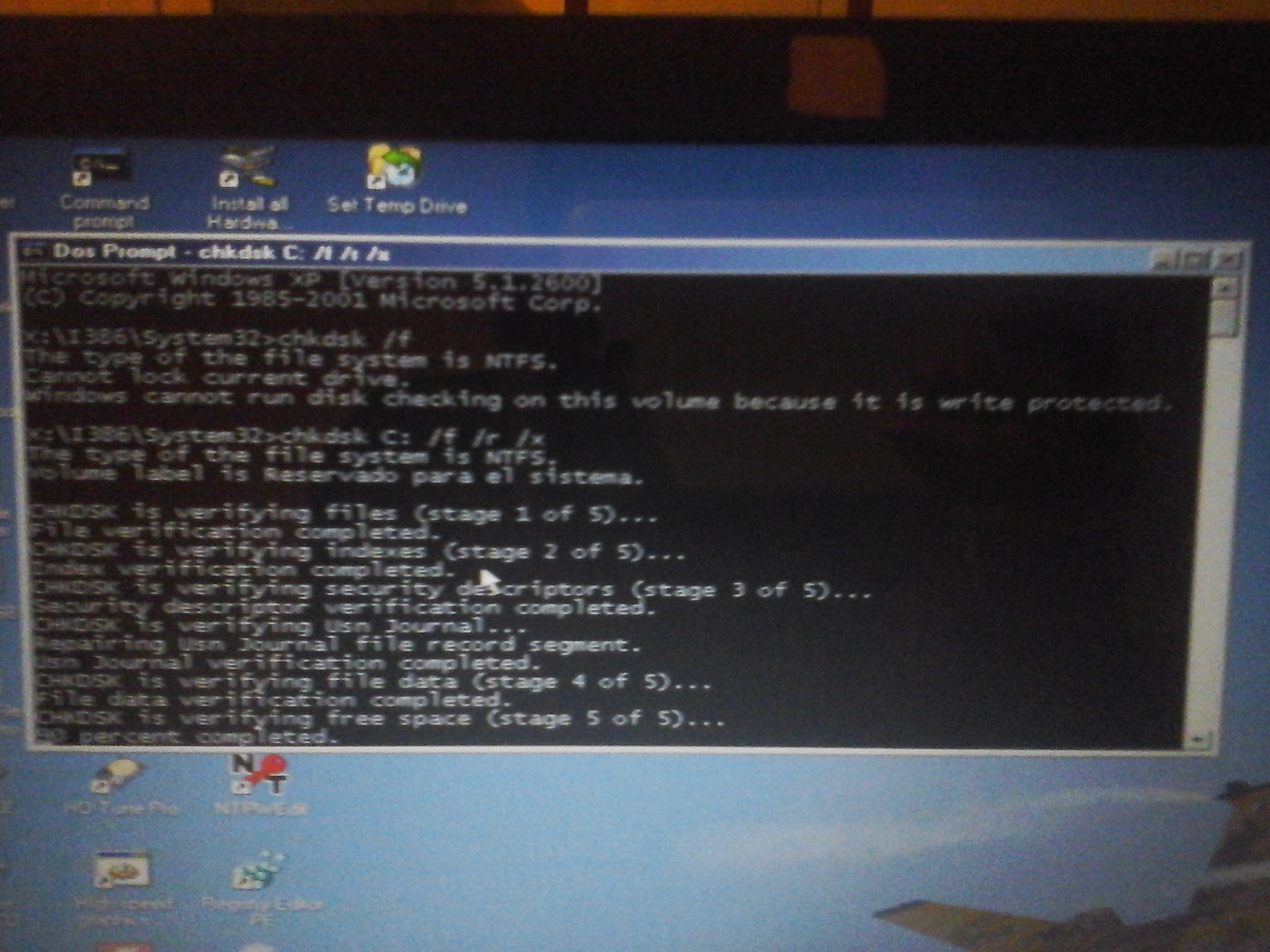
I used Falconfour's ultimate boot cd, and i booted on Windows XP. when i used the command i saw that Windows recognized my c:/ as "reserved for the system", is that okay?, it's suppossed that my local disk c is where i have all my information.
8A2lVFS.jpg

mbS5y8P.jpg

After that, I restarted to see if I could start Windows and i could not, the error was kept.
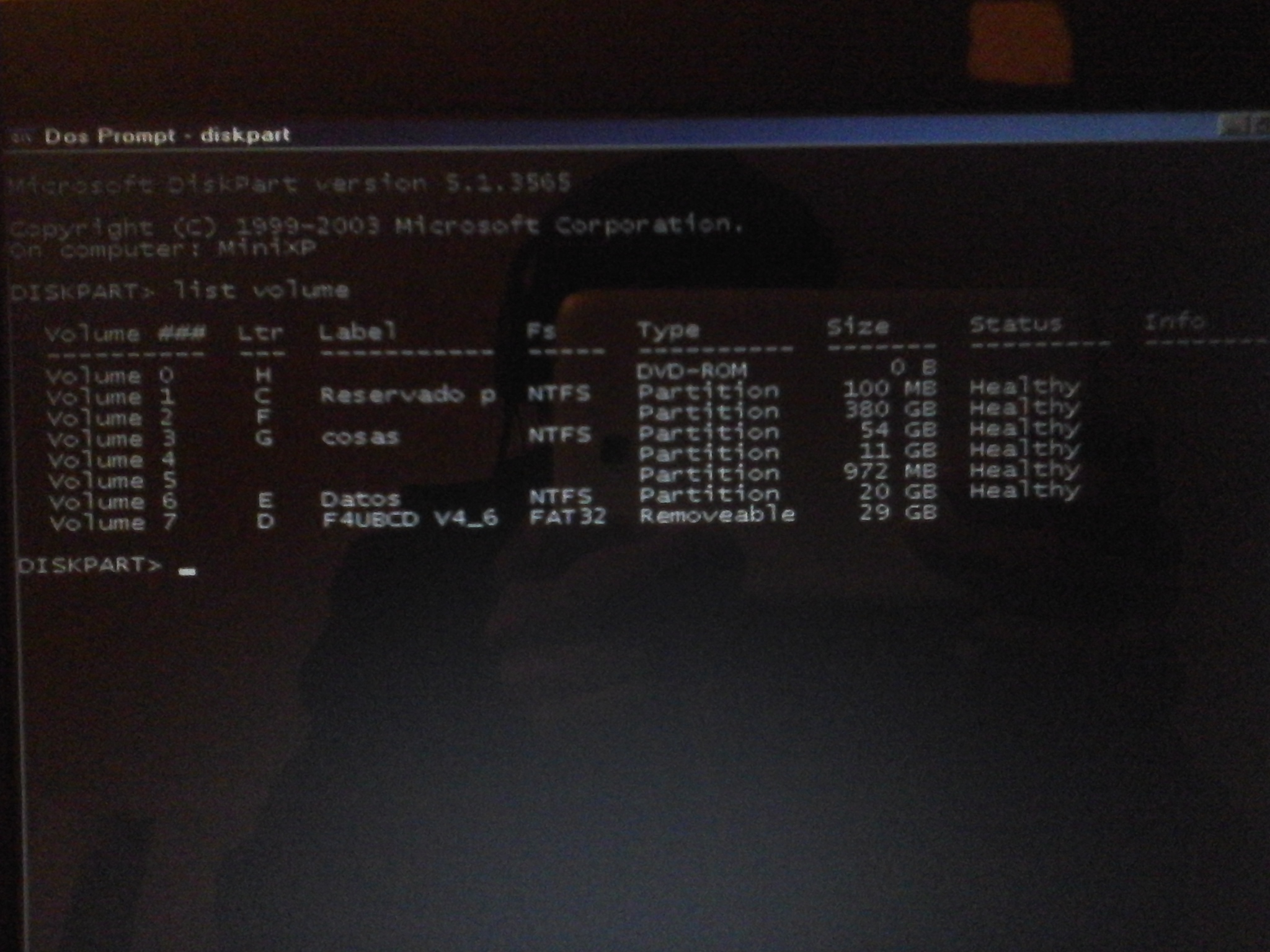
I tried using the chkdsk again, just in case.
ACsZQTs.jpg

And I saw the partitions I had.
4ALX4fx.jpg

But I noticed that C: was reserved for the system and my local disk c: , which should be c: now is F:, what should I do?
I hope you can understand me, i'm sorry.
 

My Computer My Computer

At a glance

Windows 7 Ultimate x64
Computer type
Laptop
Computer Manufacturer/Model Number
Dell
OS
Windows 7 Ultimate x64
Hello seniorbrayan

Sorry I had not realised that you had recovery on C:.

you need to run CHKDSK F: /f

then, you need to mark (volume 2) F: as active. Follow Method 2 from this tutorial : Partition - Mark as Active
 

My Computer My Computer

At a glance

Windows 7 x64, Vista x64, 8.1 smartphoneIntel E8400 65W 64-bitDDR2 2 x 2GB, 1GB x 2XFX Radeon HD5750
Computer type
PC/Desktop
OS
Windows 7 x64, Vista x64, 8.1 smartphone
CPU
Intel E8400 65W 64-bit
Motherboard
Gigabyte EP45-UD3LR
Memory
DDR2 2 x 2GB, 1GB x 2
Graphics Card(s)
XFX Radeon HD5750
Sound Card
AMD High Definition Audio; Realtek High Definition Audio
Monitor(s) Displays
iiyama prolite X2377HDS
Screen Resolution
1920 x 1080
Hard Drives
500GB 7200 rpm Seagate ST3500413AS 16MB, 500GB 5400 rpm Toshiba MQ02ABF050H 32MB, 200GB 7200 rpm Seagate ST3200820AS 8MB, 2TB 7200 rpm Western Digital WD20EZRX 64MB
PSU
Enermax Liberty Modular
Case
Antec P193 Midi Tower
Keyboard
Mionix ZIBAL 60
Mouse
Razer USB 2.0 Diamondback Mouse or Huion Graphics Tablet
Browser
Internet Explorer, Lunascape, Firefox, Opera, Avast Safezone
Hello seniorbrayan

Sorry I had not realised that you had recovery on C:.

you need to run CHKDSK F: /f

then, you need to mark (volume 2) F: as active. Follow Method 2 from this tutorial : Partition - Mark as Active

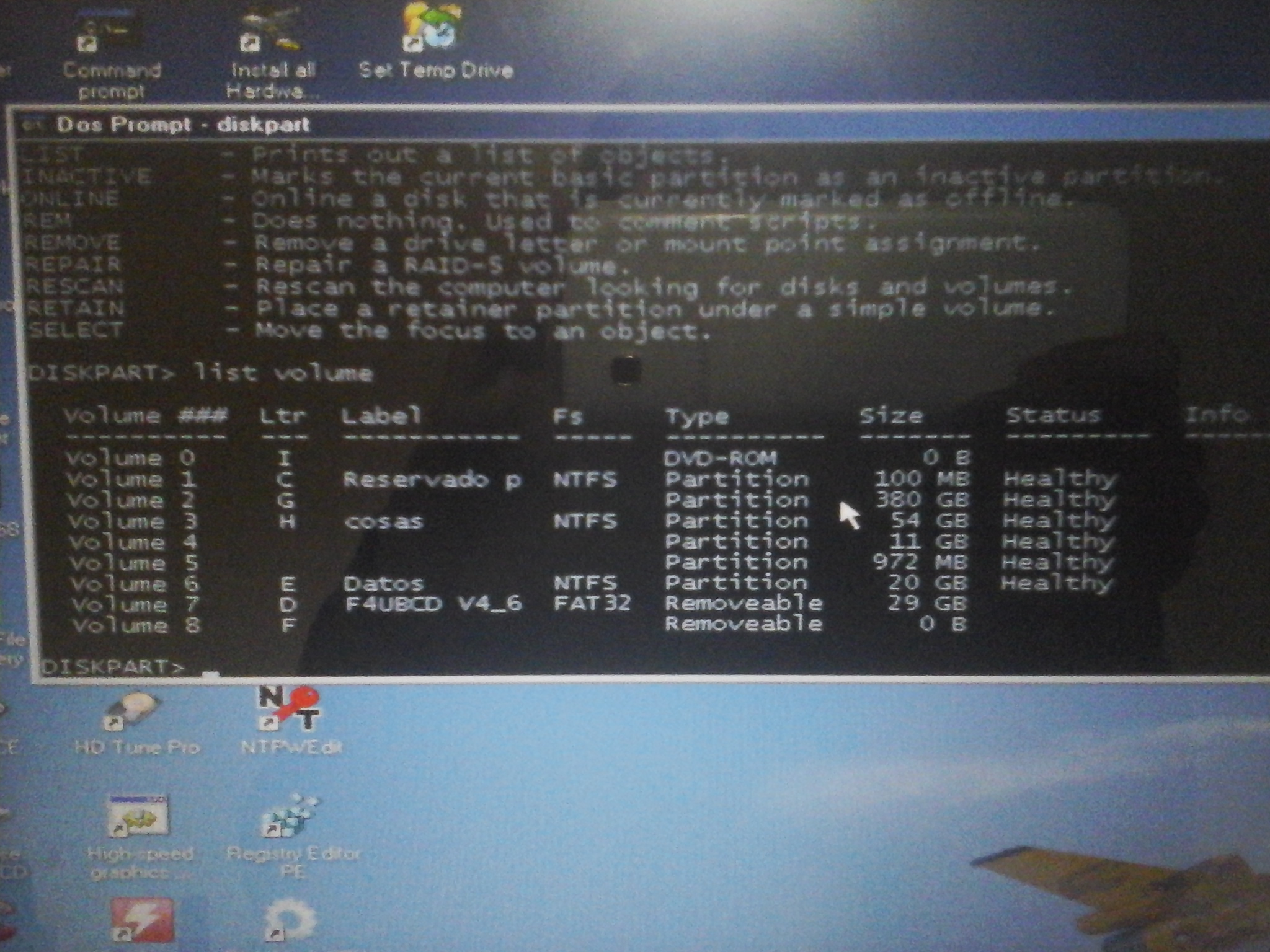
Sorry, i booted again the falconfour's cd, but i saw that my 380 gb partition of local disk c, now was g, and f was another thing, they switched.
The chkdsk i should do it with g? or if it changes, with which it changes?
KADtXbE.jpg
 

My Computer My Computer

At a glance

Windows 7 Ultimate x64
Computer type
Laptop
Computer Manufacturer/Model Number
Dell
OS
Windows 7 Ultimate x64
drive letters will be different from booted media. Use the partition size/label to identify your windows partition.

These are windows 7 boot media:

17514x86.iso
17514x64-v10.iso
 

My Computers My Computers

  • At a glance

    7 X64i5 84002x8gb 3200mhz
    Computer type
    PC/Desktop
    OS
    7 X64
    CPU
    i5 8400
    Motherboard
    gigabyte b365m ds3h
    Memory
    2x8gb 3200mhz
    Hard Drives
    various
    PSU
    pure power 11 400w cm
    Case
    Coolermaster
    Cooling
    cryorig m9i
  • At a glance

    7x64g54008gb ddr4 2400
    Computer type
    PC/Desktop
    OS
    7x64
    CPU
    g5400
    Motherboard
    ga b365m ds3h
    Memory
    8gb ddr4 2400
    PSU
    xfx pro 450w

My Computer My Computer

At a glance

Windows 7 Ultimate x64
Computer type
Laptop
Computer Manufacturer/Model Number
Dell
OS
Windows 7 Ultimate x64
But now i can use the option of repair computer of the usb, before i can't.
So it's an advance (?? XD
How should i proceed?
 

My Computer My Computer

At a glance

Windows 7 Ultimate x64
Computer type
Laptop
Computer Manufacturer/Model Number
Dell
OS
Windows 7 Ultimate x64
of repair computer of the usb

I have no idea what that means.

If you mean running startup repair from windows 7 boot media, you can certainly try.
 

My Computers My Computers

  • At a glance

    7 X64i5 84002x8gb 3200mhz
    Computer type
    PC/Desktop
    OS
    7 X64
    CPU
    i5 8400
    Motherboard
    gigabyte b365m ds3h
    Memory
    2x8gb 3200mhz
    Hard Drives
    various
    PSU
    pure power 11 400w cm
    Case
    Coolermaster
    Cooling
    cryorig m9i
  • At a glance

    7x64g54008gb ddr4 2400
    Computer type
    PC/Desktop
    OS
    7x64
    CPU
    g5400
    Motherboard
    ga b365m ds3h
    Memory
    8gb ddr4 2400
    PSU
    xfx pro 450w
I have no idea what that means.

If you mean running startup repair from windows 7 boot media, you can certainly try.

Before when i booted the Windows 7 with the usb. When i tried to click the option "Repair computer", doesn't load nothing. But now i have access to that option.

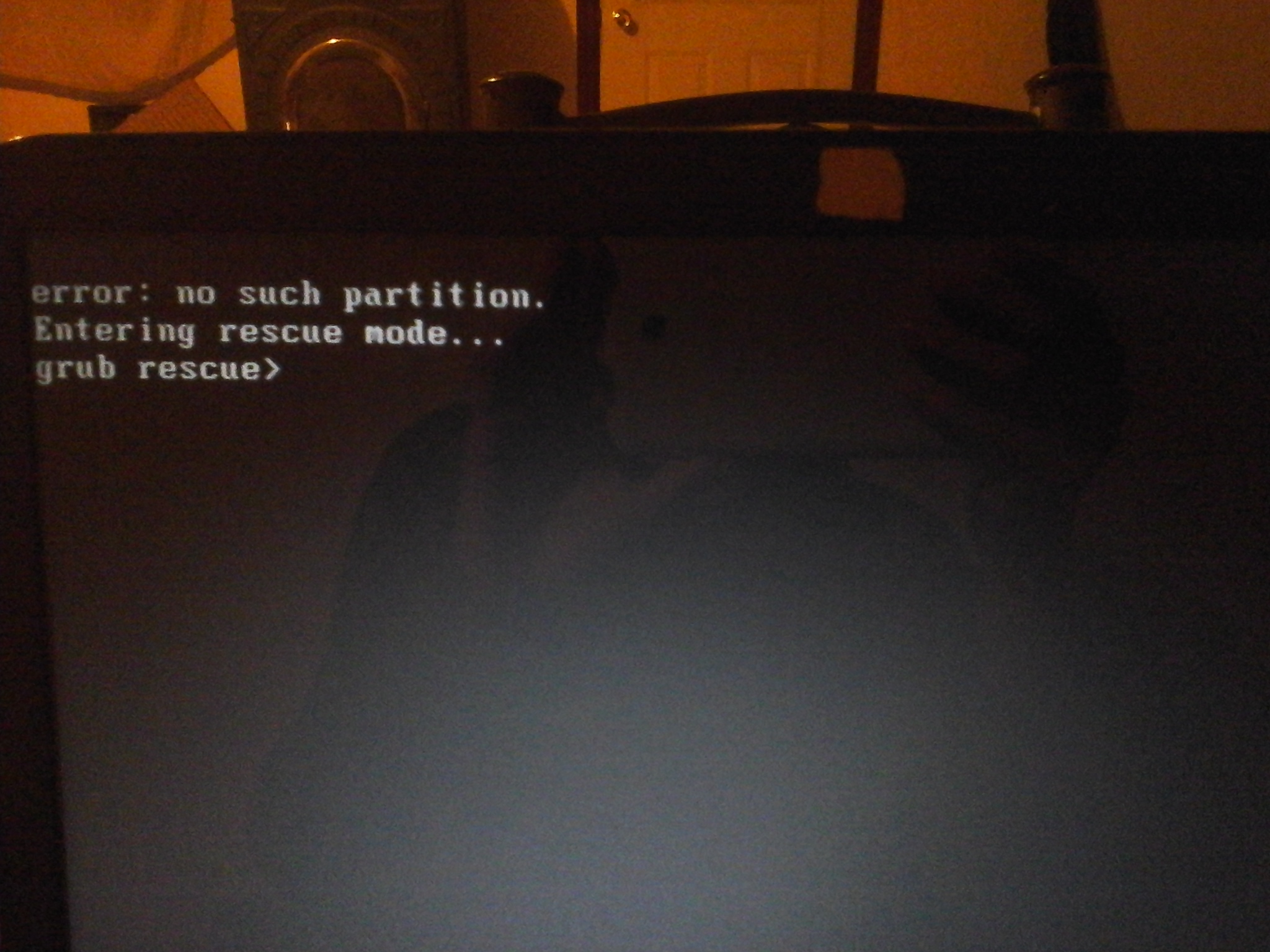
But now i have that error of no such partition.
Edit:
Okay, i'm in Windows now :D
I used supergrub2 to boot windows, but now my ask is how can i enter to ubuntu? xD
 
Last edited:

My Computer My Computer

At a glance

Windows 7 Ultimate x64
Computer type
Laptop
Computer Manufacturer/Model Number
Dell
OS
Windows 7 Ultimate x64
Sorry, i booted again the falconfour's cd, but i saw that my 380 gb partition of local disk c, now was g, and f was another thing, they switched.
The chkdsk i should do it with g? or if it changes, with which it changes?

You need to CHKDSK with whatever drive letter is assigned to volume 2. The assigned lettering has changed because the computer cannot find an active partition, at the moment.
 

My Computer My Computer

At a glance

Windows 7 x64, Vista x64, 8.1 smartphoneIntel E8400 65W 64-bitDDR2 2 x 2GB, 1GB x 2XFX Radeon HD5750
Computer type
PC/Desktop
OS
Windows 7 x64, Vista x64, 8.1 smartphone
CPU
Intel E8400 65W 64-bit
Motherboard
Gigabyte EP45-UD3LR
Memory
DDR2 2 x 2GB, 1GB x 2
Graphics Card(s)
XFX Radeon HD5750
Sound Card
AMD High Definition Audio; Realtek High Definition Audio
Monitor(s) Displays
iiyama prolite X2377HDS
Screen Resolution
1920 x 1080
Hard Drives
500GB 7200 rpm Seagate ST3500413AS 16MB, 500GB 5400 rpm Toshiba MQ02ABF050H 32MB, 200GB 7200 rpm Seagate ST3200820AS 8MB, 2TB 7200 rpm Western Digital WD20EZRX 64MB
PSU
Enermax Liberty Modular
Case
Antec P193 Midi Tower
Keyboard
Mionix ZIBAL 60
Mouse
Razer USB 2.0 Diamondback Mouse or Huion Graphics Tablet
Browser
Internet Explorer, Lunascape, Firefox, Opera, Avast Safezone
You need to CHKDSK with whatever drive letter is assigned to volume 2. The assigned lettering has changed because the computer cannot find an active partition, at the moment.
Yep! i did it and now i can enter to Windows, but i have that error of grub
 

My Computer My Computer

At a glance

Windows 7 Ultimate x64
Computer type
Laptop
Computer Manufacturer/Model Number
Dell
OS
Windows 7 Ultimate x64
Back
Top