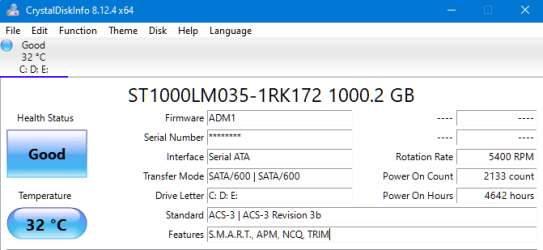
I installed an SSD in my old Dell computer and did a fresh install of Windows 7 and drivers. I've seen other people have said online that one way to check to make sure Windows 7 is treating your SSD like an SSD is to run "fsutil behavior query DisableDeleteNotify" (See image below) and if the result is "DisableDeleteNotify = 0" then TRIM is enabled and Windows 7 is using the SSD correctly.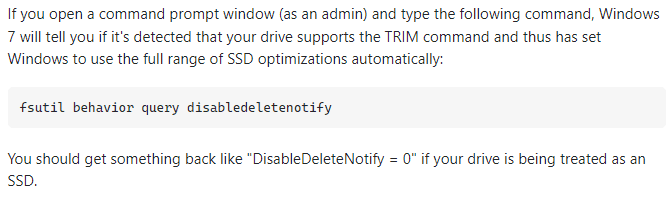 Other people also went on to say that if the result is 1 then TRIM is disabled. I wanted to test this so I installed a regular hard drive (Old Hitachi Drive) and did another fresh install, tried the command again and it still came back as 0, which according to what I found means TRIM is being enabled? I also tried it on a different drive (Seagate Drive) and it was still the same. If Windows 7 is installed on a hard drive why does it appear that TRIM is being enabled?
Edit: Note that I used AHCI mode for all the drives.
Edit: Note that I used AHCI mode for all the drives.
My Computers
-
At a glance
Windows 7 Ultimate SP1 64-Biti5-24008GB 1333MHZ Dual ChannelNVIDIA Quadro M2000- Computer type
- PC/Desktop
- Computer Manufacturer/Model Number
- Dell Optiplex 990
- OS
- Windows 7 Ultimate SP1 64-Bit
- CPU
- i5-2400
- Motherboard
- Dell OEM
- Memory
- 8GB 1333MHZ Dual Channel
- Graphics Card(s)
- NVIDIA Quadro M2000
- Sound Card
- Creative Sound Blaster Audigy 2 ZS Platinum
- Monitor(s) Displays
- Dell P1913S, Sony SDM-HS95P
- Hard Drives
- Kingston A400 960GB SSD
- Antivirus
- Avira Antivirus
- Browser
- Google Chrome
-
- Computer type
- PC/Desktop